
1. Introduction
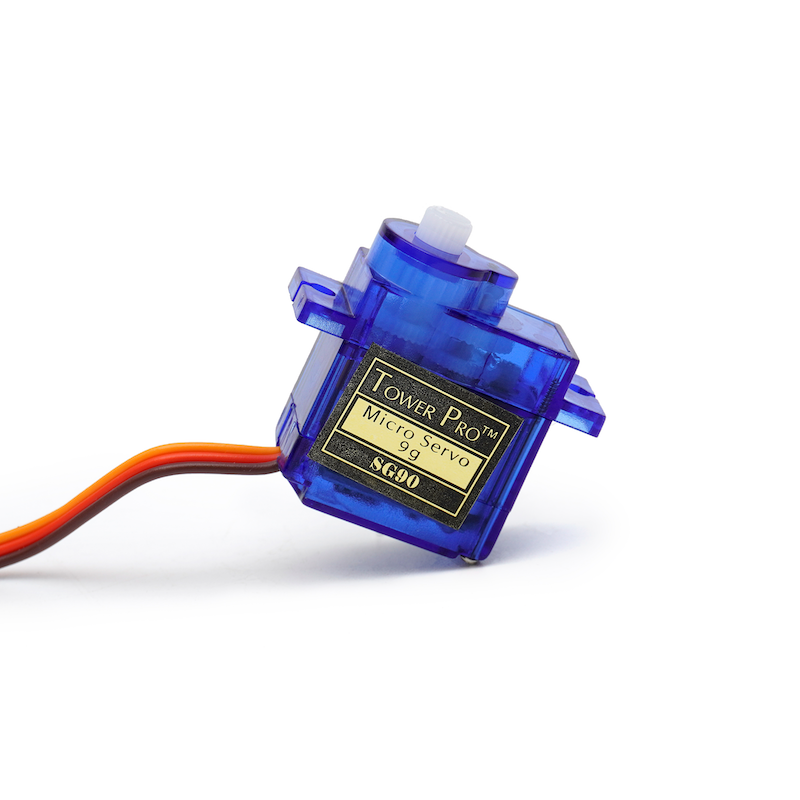
The 9g servo is a position (angle) servo drive that is suitable for control systems that require continuous angle change and can maintain it.Common in model aircraft, aircraft models, remote-controlled robots, and mechanical components.In use, the accessories of a servo usually include a bracket that can fix the servo to the base and a disk that can be fitted onto the drive shaft. Through the holes on the disk, other objects can be connected to form a transmission model.
2 Module Parameters
Pin Name | description |
|---|---|
Brown wire | GND (Negative Power Input) |
Red wire | VCC (Positive Power Input) |
Orange wire | Control signal pin |
Supply voltage: 4.8V to 6V DC
Standby current: 5mA
Limiting angle: 210°±5%
Torque: 1.3 to 1.7 kg/cm
Operating temperature: -10℃ to 60℃
Humidity range: 60% ±10%
Speed: 0.09 to 0.10 sec/60°(4.8V)
Signal period: 20 ms
Signal high level time range: 1000 to 2000 us/cycle
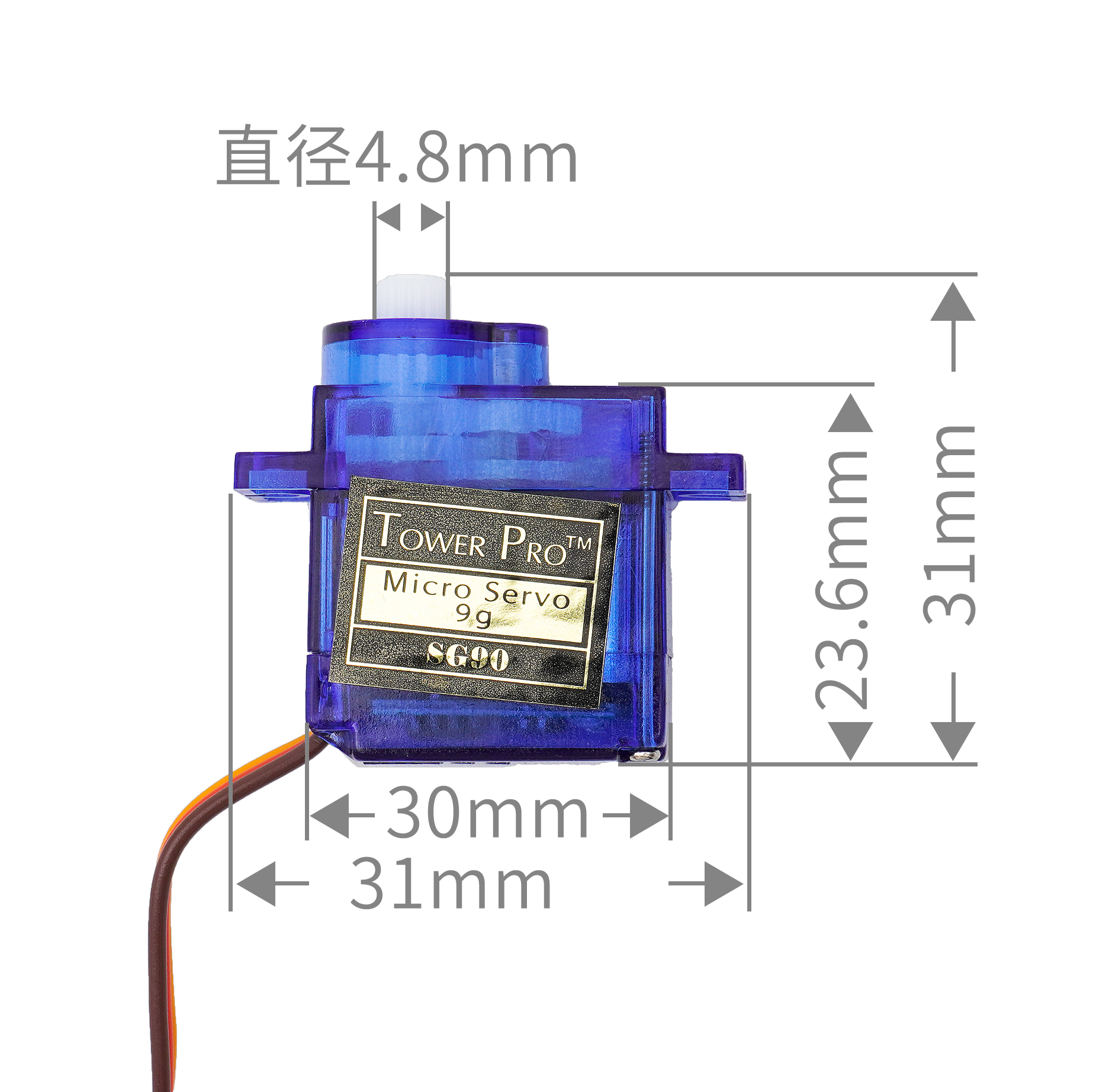
3. Servo size
4. Arduino IDE example program
Attention: If prompted with an error message about the library file during program upload, please import the library file first!
Arduino IDE Library Download and Import Tutorial:Click to view
Example program (UNO development board):
#include <Servo.h>

volatile int angle;
Servo servo_9;

void setup(){
  Serial.begin(9600);
  angle = 0;
  pinMode(A0, INPUT);
  servo_9.attach(9);
}

void loop(){
  angle = (map(analogRead(A0), 0, 983, 0, 180));
  servo_9.write(angle);
  delay(5);
  Serial.print("电位器:");
  Serial.print(analogRead(A0));
  Serial.print("     舵机:");
  Serial.println(angle);

}
5, ESP32 Python Example (for Mixly IDE / Mixly)
Choose the development board Python ESP32 [ESP32 Generic(4MB)] and upload in code mode
Attention: If prompted with an error message about the library file during program upload, please import the library file first!
Download and import tutorial for Mixly IDE ESP32 library:Click to view
Example program (ESP32-Python):
import machine
from mixpy import math_map
import servo


i = int
i = 0
adc32 = machine.ADC(machine.Pin(32))
while True:
    i = (math_map(adc32.read_u16(), 0, 65535, 0, 180))
    servo.servo180_angle(2,i)
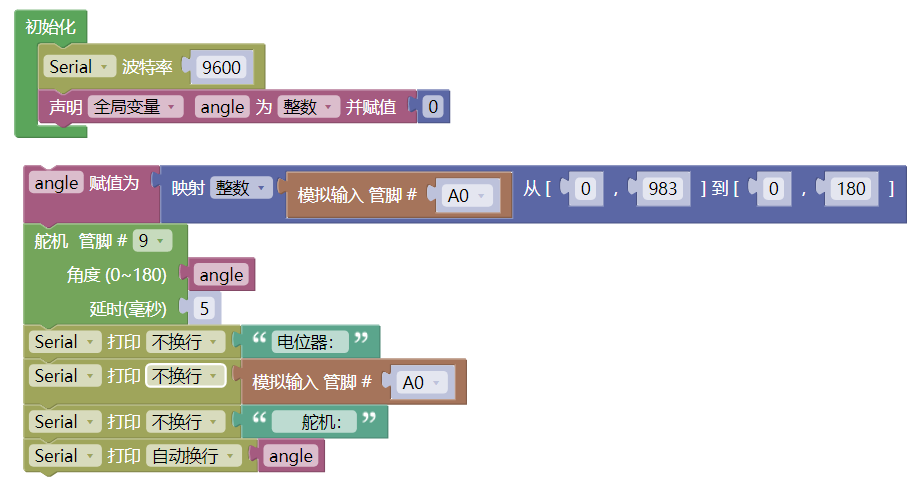
6, Miciqi Mixly Example Program (Graphical Language)
Example program (UNO development board):Click to download
Attention: If prompted with an error message about the library file during program upload, please import the library file first!
Download and import tutorial of Mixly IDE Arduino library:Click to view
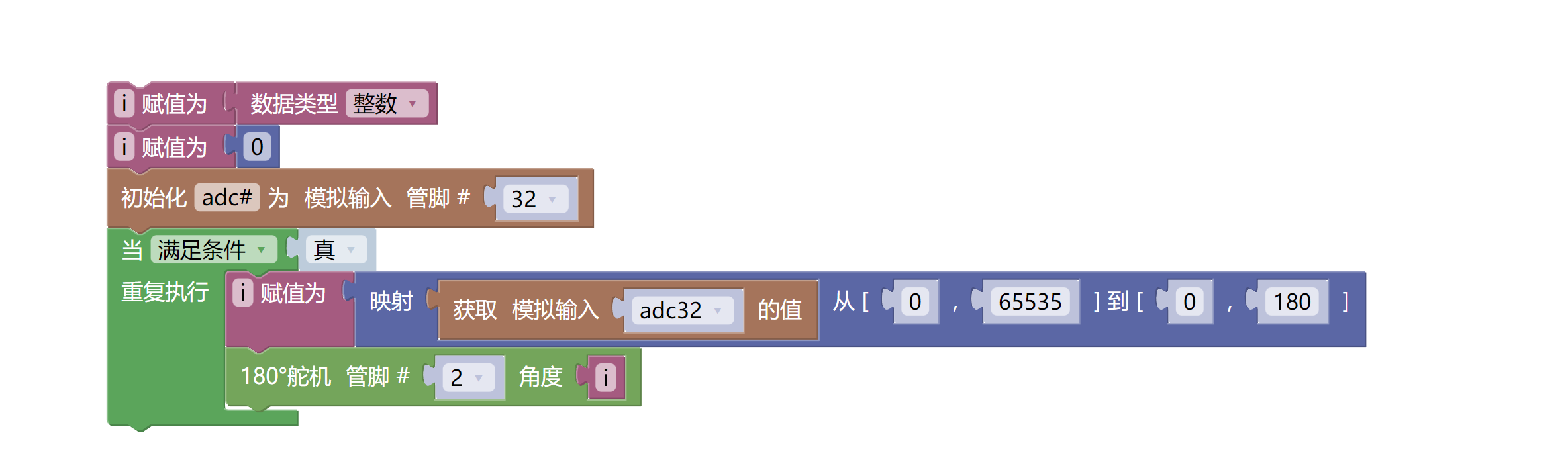
Example Program (ESP32 Development Board):Click to download
Attention: If prompted with an error message about the library file during program upload, please import the library file first!
Download and import tutorial for Mixly IDE ESP32 library:Click to view
7, Test Environment Setup
Setting up the Arduino Environment
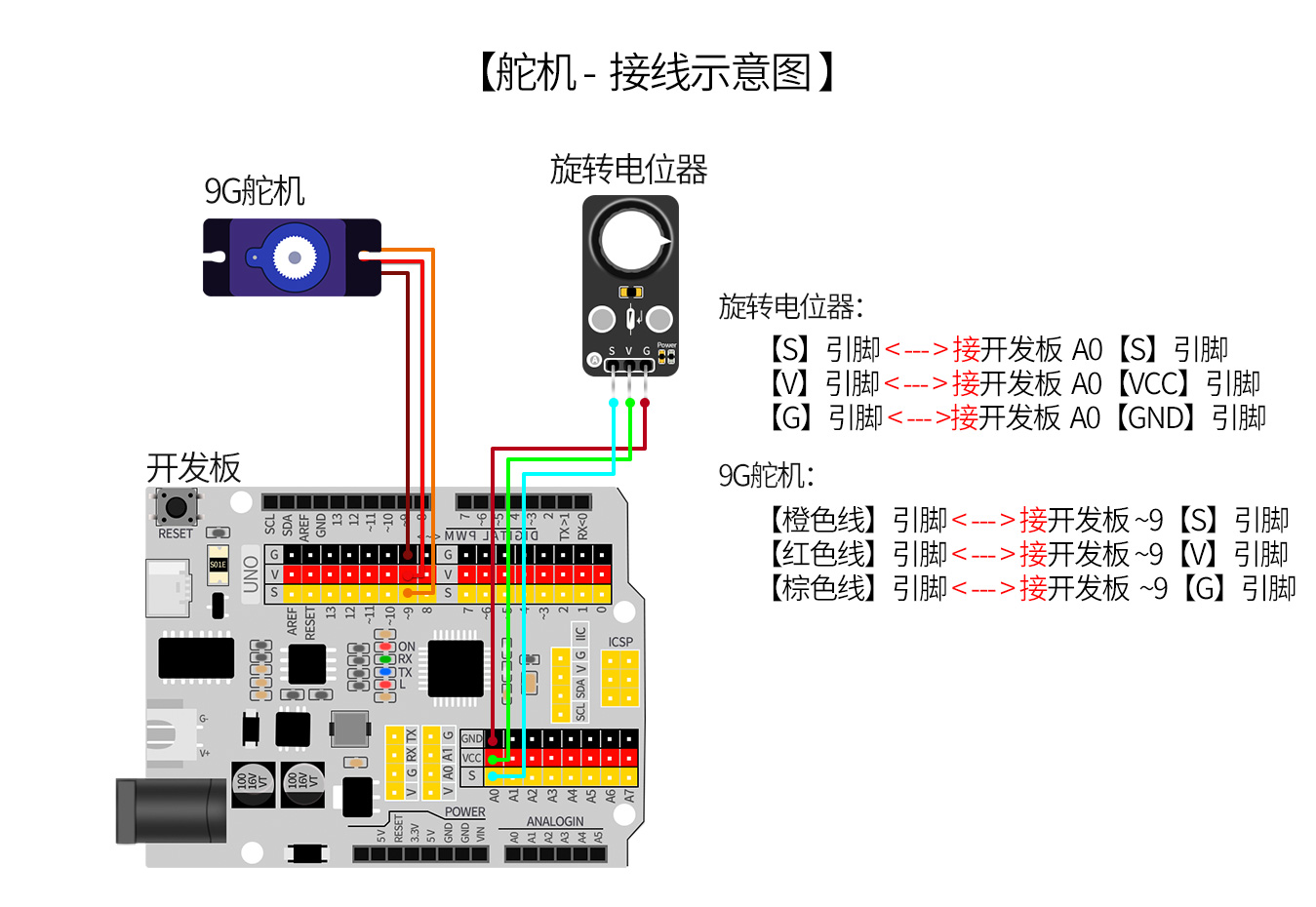
Prepare Components:
HELLO STEM UNO R3 PRO DEVELOPMENT BOARD *1
USB TYPE-C DATA CABLE *1
sg90 9g servo *1
Rotary potentiometer (HS-S28A) *1
1P female to female DuPont wire *3 pieces or 3P female to female DuPont wire *1 piece
Circuit wiring diagram:
ESP32 Test Environment Setup
Prepare Components:Pending update...
Circuit wiring diagram:Pending update...
8. Video tutorial
Video tutorial:Click to view
9, test result
Arduino UNO test results:
After the device is connected and the program is uploaded to the Arduino UNO development board, it will be found that the motor will rotate for 2 seconds and stop for 2 seconds and then continue to cycle.Now you must have mastered the basic theory and programming of DC motors.You can not only make it go forward and backward, but also adjust its speed.In addition, you can use the knowledge you have learned to make more wonderful applications.