1. Introduction
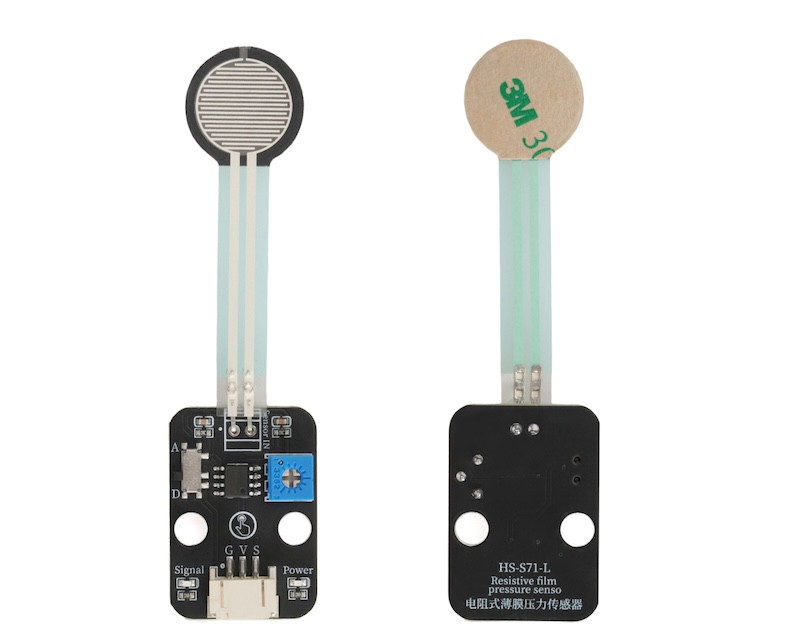
A resistive thin-film pressure sensor is a device that detects pressure based on the principle of resistance change.Based on the piezoresistive effect: When pressure is applied to the surface of the sensor, the sensitive layer's thin film material undergoes mechanical deformation (compression or tension), causing a change in the internal conductive pathway structure of the material (such as changes in the spacing of conductive particles, thin film lattice distortion), thereby causing a corresponding change in resistance.By measuring the change in resistance value, the size of the pressure can be calculated.
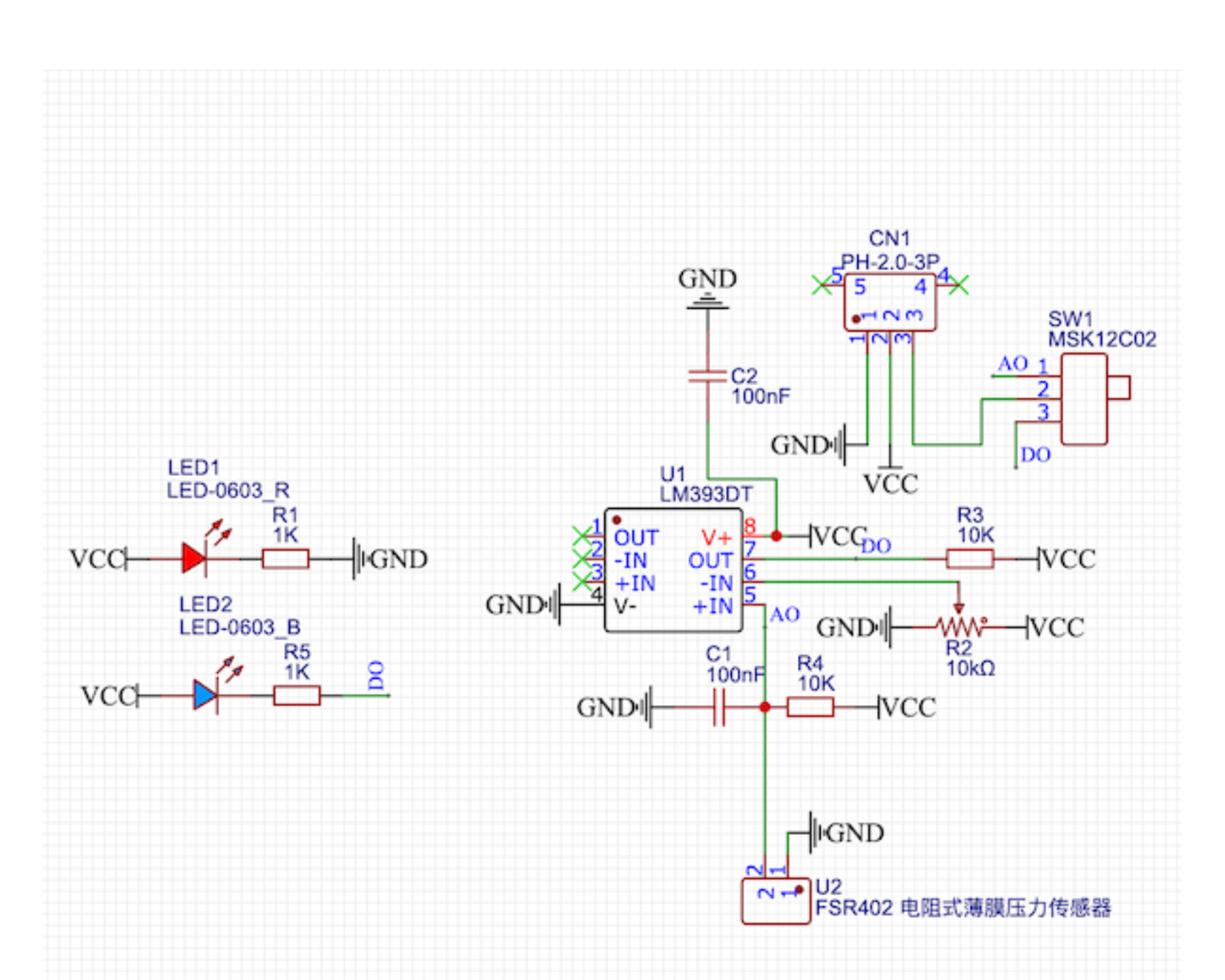
2. Schematic
Module Parameters
Pin Name | description |
|---|---|
G | GND (Power Input) |
V | VCC (power positive terminal) |
S | Digital Signal Pin |
Power Supply Voltage: 3.3V / 5V
Connection method: PH2.0 3P terminal
Installation method: Lego assembly
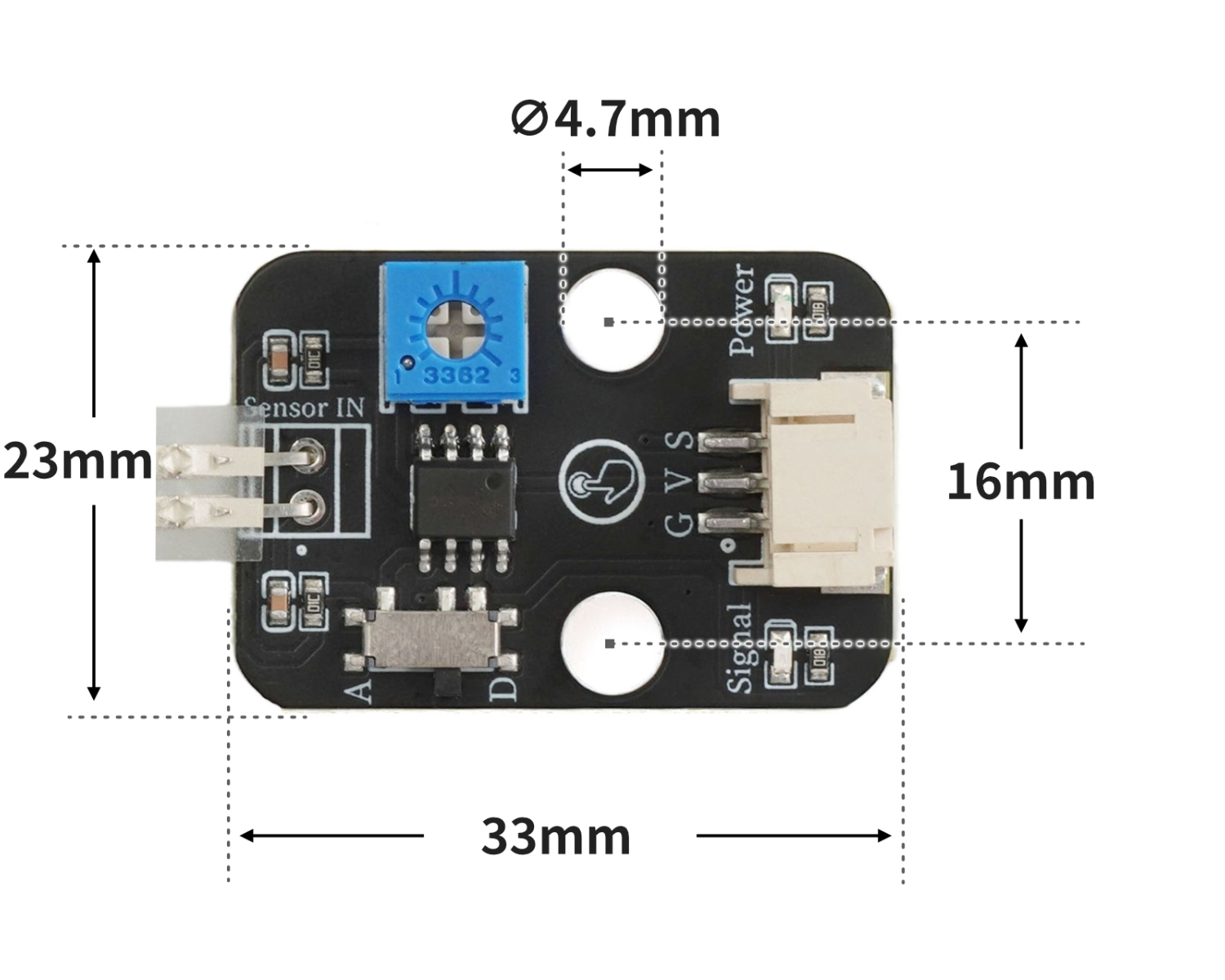
4, Circuit Board Size
5 of Arduino IDE example program
Example program (UNO development board): Click to download
void setup(){
  pinMode(2, INPUT);
  pinMode(3, OUTPUT);
}

void loop(){
  if (digitalRead(2) == LOW) {
    digitalWrite(3,HIGH);

  } else {
    digitalWrite(3,LOW);

  }

}
Example Program (ESP32 Development Board — Based on Python language, cannot be uploaded using Arduino IDE):
import machine


pin4 = machine.Pin(4, machine.Pin.IN)
pin12 = machine.Pin(12, machine.Pin.OUT)
while True:
    if pin4.value() == 0:
        pin12.value(1)
    else:
        pin12.value(0)
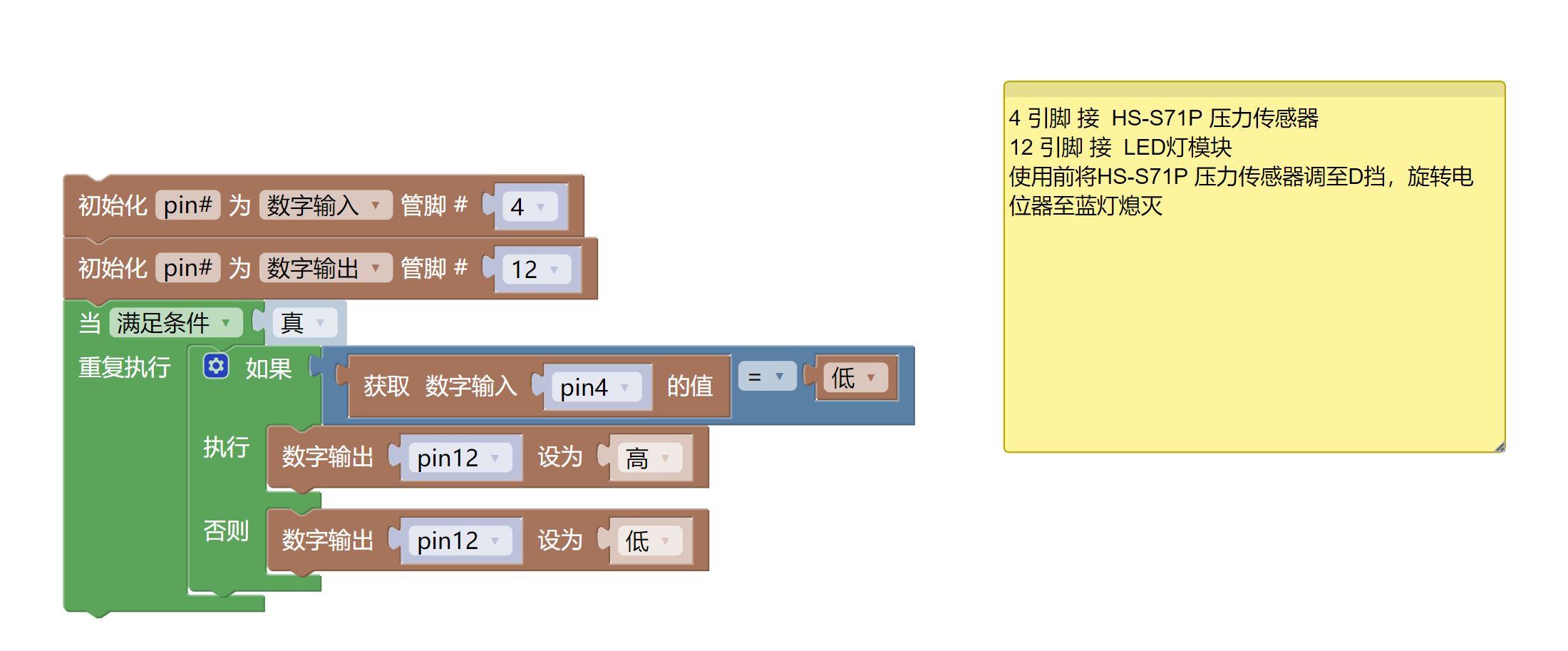
6, Miciqi Mixly Example Program (Graphical Language)
Example program (UNO development board):Click to download
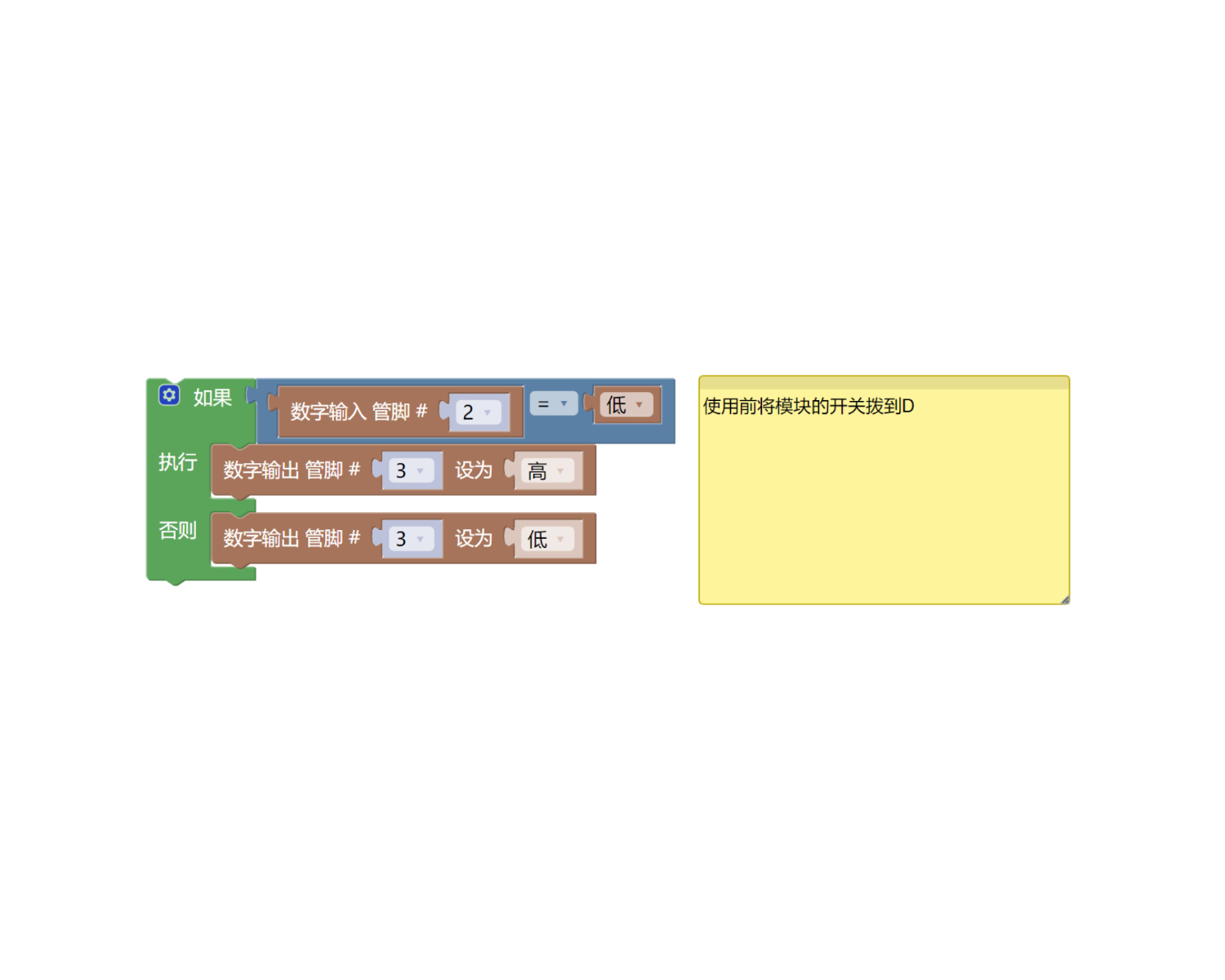
Example Program (ESP32 Development Board):Click to download
7, Test Environment Setup
Arduino UNO Test Environment Setup
Prepare Components:
HELLO STEM UNO R3 PRO DEVELOPMENT BOARD *1
R3P expansion board *1
USB TYPE-C DATA CABLE *1
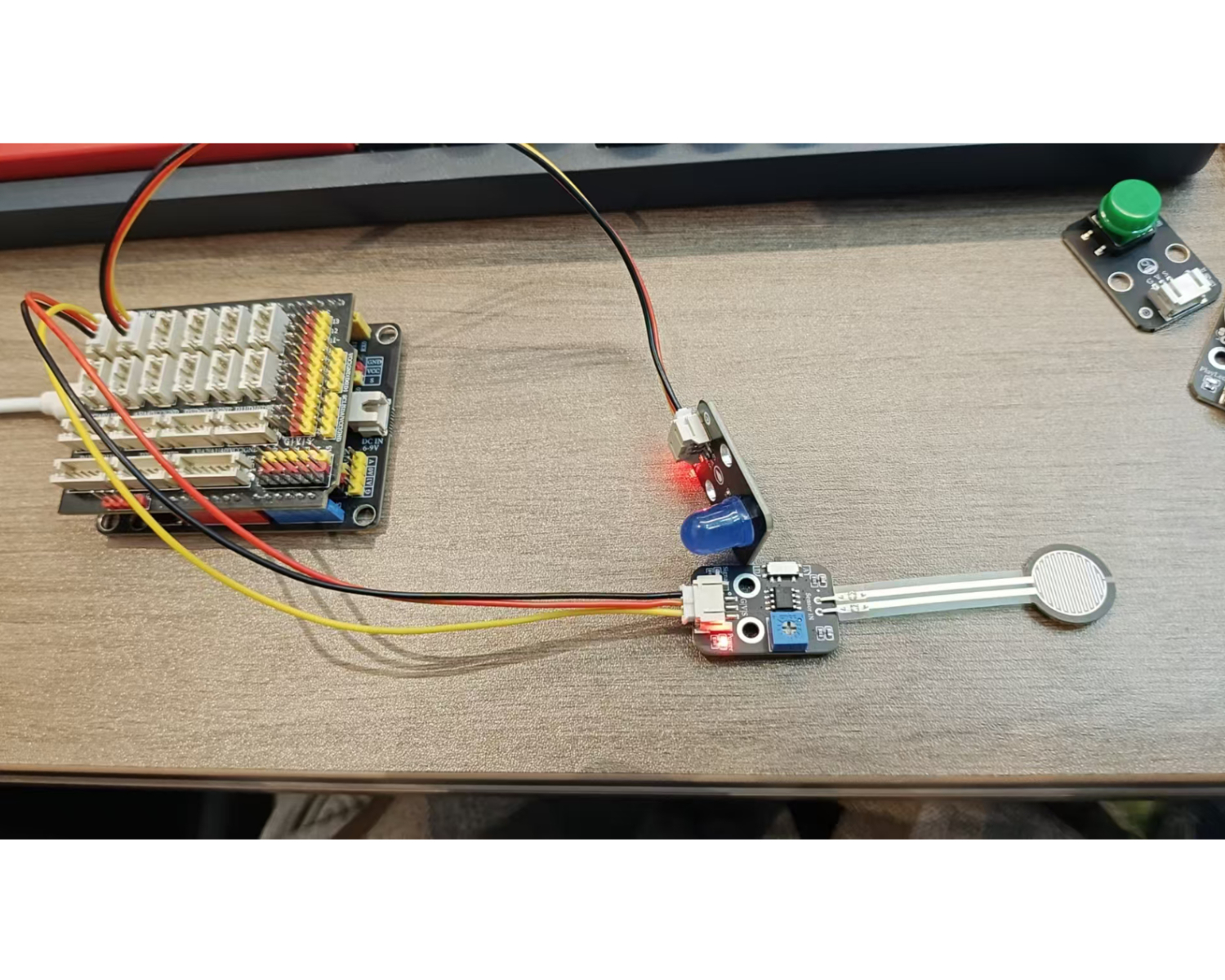
Pressure sensor (HS-S71-L) *1
LED lamp module (HS-F08L) *1
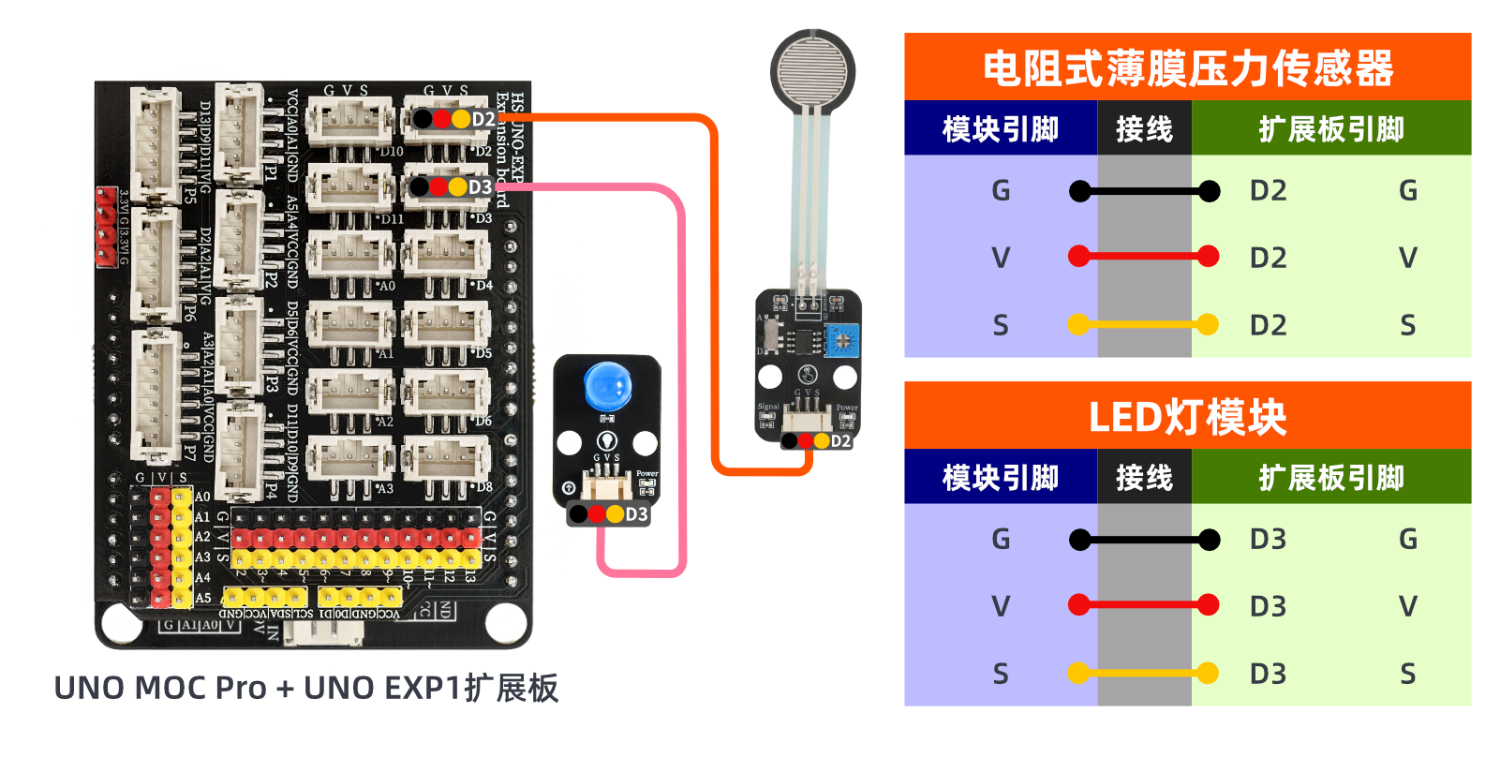
PH2.0 3P double-ended terminal line *2 or PH2.0 3P connector to DuPont wire *2
Circuit wiring diagram:
Set up Micropython environment
Prepare Components:
Circuit wiring diagram:
8. Video tutorial
Video tutorial: Click to view
9. Test conclusion
After the device is connected and the program mentioned above is burned to the UNO-R3 PRO development board, connect the power supply. The LED light will turn on when the pressure sensor detects pressure, otherwise it will turn off.