
1. Introduction
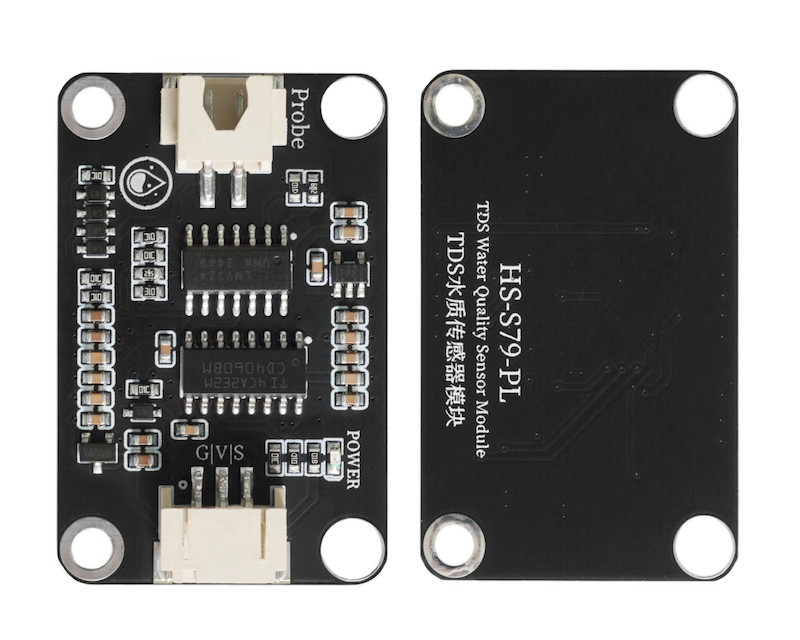
This is an arduino compatible TDS sensor, used to measure the TDS value of water, the TDS value can reflect the purity of water, and can be applied to water quality detection in fields such as domestic water use, hydroponics, and other areas.
Total Dissolved Solids (TDS), also known as the total concentration of dissolved solids, indicates how many milligrams of dissolved solids are present in 1 liter of water.Generally, the higher the TDS value, the more dissolved substances the water contains, and the less clean the water is.Therefore, the size of the TDS value can be one of the criteria for reflecting the purity of water.
2. Schematic
TDS water quality sensor module-HS-S79-PL schematicClick to view
Module Parameters
Pin Name | description |
|---|---|
G | GND (Negative Power Input) |
V | VCC (Positive Power Input) |
S | Analog signal |
Supply voltage: 3.3V-5V
Connection type: PH2.0 3P terminal wire
Installation method: screw/brick fixed
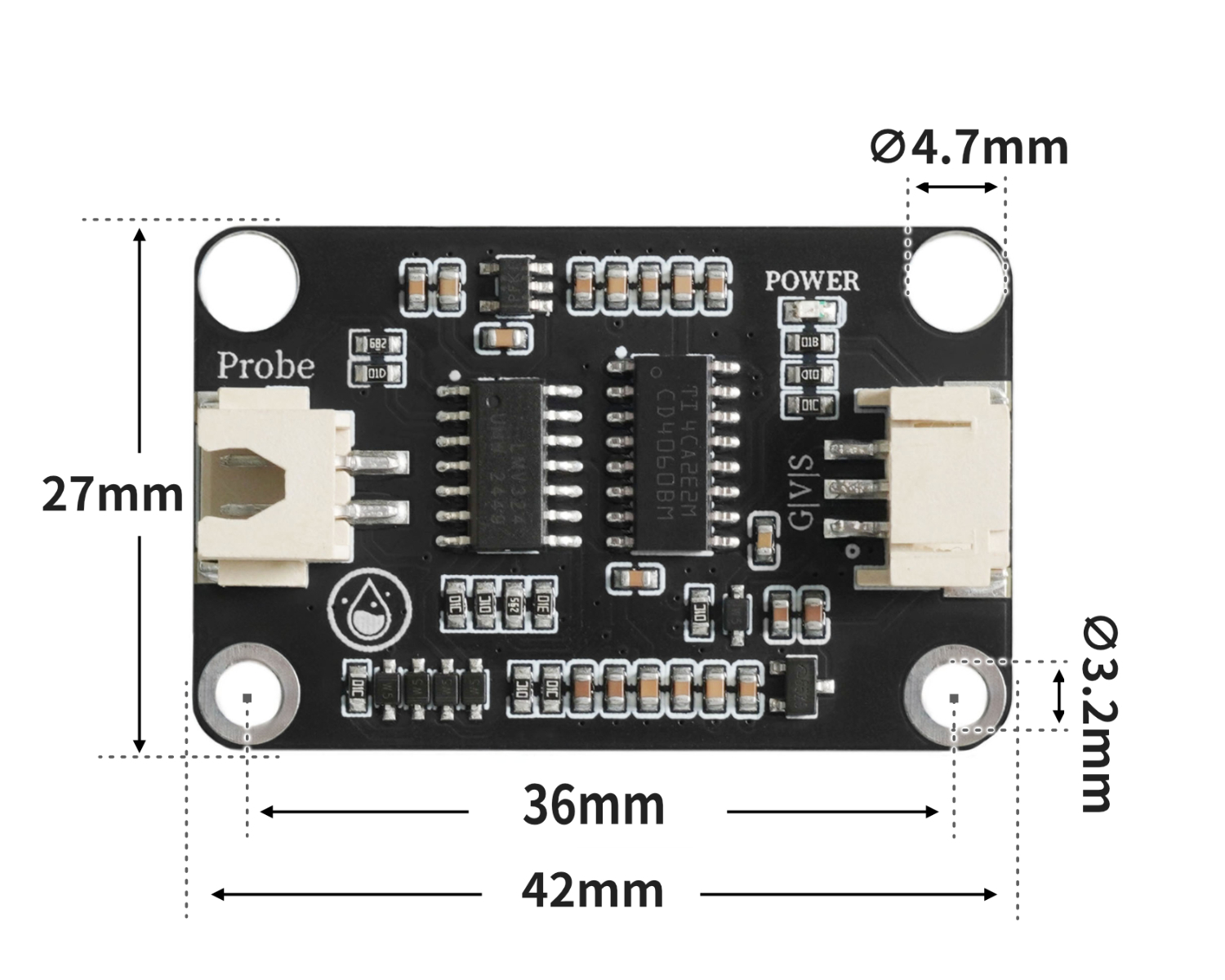
4, Circuit Board Size
5 of Arduino IDE example program
Attention: If prompted with an error message about the library file during program upload, please import the library file first!
Arduino IDE Library Download and Import Tutorial:Click to view
Example program (UNO development board):
#include "GravityTDS.h"

#define TdsSensorPin A1
GravityTDS gravityTds;

volatile float item;

void setup(){
  gravityTds.setPin(TdsSensorPin);
  gravityTds.setAref(5.0);
  gravityTds.setAdcRange(1024);
  gravityTds.begin();
  item = 0;
  Serial.begin(9600);
}

void loop(){
  gravityTds.update();item = gravityTds.getTdsValue();
  Serial.println(String("TDS:") + String(item) + String("ppm"));
  delay(1000);

}
6, ESP32 Python Example (for Mixly IDE/Misashi)
Choose the development board Python ESP32 [ESP32 Generic(4MB)] and upload in code mode
Attention: If prompted with an error message about the library file during program upload, please import the library file first!
Download and import tutorial for Mixly IDE ESP32 library:Click to view
Example program (ESP32-Python):
待更新...7, Mixly example program (graphical language)
Attention: If prompted with an error message about the library file during program upload, please import the library file first!
Download and import tutorial of Mixly IDE Arduino library:Click to view
Example Program (UNO Development Board):Click to download
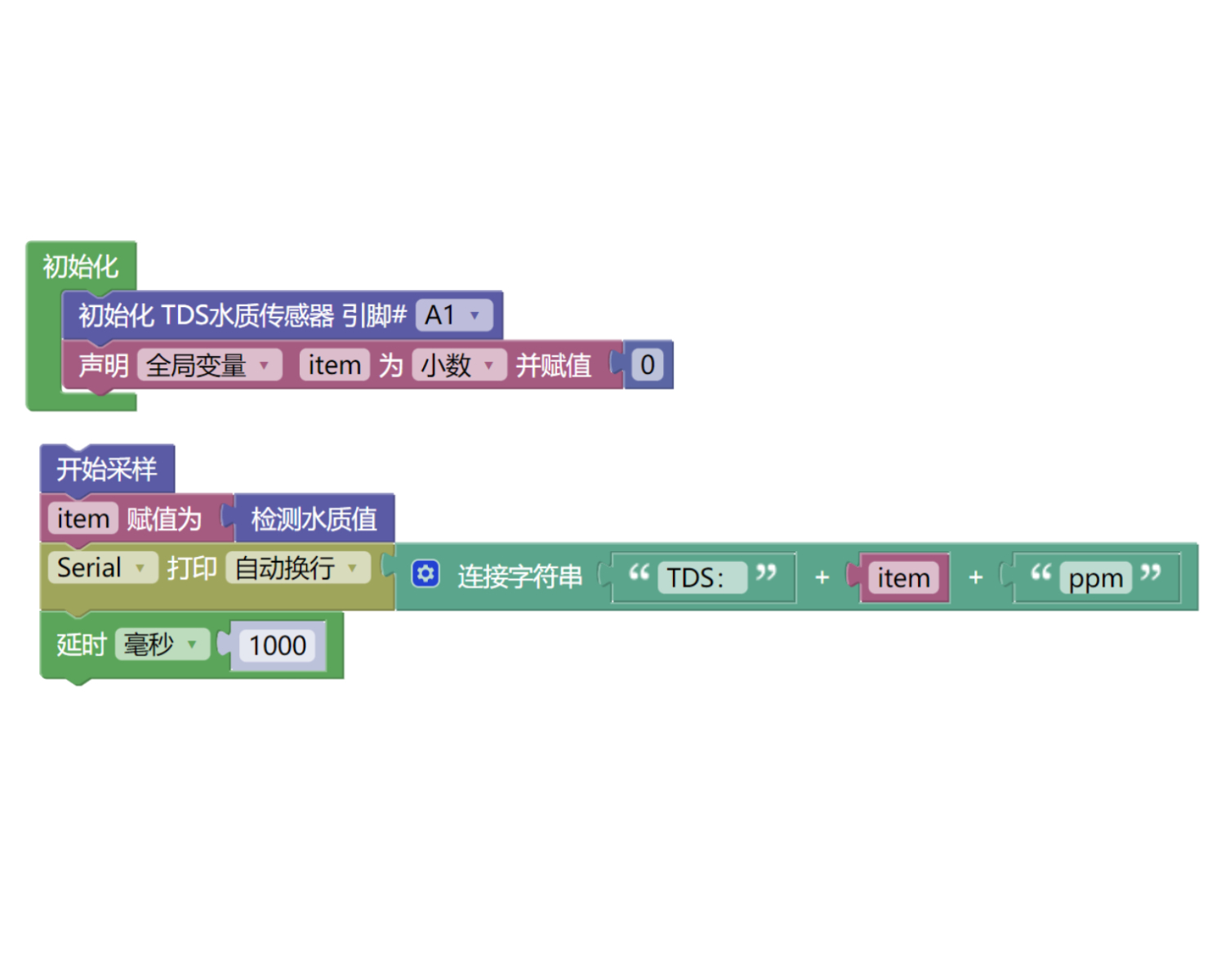
Example Program (ESP32 Development Board):Click to download
Attention: If prompted with an error message about the library file during program upload, please import the library file first!
Download and import tutorial for Mixly IDE ESP32 library:Click to view
Image pending update...
8. Setting up the Test Environment
Arduino UNO Test Environment Setup
Prepare Components:
UNO-R3 Development Board *1
UNO-R3 Expansion Board *1
USB TYPE-C DATA CABLE *1
HS-S79-PL TSD Water Quality Sensor Module*1
PH2.0 3P dual headed terminal line *1
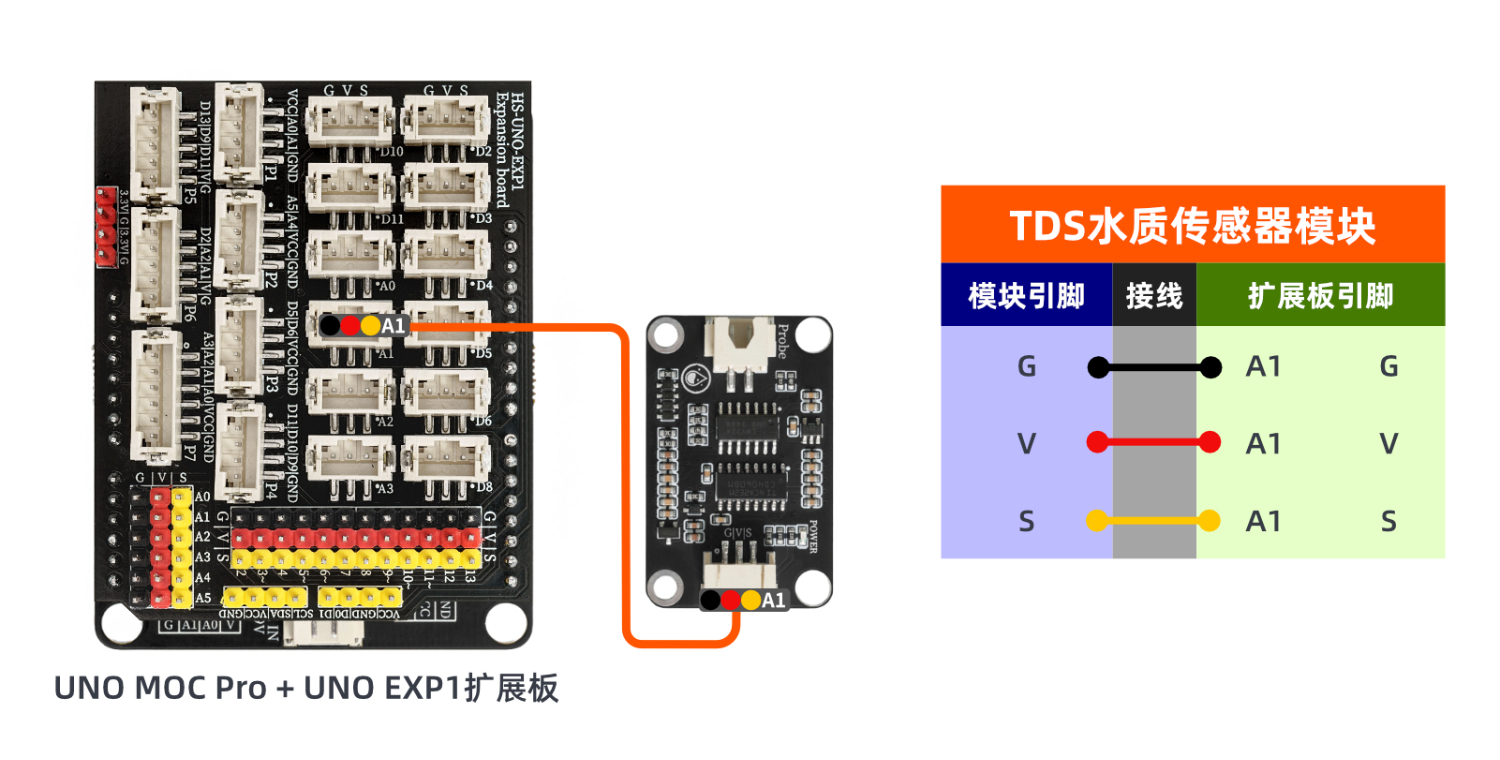
Circuit wiring diagram:
ESP32 Test Environment Setup
Prepare Components:Pending update...
Circuit wiring diagram:Pending update...
9, Video tutorial
Arduino UNO video tutorial:Click to view
ESP32 Python Video Tutorial:Click to view
10, Test results
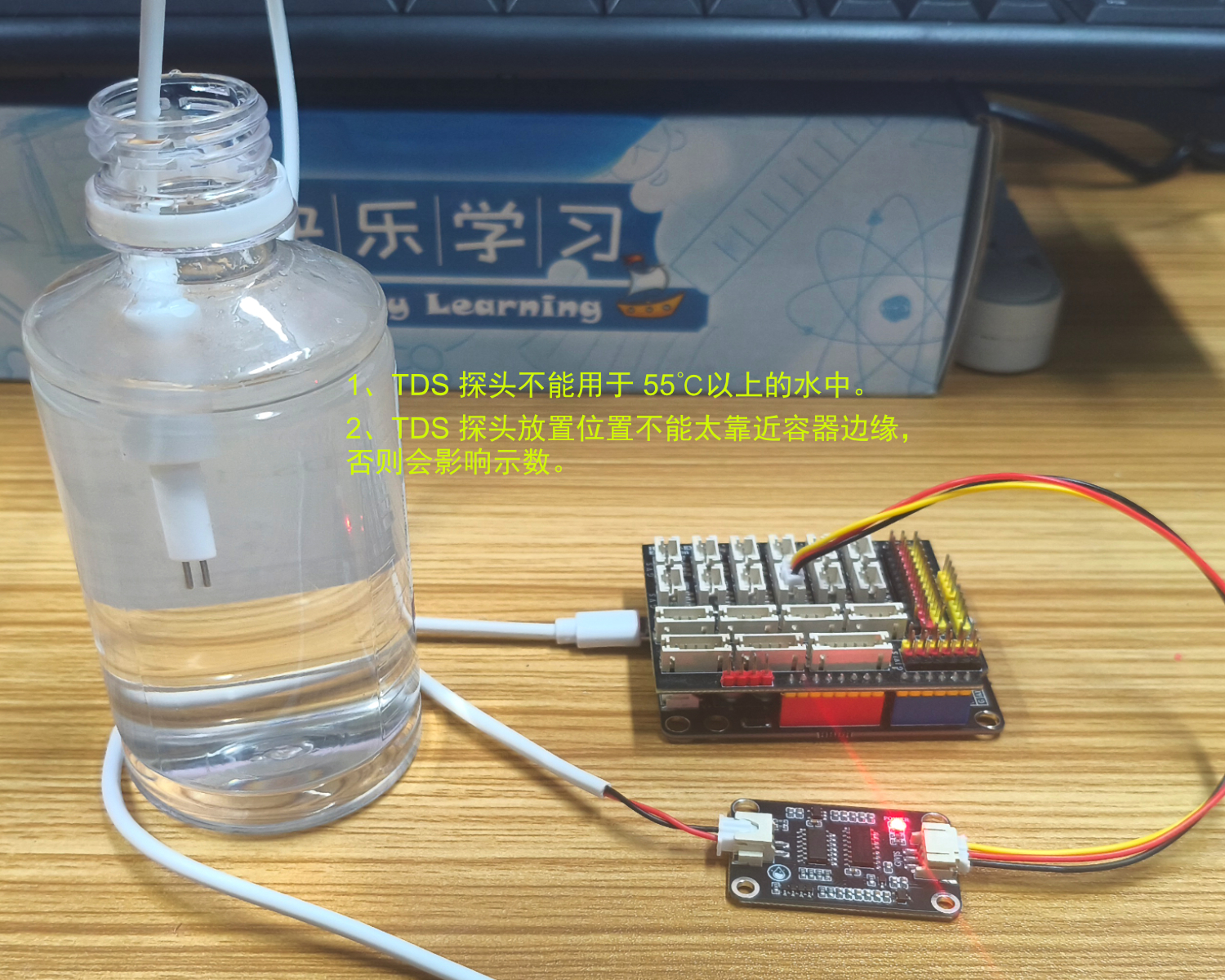
Arduino UNO test results:
Enter the code and you can see the water quality PPM value on the computer serial port. Note that temperature affects the conductivity of water, which can cause the calculated value to be inaccurate.
ESP32 Test Results:
Pending update...