
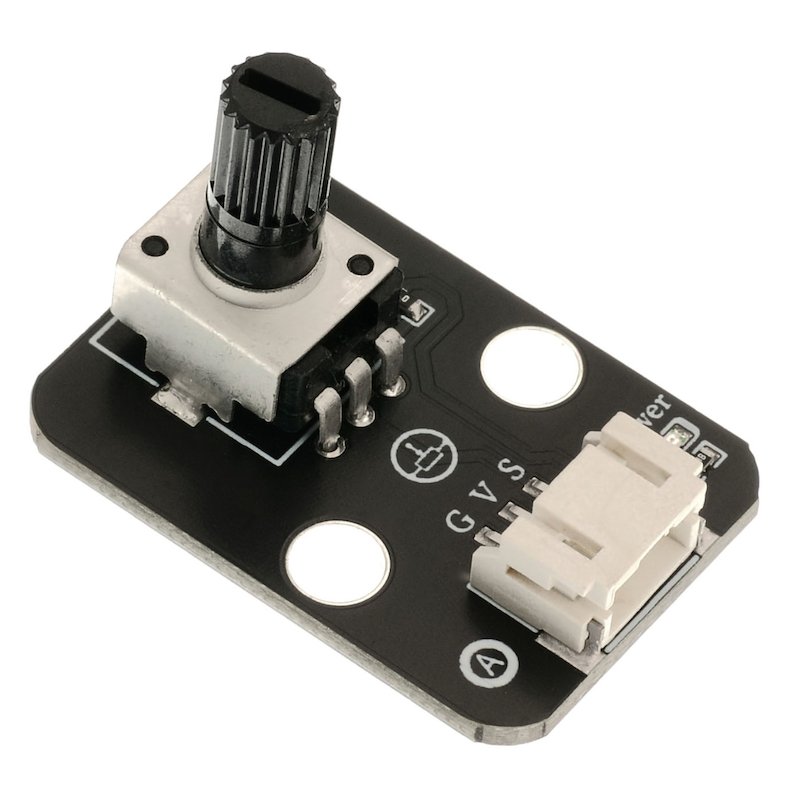
1. Introduction
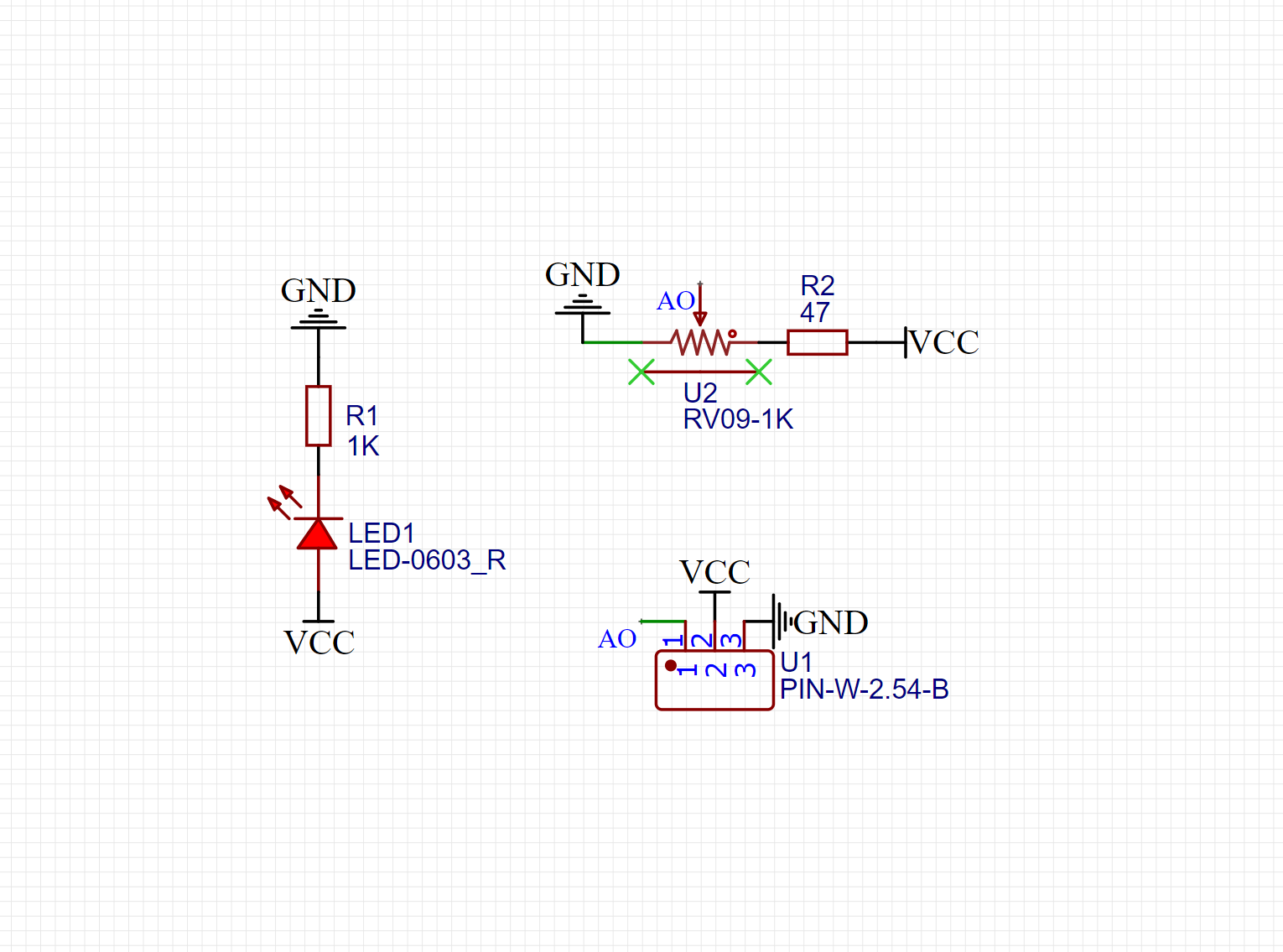
2. Schematic
Module Parameters
Pin Name | description |
|---|---|
G | GND (Negative Power Input) |
V | VCC (Positive Power Input) |
S | Analog Signal Pin |
Power Supply Voltage: 3.3V / 5V
Connection method: PH2.0 terminal wire
Installation Method: Double Screw Fixed
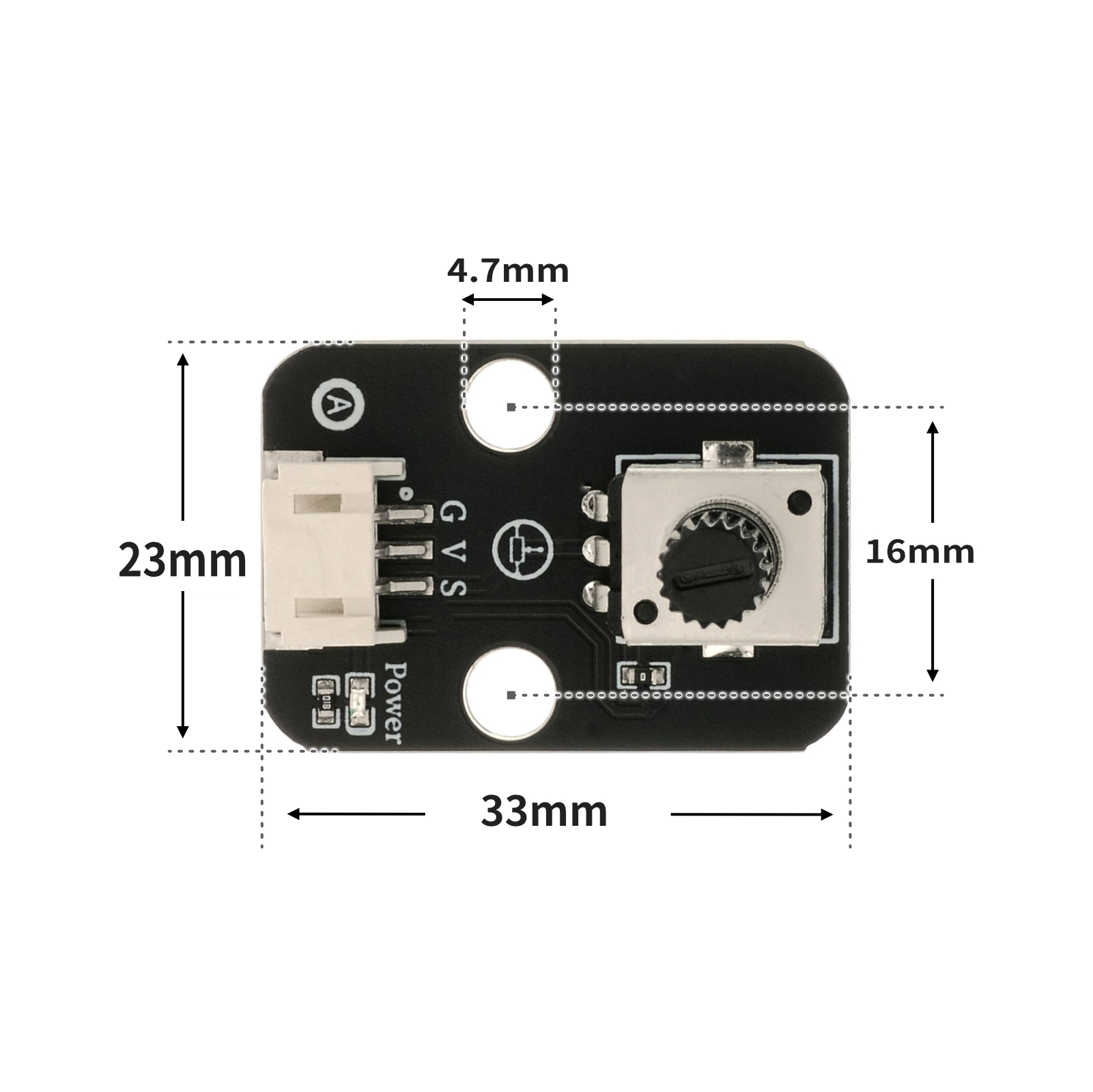
4, Circuit Board Size
5 of Arduino IDE example program
Arduino UNO Example (for Mixly IDE, Arduino IDE):
volatile float Voltage;volatile float data;
volatile int light;
void setup(){
Serial.begin(9600);
Voltage = 0;
data = 0;
light = 0;
pinMode(6, OUTPUT);
}
void loop(){
//电位器接A0;led灯接D6
data = analogRead(A0);
Voltage = (data / 1023) * 5;
light = (map(constrain(analogRead(A0), 0, 1023), 0, 1023, 0, 255));
Serial.print("Voltage is:");
Serial.print(Voltage);
Serial.print("V");
Serial.print(" light is:");
Serial.println(light);
analogWrite(6, light);
delay(100);
}
ESP32 Python Example (for Mixly IDE / Micskit)
(Choose the Python ESP32 [ESP32 Generic(4MB)] to switch to code mode upload):
import machine
from mixpy import math_map
value = 0
light = 0
adc32 = machine.ADC(machine.Pin(32))
pwm2 = machine.PWM(machine.Pin(2))
while True:
value = adc32.read_u16()
light = (math_map(value, 0, 65535, 65535, 0))
pwm2.duty_u16(int(light))
6, Miciqi Mixly Example Program (Graphical Language)
Arduino UNO Graphical Example Program:Click to download
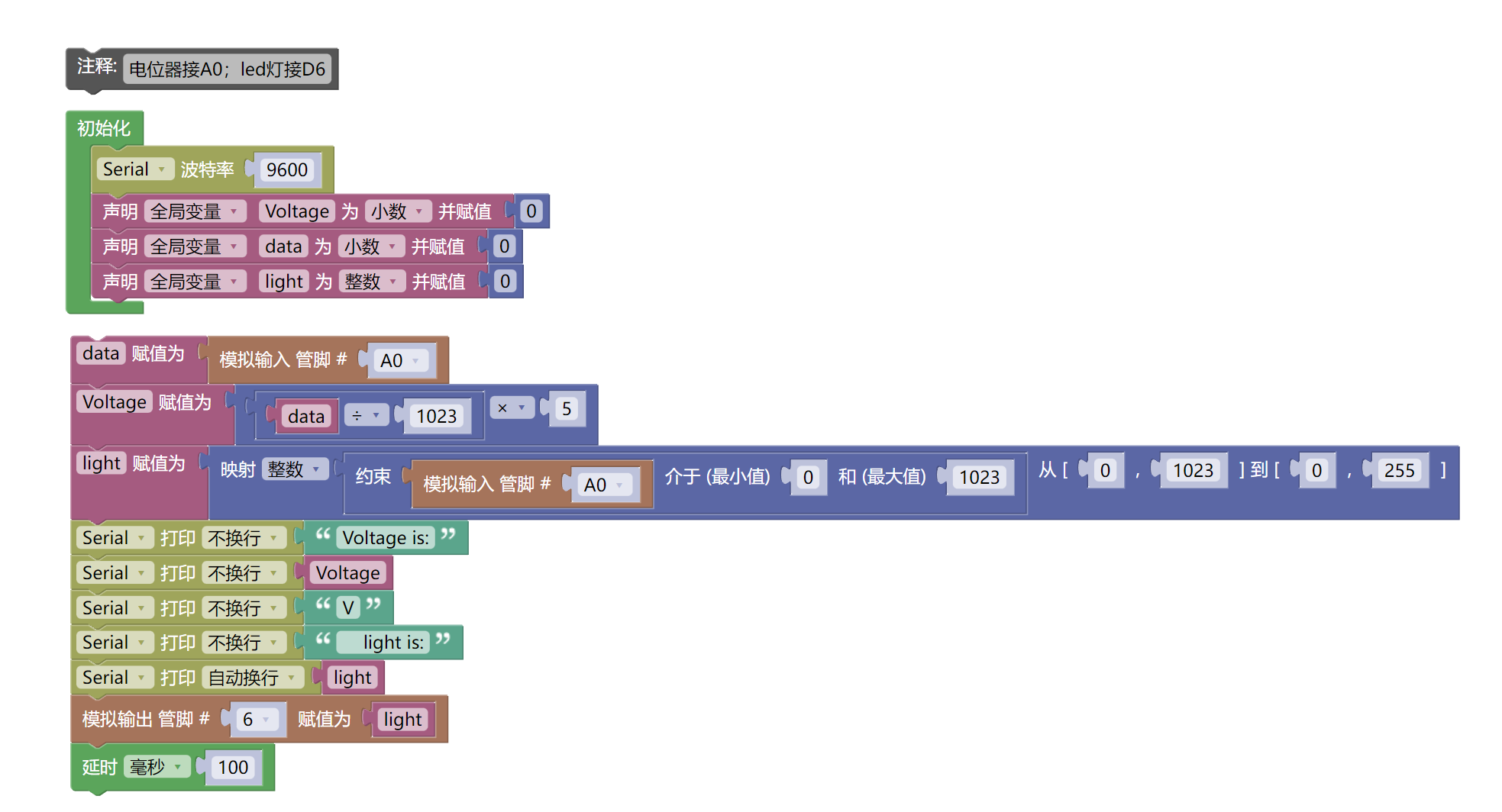
ESP32 Python Graphical Example Program:Click to download
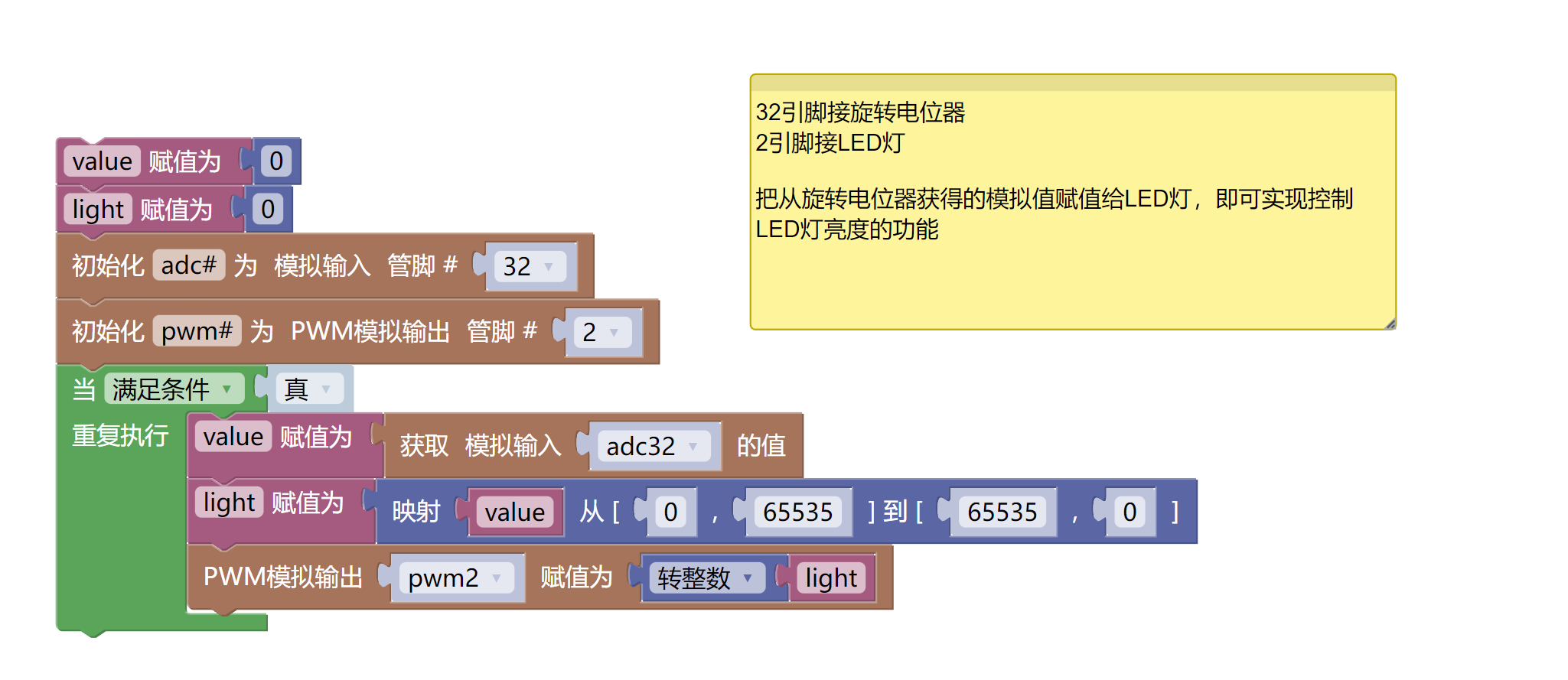
7, Test Environment Setup
Arduino UNO Test Environment Setup
Prepare Components:
UNO-R3 Development Board *1
UNO-R3 P Expansion Board *1
USB TYPE-C DATA CABLE *1
LED module (HS-F08L) *1
Rotary Potentiometer Module (HS-S28L) *1
PH2.0 3P dual-head terminal line *2
Circuit wiring diagram:
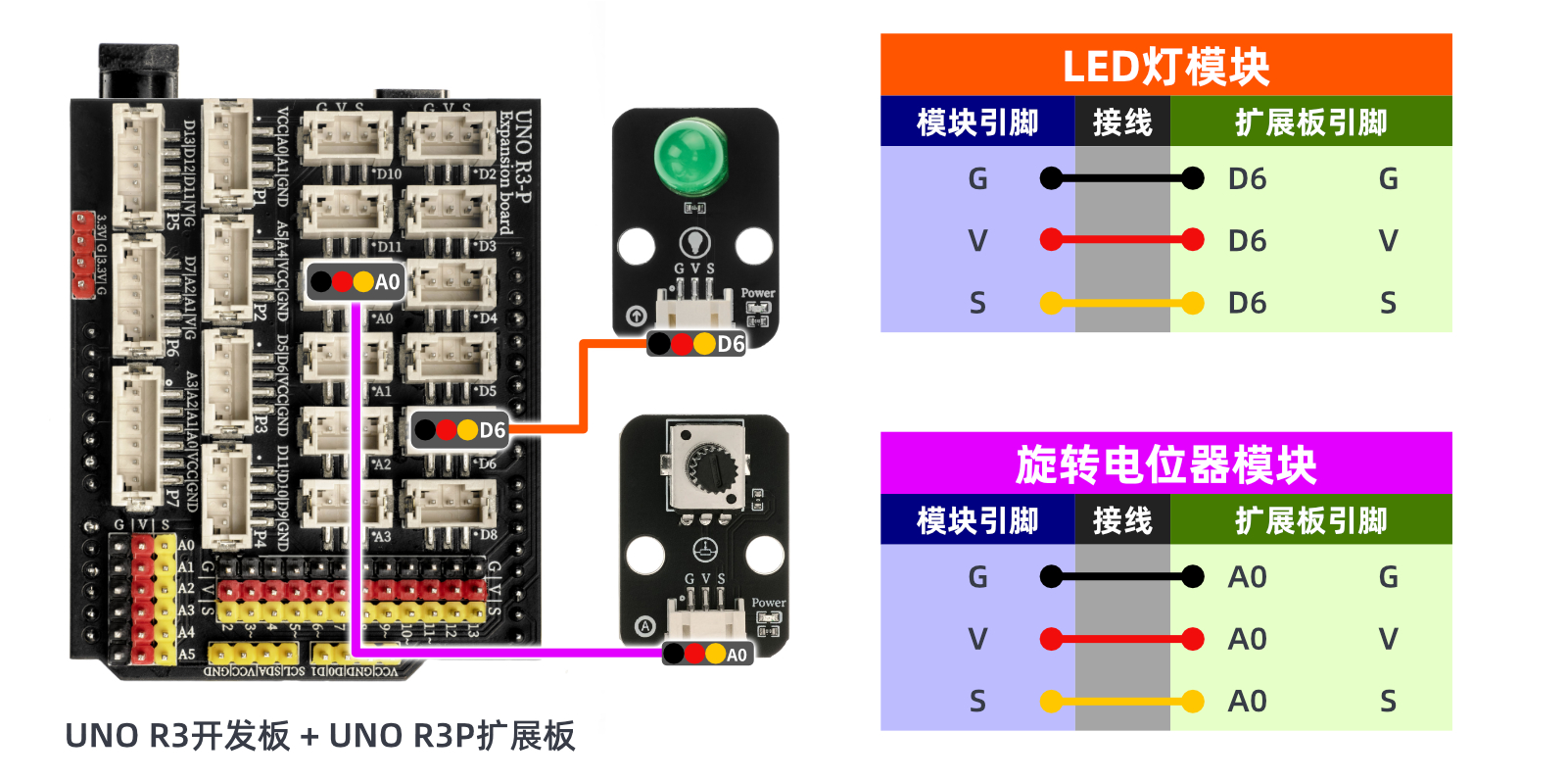
ESP32 Python test environment setup
8. Video tutorial
Arduino UNO video tutorial:Click to view
ESP32 Python Video Tutorial:
9. Test conclusion
Arduino UNO Test Conclusion:
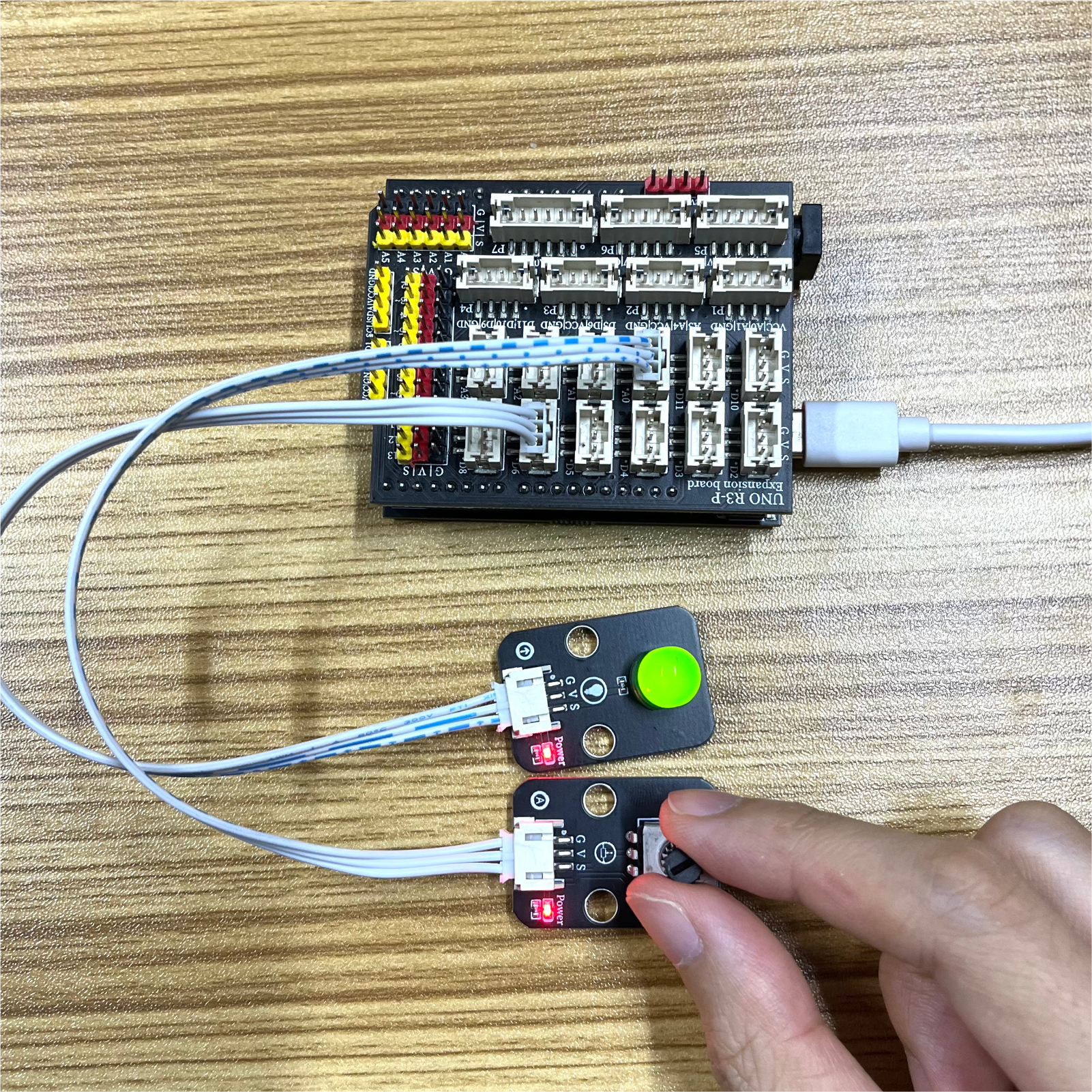
ESP32 Python test conclusion:
By adjusting the potentiometer rotation knob, the brightness of the LED light can be controlled. The potentiometer is equivalent to a variable resistor that can adjust the brightness of the LED light.