
1. Introduction
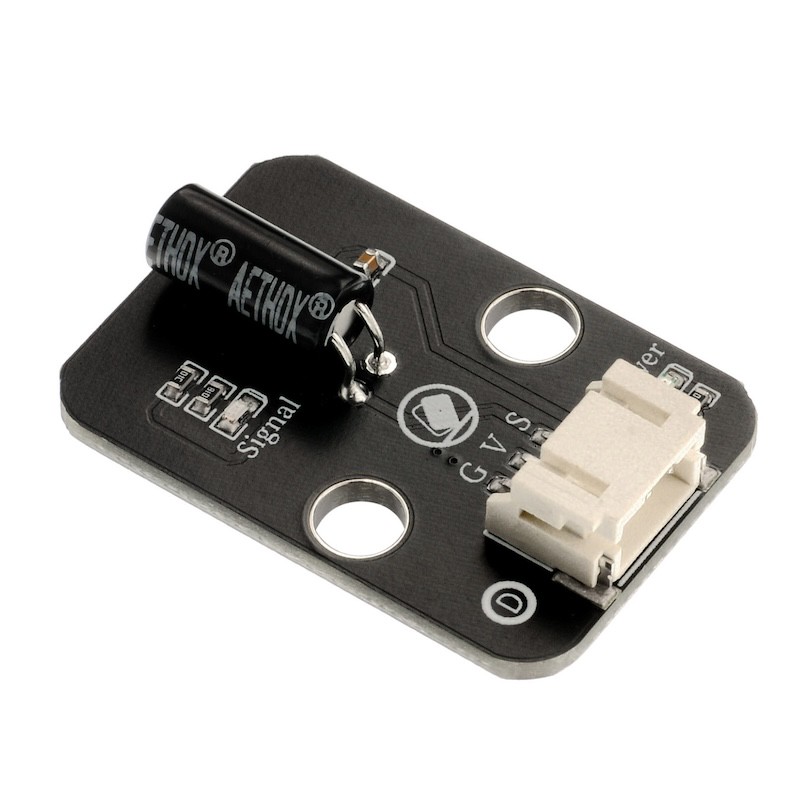
1, SW-520, SW-520D is a ball-type tilt vibration induction single-directional trigger switch.
2, When the product tilts towards the cap end and the tilt angle is greater than 10 degrees, it is in the open circuit OFF state. When the product changes its horizontal state (and the wires are parallel to the plane direction, with the same height up and down), and the trigger end (gold-plated pin ends A and B) is lower than the horizontal tilt angle by more than 10 degrees, it is in the closed circuit ON state.
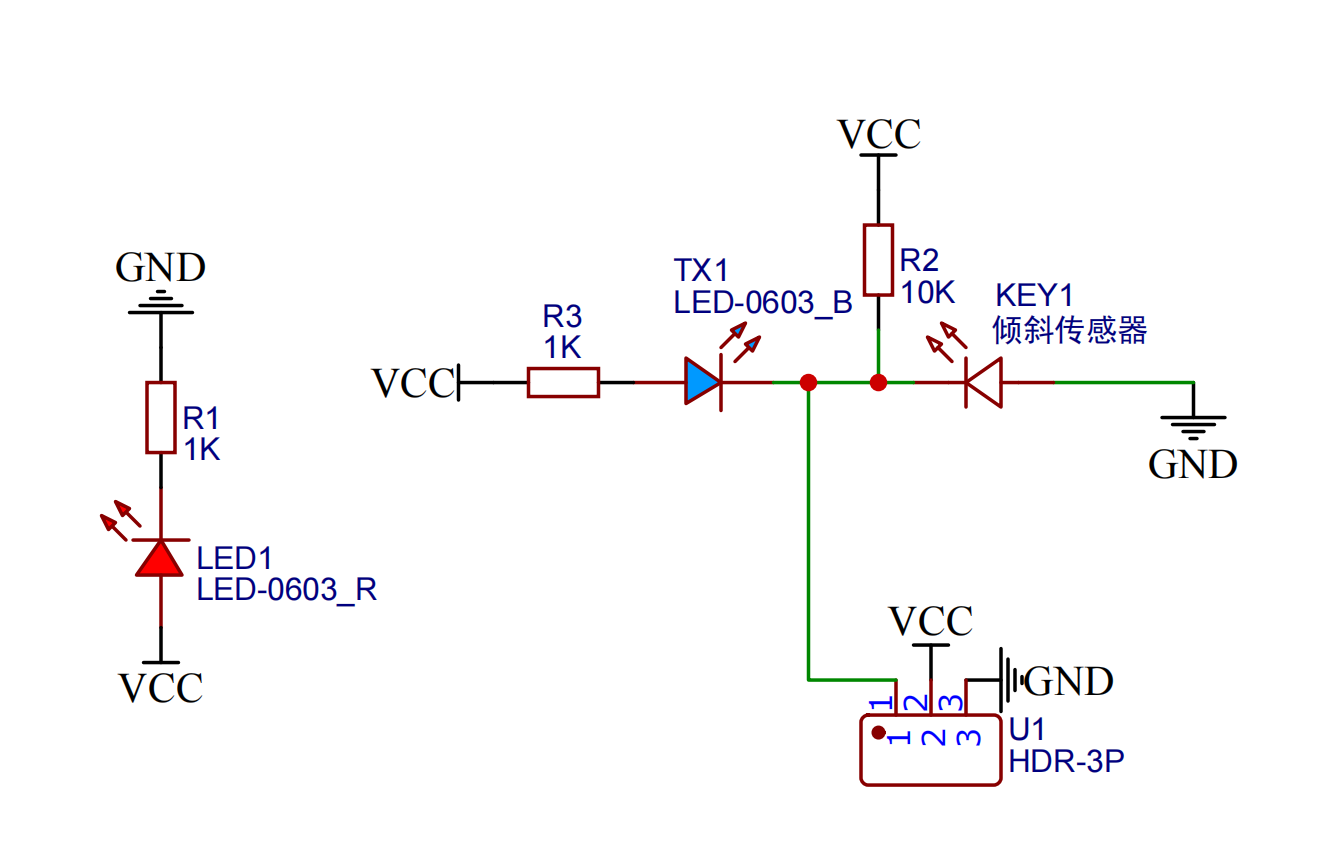
2. Schematic
Module Parameters
Pin Name | description |
|---|---|
G | GND (Negative Power Input) |
V | VCC (Positive Power Input) |
S | Digital Signal Pin |
Power Supply Voltage: 3.3V / 5V
Connection method: PH2.0 3P terminal
Installation method: Lego assembly
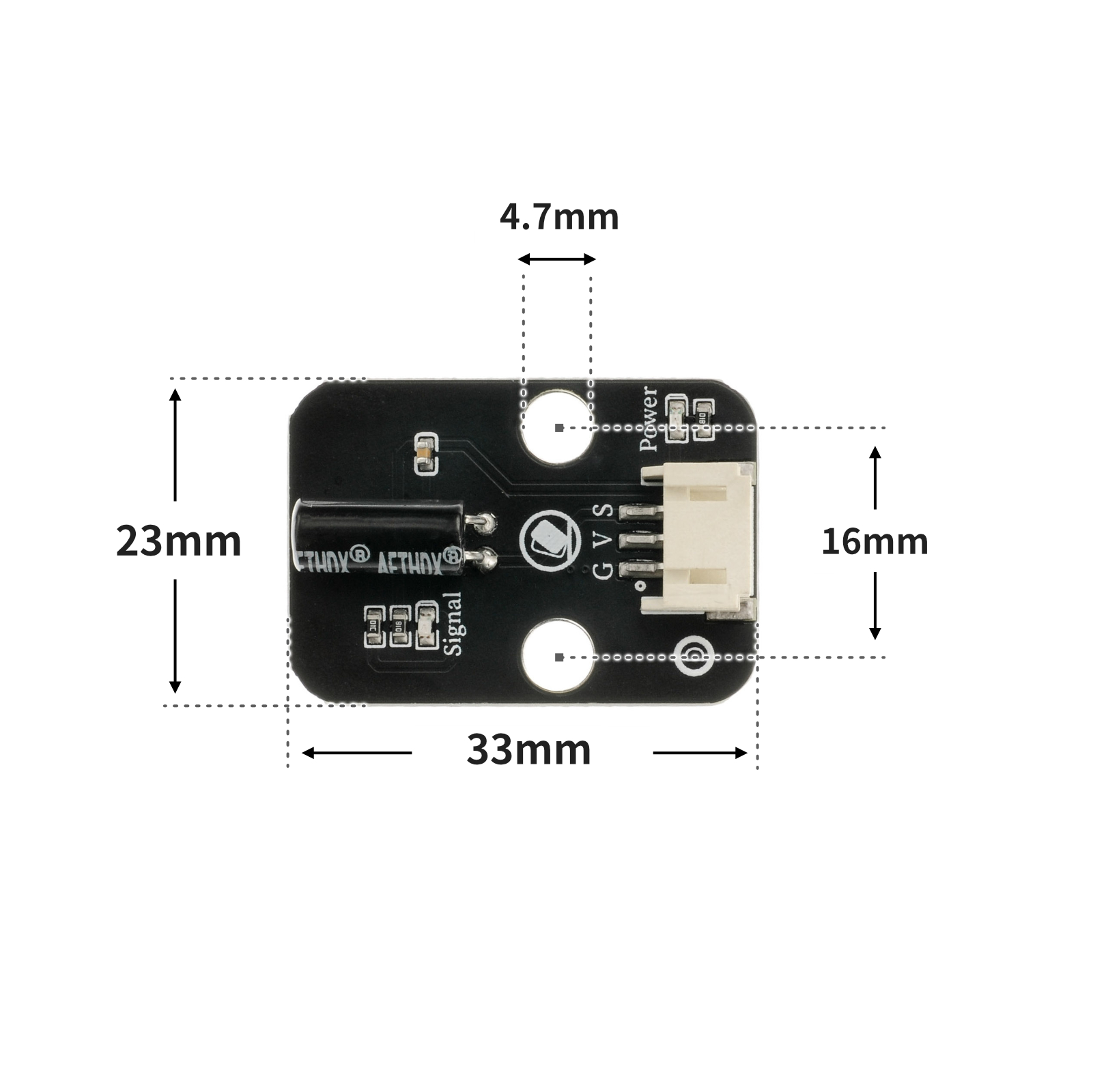
4, Circuit Board Size
5 of Arduino IDE example program
Example Program (UNO Development Board):Click to download
int ledpin = 6; //定义数字6引脚为LED灯的引脚
int tiltSwitchpin = 4; //设置数字4引脚为倾斜开关的引脚
int val; //定义变量值
void setup()
{
 Serial.begin(9600);//设置串口波特率
 pinMode(ledpin, OUTPUT);//设置数字6口模式,OUTPUT为输出
 pinMode(tiltSwitchpin, INPUT); //设置数字4口模式,INPUT为输入
}
void loop()
{
 val = digitalRead(tiltSwitchpin); //读取数字4口值分配给 val
 Serial.println(val);//串口打印读取val的值
 if (val == LOW) //检测倾斜开关是否连通,连通输出低电平(0)
 {
 digitalWrite(ledpin, HIGH); //输出高电平,LED 亮起
 }
 else //检测倾斜开关是否断开,断开输出高电平(1)
 {
 digitalWrite(ledpin, LOW); //输出低电平,LED 熄灭
 }
}
Example Program (ESP32 Development Board — Based on Python language, cannot be uploaded using Arduino IDE):
import machine
import time


pin2 = machine.Pin(2, machine.Pin.IN)
pin4 = machine.Pin(4, machine.Pin.OUT)
while True:
    if pin2.value() == 0:
        pin4.value(1)
    else:
        pin4.value(0)
    time.sleep_ms(500)
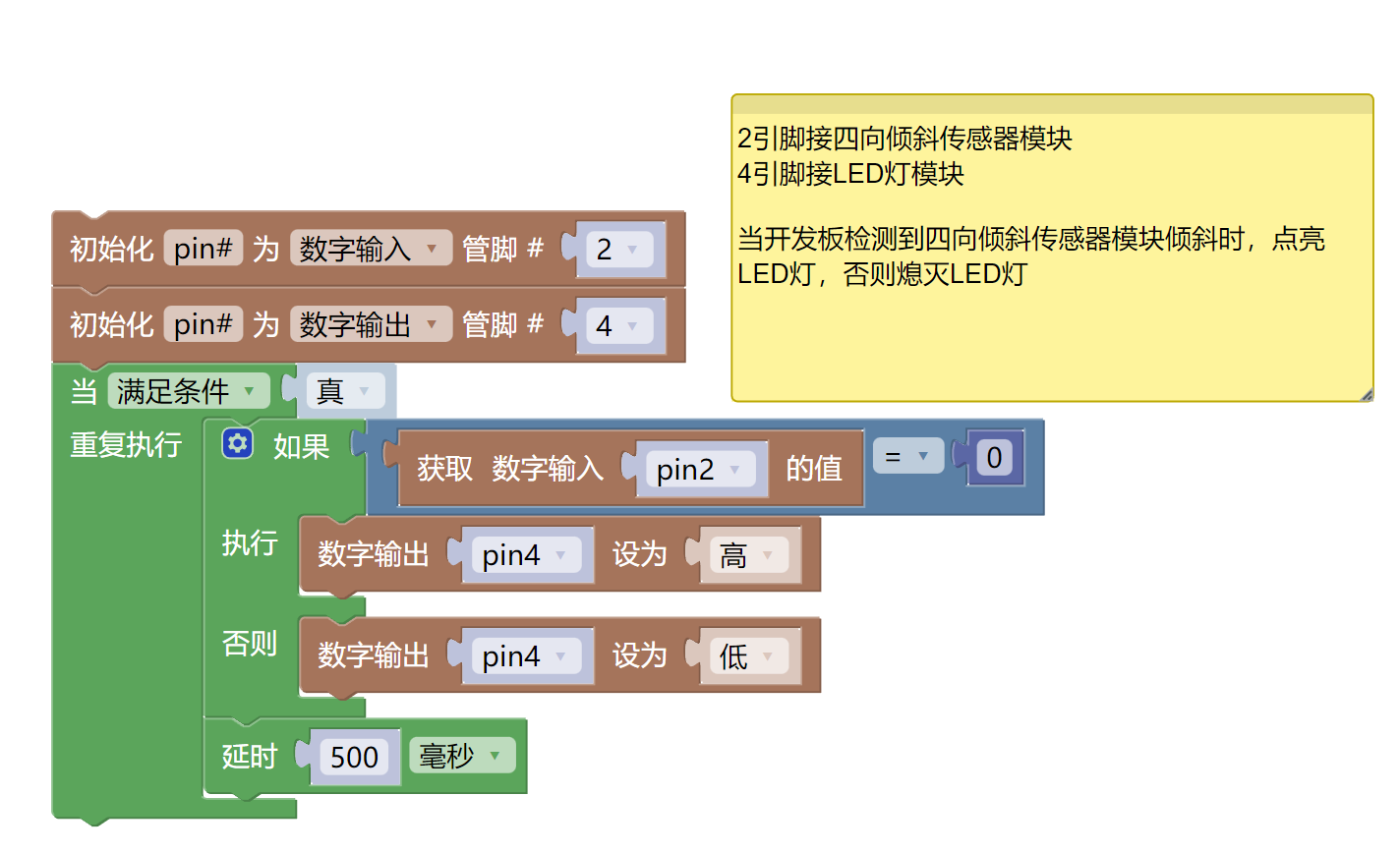
6, Miciqi Mixly Example Program (Graphical Language)
Example Program (UNO Development Board):Click to download
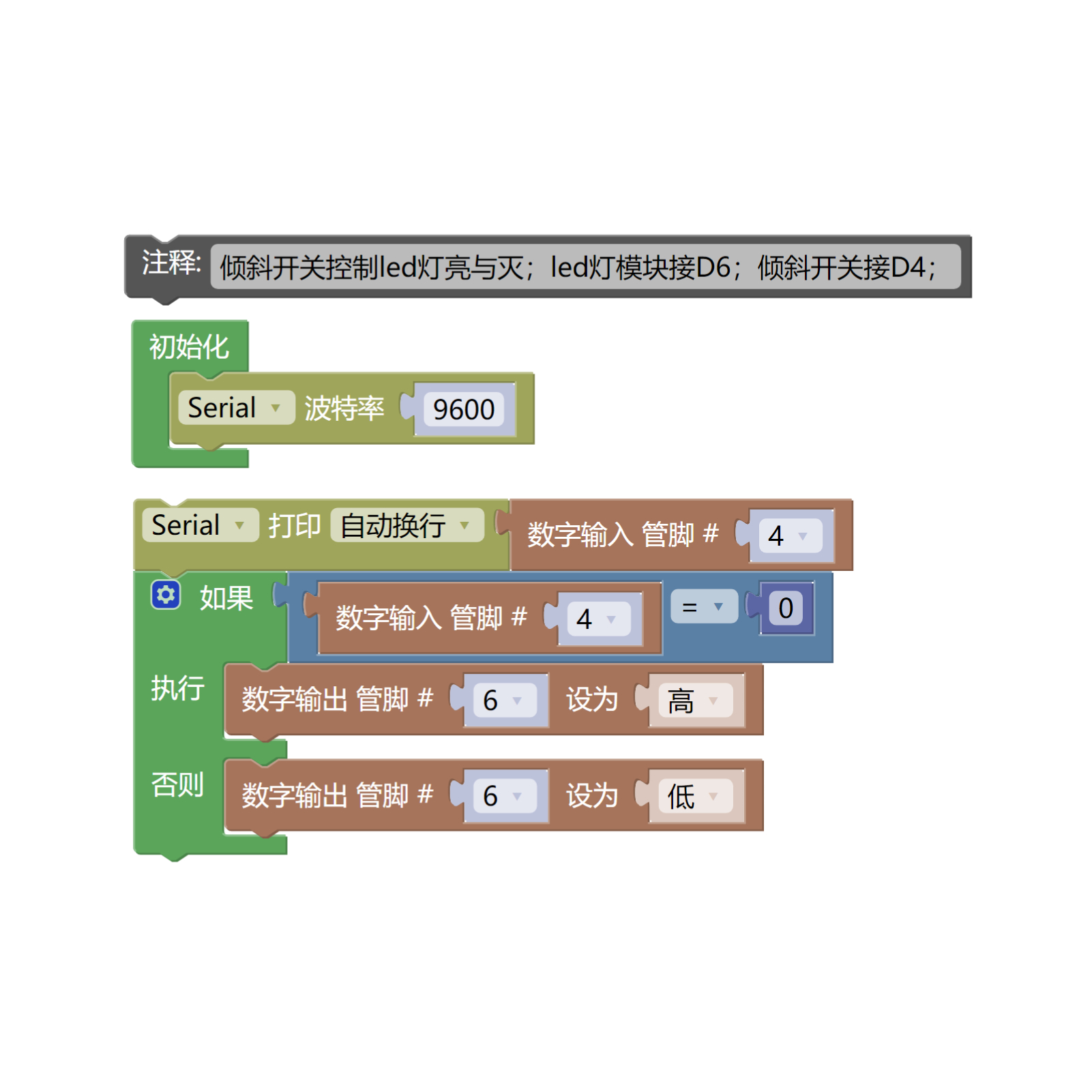
Example Program (ESP32 Development Board):Click to download
7, Test Environment Setup
Arduino UNO Test Environment Setup
Prepare Components:
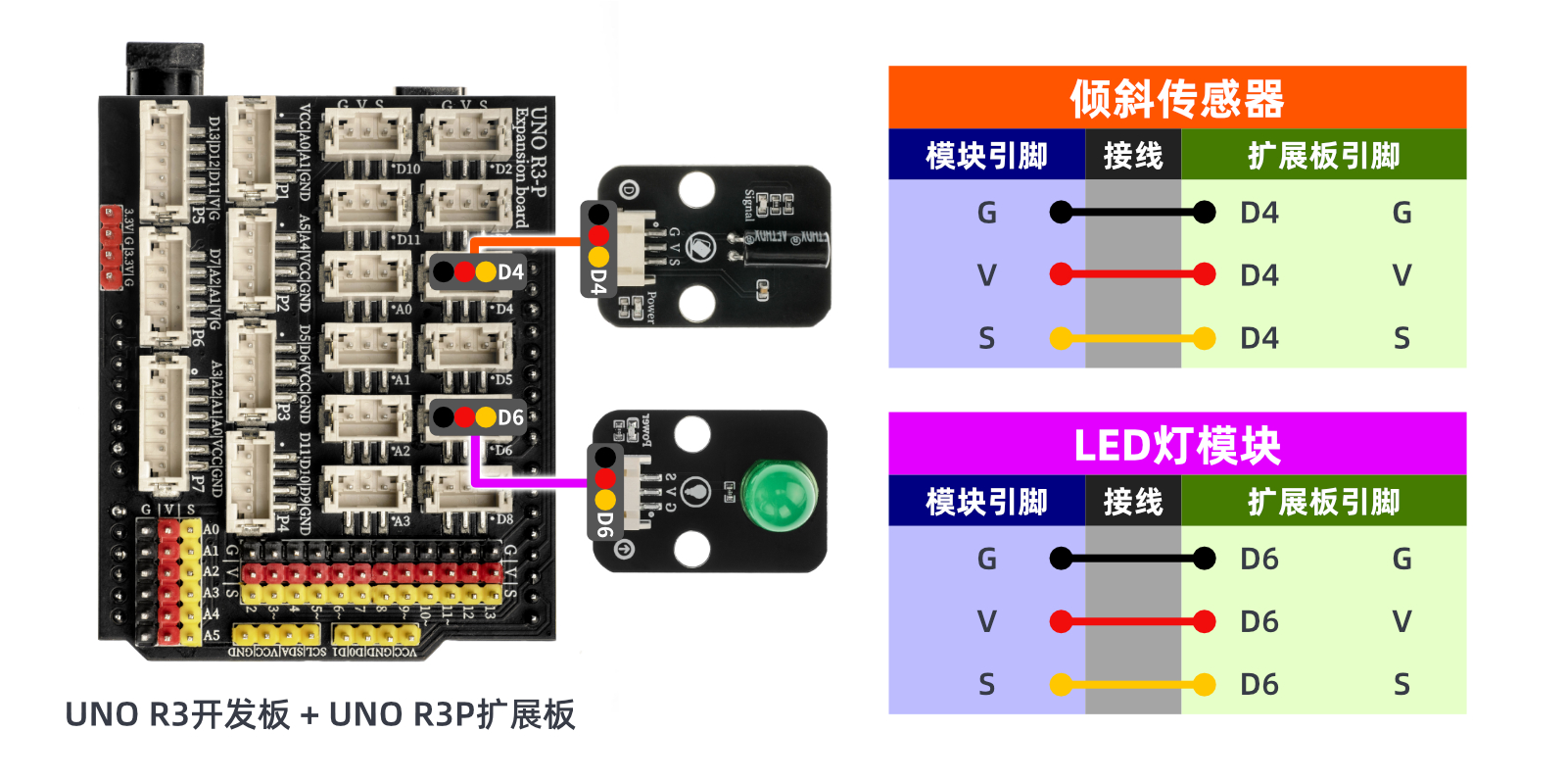
HELLO STEM UNO R3 DEVELOPMENT BOARD *1
HELLO STEM UNO R3 P EXPANSION BOARD *1
USB TYPE-C DATA CABLE *1
LED module (HS-F08L) *1
Tilt sensor (HS-S21L) *1
PH2.0 3P dual-head terminal line *2
Circuit wiring diagram:
Set up Micropython environment
Prepare Components:
Circuit wiring diagram:
8. Video tutorial
Video Tutorial:Click to view
9. Test conclusion
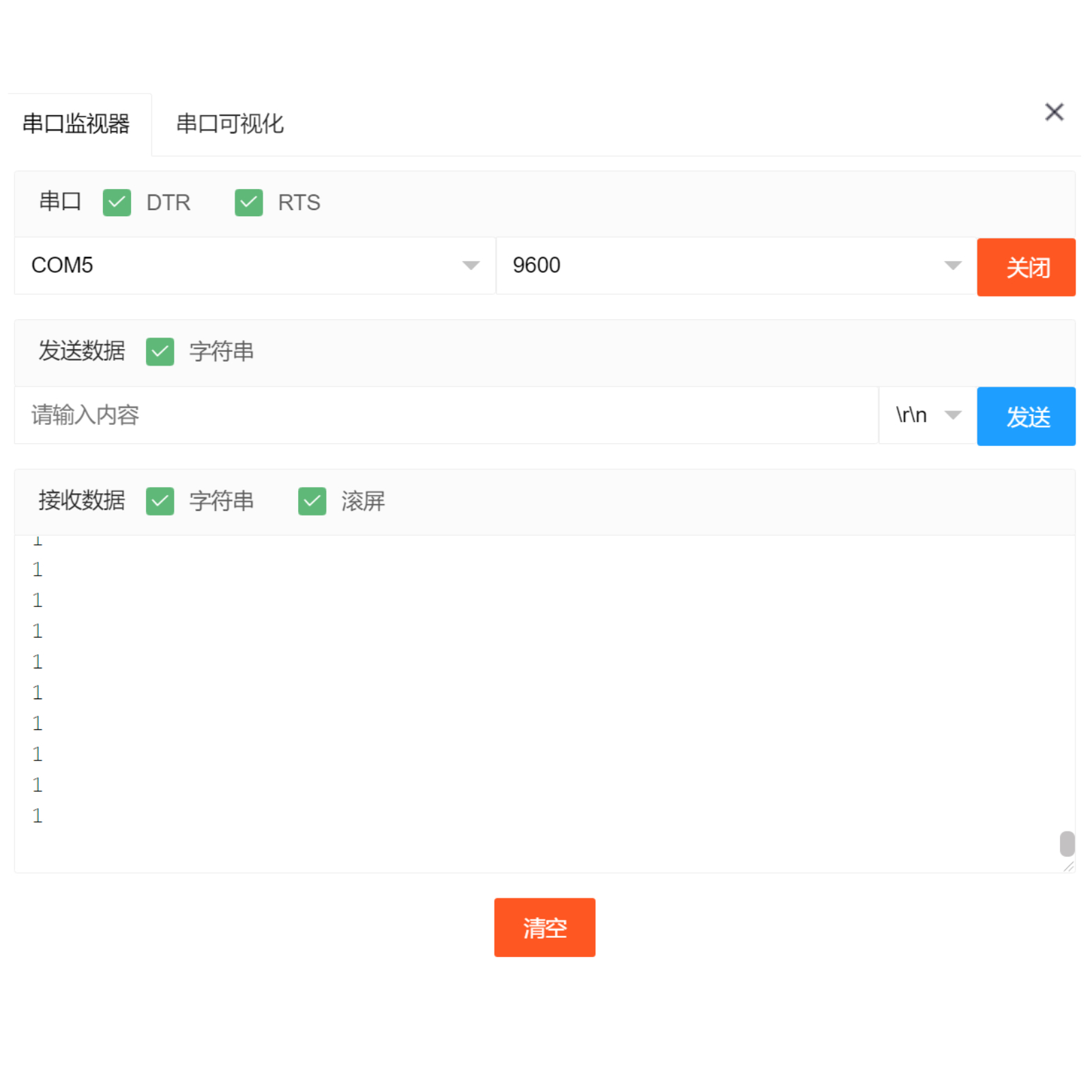
After the device is connected to the wire, upload the above program to the Arduino UNO development board, and then open the serial monitor.After the tilt switch is tilted to a certain angle, the serial port outputs a low-level value of 0, and the light turns on.After returning to the regression level, the serial port outputs a high level value of 1, and the light is off.By learning the principles and applications of the tilt switch.The tilt switch is a very simple electronic component, but simple devices can usually make some interesting things.