
1. Introduction
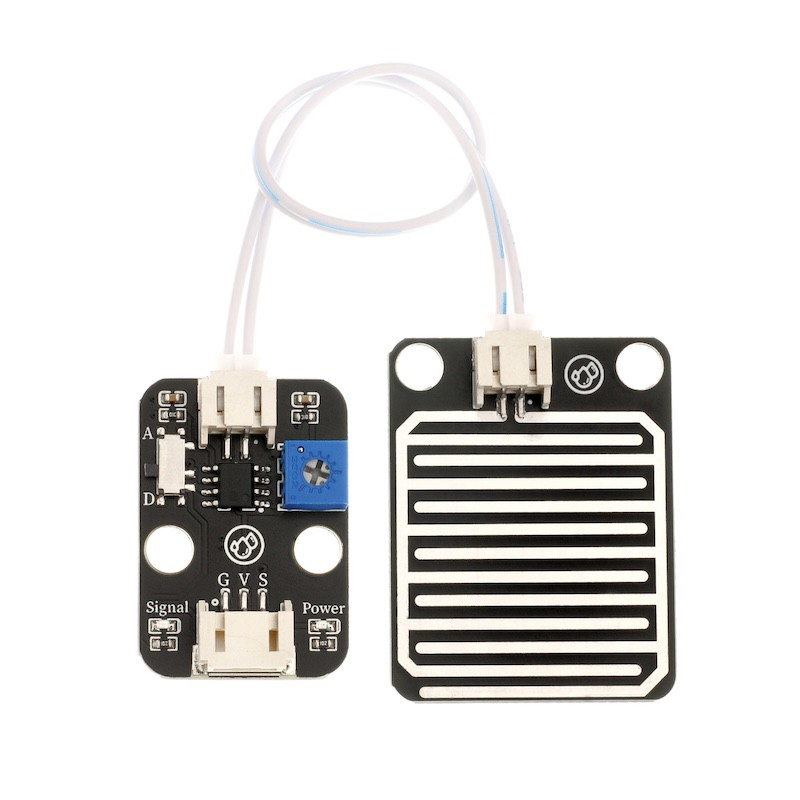
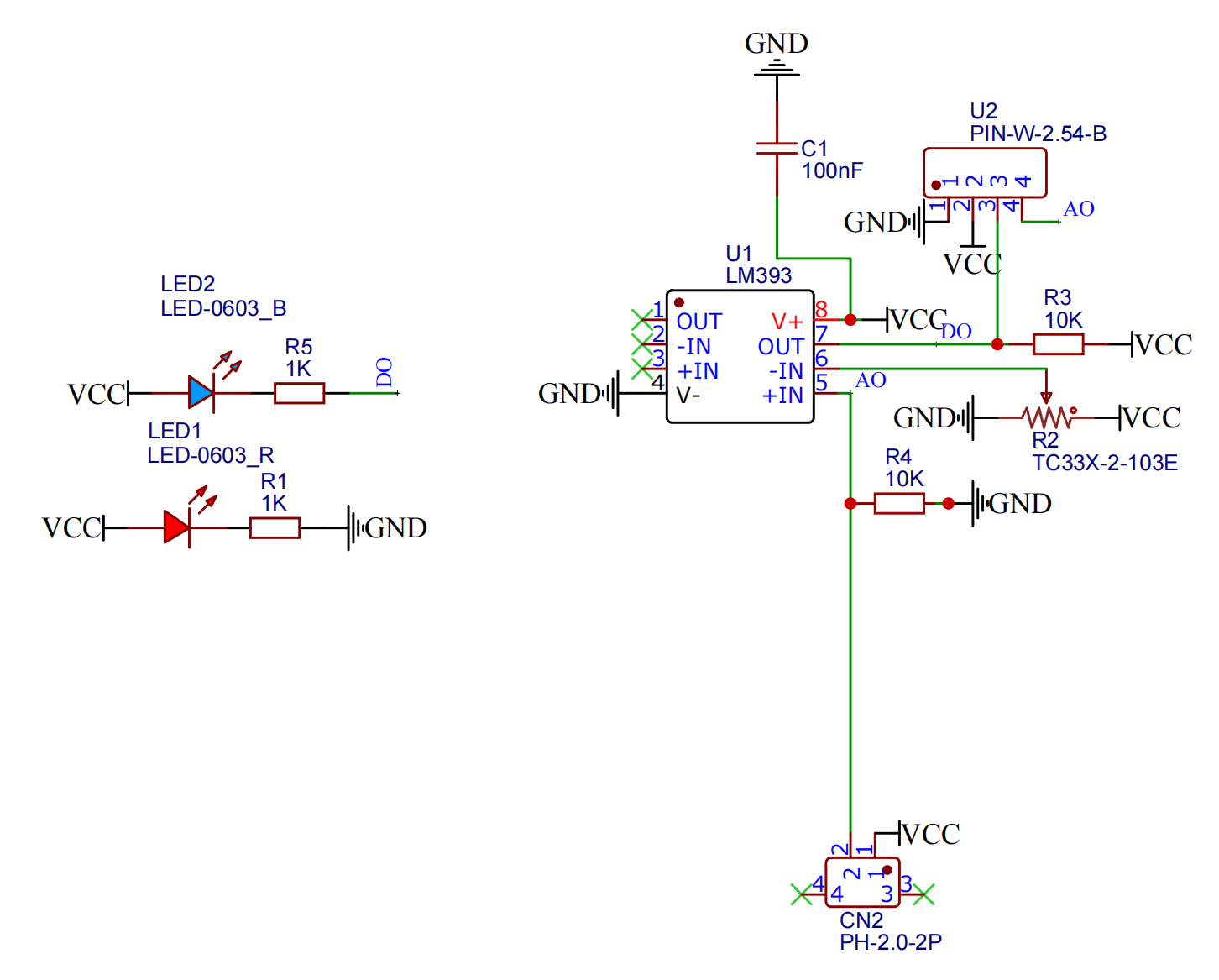
A raindrop sensor is a sensing device mainly used to detect whether it is raining and the size of the rainfall, and is widely used in automatic windshield wiper systems, smart lighting systems, and smart skylight systems, etc.The sensor uses high-quality FR-04 double material, with a large area of 5.0 * 4.0 centimeters, and nickel-plated surface processing.It has antioxidant, conductive properties, and superior durability; sensitivity is adjusted with a potentiometer; operating voltage is from 3.3 V to 5 V.Output in the form of digital values (0 and 1) and analog AO voltage output, using an LM393 dual voltage comparator, when the sensor is connected to a 5V power supply and there are no droplets on the sensing board, the DO output is at a high level.When the droplet falls, the DO output is low level.If we wipe away the droplets, the output will return a high-level state.AO analog output can be connected to the microcontroller's AD interface to detect the size of the raindrop above.DO digital output can also be connected to a microcontroller to detect if it is raining.
2. Schematic
Module Parameters
Pin Name | description |
|---|---|
G | GND (Negative Power Input) |
V | VCC (Positive Power Input) |
S | Digital Signal Pin |
A | Analog Signal Pin |
Power Supply Voltage: 3.3V / 5V
Connection Method: PH2.0 2/3P
Installation Method: Double Screw Fixed
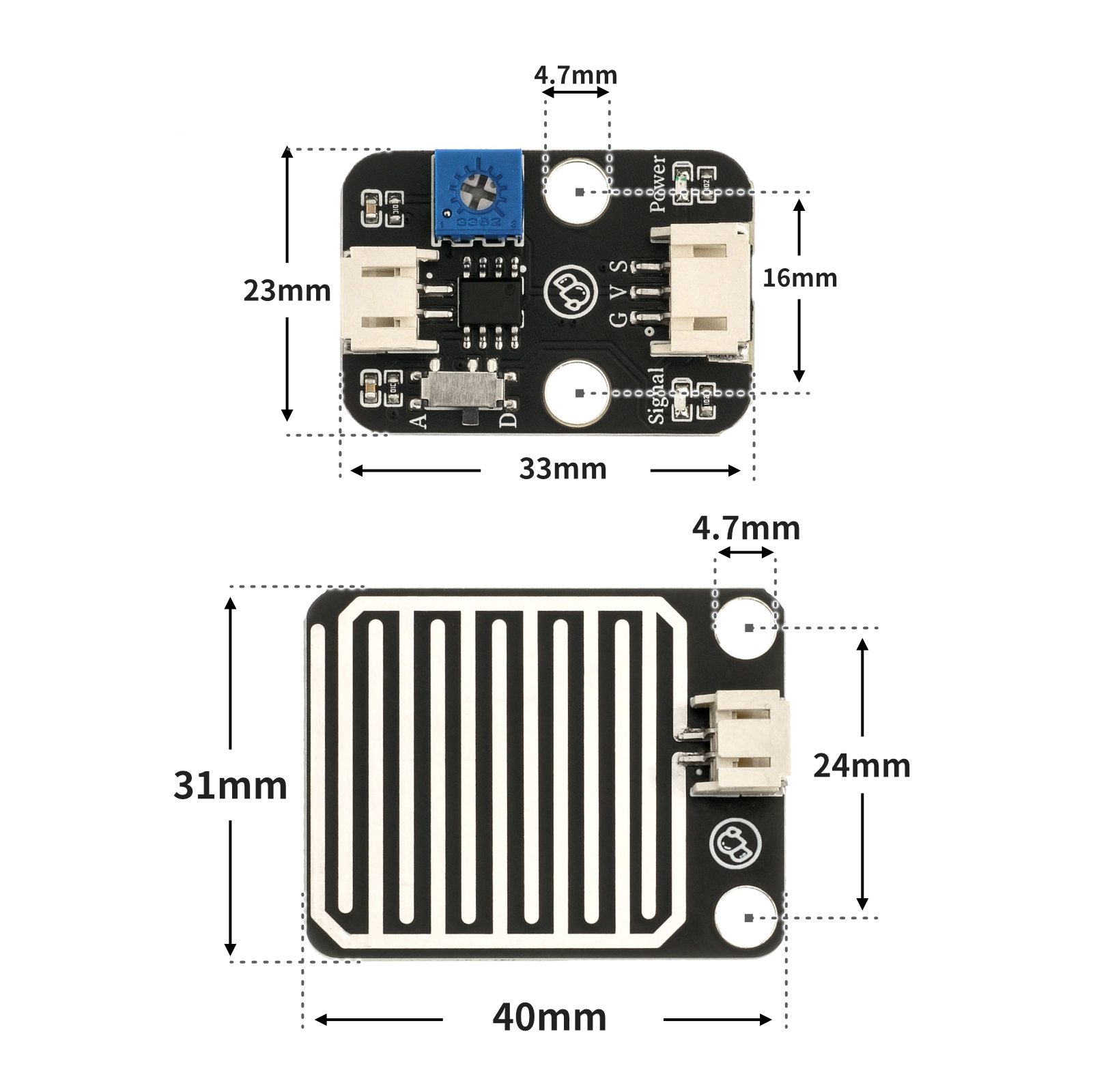
4, Circuit Board Size
5 of Arduino IDE example program
Arduino UNO Example (for Mixly IDE, Arduino IDE):
void setup(){
  Serial.begin(9600);
  pinMode(3, INPUT);
  pinMode(6, OUTPUT);
  pinMode(3, INPUT);
}

void loop(){
  //雨滴检测模块接D3,有源蜂鸣器接开发板D6
  //

  //轻轻调节雨滴A模块背部电位器,有雨水的情况下,A模块指示蓝灯亮起;
  //没有雨水,A模块指示蓝灯熄灭。
  if (digitalRead(3) == 1) {
    //没有雨水,输出高电平(1),模块信号指示蓝灯熄灭,蜂鸣器不响。
    digitalWrite(6,LOW);
    Serial.println(String("没有雨水:") + String(digitalRead(3)));

  } else if (digitalRead(3) == 0) {
    //有雨水,输出低电平(0),模块信号指示蓝灯亮起,蜂鸣器响起。
    digitalWrite(6,HIGH);
    Serial.println(String("检测到雨水:") + String(digitalRead(3)));
  }

}
ESP32 Python Example (for Mixly IDE / Micskit)
(Choose the Python ESP32 [ESP32 Generic(4MB)] to switch to code mode upload):
import machine
pin2 = machine.Pin(2, machine.Pin.IN)
pin4 = machine.Pin(4, machine.Pin.OUT)
while True:
if pin2.value() == 1:
pin4.value(0)
else:
pin4.value(1)
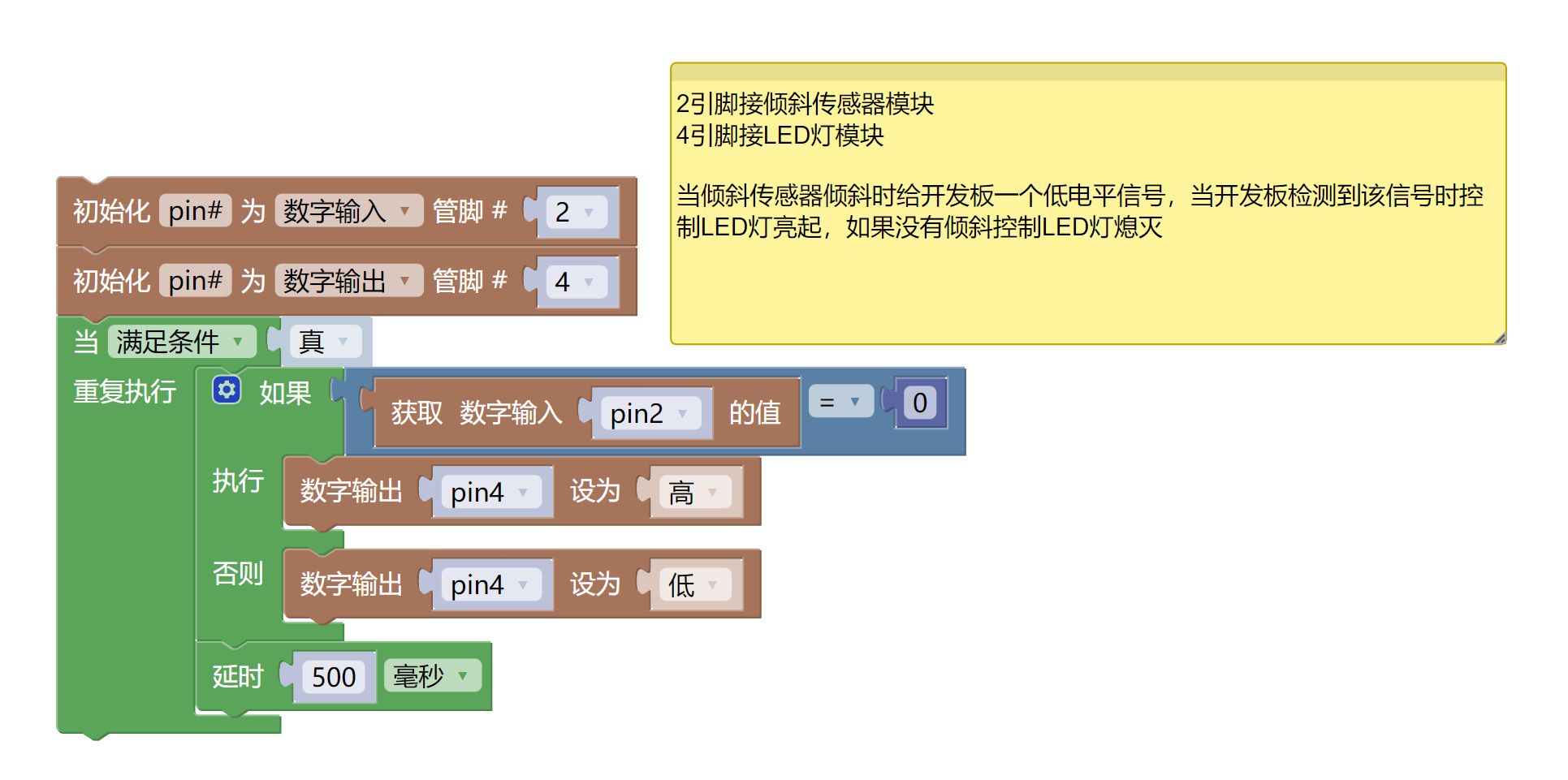
6, Miciqi Mixly Example Program (Graphical Language)
Arduino UNO Graphical Example Program:Click to download
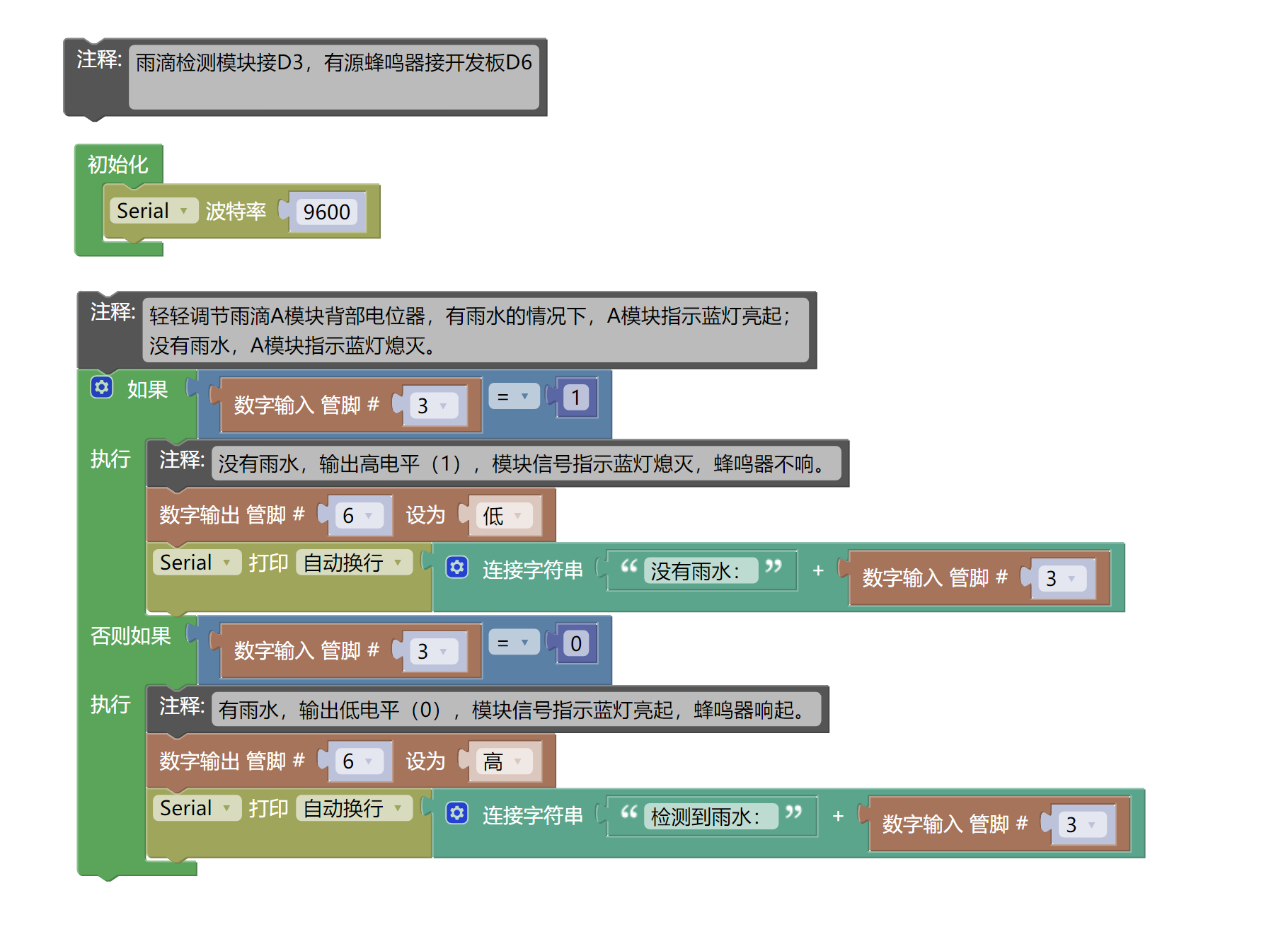
ESP32 Python Graphical Example Program:Click to download
7, Test Environment Setup
Arduino UNO Test Environment Setup
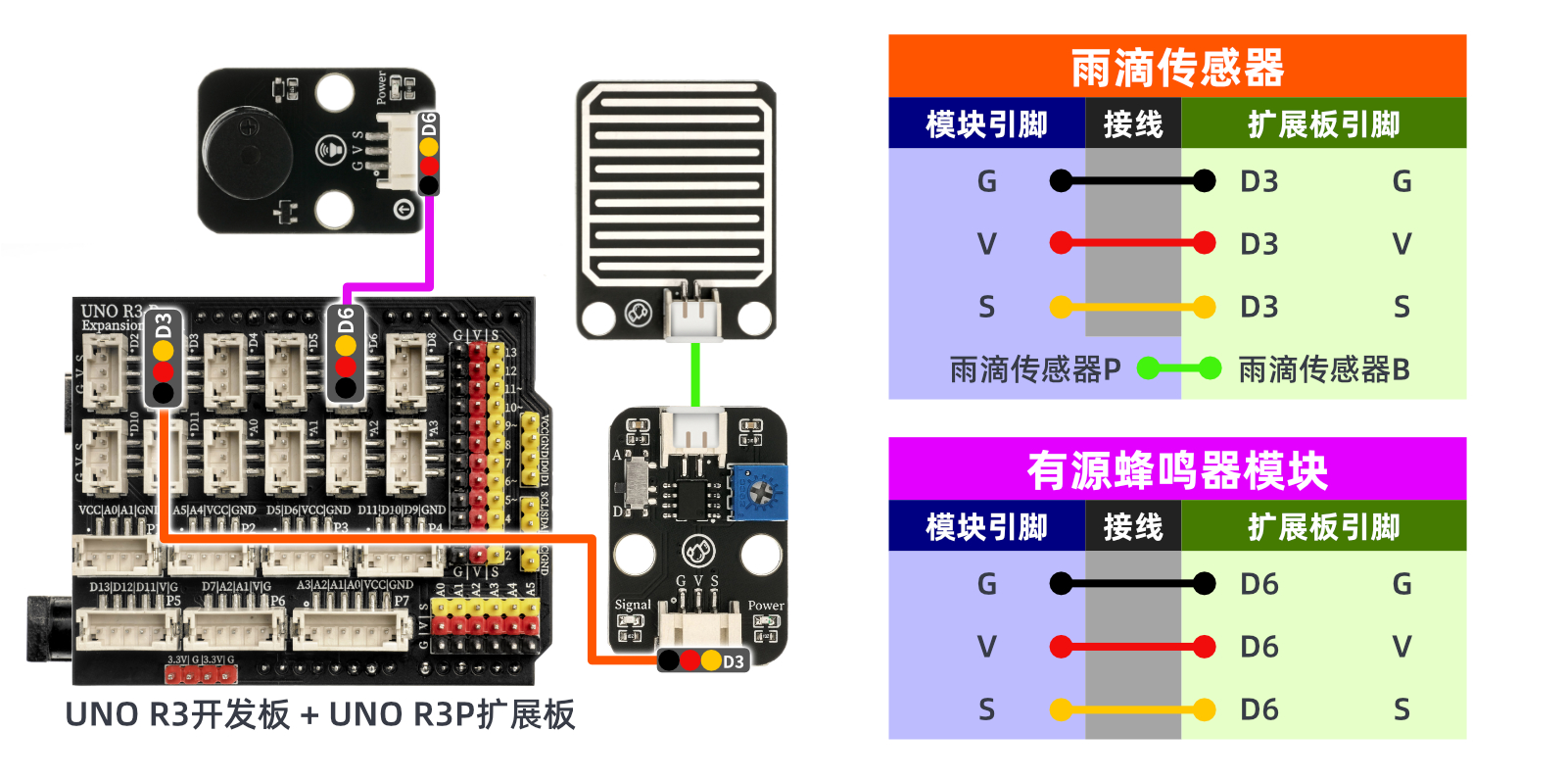
Prepare Components:
UNO-R3 Development Board *1
UNO-R3 P Expansion Board *1
USB TYPE-C DATA CABLE *1
Droplet Sensor (HS-S09B) *1
Drip sensor (HS-S09P) *1
Active buzzer (HS-F07P) *1
PH2.0 2P double-ended terminal line * 1
PH2.0 3P dual-head terminal line * 2
Circuit wiring diagram:
ESP32 Python test environment setup
8. Video tutorial
Arduino UNO video tutorial: Click to view
ESP32 Python Video Tutorial:
9. Test conclusion
Arduino UNO Test Conclusion:
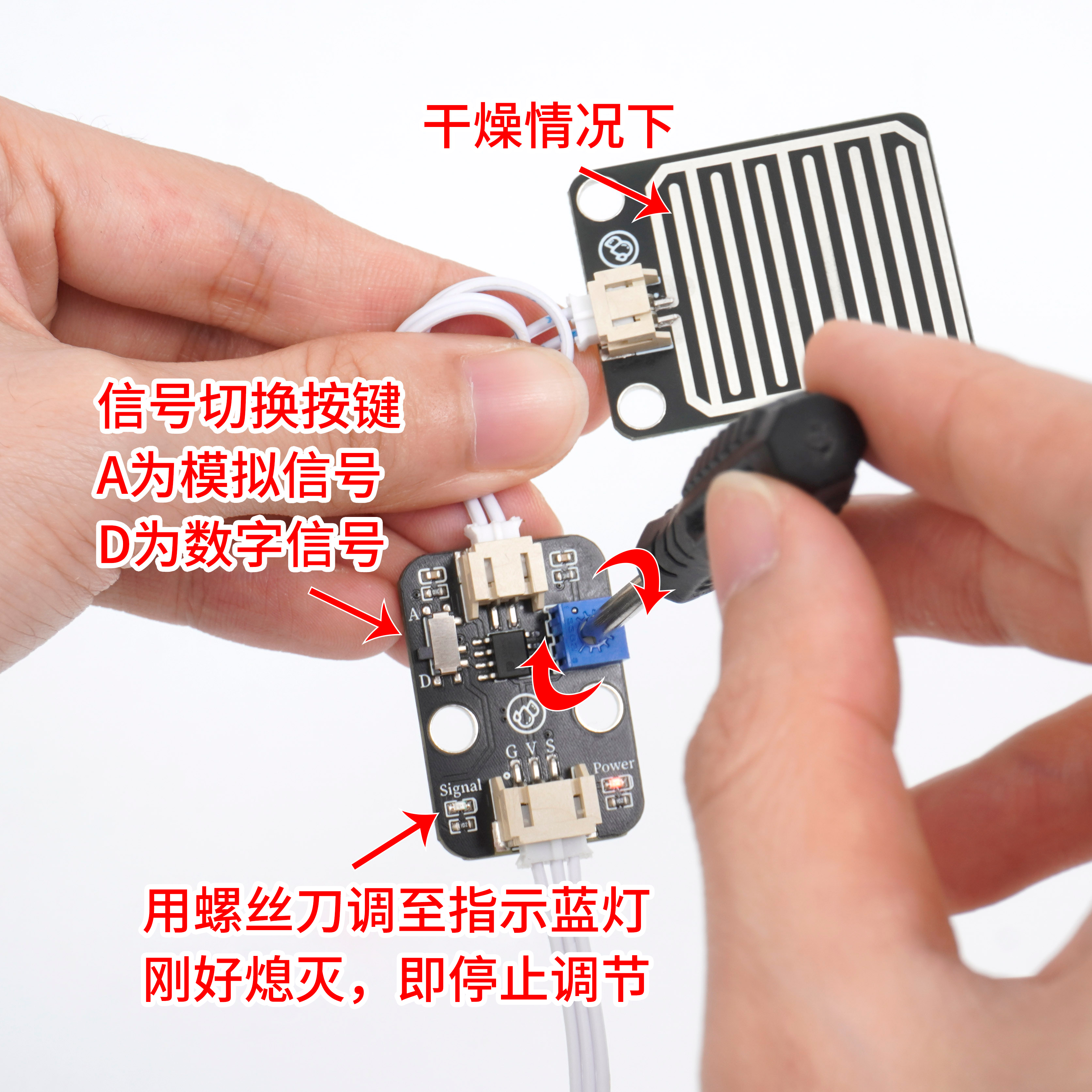
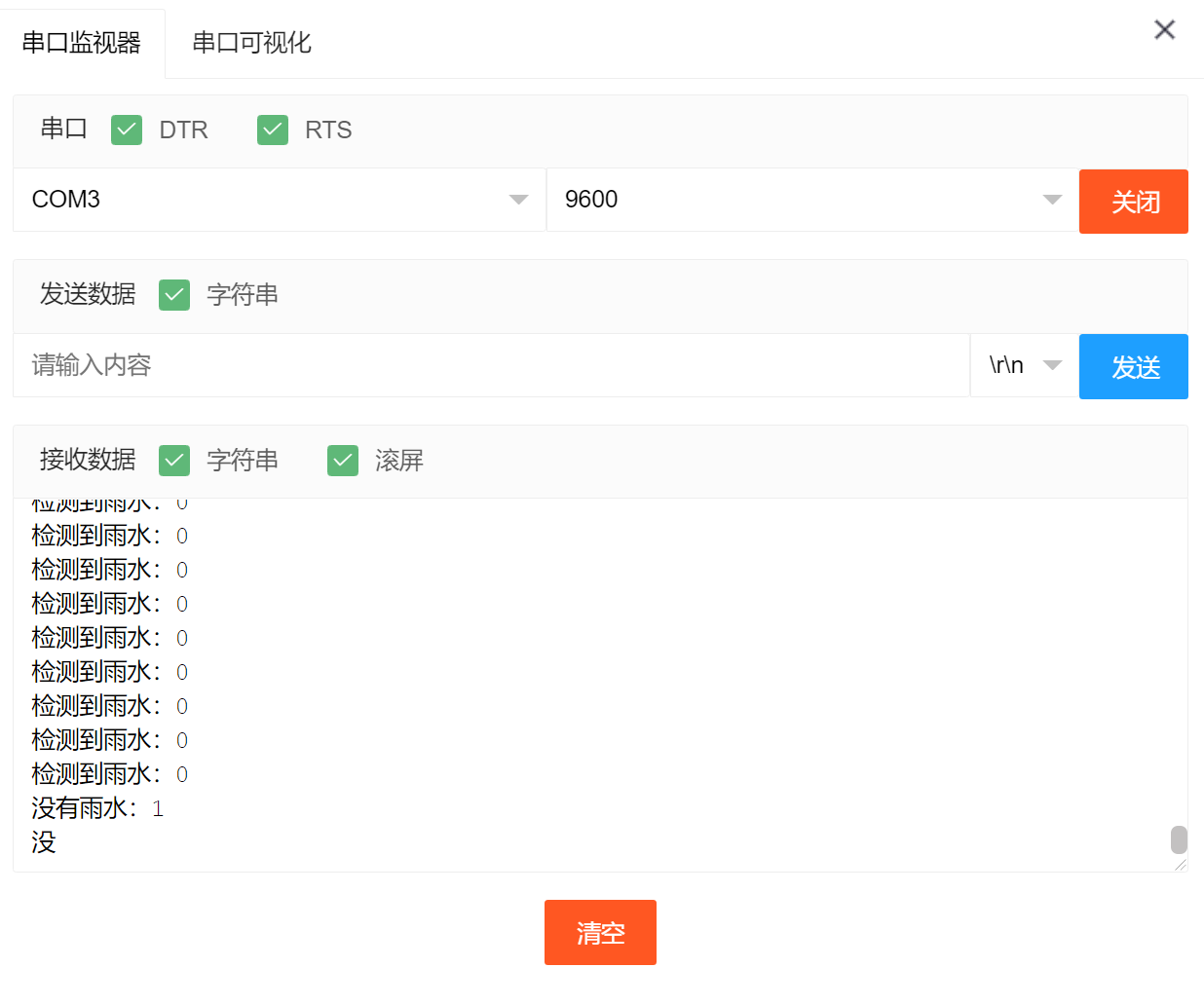
After the device is connected to the wire, burn the above program to the Arduino UNO development board, open the serial monitor, drop water droplets on the raindrop sensor to simulate rain, and you can see the data change.
ESP32 Python test result:
After the device is connected to the wire, after burning the above program to the ESP32 development board, drop water on the raindrop sensor to simulate rain, and you can hear the sound of the buzzer.