
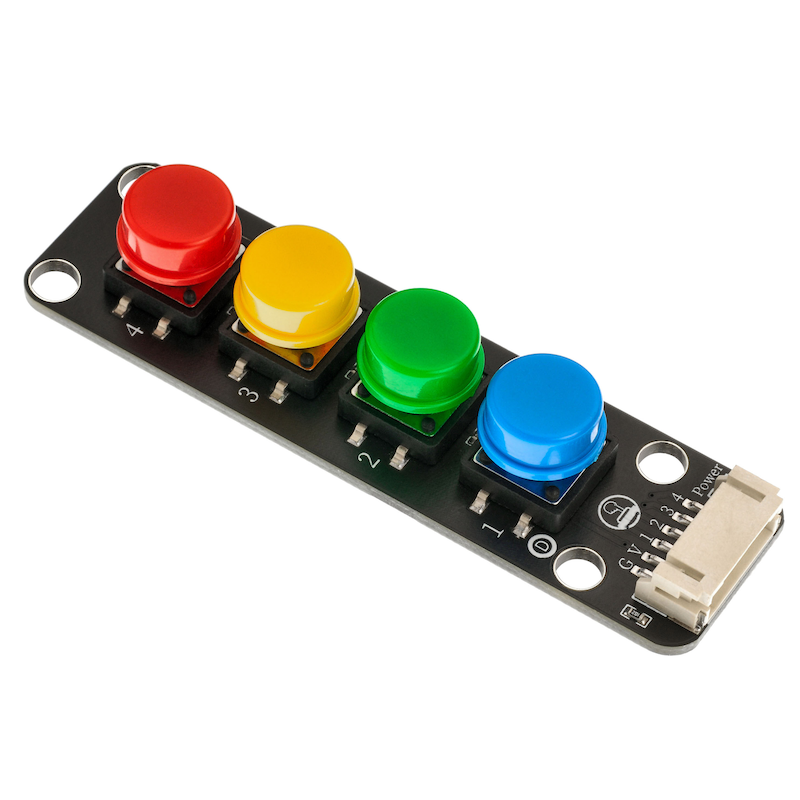
1. Introduction
2. Schematic
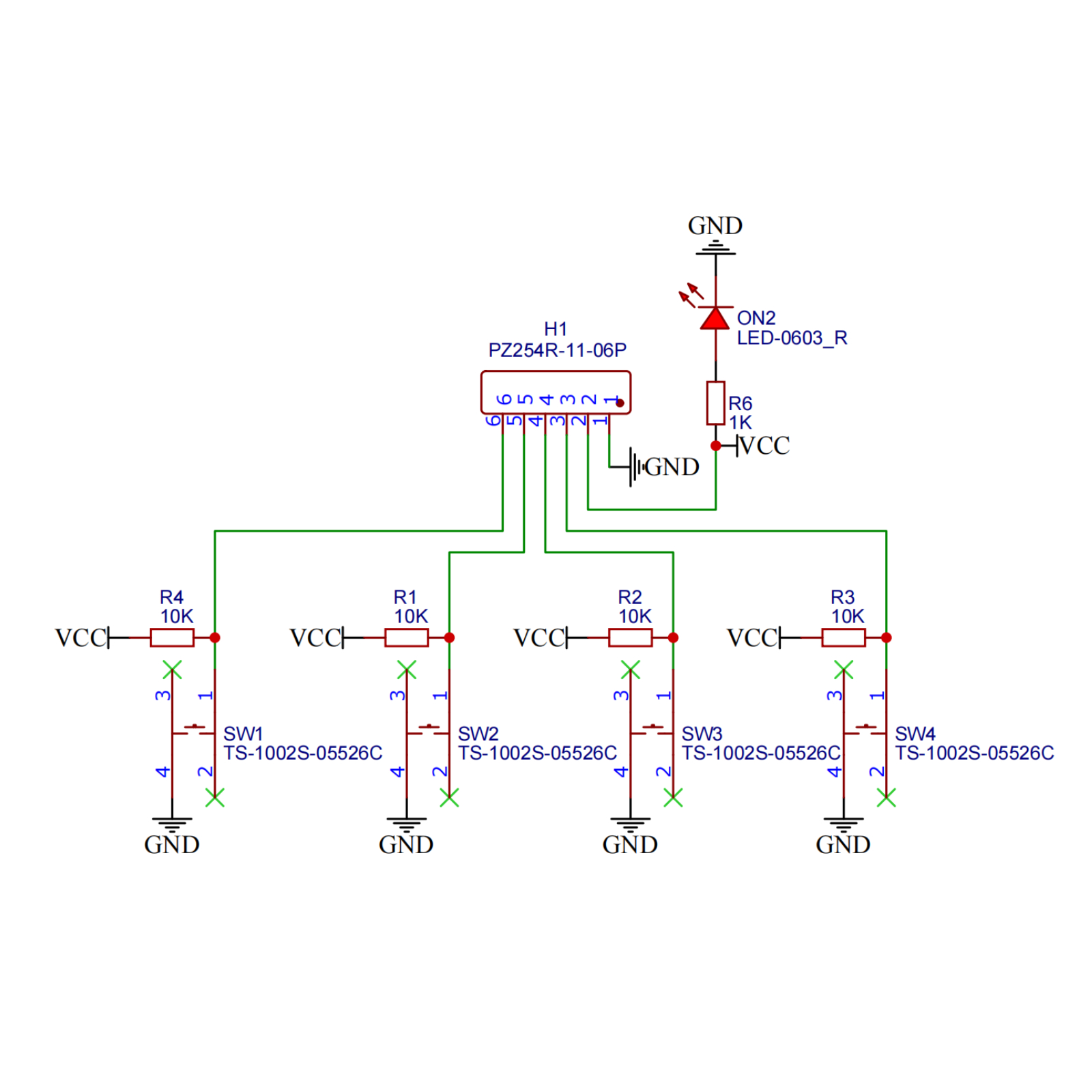
Module Parameters
Pin Name | description |
|---|---|
G | GND (Negative Power Input) |
V | VCC (Positive Power Input) |
1 | Digital Signal Pin |
2 | Digital Signal Pin |
3 | Digital Signal Pin |
4 | Digital Signal Pin |
Power Supply Voltage: 3.3V / 5V
Connection method: PH2.0 terminal wire
Installation method: Modular fixed
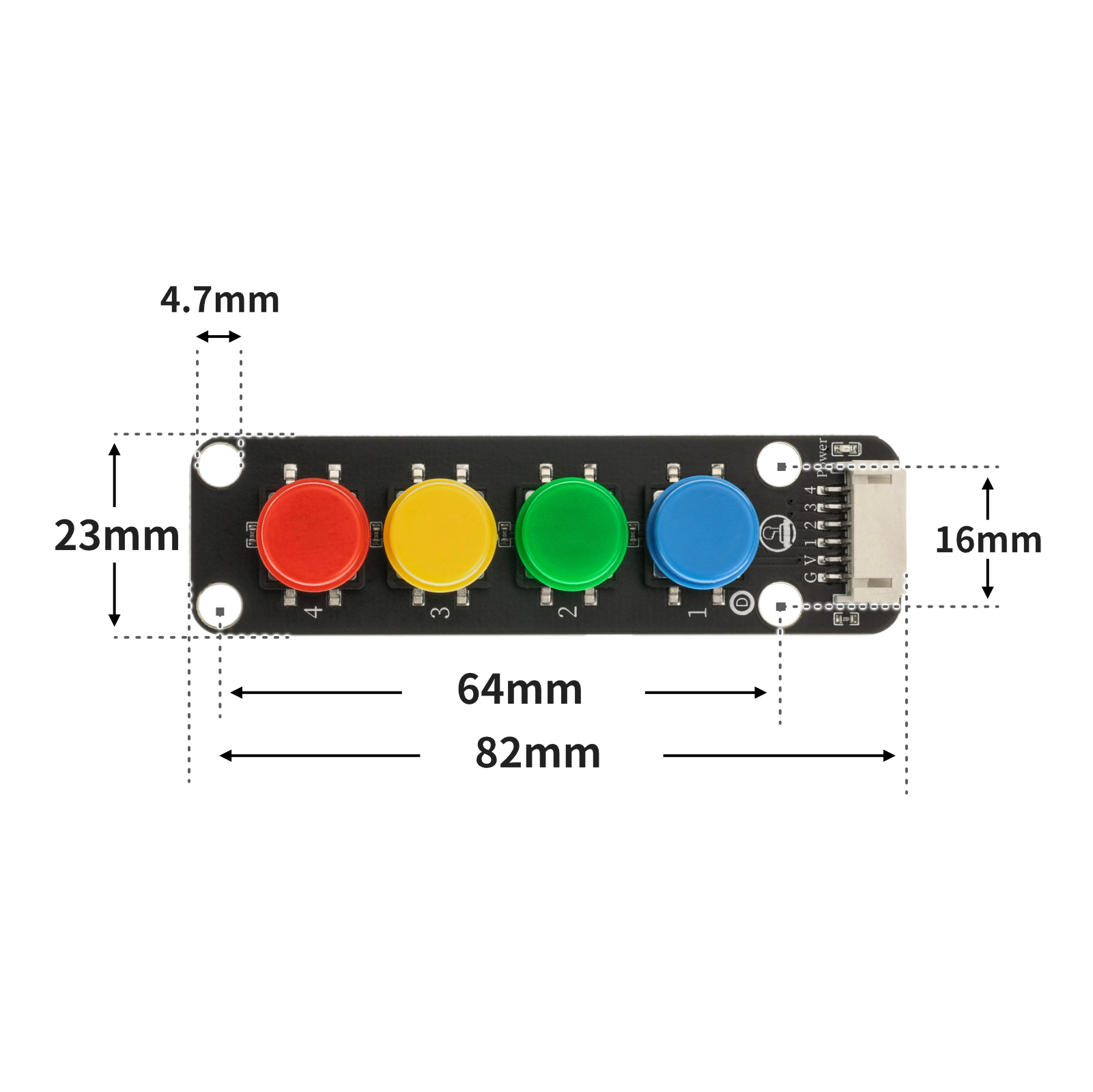
4, Circuit Board Size
5 of Arduino IDE example program
Example program (UNO development board): Click to download
volatile int led;
volatile int light;
volatile int vaule;

void setup(){
  Serial.begin(9600);
  led = 6;
  light = 0;
  vaule = 0;
  //led接D6,四位模拟按键模块接A0
  pinMode(A0, INPUT);
}

void loop(){
  vaule = analogRead(A0);
  Serial.println(vaule);
  analogWrite(led, light);
  if (vaule < 565 && vaule > 555) {
    //关灯
    light = 0;

  } else if (vaule < 640 && vaule > 630) {
    //微亮
    light = 15;
  } else if (vaule < 720 && vaule > 710) {
    //亮
    light = 100;
  } else if (vaule < 860 && vaule > 850) {
    //非常亮
    light = 255;
  }

}
Example Program (ESP32 Development Board — Based on Python language, cannot be uploaded using Arduino IDE):
6, Miciqi Mixly Example Program (Graphical Language)
Example program:Click to download
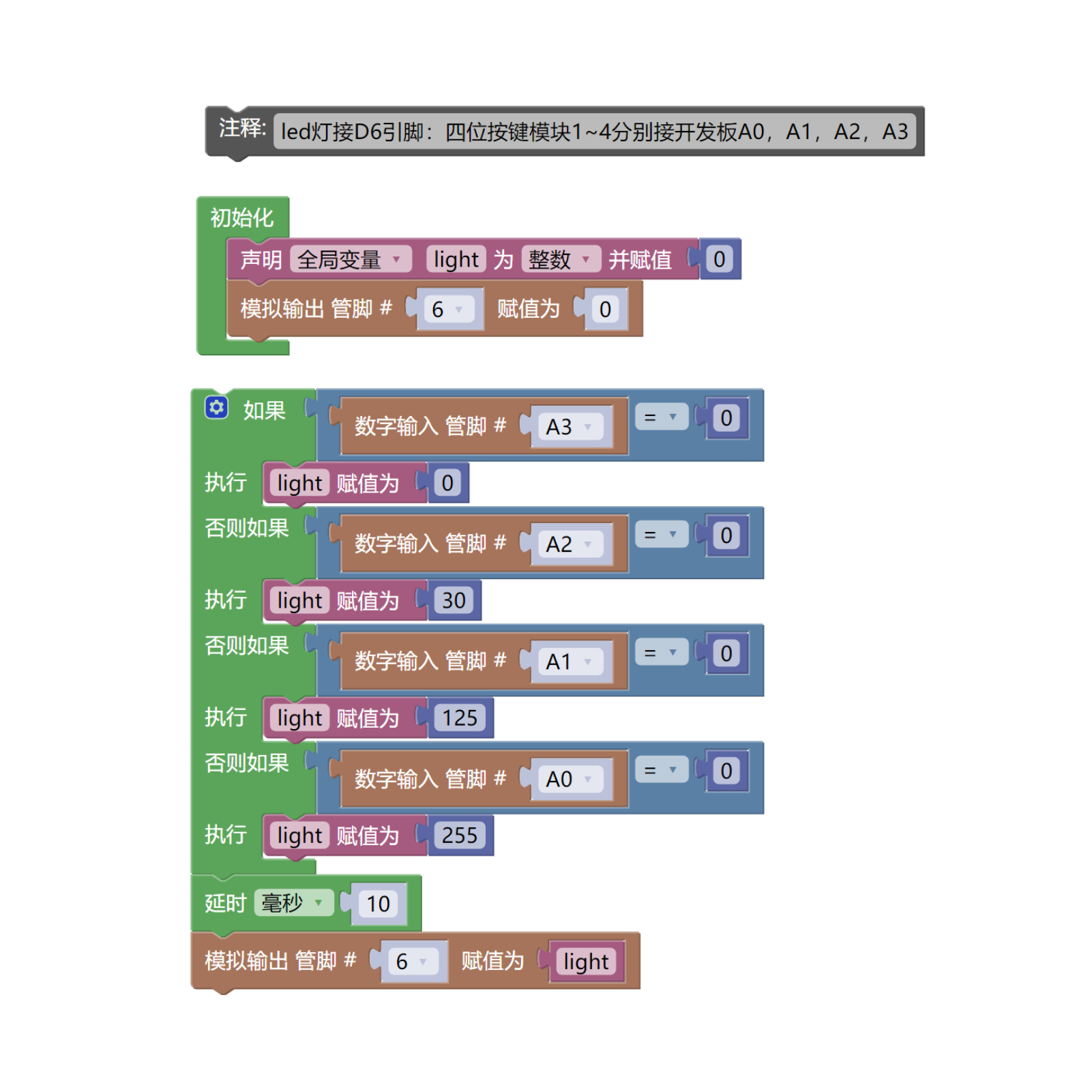
Example Program (ESP32 Development Board): Click to download
7, Test Environment Setup
Setting up the Arduino Environment
Prepare Components:
HELLO STEM UNO R3 DEVELOPMENT BOARD *1
HELLO STEM UNO R3 P EXPANSION BOARD *1
USB TYPE-C DATA CABLE *1
LED module (HS-F08L) *1
4-Digit Push Button Module (HS-KEY4-L) *1
PH2.0 3P dual headed terminal line *1
PH2.0 6P dual head terminal line *1
Circuit wiring diagram:
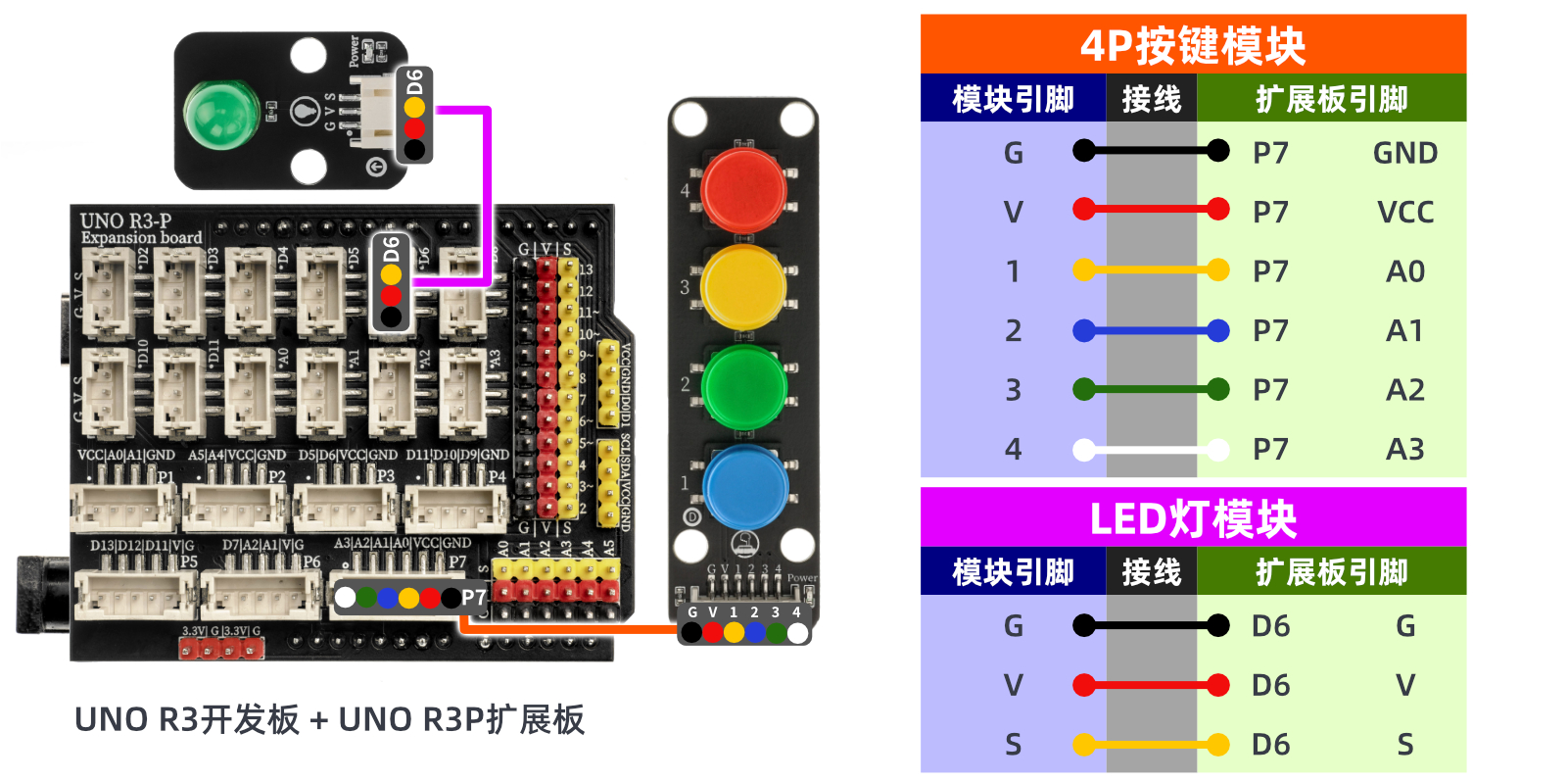
Set up Micropython environment
Prepare Components:
Circuit wiring diagram:
8. Video tutorial
Video tutorial: Click to view
9. Test conclusion
After the device is connected to the wire, burn the above program to the UNO-R3 PRO development board and then connect the power supply. Pressing different buttons will also change the brightness of the LED.