1. Introduction
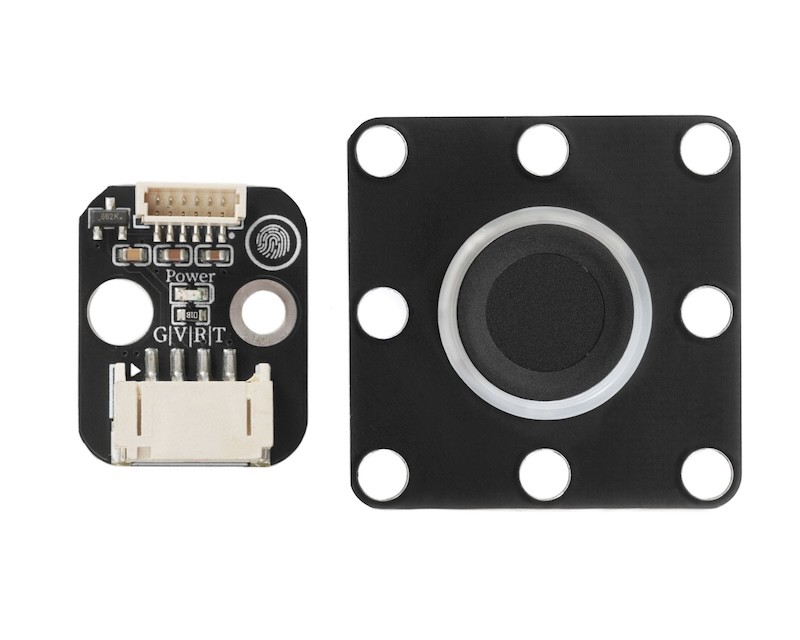
A fingerprint sensor is an electronic device that collects and identifies unique texture information of human fingerprints to achieve identity verification or command triggering, with the core feature being the "uniqueness" (each person's and each finger's fingerprint texture is different) and "stability" (fingerprint does not change much after adulthood) of biological characteristics, completing accurate identity recognition, and widely used in security, consumer electronics, smart home and other fields.
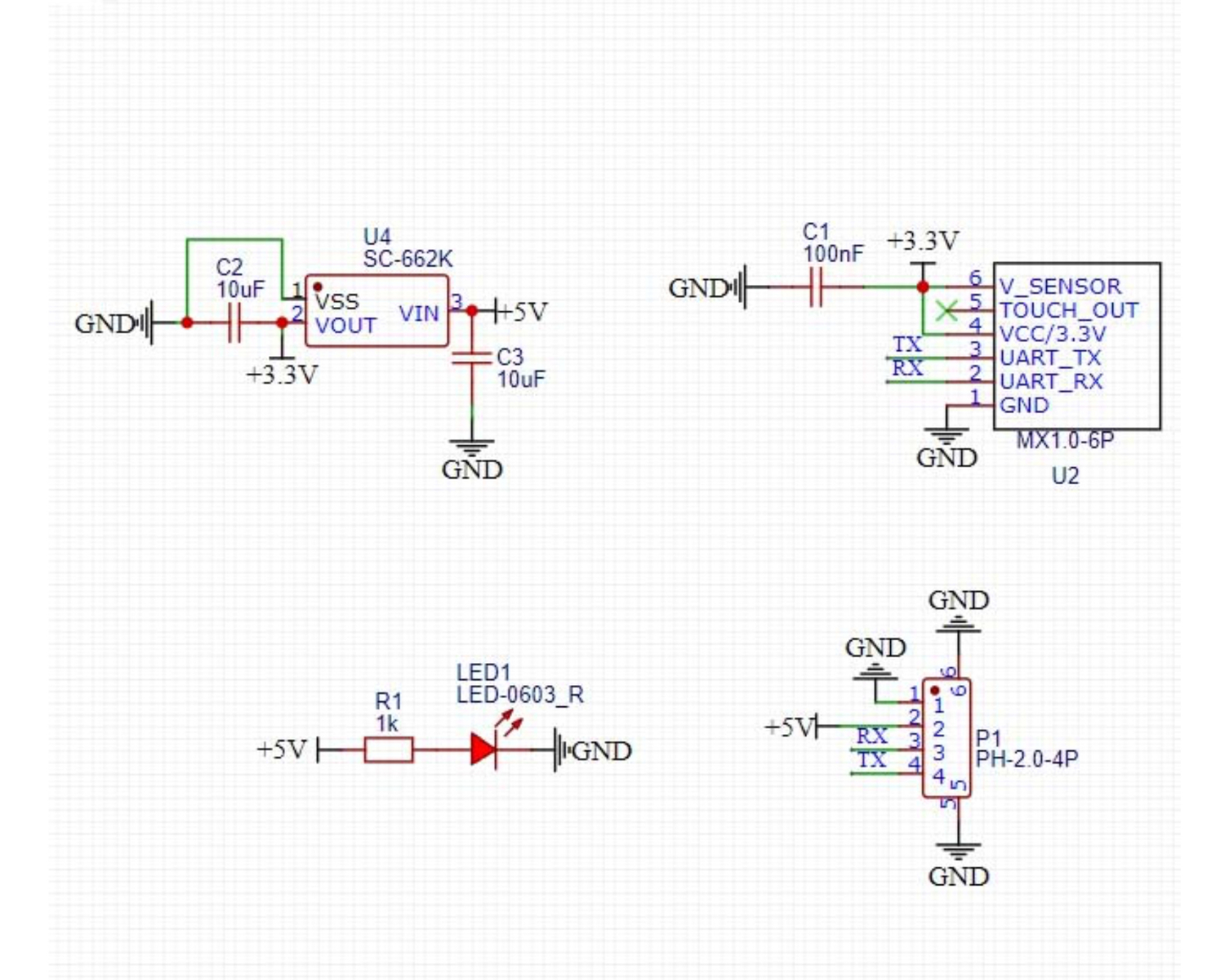
2. Schematic
Module Parameters
Pin Name | description |
|---|---|
G | GND (Negative Power Input) |
V | VCC (Positive Power Input) |
R | Fingerprint Module Data Interface Pin |
SCL | Fingerprint module data send pin |
Supply voltage: 3.3V-5V
Connection method: PH2.0 4P terminal wire
Installation method: Building block fixed/screw fixed
4, Circuit Board Size
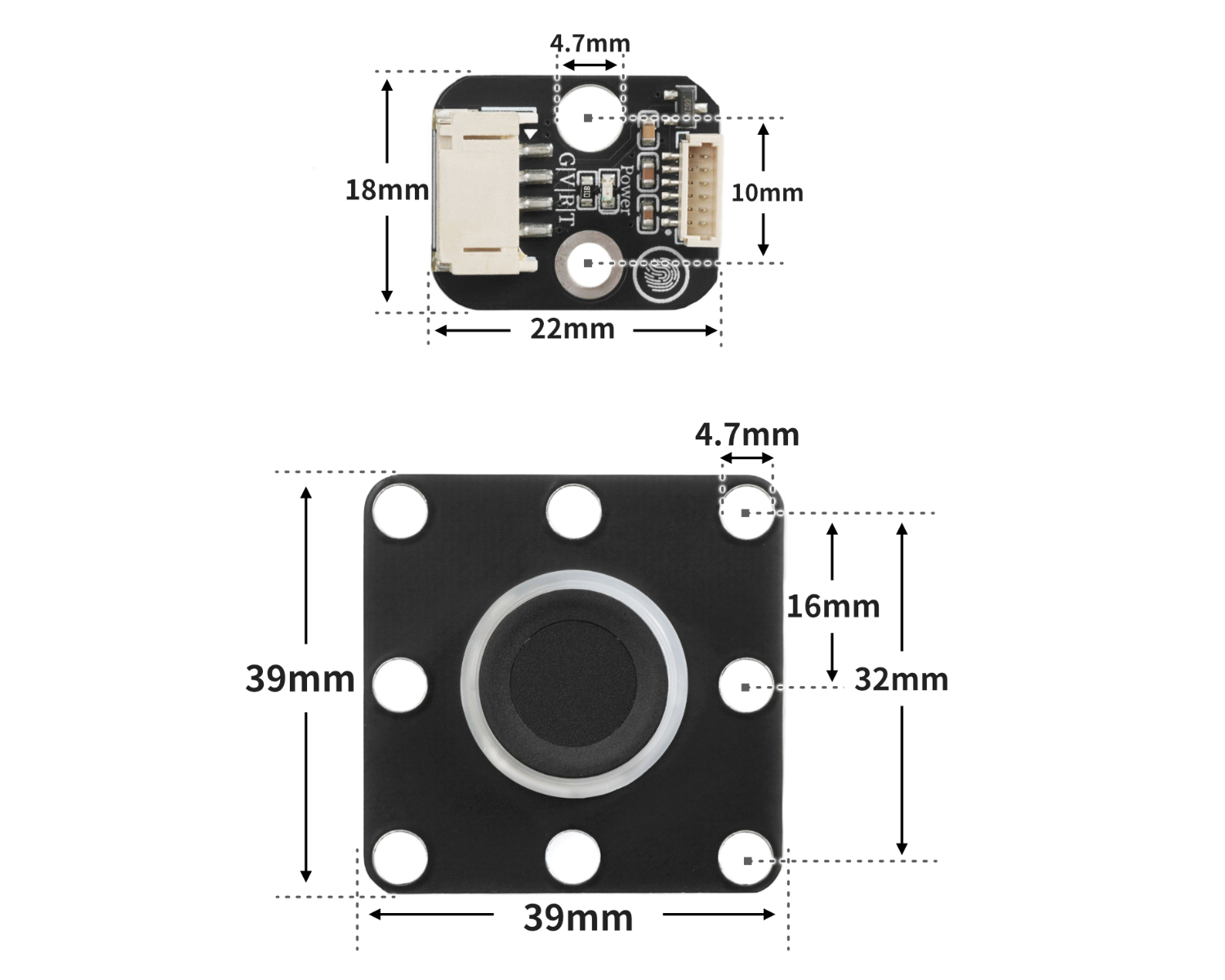
Add Arduino Library File
Reference here if you don't know how to use library files:Install and use library files
Download library files: Click to download
Installation steps for the MiQi UNO development board library (download and install the MiQi library before using the code):Reference link
6, Add MicroPython environment library file
MiXin ESP32 development board library download and installation steps (download and install the MiXin library before using the code):Reference link
7. Arduino IDE example program
Example Program (UNO Development Board): Click to Download
String item;

#include "Hello_STEM_ZW101.h"

FingerprintZW101 finger;

void setup(){
  finger.begin(5,6,57600);
  Serial.begin(57600);
  item = "";
  //两个波特率需需保持一致
  delay(100);
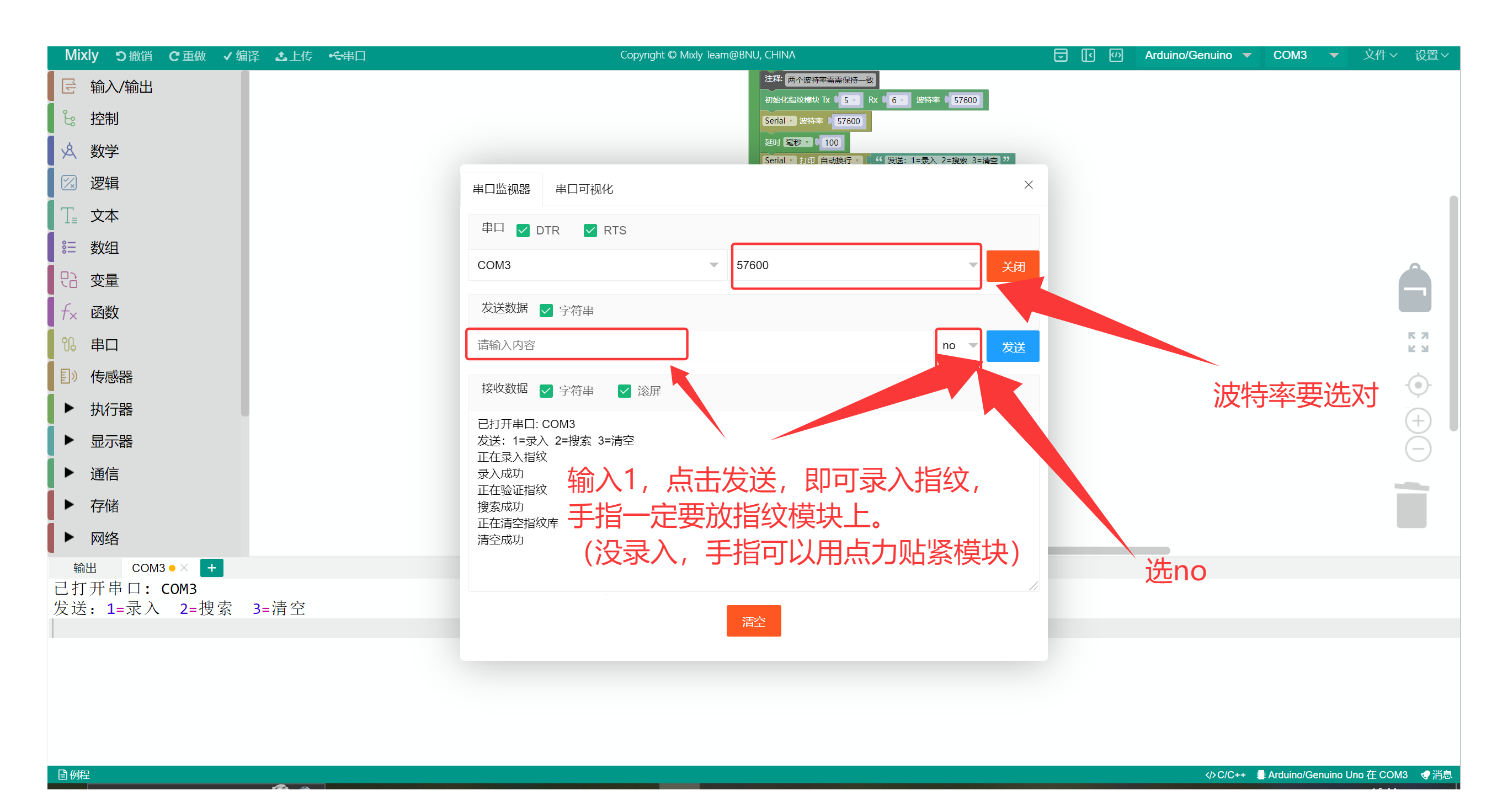
  Serial.println("发送:1=录入  2=搜索  3=清空");
}

void loop(){
  if (Serial.available()) {
    item = Serial.readString();
    if (item == "1") {
      Serial.println("正在录入指纹");
      if (finger.registerFinger()) {
        Serial.println("录入成功");

      } else {
        Serial.println("录入失败");

      }

    } else if (item == "2") {
      Serial.println("正在验证指纹");
      if (finger.searchFinger()) {
        Serial.println("搜索成功");

      } else {
        Serial.println("搜索失败");

      }
    } else if (item == "3") {
      Serial.println("正在清空指纹库");
      if (finger.clearLibrary()) {
        Serial.println("清空成功");

      } else {
        Serial.println("清空失败");

      }
    }

  }

}
Example Program (ESP32 Development Board):
8, Mixly Example Program (Graphic Language)
Example Program (UNO Development Board):Click to download
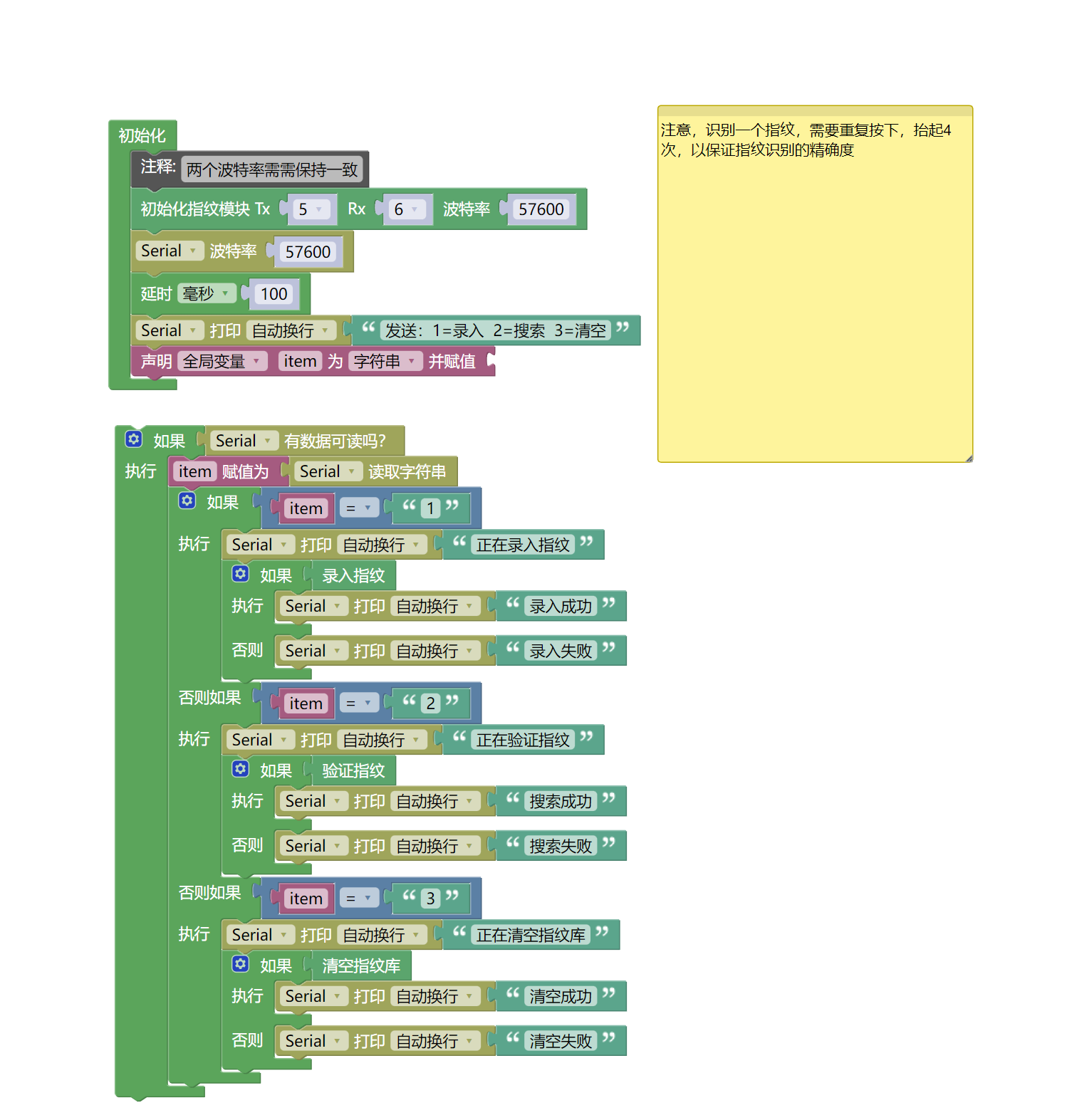
Example Program (ESP32 Development Board): Click to download
9. Setting up the Test Environment
Arduino UNO Test Environment Setup
Prepare Components:
UNO-R3 Development Board *1
UNO-R3 Expansion Board *1
USB TYPE-C DATA CABLE *1
HS-S74-PL Fingerprint Sensor *1
PH2.0 4P dual headed terminal line *1
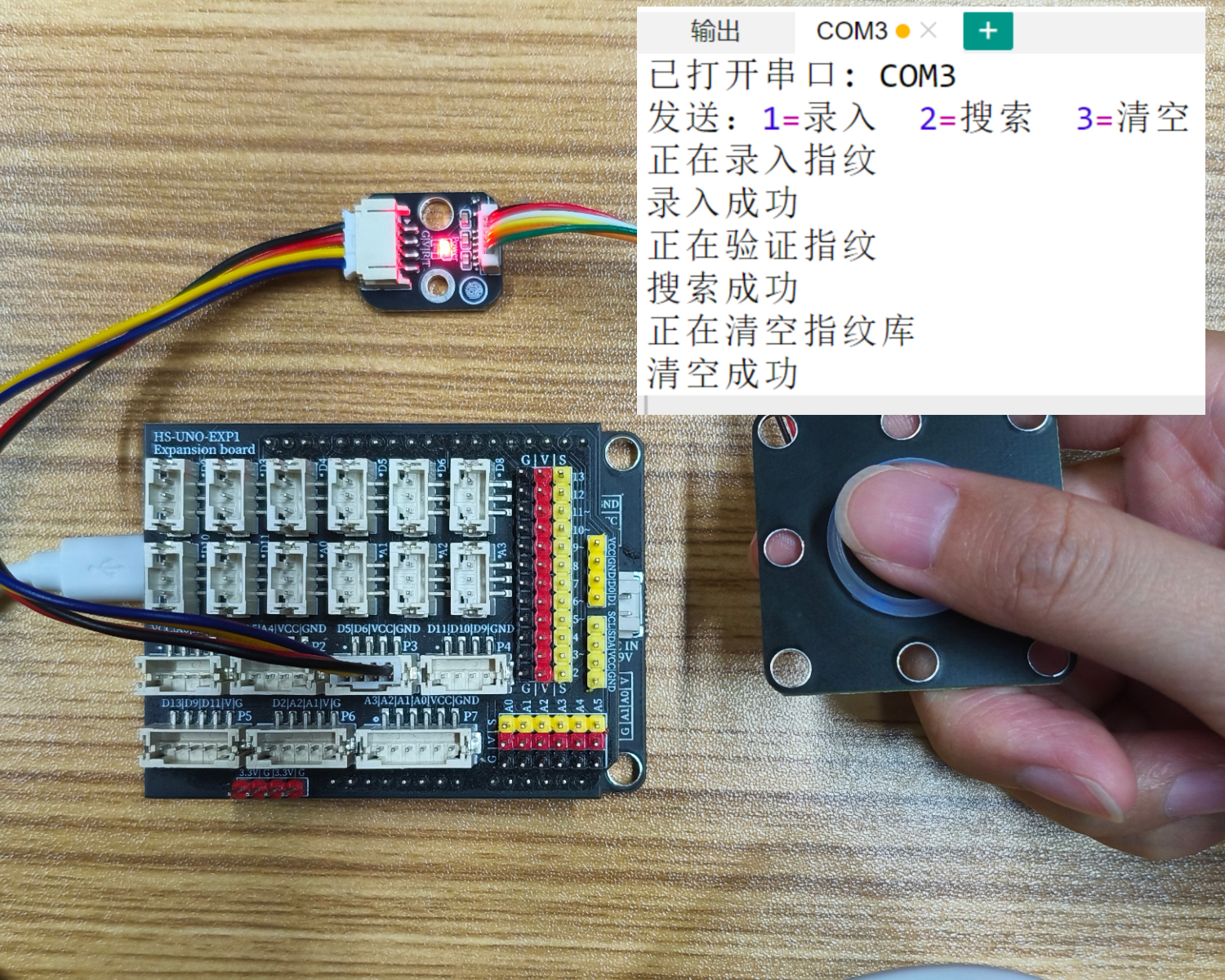
Circuit wiring diagram:
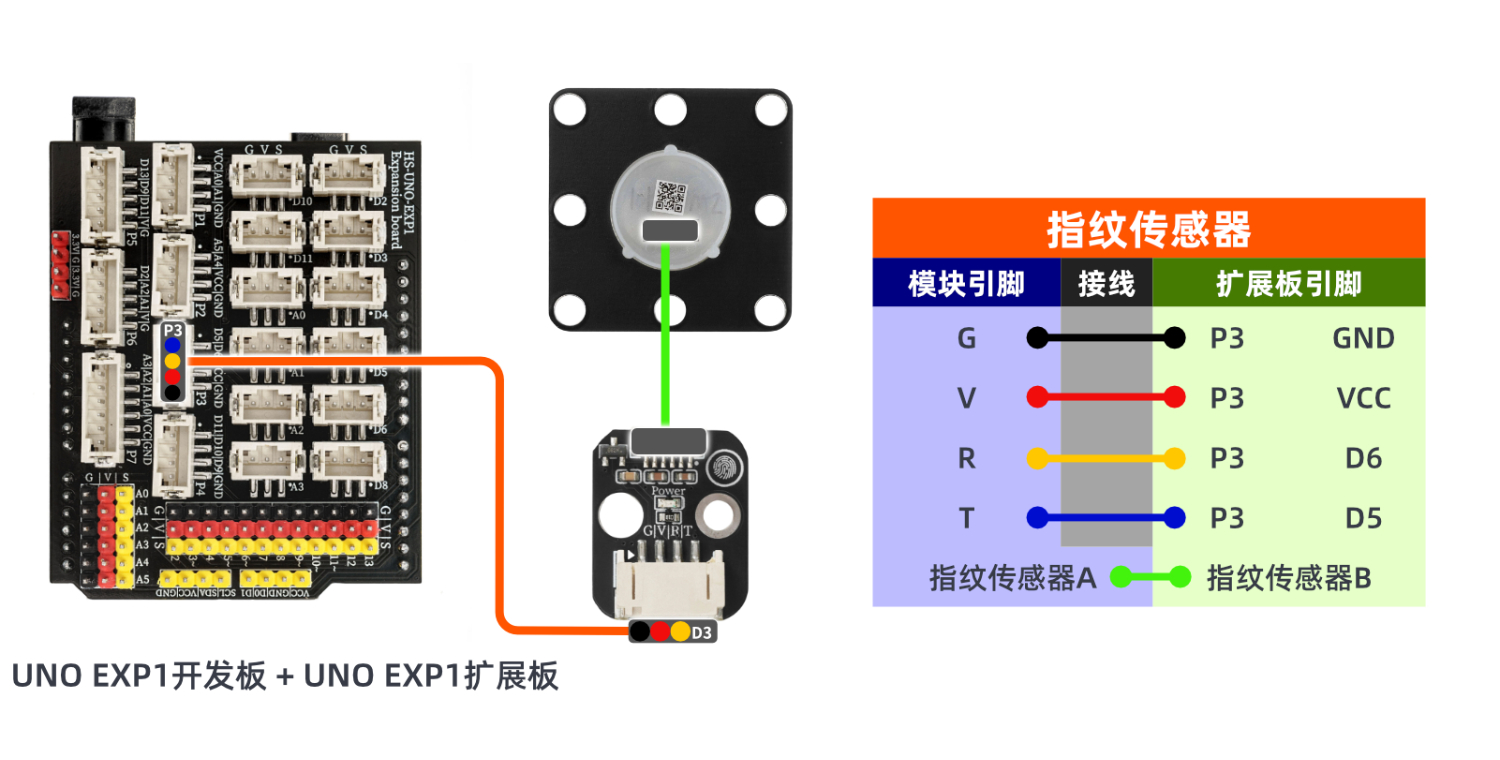
ESP32 Python test environment setup
10, video tutorial
Arduino UNO video tutorial: Click to view
ESP32 Python Video Tutorial:
11. Test Conclusion
Arduino UNO Test Conclusion:
Send the corresponding number through the serial port to perform the corresponding operation on the module.