
1. Introduction
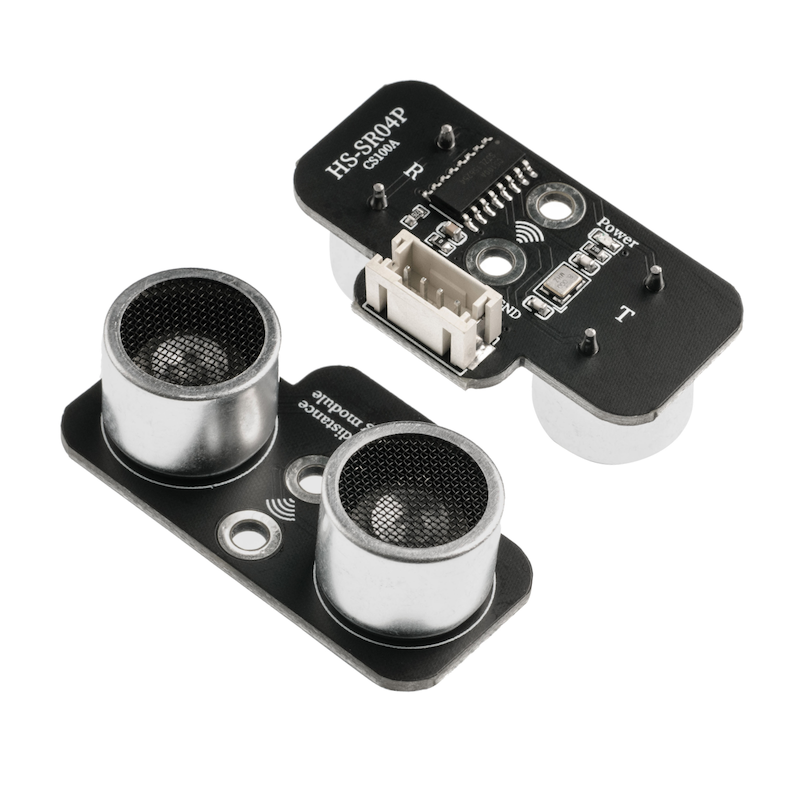
The HS-SR04 ultrasonic module is an optimized design based on the traditional HC-SR04 ultrasonic module.The function size is fully compatible with the traditional HC-SR04 module, and it is much more optimized in detail than the traditional HC-SR04 module.This module has stable performance, accurate measurement distance, high precision module, small blind area.
2. Schematic
Ultrasonic Module - HS-SR04P SchematicClick to view
Module Parameters
Pin Name | description |
|---|---|
VCC | VCC (Positive Power Input) |
TRIG | Control End |
ECHO | Receiver |
GND | GND (Negative Power Input) |
Power Supply Voltage: 3.3V / 5V
Connection method: PH2.0 terminal wire
Installation Method: Double Screw Fixed
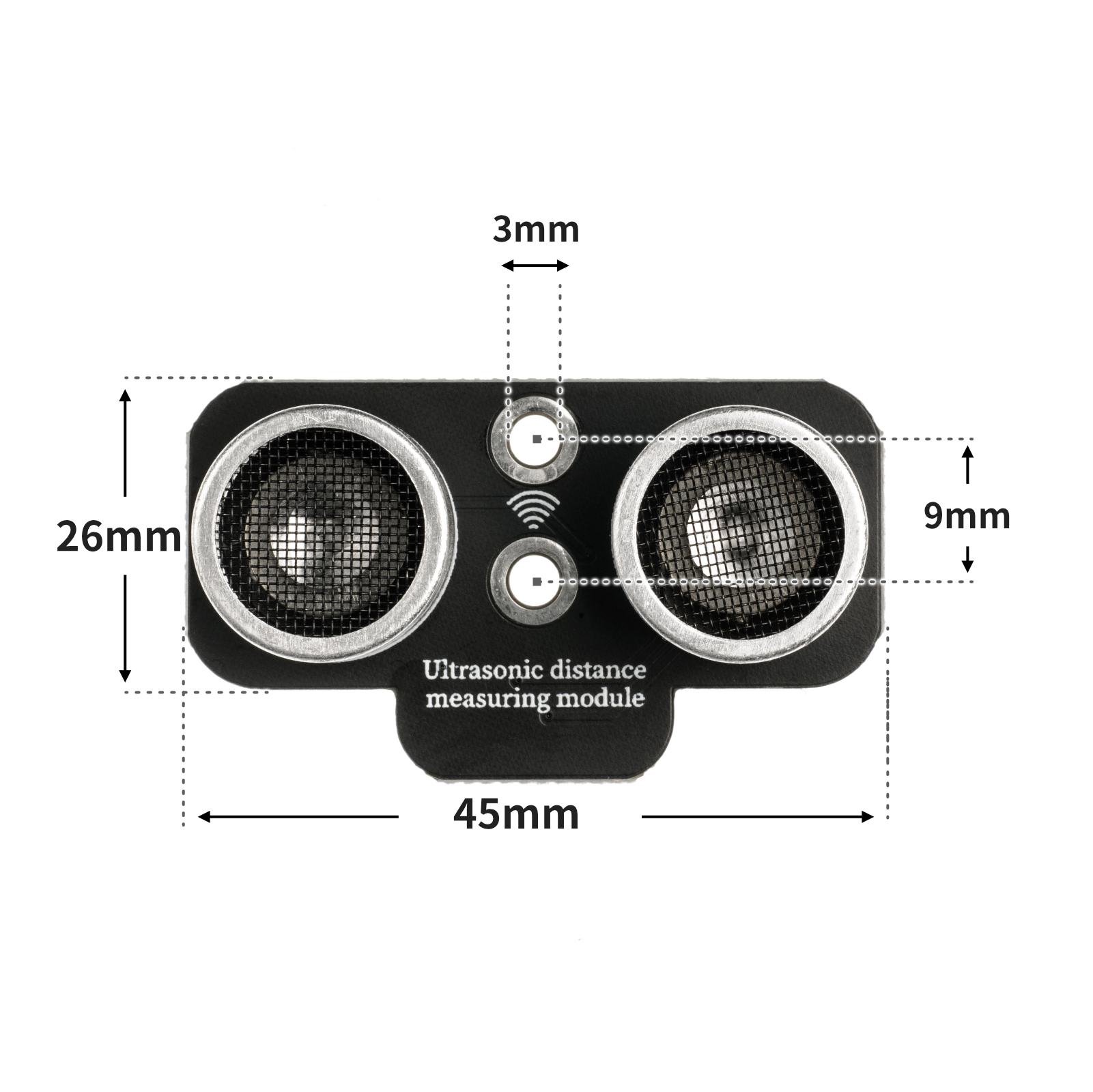
4, Circuit Board Size
5 of Arduino IDE example program
Attention: If prompted with an error message about the library file during program upload, please import the library file first!
Arduino IDE Library Download and Import Tutorial:Click to view
Example program (UNO development board):
volatile int csb;

float checkdistance_A0_A1() {
  digitalWrite(A0, LOW);
  delayMicroseconds(2);
  digitalWrite(A0, HIGH);
  delayMicroseconds(10);
  digitalWrite(A0, LOW);
  float distance = pulseIn(A1, HIGH) / 58.00;
  delay(10);
  return distance;
}

void setup(){
  Serial.begin(9600);
  csb = 0;
  pinMode(A0, OUTPUT);
  pinMode(A1, INPUT);
}

void loop(){
  delay(200);
  csb = checkdistance_A0_A1();
  Serial.println(csb);

}
6, ESP32 Python Example (for Mixly IDE/Misashi)
Choose the development board Python ESP32 [ESP32 Generic(4MB)] and upload in code mode
Attention: If prompted with an error message about the library file during program upload, please import the library file first!
Download and import tutorial for Mixly IDE ESP32 library:Click to view
Example program (ESP32-Python):
import machine
import sonar
import time


while True:
    print(sonar.Sonar(32,33).checkdist())
    time.sleep_ms(200)
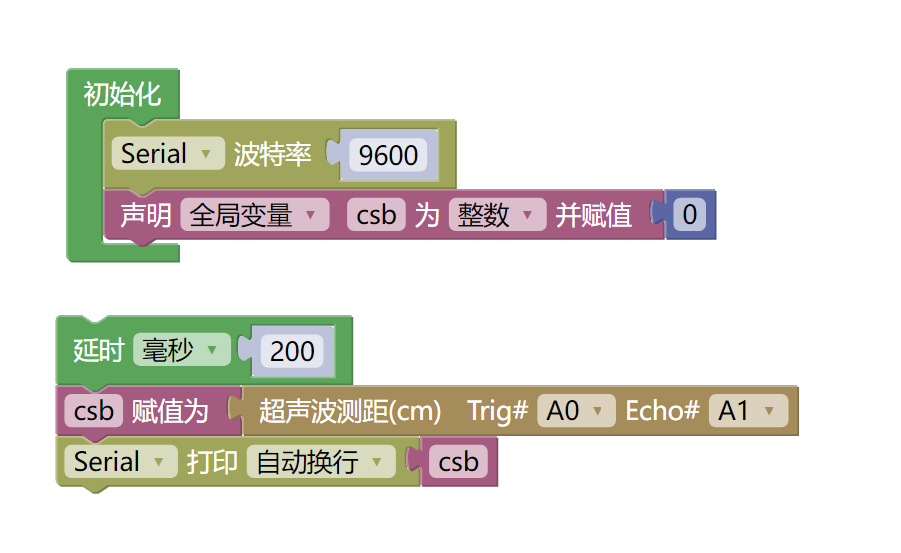
7, Mixly example program (graphical language)
Example program (UNO development board):Click to download
Attention: If prompted with an error message about the library file during program upload, please import the library file first!
Download and import tutorial of Mixly IDE Arduino library:Click to view
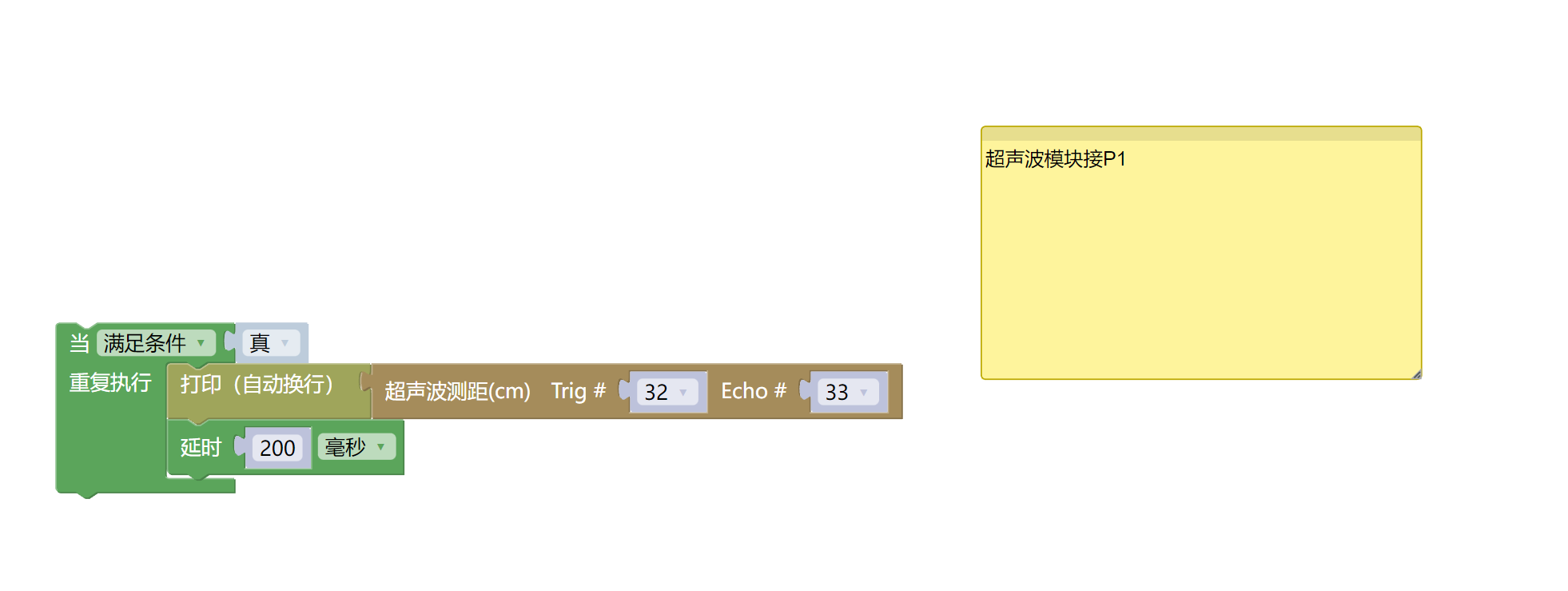
Example Program (ESP32 Development Board):Click to download
Attention: If prompted with an error message about the library file during program upload, please import the library file first!
Download and import tutorial for Mixly IDE ESP32 library:Click to view
8. Setting up the Test Environment
Arduino UNO Test Environment Setup
Prepare Components:
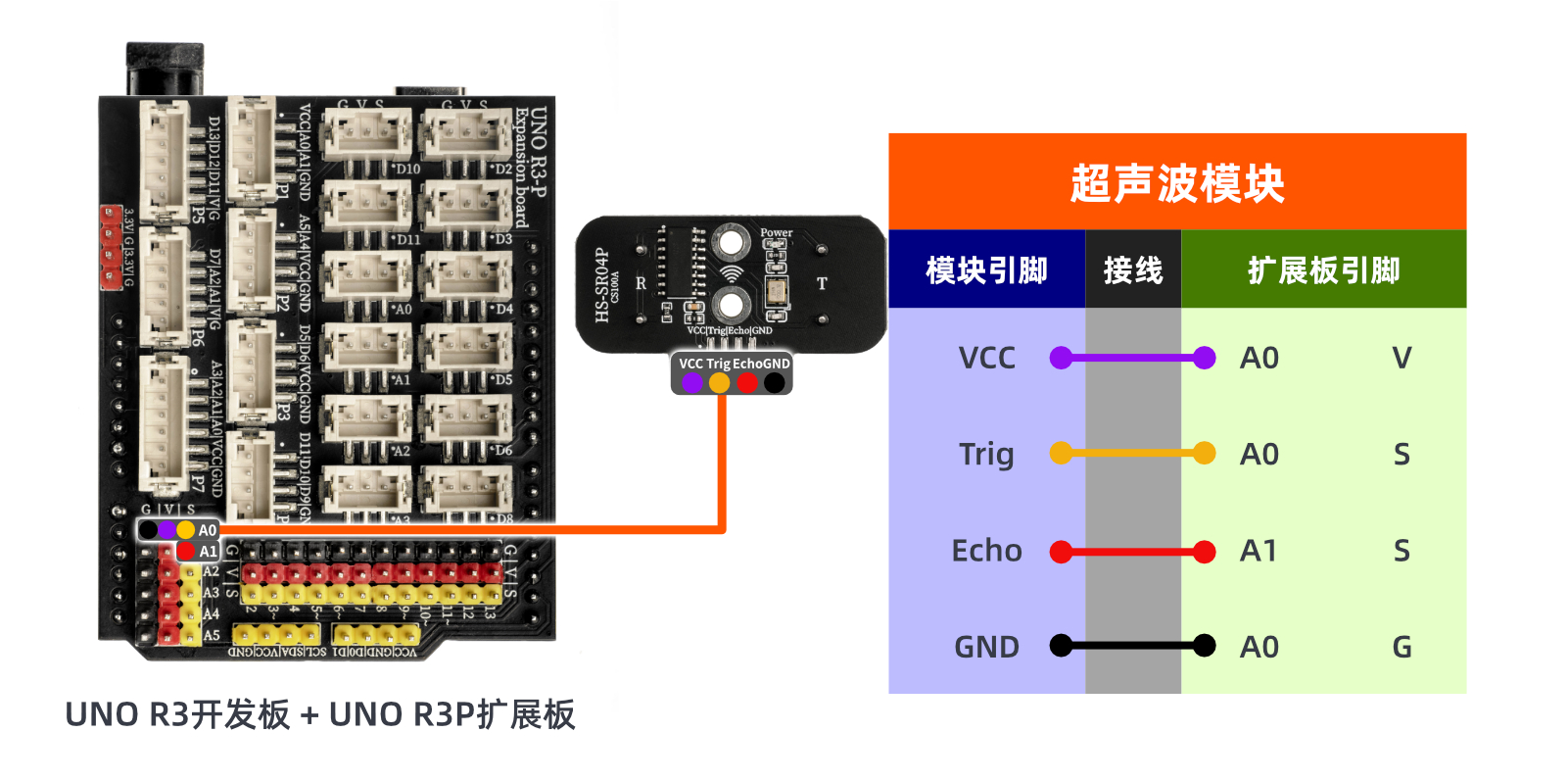
HELLO STEM UNO R3 DEVELOPMENT BOARD *1
HELLO STEM UNO R3 P EXPANSION BOARD *1
USB TYPE-C DATA CABLE *1
Ultrasonic Module (HS-SR04P) *1
PH2.0 4P socket to Dupont wire *1 or PH2.0 4P double-ended socket wire *1
Circuit wiring diagram:
ESP32 Test Environment Setup
Prepare Components:Pending update...
Circuit wiring diagram:Pending update...
9, Video tutorial
Video tutorial:Click to view
10, Test results
Arduino UNO test results:
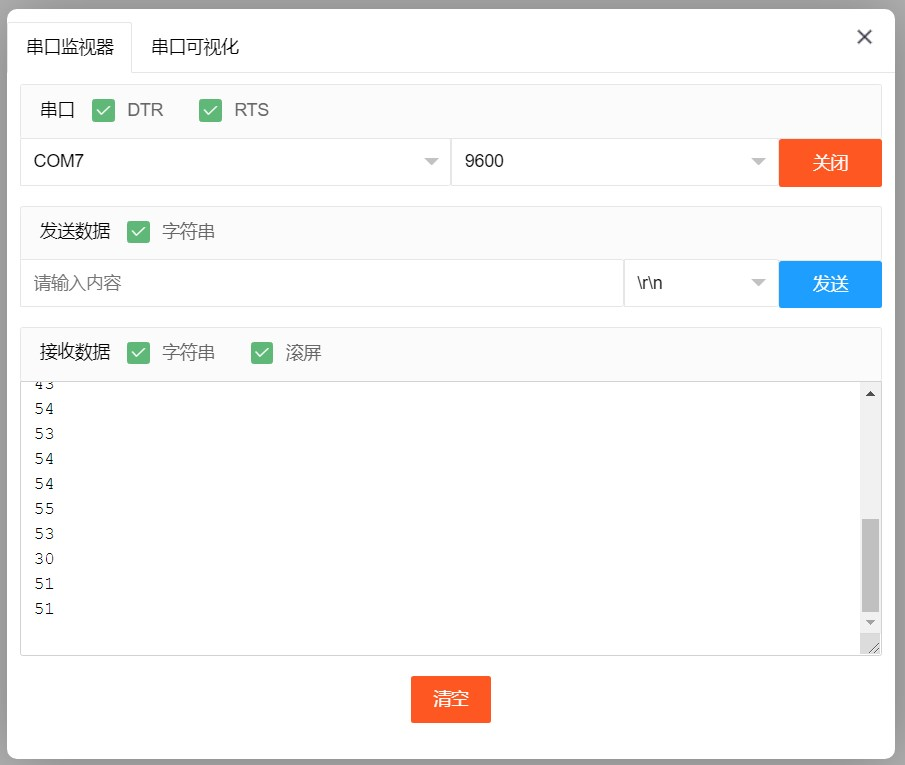
After connecting the device to the wire, burn the above program to the Arduino UNO development board, open the serial monitor, and set the baud rate to 9600.We place the obstacle in front of the ultrasonic module, and can measure the distance between the ultrasonic module and the obstacle (cm).Change the distance between the ultrasonic module and the obstacle, and you will find that the distance value displayed on the serial port changes.
ESP32 Test Results:
Pending update...