1. Introduction
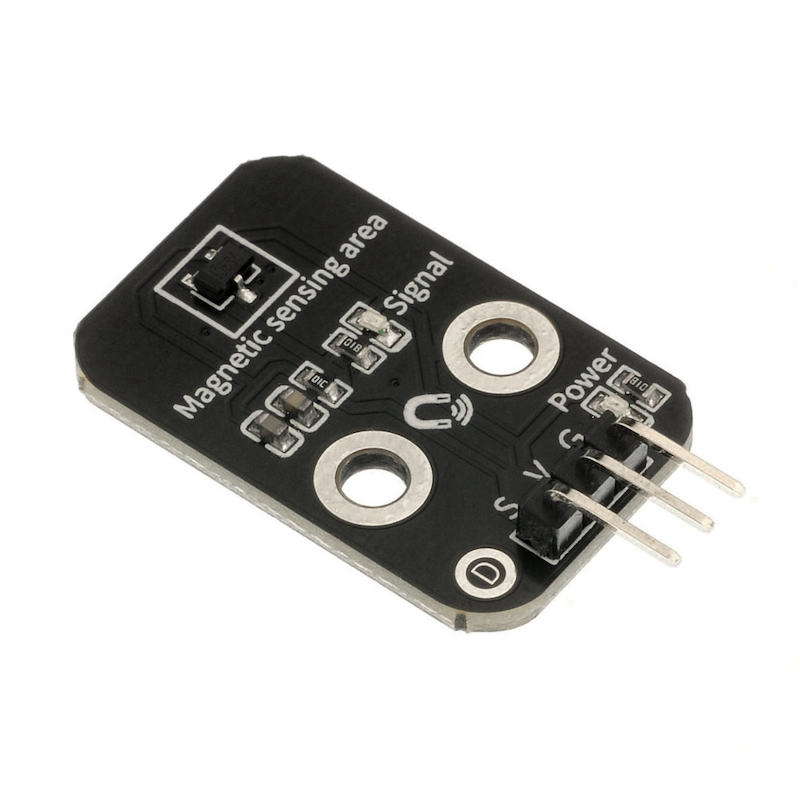
The all-pole Hall magnetic sensor is a magnetic field sensor made based on the Hall effect.The full-potential Hall effect is a type of magneto-electric effect.When the magnet approaches its running surface, the switch outputs a low level; when the magnet moves away, the switch outputs a high level.
2. Schematic
All-pole Hall magnetic switch-HS-S40B circuit diagramClick to view
Module Parameters
Pin Name | description |
|---|---|
G | GND (Negative Power Input) |
V | VCC (Positive Power Input) |
S | Digital Signal Pin |
Power Supply Voltage: 3.3V / 5V
Connection Type: 2.54mm Header
Installation Method: Double Screw Fixed
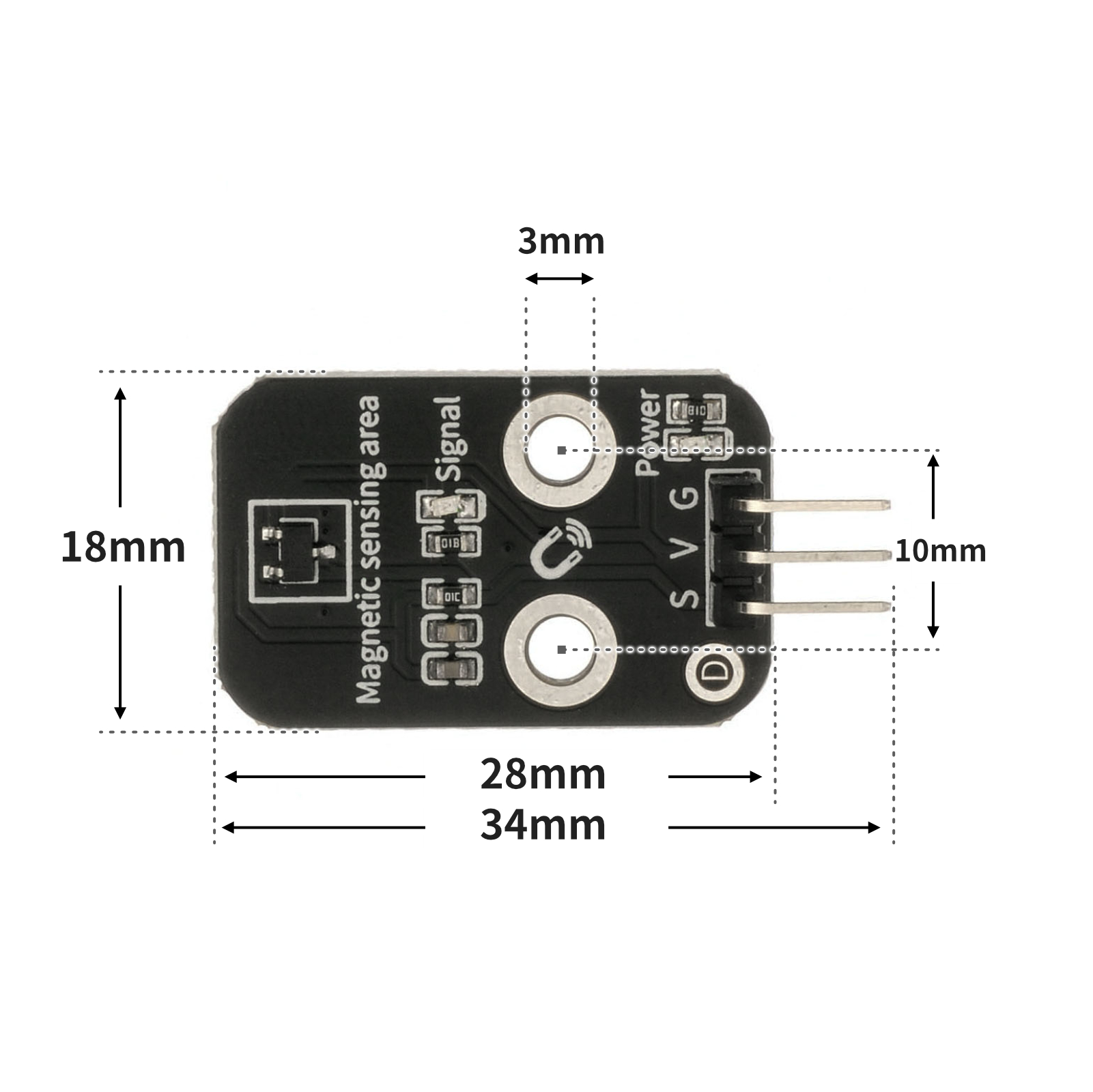
4, Circuit Board Size
5 of Arduino IDE example program
Attention: If prompted with an error message about the library file during program upload, please import the library file first!
Arduino IDE Library Download and Import Tutorial:Click to view
Example program (UNO development board):
volatile int value;

void setup(){
  Serial.begin(9600);
  value = 0;
  pinMode(5, INPUT);
  pinMode(6, OUTPUT);
}

void loop(){
  value = digitalRead(5);
  Serial.print("串口值:");
  Serial.println(value);
  delay(1000);
  if (digitalRead(5) == 0) {
    digitalWrite(6,HIGH);

  } else {
    digitalWrite(6,LOW);

  }

}
6, ESP32 Python Example (for Mixly IDE/Misashi)
Choose the development board Python ESP32 [ESP32 Generic(4MB)] and upload in code mode
Attention: If prompted with an error message about the library file during program upload, please import the library file first!
Download and import tutorial for Mixly IDE ESP32 library:Click to view
Example program (ESP32-Python):
import machine
import time


pin2 = machine.Pin(2, machine.Pin.IN)
pin4 = machine.Pin(4, machine.Pin.OUT)
value = 0
while True:
    value = pin2.value()
    print(value)
    if pin2.value() == 0:
        pin4.value(0)
    else:
        pin4.value(1)
    time.sleep_ms(200)
7, Mixly example program (graphical language)
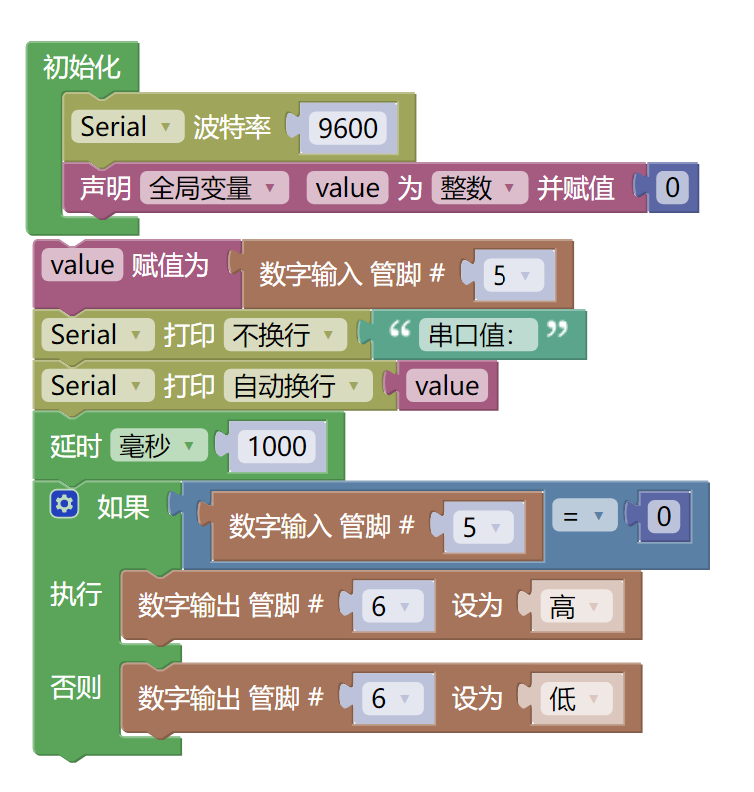
Example program (UNO development board):Click to download
Attention: If prompted with an error message about the library file during program upload, please import the library file first!
Download and import tutorial of Mixly IDE Arduino library:Click to view
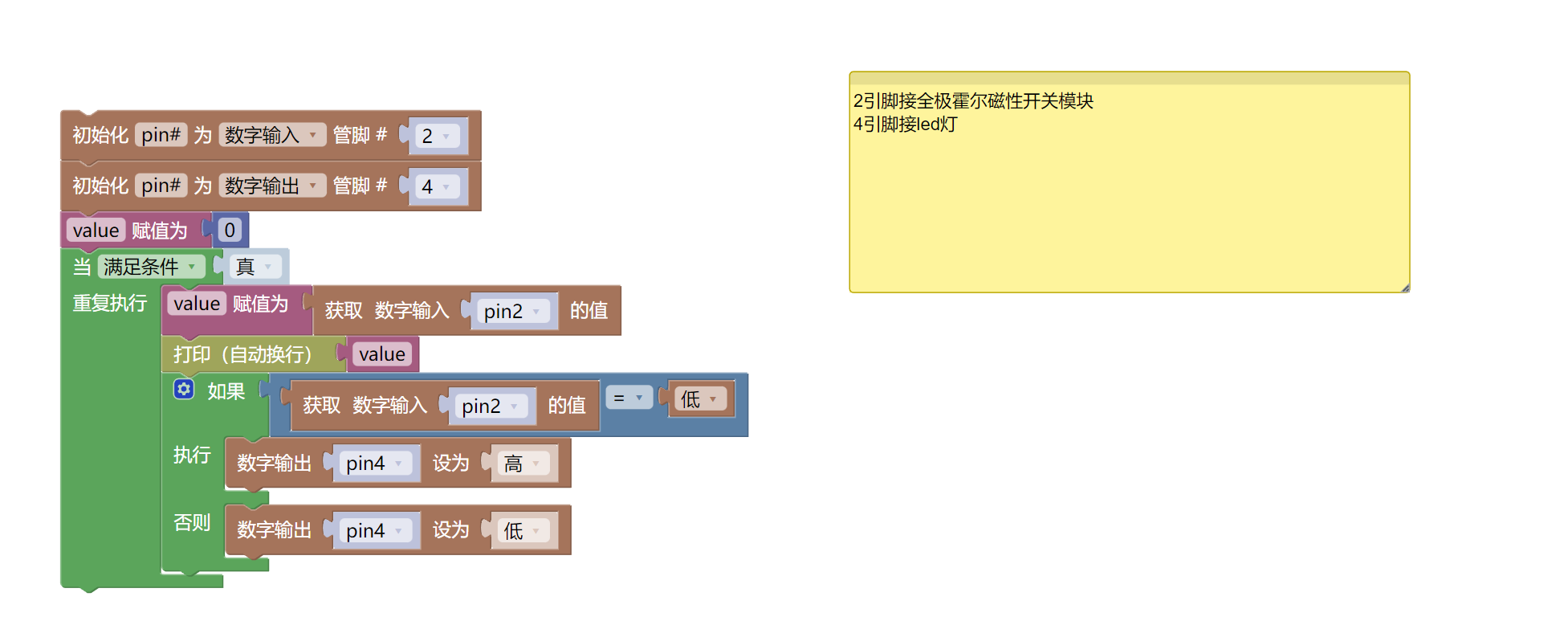
Example Program (ESP32 Development Board):Click to download
Attention: If prompted with an error message about the library file during program upload, please import the library file first!
Download and import tutorial for Mixly IDE ESP32 library:Click to view
8. Setting up the Test Environment
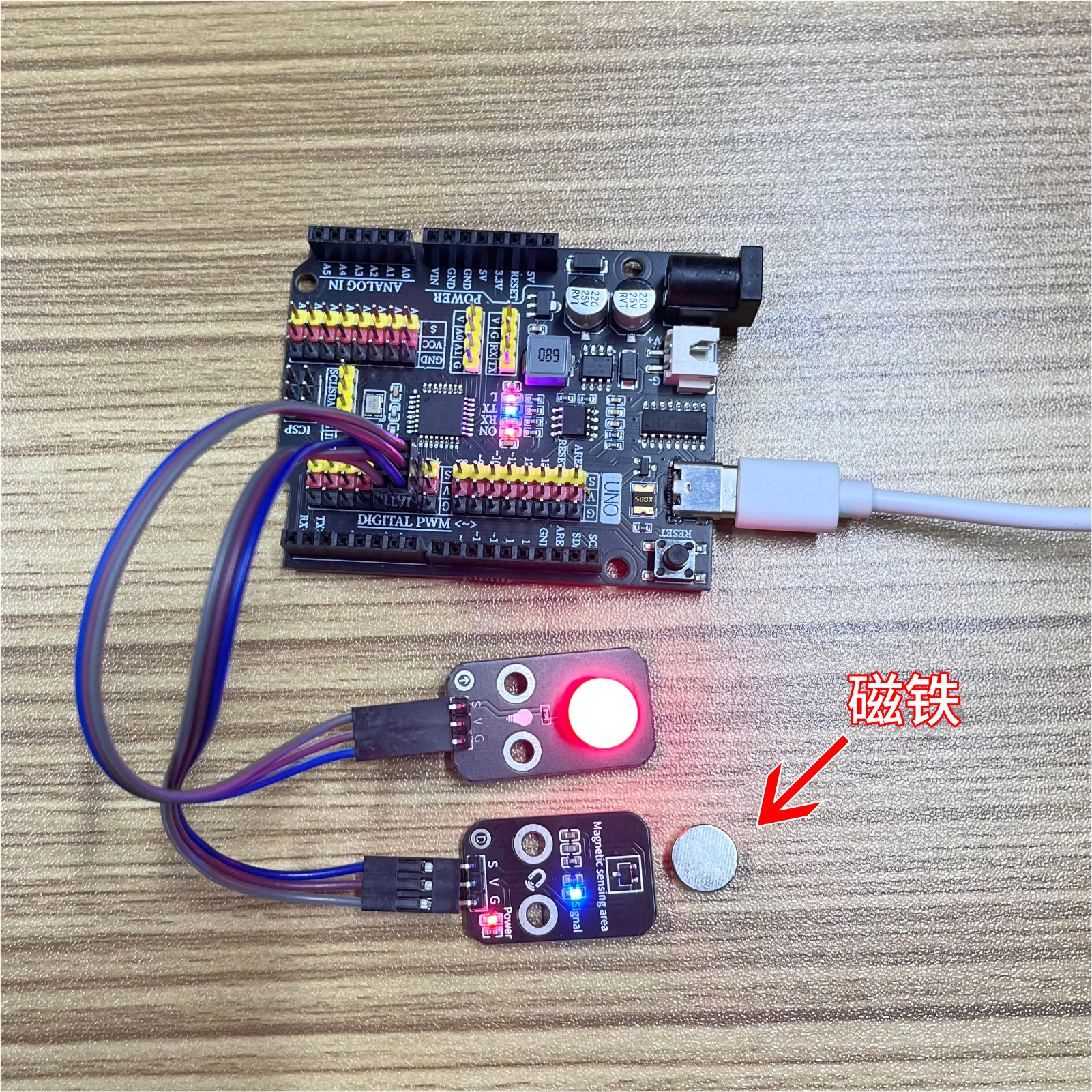
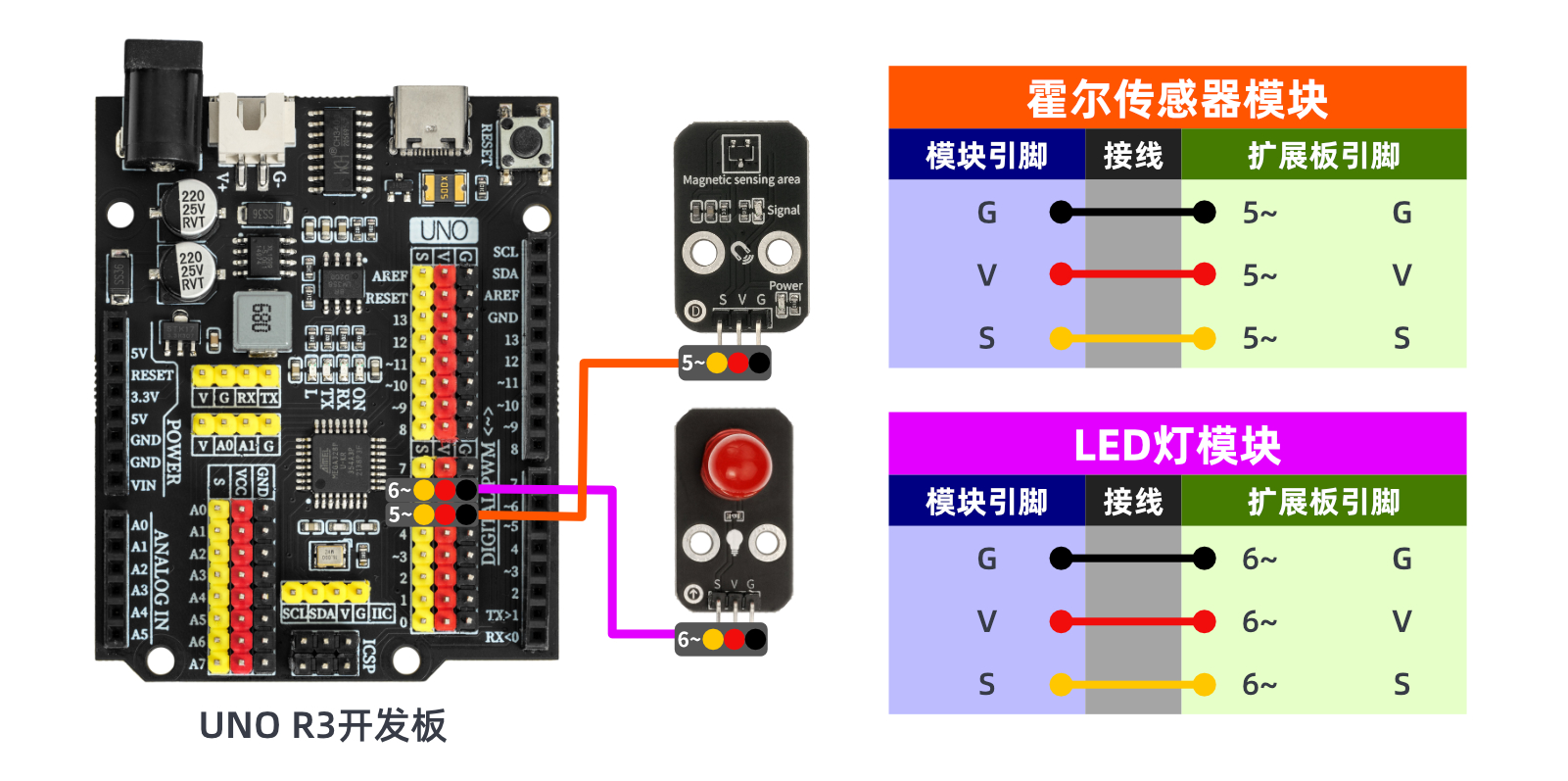
Arduino UNO Test Environment Setup
Prepare Components:
HELLO STEM UNO R3 PRO DEVELOPMENT BOARD *1
USB TYPE-C DATA CABLE *1
LED light module (HS-F08A) *1
Full Pole霍尔 Magnetic Switch Module (HS-A40B) *1
1P female to female Dupont wire *6 pieces or 3P female to female Dupont wire *2 pieces
Circuit wiring diagram:
ESP32 Test Environment Setup
Prepare Components:Pending update...
Circuit wiring diagram:Pending update...
9, Video tutorial
Video tutorial:Click to view
10, Test results
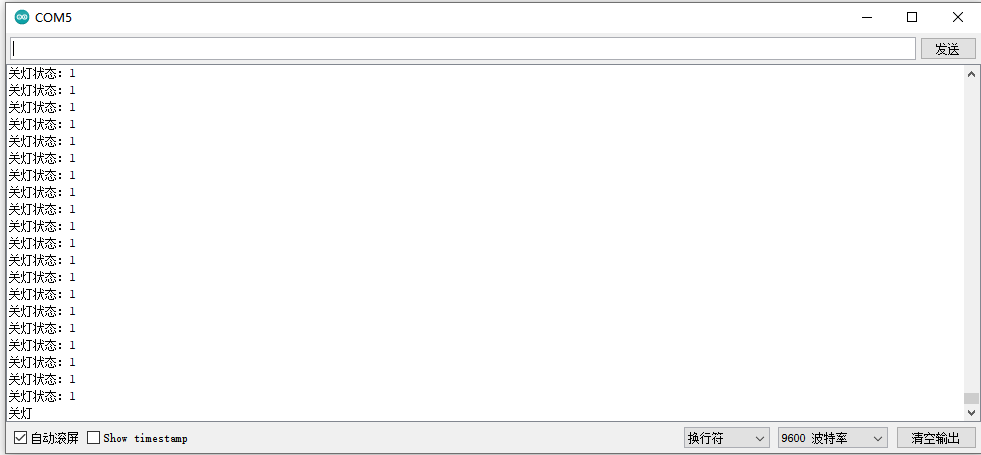
Arduino UNO test results: