1. Introduction
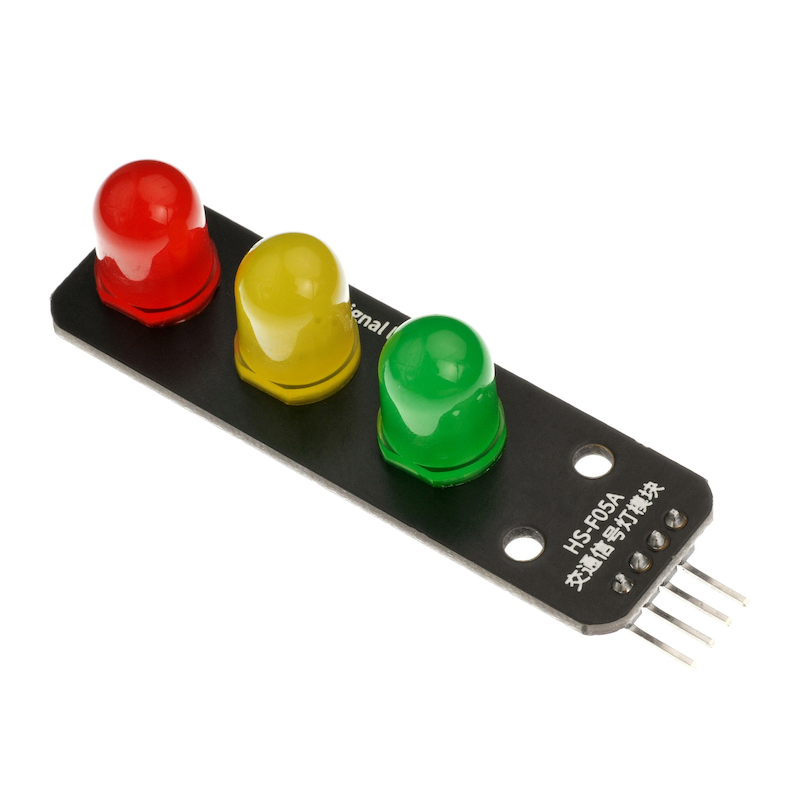
LED is an abbreviation for Light Emitting Diode, made of a mixture of compounds, namely Gallium (Ga), Arsenic (AS), and Phosphorus (P).Gallium phosphide diodes emit red light, gallium phosphide diodes emit green light, silicon carbide diodes emit yellow light.The reverse breakdown voltage of an LED is 5V. Its positive伏安特性曲线太陡,模块上板载了限流电阻,以便在使用时控制流过管道的电流。The traffic light is equipped with 3 different colored LED lights, which can be controlled by manipulating the corresponding pins to turn the lights on and off.
2. Schematic
Traffic Signal Module-HS-F05A SchematicClick to view
Module Parameters
Pin Name | description |
|---|---|
GND | GND (Power Input) |
GR | Green Lead Pin |
YE | Traffic light lead |
RE | Red light lead |
Power Supply Voltage: 3.3V / 5V
Connection Type: 2.54mm Header
Installation Method: Double Screw Fixed
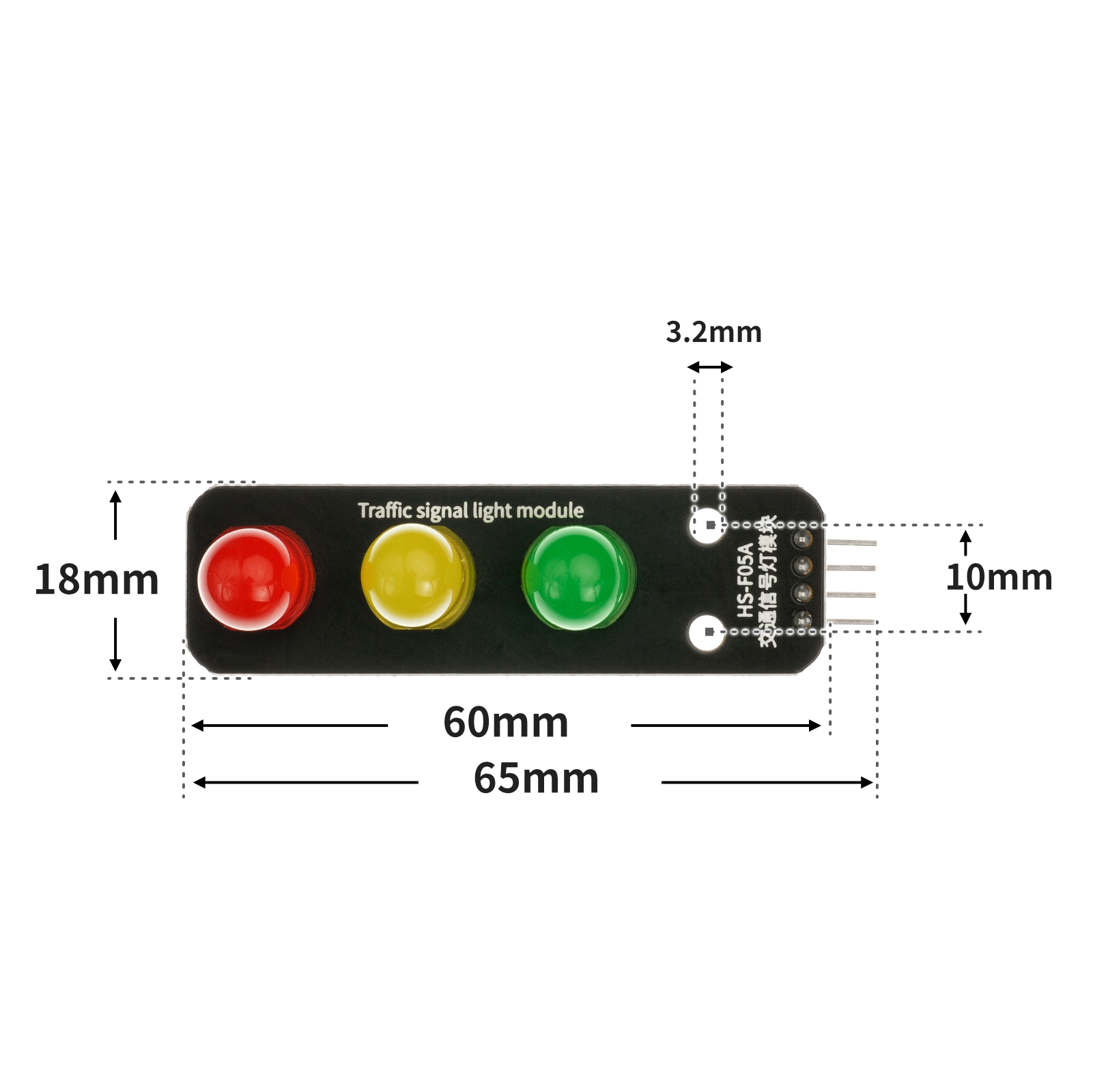
4, Circuit Board Size
5 of Arduino IDE example program
Attention: If prompted with an error message about the library file during program upload, please import the library file first!
Arduino IDE Library Download and Import Tutorial:Click to view
Example program (UNO development board):
void setup(){
  pinMode(5, OUTPUT);
  pinMode(6, OUTPUT);
  pinMode(7, OUTPUT);
  digitalWrite(5,LOW);
  digitalWrite(6,LOW);
  digitalWrite(7,LOW);
}

void loop(){
  digitalWrite(5,HIGH);
  digitalWrite(6,HIGH);
  digitalWrite(7,HIGH);
  delay(1000);
  digitalWrite(5,LOW);
  digitalWrite(6,LOW);
  digitalWrite(7,LOW);
  delay(1000);

}
6, ESP32 Python Example (for Mixly IDE/Misashi)
Choose the development board Python ESP32 [ESP32 Generic(4MB)] and upload in code mode
Attention: If prompted with an error message about the library file during program upload, please import the library file first!
Download and import tutorial for Mixly IDE ESP32 library:Click to view
Example program (ESP32-Python):
import machine
import time


pin25 = machine.Pin(25, machine.Pin.OUT)
pin26 = machine.Pin(26, machine.Pin.OUT)
pin27 = machine.Pin(27, machine.Pin.OUT)
while True:
    pin25.value(1)
    time.sleep(1)
    pin25.value(0)
    pin26.value(1)
    time.sleep(1)
    pin26.value(0)
    pin27.value(1)
    time.sleep(1)
    pin27.value(0)
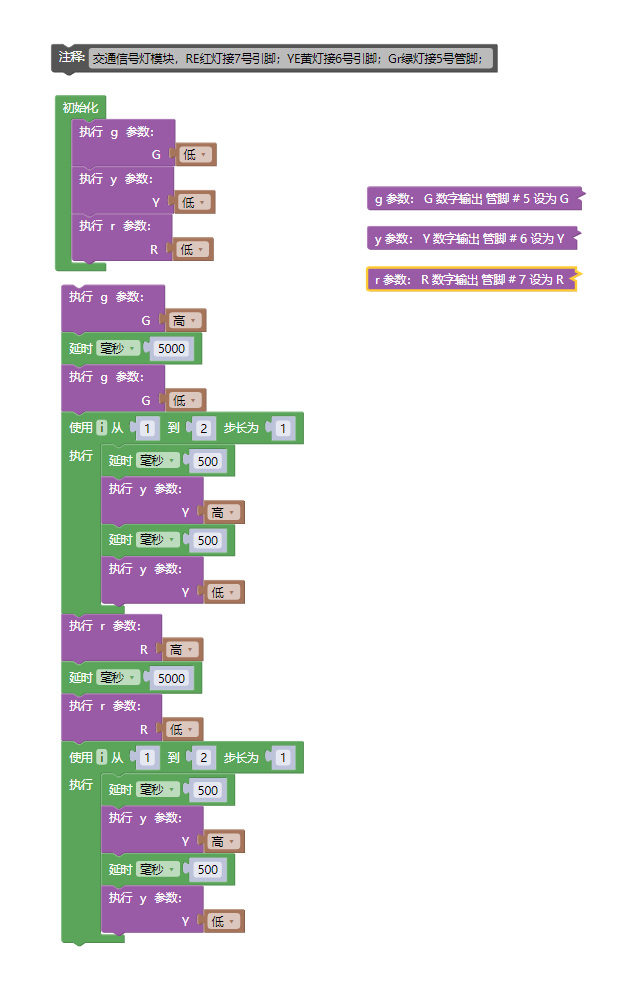
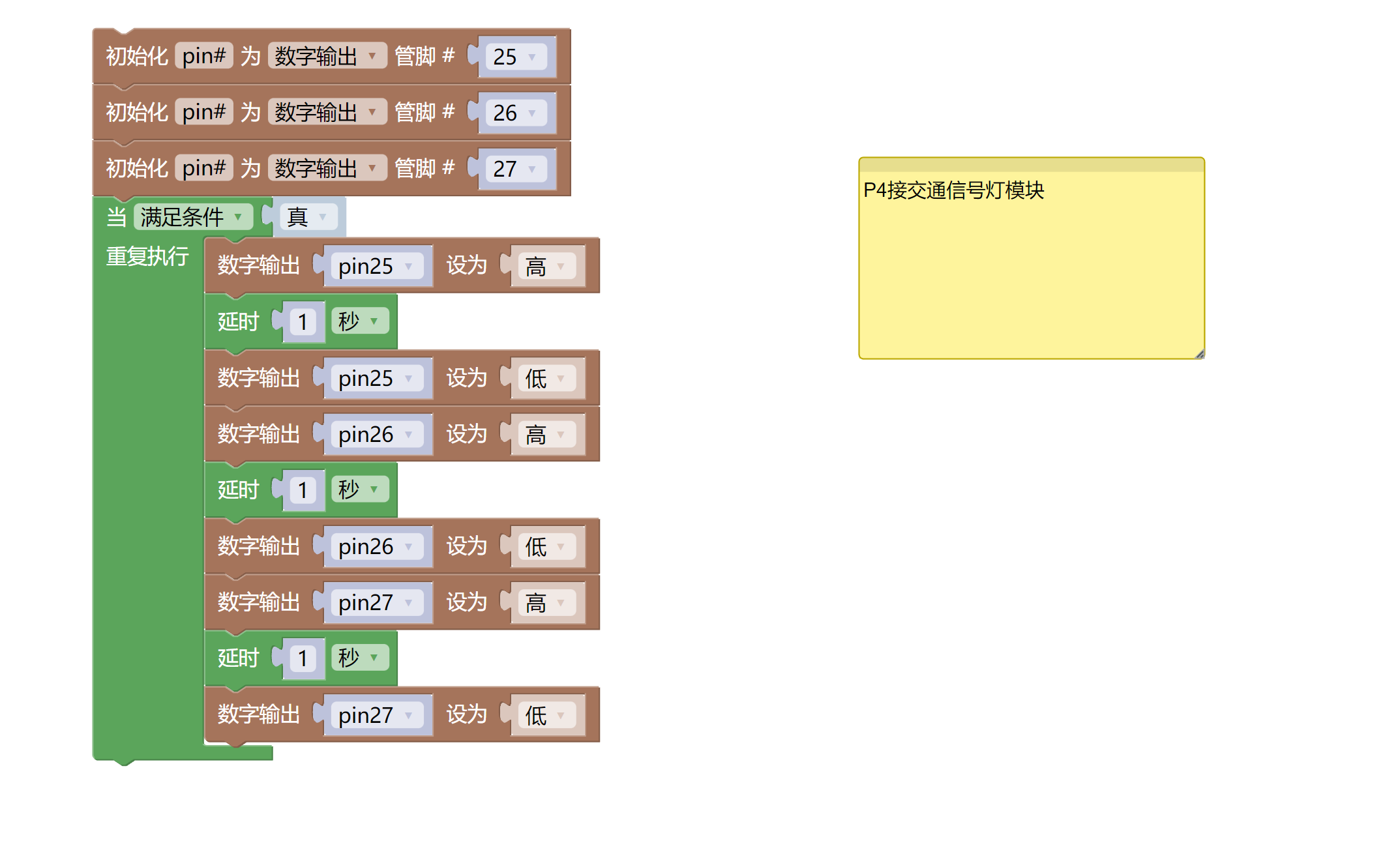
7, Mixly example program (graphical language)
Example program (UNO development board):Click to download
Attention: If prompted with an error message about the library file during program upload, please import the library file first!
Download and import tutorial of Mixly IDE Arduino library:Click to view
Example Program (ESP32 Development Board):Click to download
Attention: If prompted with an error message about the library file during program upload, please import the library file first!
Download and import tutorial for Mixly IDE ESP32 library:Click to view
8. Setting up the Test Environment
Arduino UNO Test Environment Setup
Prepare Components:
HELLO STEM UNO R3 PRO DEVELOPMENT BOARD *1
USB TYPE-C DATA CABLE *1
Traffic light module (HS-F05A) *1
1P female to female Dupont wire *4 pieces or 3P female to female Dupont wire *1 piece and 1P female to female Dupont wire *1 piece
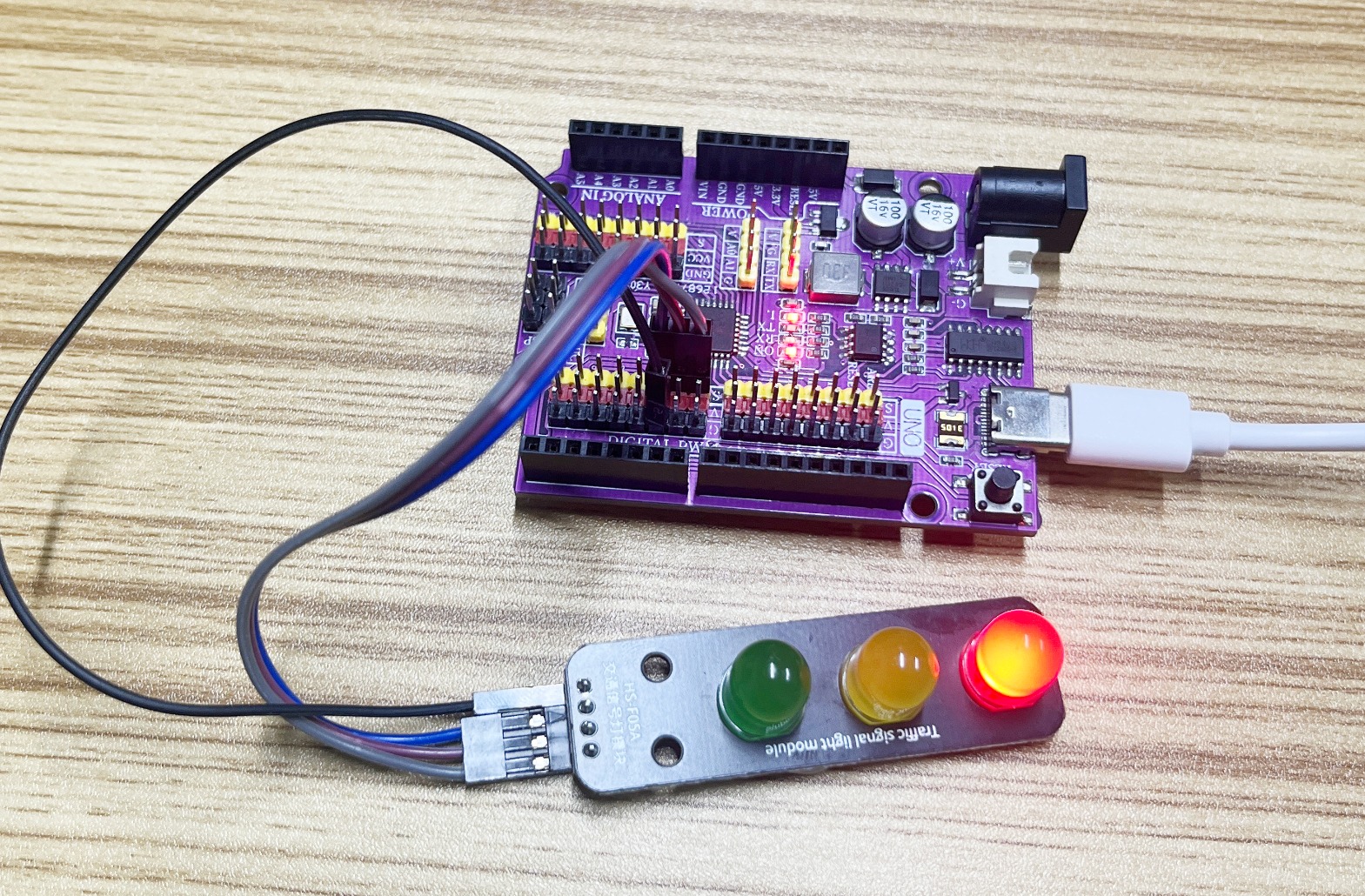
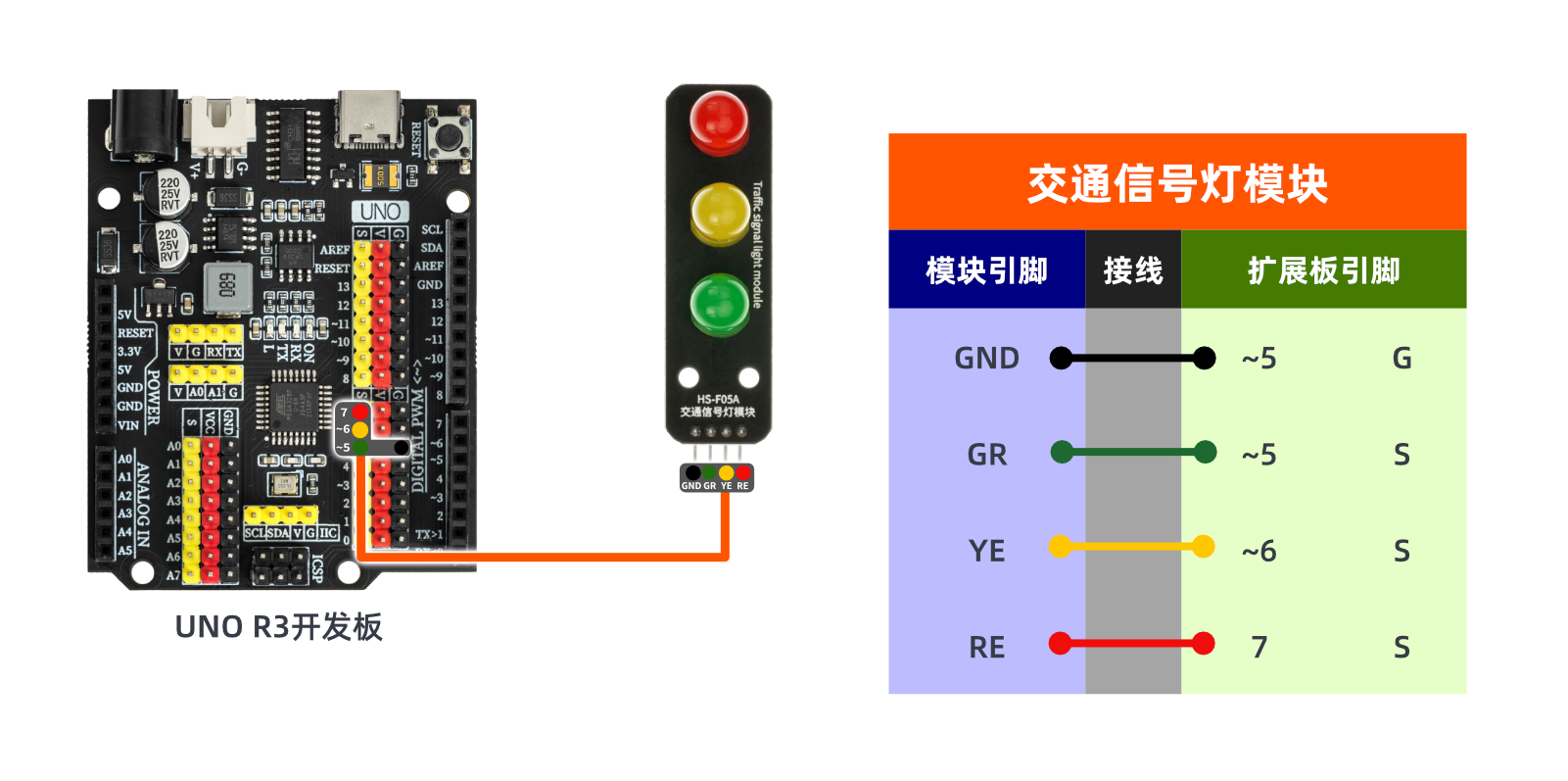
Circuit wiring diagram:
Set up Micropython environment
Prepare Components:
Circuit wiring diagram:
9, Video tutorial
Video tutorial:Click to view
10, Test results
Arduino UNO test results:
After the device is connected and the above program is burned to the Arduino UNO development board, the red, green, and yellow lights will alternate on and off, achieving the effect of a traffic light.