
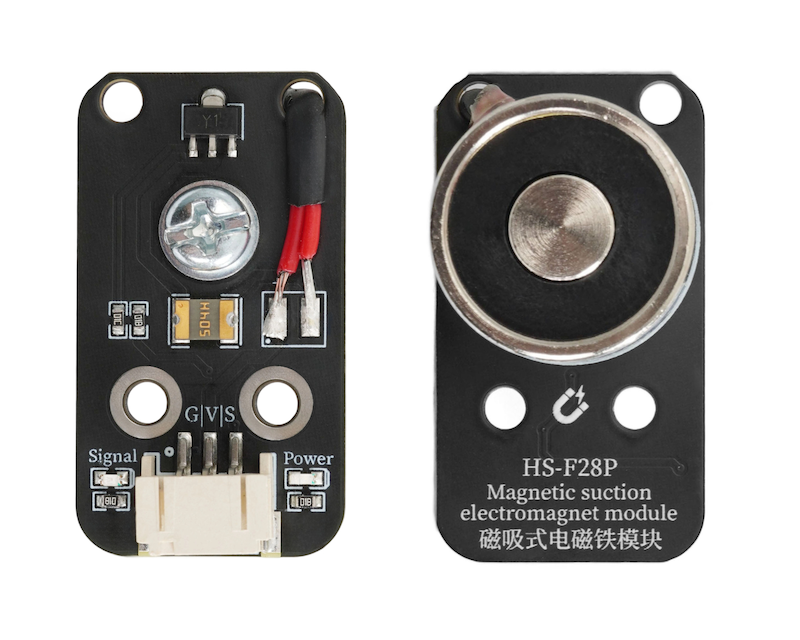
1. Introduction
2. Schematic
Suction Electromagnet Module-HS-F28P Schematic DiagramClick to view
Module Parameters
Pin Name | description |
|---|---|
G | GND (Negative Power Input) |
V | VCC (Positive Power Input) |
S | Digital Signal Pin |
Power Supply Voltage: 3.3V / 5V
Connection method: PH2.0 terminal wire
Installation method: Screw fixed
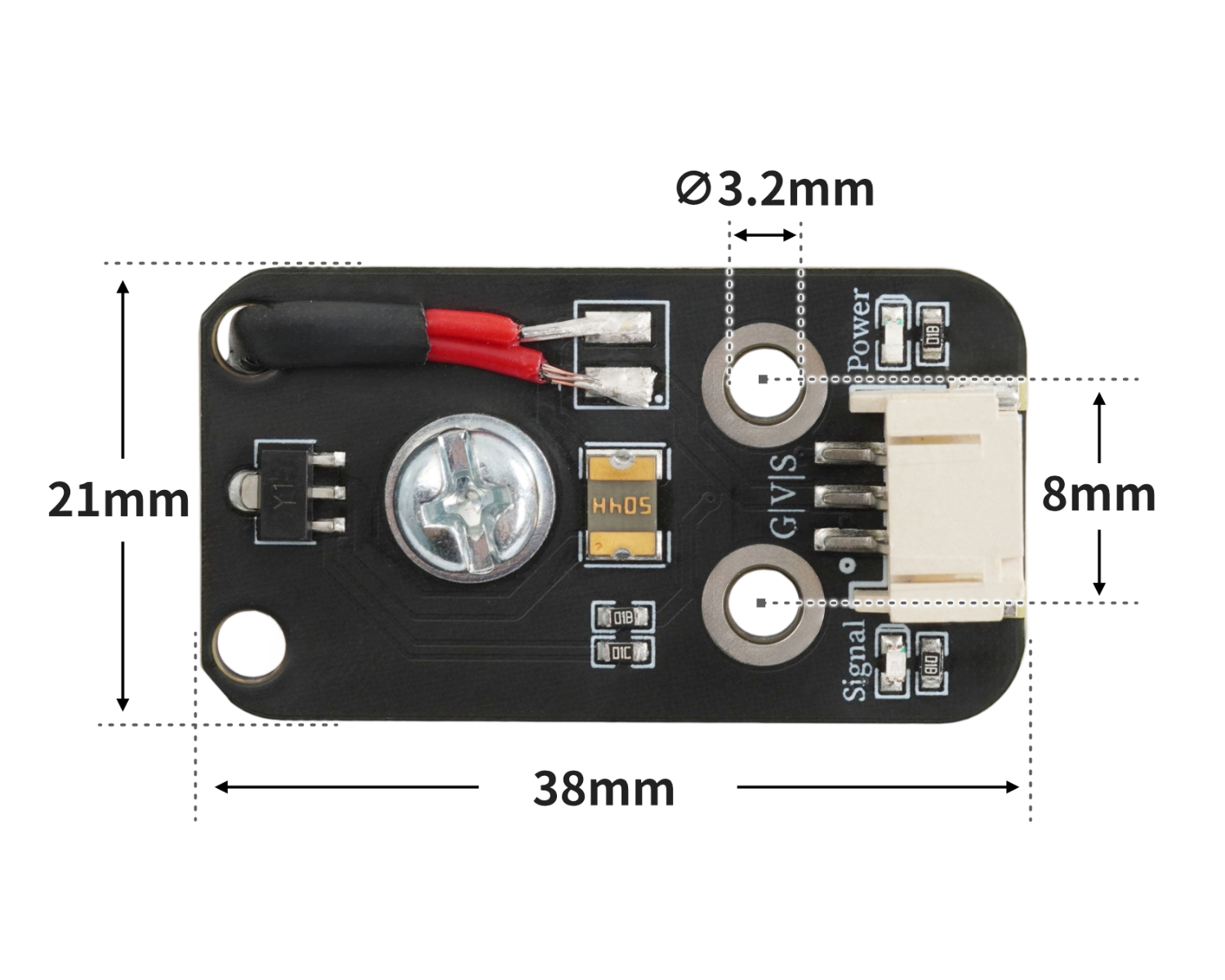
4, Circuit Board Size
5 of Arduino IDE example program
Attention: If prompted with an error message about the library file during program upload, please import the library file first!
Arduino IDE Library Download and Import Tutorial:Click to view
Example program (UNO development board):
#include <OneButton.h>

volatile boolean item;
OneButton button3(3,true);

void attachClick3() {
  if (item) {
    digitalWrite(2,HIGH);

  } else {
    digitalWrite(2,LOW);

  }
  item = !item;
}

void setup(){
  item = true;
  pinMode(2, OUTPUT);
  digitalWrite(2,LOW);
  button3.attachClick(attachClick3);
}

void loop(){
  button3.tick();
}
6, ESP32 Python Example (for Mixly IDE/Misashi)
Choose the development board Python ESP32 [ESP32 Generic(4MB)] and upload in code mode
Attention: If prompted with an error message about the library file during program upload, please import the library file first!
Download and import tutorial for Mixly IDE ESP32 library:Click to view
Example program (ESP32-Python):
import machine
import time


pin4 = machine.Pin(4, machine.Pin.IN)
pin12 = machine.Pin(12, machine.Pin.OUT)
pin12.value(0)
i = 0
while True:
    if pin4.value() == 0:
        i = 1 - i
        while pin4.value() == 0:
            time.sleep_ms(20)
    if i == 0:
        pin12.value(0)
    elif i == 1:
        pin12.value(1)
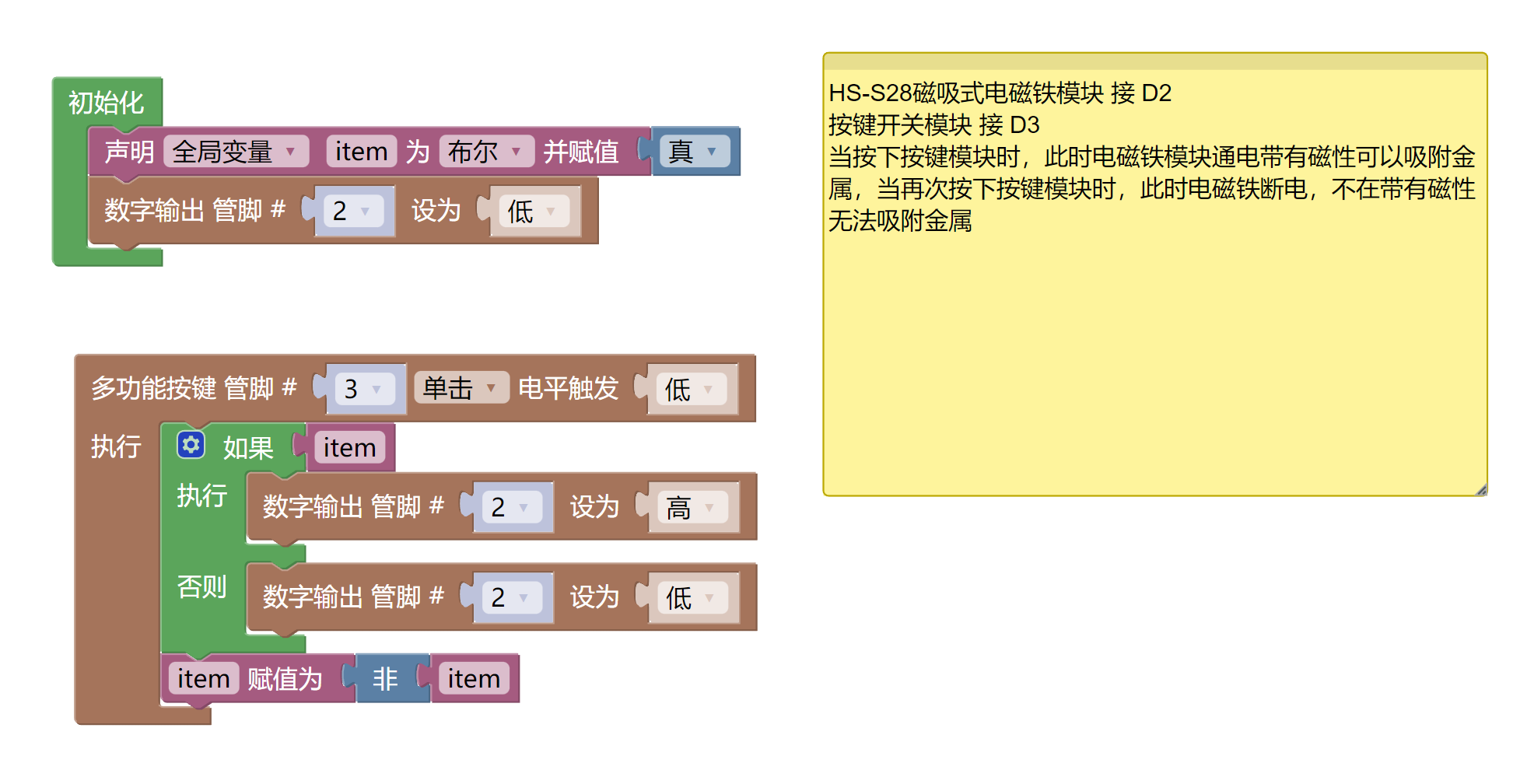
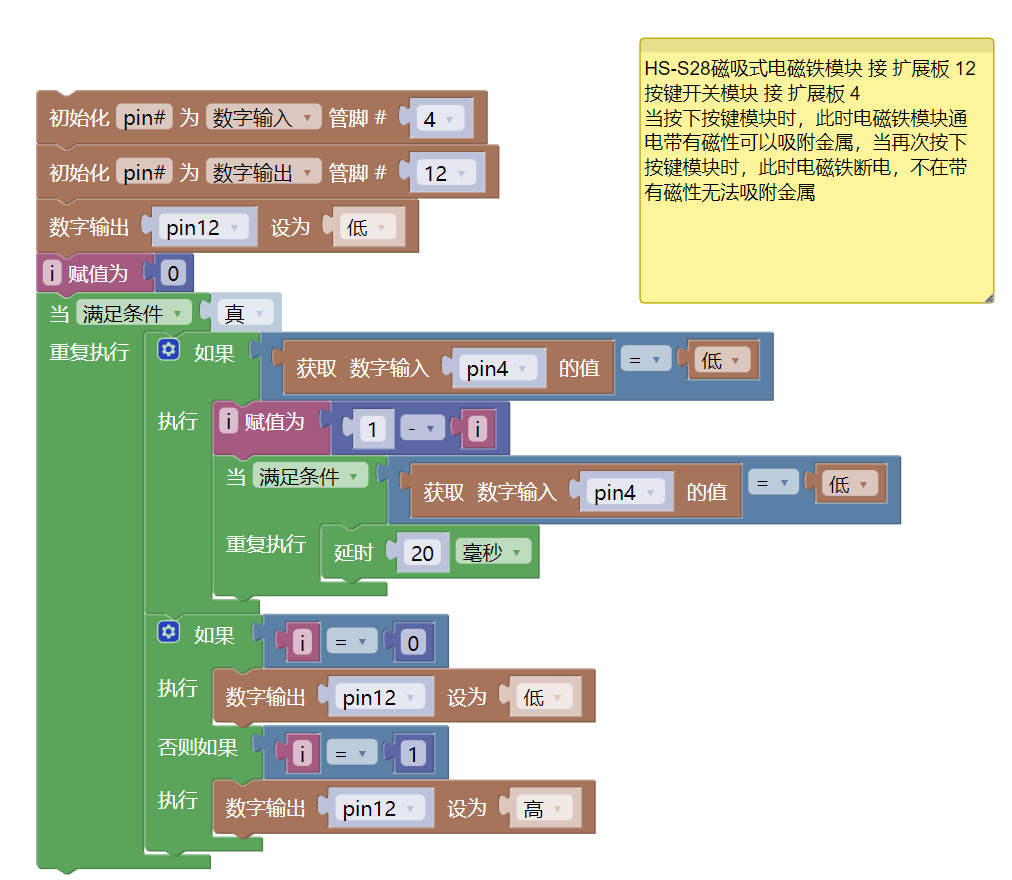
7, Mixly example program (graphical language)
Example program (UNO development board):Click to download
Attention: If prompted with an error message about the library file during program upload, please import the library file first!
Download and import tutorial of Mixly IDE Arduino library:Click to view
Example Program (ESP32 Development Board):Click to download
Attention: If prompted with an error message about the library file during program upload, please import the library file first!
Download and import tutorial for Mixly IDE ESP32 library:Click to view
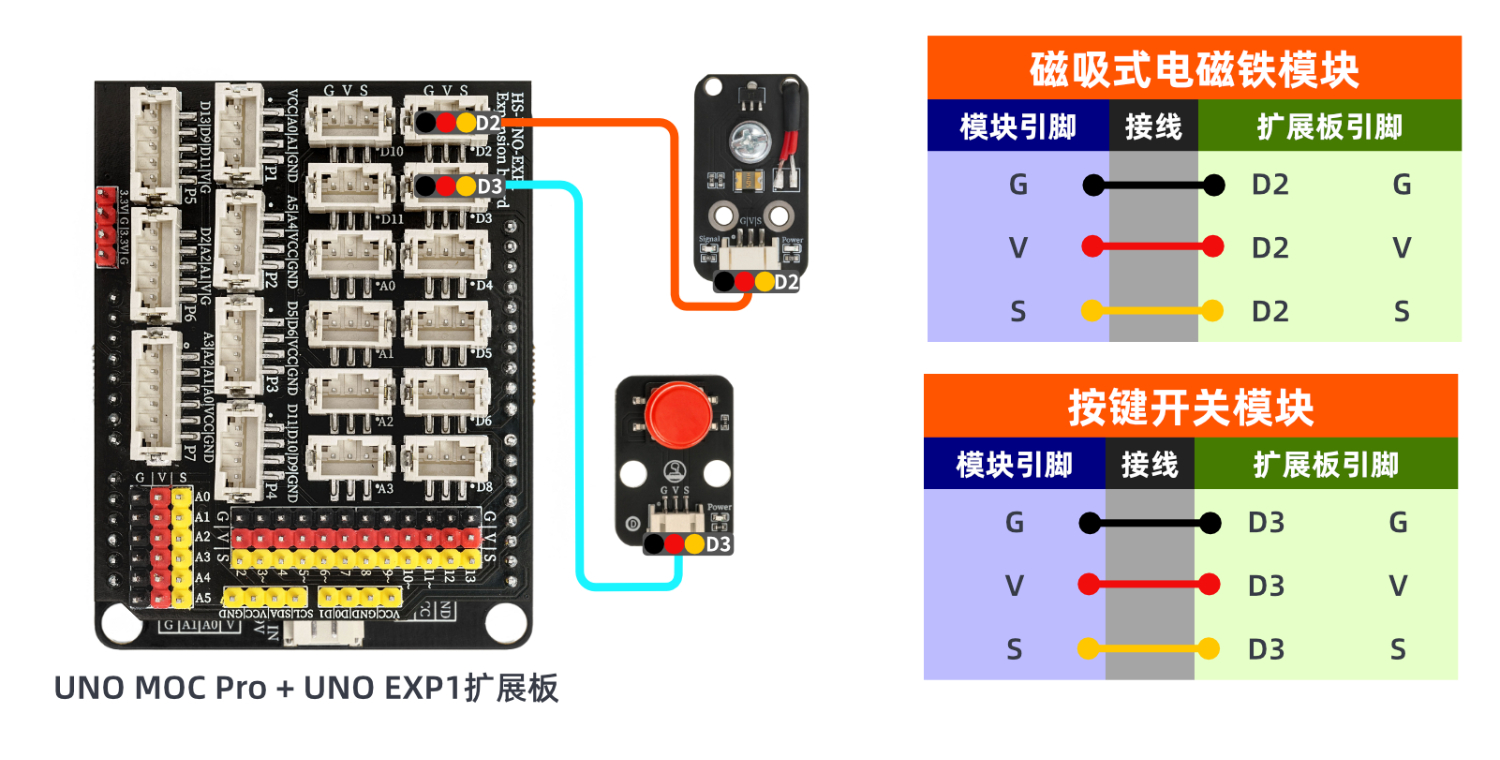
8. Setting up the Test Environment
Arduino UNO Test Environment Setup
Prepare Components:
HELLO STEM UNO R3 DEVELOPMENT BOARD *1
HELLO STEM UNO R3 P EXPANSION BOARD *1
USB TYPE-C DATA CABLE *1
Magnetic吸式ElectromagnetModule(HS-S28P)*1
Push-button switch module (HS-KEY1L) *1
PH2.0 3P Dupont wire *2
Circuit wiring diagram:
ESP32 environment setup
Prepare Components:Pending update...
Circuit wiring diagram:Pending update...
9, Video tutorial
Video tutorial:Click to view
10, Test results
Arduino UNO test results:
After the device is connected and the program is burned to the development board, press the button to turn on the blue light of the magnetic attraction electromagnet module. At this time, the magnet is charged and can attract metal objects. Press again to turn off the blue light and cannot attract metal objects.
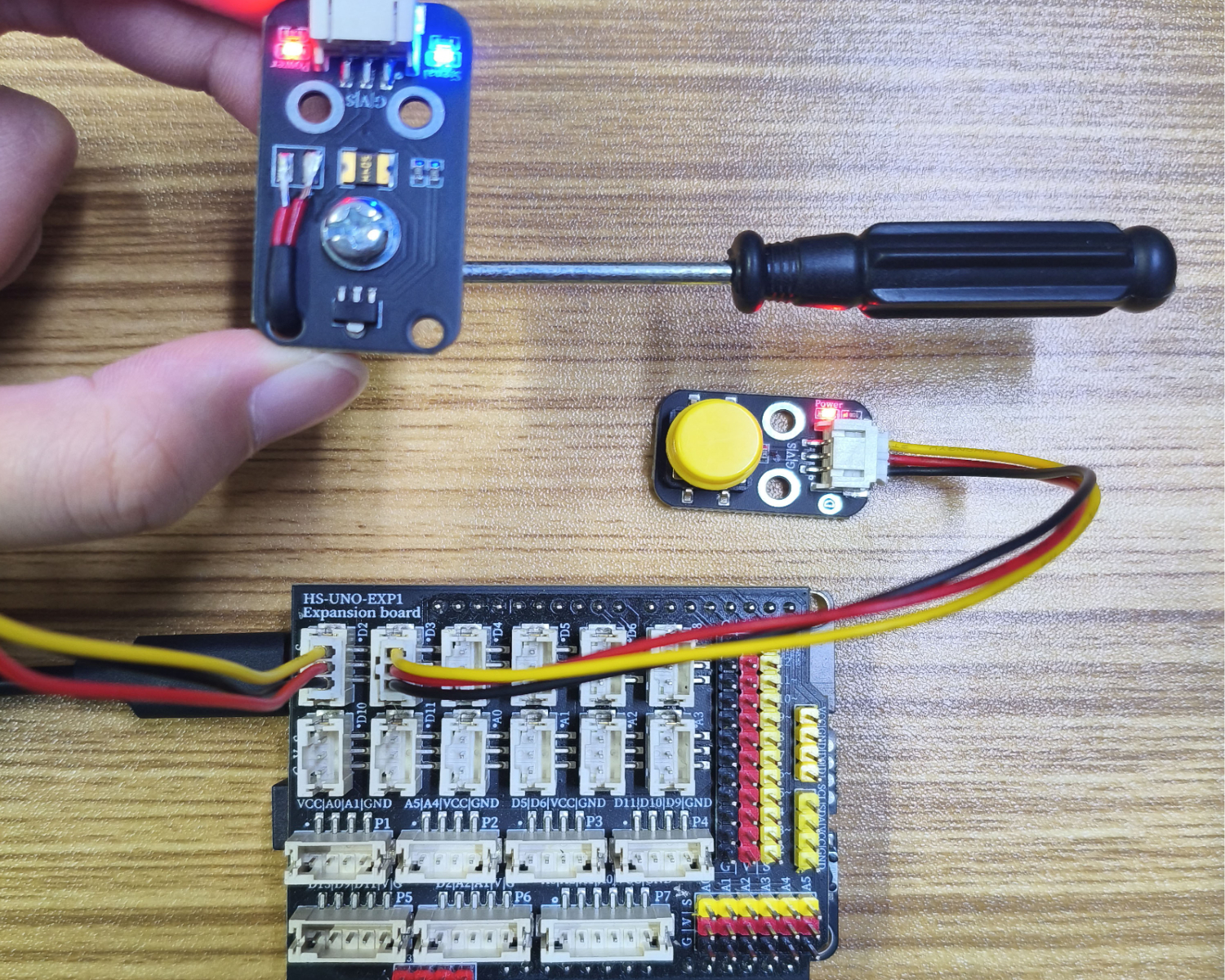
ESP32 Python test results:
After the device is connected and the program is burned to the development board, press the button to turn on the blue light of the magnetic attraction electromagnet module. At this time, the magnet is charged and can attract metal objects. Press again to turn off the blue light and cannot attract metal objects.