
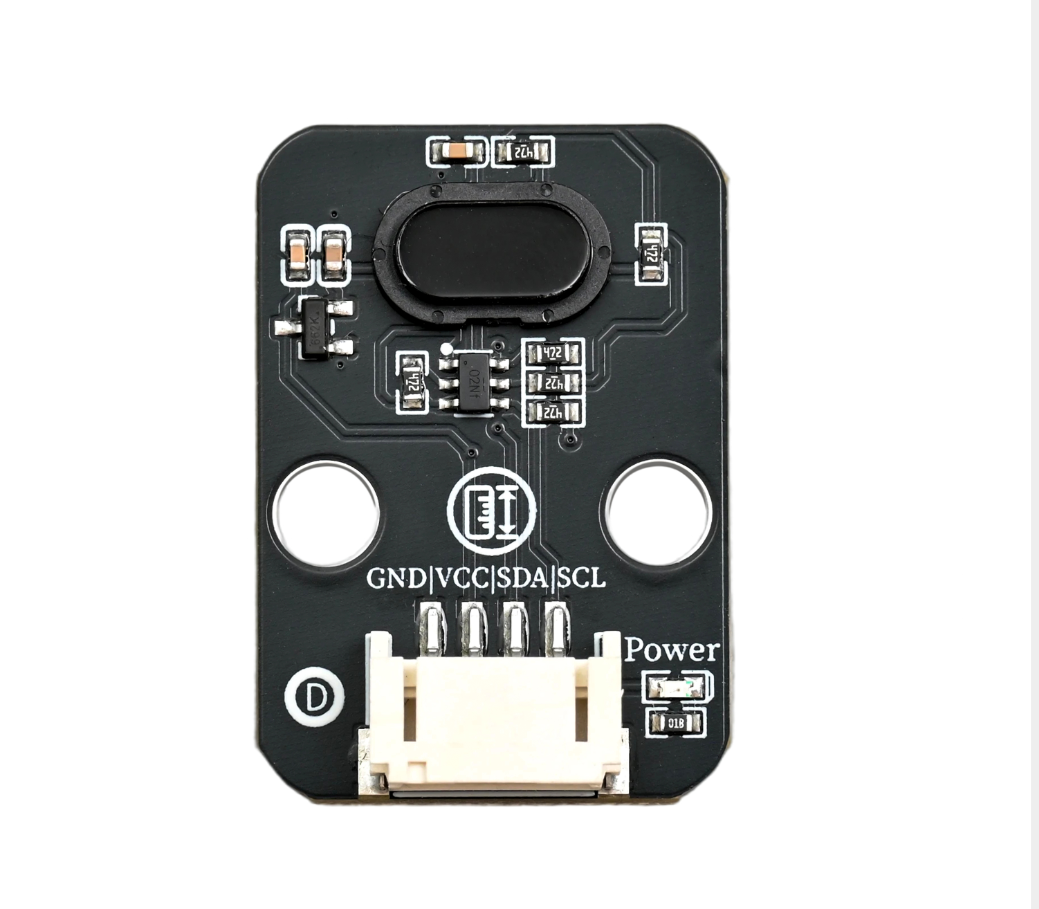
1. Introduction
A laser distance sensor is a photoelectric sensing device that uses laser as the detection light source and achieves precise measurement of the target distance based on the principle of optical ranging. It has core advantages such as high precision, high response, and non-contact measurement. By utilizing the high directivity, high monochromaticity, and high brightness characteristics of laser, it emits a laser beam to the target, receives the reflected laser signal of the target, and then converts the light signal into an electrical signal and processes it through internal algorithms to quickly output the distance value of the target. The measurement results can be directly transmitted as digital signals and are compatible with various control systems and terminal equipment.
2. Schematic
Laser Distance Sensor-HS-S82-L SchematicClick to view
Module Parameters
Pin Name | description |
|---|---|
G | GND (Negative Power Input) |
V | VCC (Positive Power Input) |
SDA | Data pin |
SCL | clock pin |
Supply voltage: 3.3V-5V
Connection method: PH2.0 4P terminal wire
Installation method: Lego assembly
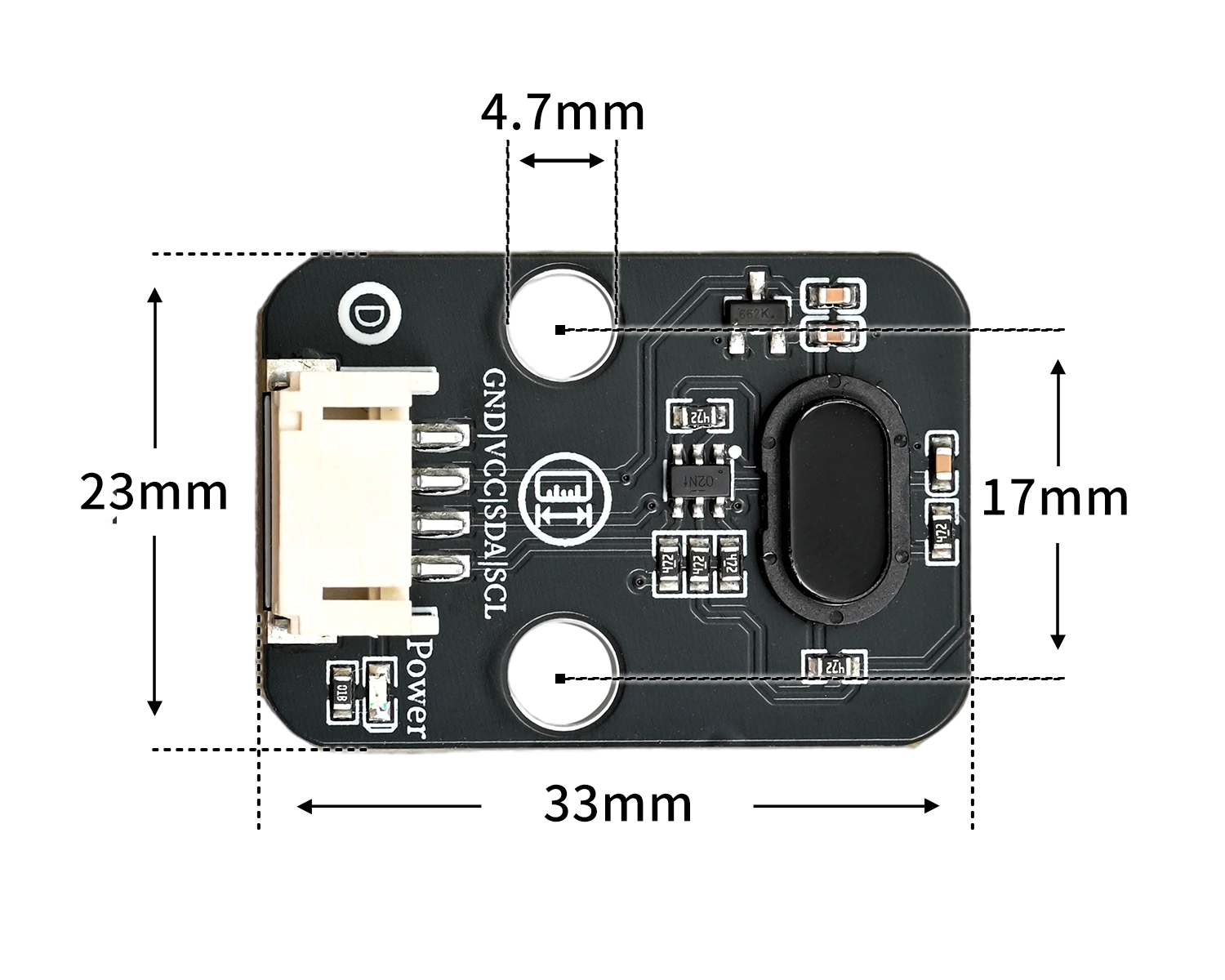
4, Circuit Board Size
5 of Arduino IDE example program
Attention: If prompted with an error message about the library file during program upload, please import the library file first!
Arduino IDE Library Download and Import Tutorial:Click to view
Example program (UNO development board):
#include "YFRobot_VL53L0X.h"

YFRobot_VL53L0X vl53l0x;

void setup(){
  vl53l0x.begin();
  Serial.begin(9600);
}

void loop(){
  vl53l0x.setMode(vl53l0x.High, vl53l0x.Continuous);
  Serial.println(vl53l0x.getDistance());

}
6, ESP32 Python Example (for Mixly IDE/Misashi)
Choose the development board Python ESP32 [ESP32 Generic(4MB)] and upload in code mode
Attention: If prompted with an error message about the library file during program upload, please import the library file first!
Download and import tutorial for Mixly IDE ESP32 library:Click to view
Example program (ESP32-Python):
待更新...7, Mixly example program (graphical language)
Example program (UNO development board):Click to download
Attention: If prompted with an error message about the library file during program upload, please import the library file first!
Download and import tutorial of Mixly IDE Arduino library:Click to view
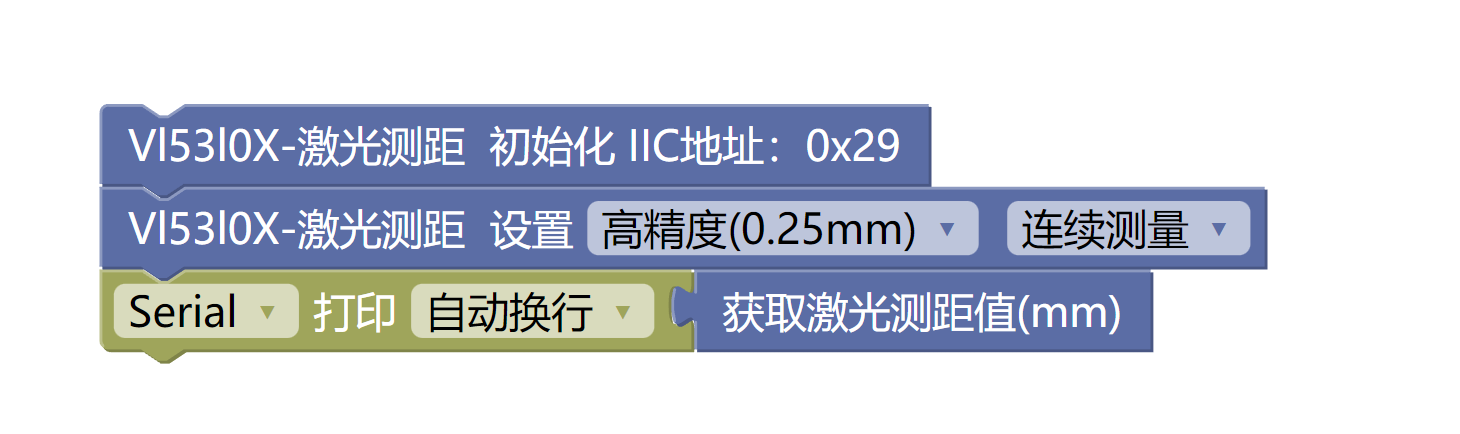
Example Program (ESP32 Development Board):Click to download
Attention: If prompted with an error message about the library file during program upload, please import the library file first!
Download and import tutorial for Mixly IDE ESP32 library:Click to view
Image pending update...
8. Setting up the Test Environment
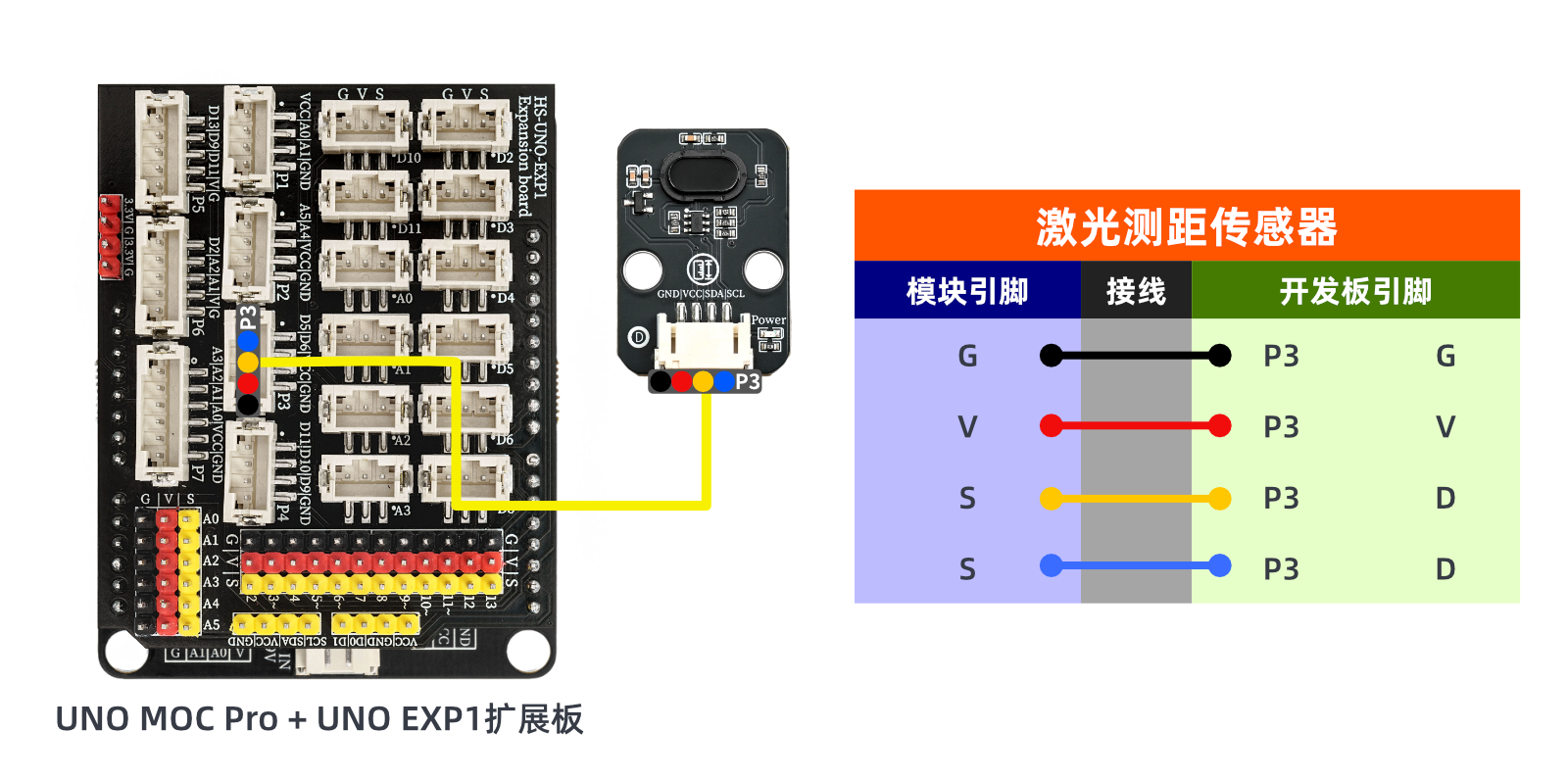
Arduino UNO Test Environment Setup
Prepare Components:
UNO-R3 Development Board *1
UNO-R3 Expansion Board *1
USB TYPE-C DATA CABLE *1
HS-S82-L Laser Distance Sensor*1
PH2.0 4P Double Head Terminal Line *1
Circuit wiring diagram:
ESP32 Test Environment Setup
Prepare Components:Pending update...
Circuit wiring diagram:Pending update...
9, Video tutorial
Arduino UNO video tutorial:Click to view
ESP32 Python Video Tutorial:Click to view
10, Test results
Arduino UNO test results:
After uploading the code, judge the distance according to the printed values from the serial port.
