1. Introduction
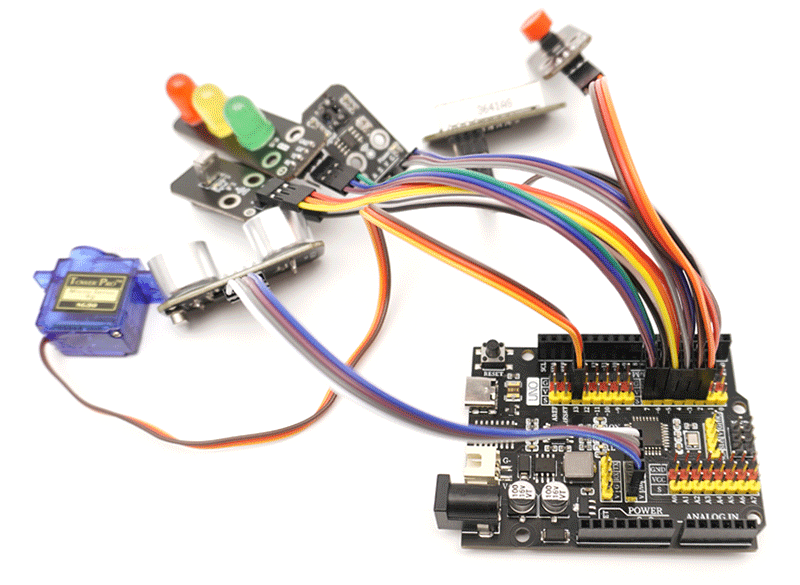
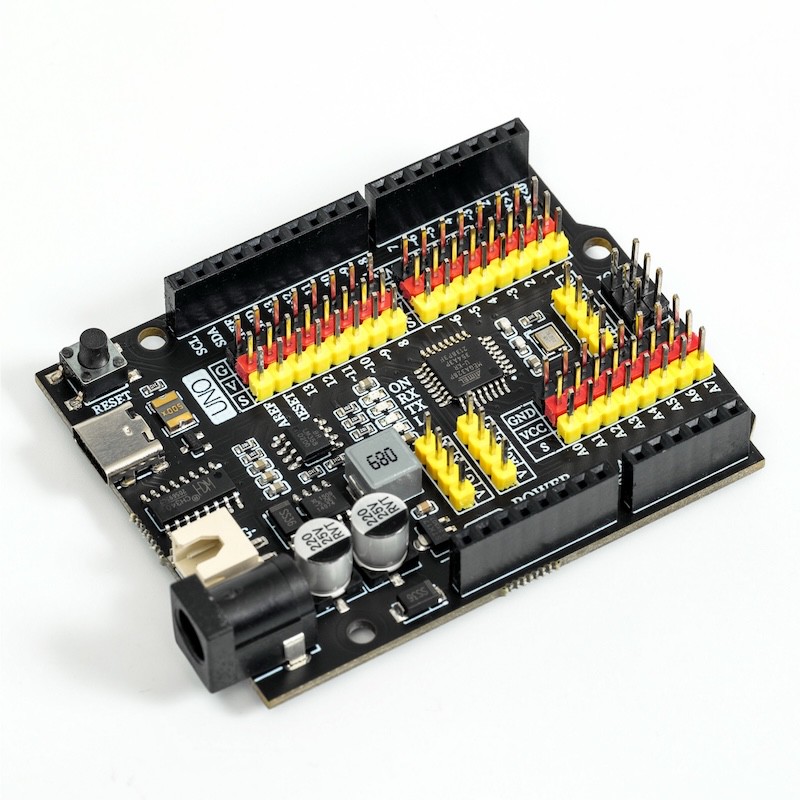
Hello STEM UNO R3 PRO is a microcontroller board based on ATmega328, fully compatible with ARDUINO UNO REV3.
It has 14 digital input/output pins (of which 6 can be used as PWM output), 8 analog inputs, a 16 MHz quartz crystal, a USB type-c connection interface, a power socket, a dedicated battery interface, 1 ICSP header, and a reset button.It contains everything needed to support microcontrollers; simply connect it to a computer using a USB data cable, or start using it by powering it with an AC-DC-DC adapter or battery.
Please note, 1 ICSP header is used to write firmware to the ATMEGA328P-PU or download program, but usually both chips are programmed well.
The UNO R3 PRO is the best circuit board to start learning electronics and programming. If this is your first time using the platform, then UNO is your best choice of development board.
2, Technical Specifications
Microcontroller | ATmega328P-PU |
|---|---|
Operating Voltage | 5V |
Input Voltage (Recommended) | 7-12V (DC direct current) |
Digital Pin | 14 units (6 of which provide PWM output) |
PWM digital I/O pin | 6 (D3, D5, D6, D9, D10, D11) |
Analog Input Pin | 8 (A0-A7) |
Direct current (S) for each I/O pin | 20mAh |
5V Direct Current Power Output (G|V) | 2500mAh |
Flash Memory | 32 KB (ATmega328), of which 0.5 KB is used by the bootloader |
SRAM | 2 KB (ATmega328P-PU) |
EEPROM | 1 KB (ATmega328P-PU) |
Clock Frequency | 16 MHz |
On-board LED | D13 |
3, Features
This is an enhanced compatible Arduino UNO development board, which has made a powerful upgrade based on the official board.
1. The development board uses a Type-C connection interface, making it more convenient to connect when in use.
2, Integrated wide voltage power supply module can provide 5V/2.5A power supply for the development board, meet the power supply requirements for sensors or actuators, and the project built is more stable.
3. A new battery box interface has been added, allowing direct connection to dedicated lithium batteries.
4, Integrated with G, V, S interfaces, sensors, actuators, servos, and displays can be connected without an expansion board, making it more convenient to use.
5, Output A6, A7 simulation interface, can be expanded for more functions.
6, Three sets of dedicated module connection ports, direct connection in one line, convenient and practical.
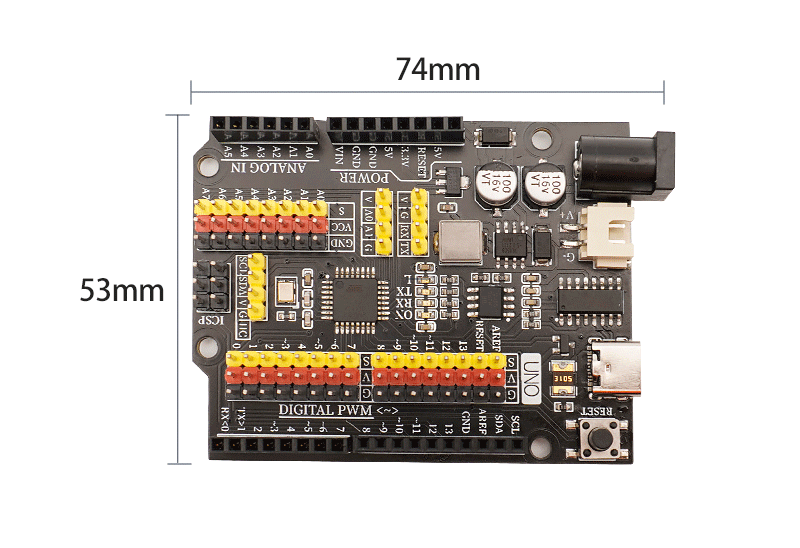
4, Circuit Board Size
5, Development board decoding
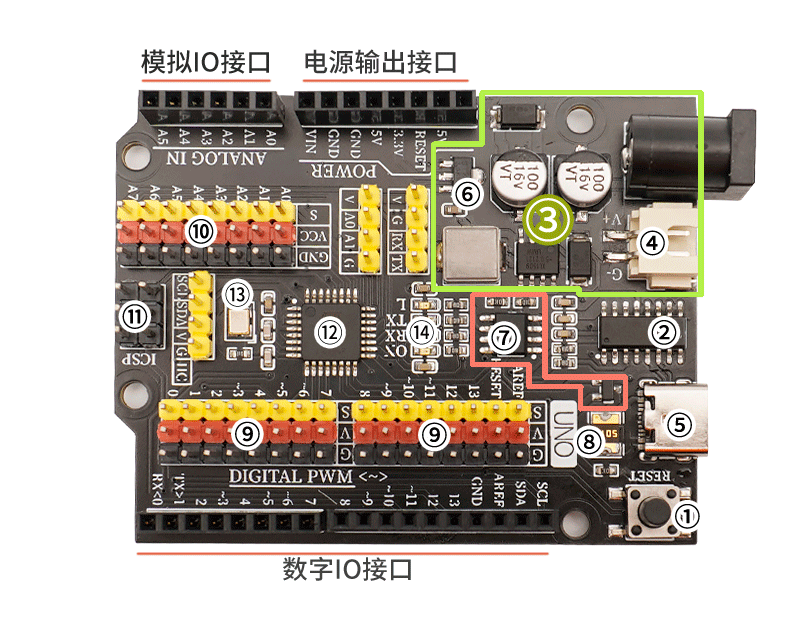
①Reset key
Press the reset button and run the program again.②USB serial chip
This chip is responsible for converting the data received from USB into serial data for the main control chip.③5V/2A power module
The power module is responsible for the power supply service of the motherboard, the 6-12V power supply from the external access is stepped down to 5V/2A/10W output, and can drive multiple servos, toy motors, miniature slides and other devices.④6-9V battery interface
Special battery interface, can connect to 5号 battery box or 18650 lithium battery box, making it easier to layout the development board when creating mobile projects.⑤USB interface
responsible for data download and USB power supply.⑥3.3V power chip
provides 3.3V voltage output for the development board.⑦Automatic switch controller for external and USB power supply
FDN340P field effect transistor + LMV358IDGKR amplifier composed of external power supply and USB power supply automatic switching control system.The development board is powered by USB interface by default. When an external power source is connected, the controller will automatically disconnect the USB power and switch to external power supply. After the external power source is disconnected, it will automatically switch back to USB power supply. This feature can protect the computer from the power interference of the development board's external power supply.⑧self-recovery fuse
When the development board is connected incorrectly, causing a short circuit, the fuse will automatically disconnect the circuit connection between the development board and the computer, thereby protecting the computer USB port from being burnt or the computer from crashing.⑨ Digital G|V|S Expansion Interface
The G|V|S interface is more convenient and quick to connect sensors or actuators, and no expansion board is needed when building a project either.G is the negative pole of GND power supply, V is the positive pole of VCC power supply, S is the IO signal interface, G/V provides an output power of 5V/2A, meeting the power supply requirements of most sensors and actuators.⑩ Simulated G|V|S Expansion Interface
The built-in simulation G|V|S expansion interface connects to the simulation sensor more conveniently and quickly, adding A6, A7 simulation input interfaces, and can connect more sensors.⑪ICSP serial data interface
Connect this interface when writing the initialization program to the development board or using the compiler to download the program.⑫ ATMEGA328P main control chip
The ATMEGA328P microcontroller is the brain of the development board, responsible for program storage, execution, calculation processing, signal input and output, and other functions.Crystal oscillator ⑬
Provide clock signal for ATMEGA328P microcontroller.LED indicator light
The board is equipped with 4 LED indicators, (ON) is the power indicator, it lights up when powered on, (RX)(TX) are serial port signal indicators, the LED lights blink when there is serial port communication, (L) is the D13 pin indicator light, the light is on when the D13 signal is high.
Notice
Hello STEM UNO R3 PRO equipped with a resettable fuse, which can protect the computer's USB port from short circuits and overcurrent.If an over 500 mA current is applied to the USB port, the fuse will automatically disconnect until the short circuit or overload is removed.
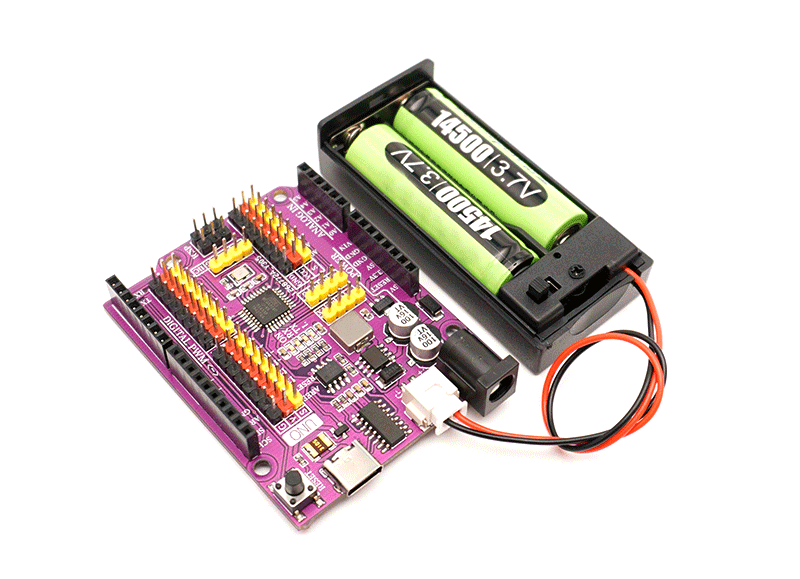
6. Special Lithium Battery Interface
Special battery interface, can connect 14500 lithium batteries or 18650 lithium batteries, making it easier to layout when creating mobile projects.
7, sensor and expansion accessories interface
The G|V|S interface built-in is more convenient and quick to connect sensors or actuators, and no expansion board is needed for project setup either.G/V provides an output power of 5V/2.5A, meeting the power supply needs of most sensors and actuators.