
1. Introduction
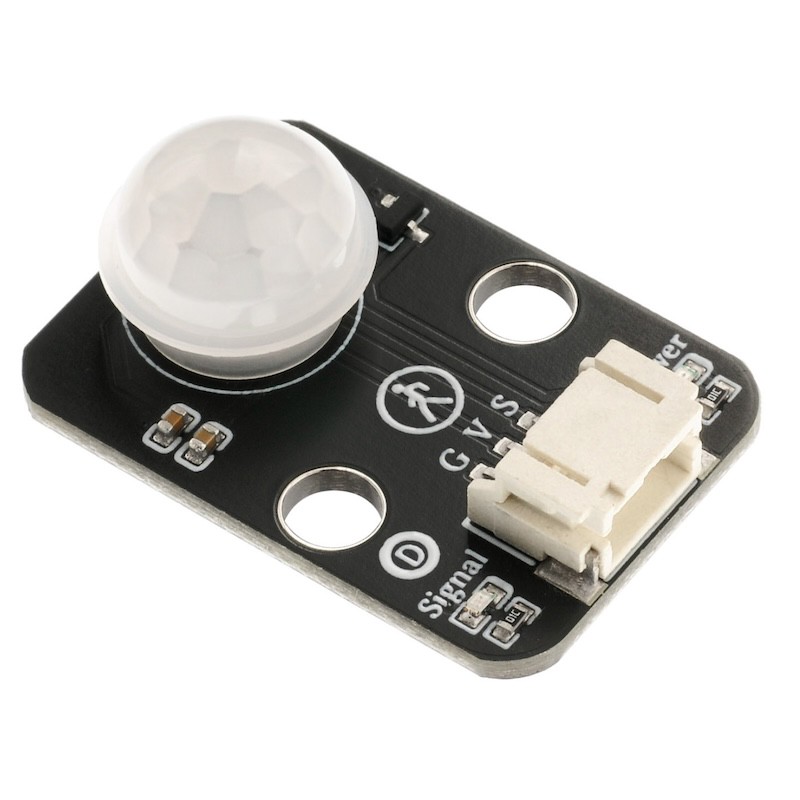
A small human body induction module is an automatic control product based on infrared technology, with high sensitivity, strong reliability, ultra-small size, and ultra-low voltage working mode.Widely used in various automatic induction electrical appliances, especially in automatic control products powered by dry batteries.Automatic induction: When a person enters the induction range, a high level is output. When a person leaves the induction range, the high level is automatically closed after a delay and a low level is output.The triggering method can be repeated: that is, after the output is high, it will remain high within the time delay period, and if a human body moves within the detection range, the output will remain high until the person leaves and then the high level will be delayed to low level (the sensor module will automatically extend a time delay period each time it detects the movement of the human body, and take the time of the last movement as the starting point of the time delay).Check the distance is 0-5 meters, the effect is optimal within 3 meters.
2. Schematic
Module Parameters
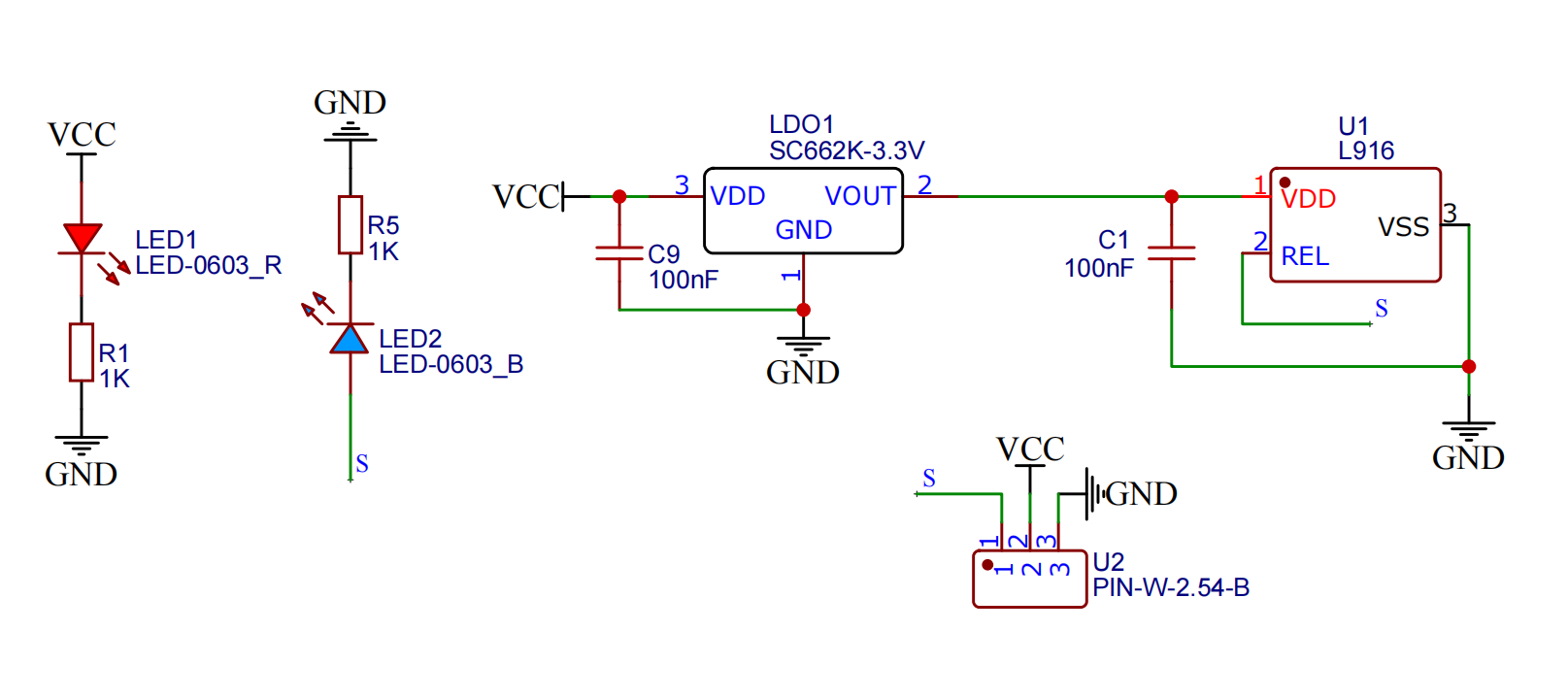
Pin Name | description |
|---|---|
G | GND (Negative Power Input) |
V | VCC (Positive Power Input) |
S | Digital Signal Pin |
Power Supply Voltage: 3.3V / 5V
Connection Method: PH2.0 Terminal Wire
Installation Method: Double Screw Fixed
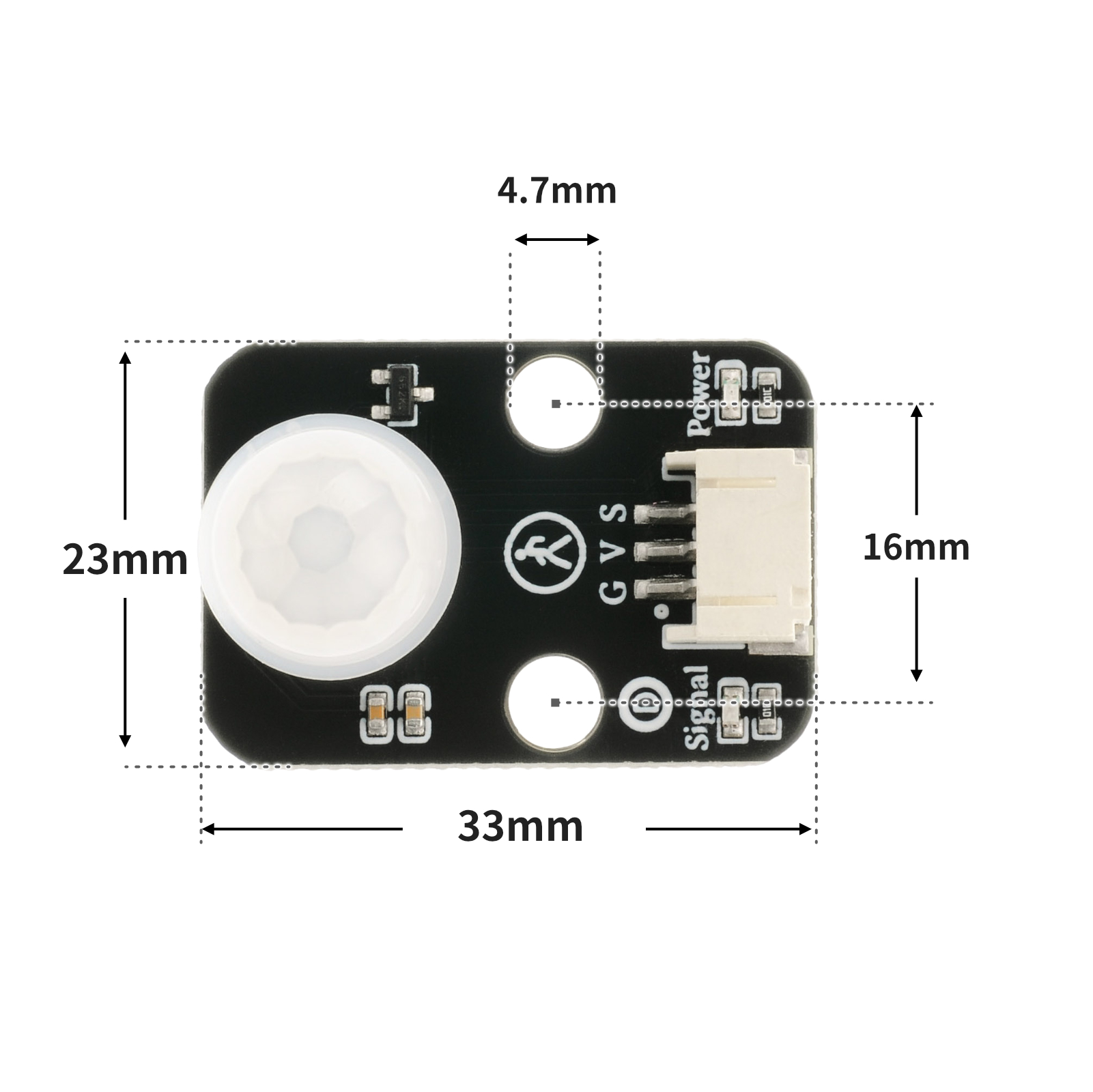
4, Circuit Board Size
5 of Arduino IDE example program
Arduino UNO Example (for Mixly IDE, Arduino IDE):
int body_sensing = 4;//设置人体传感器接D4引脚
int Buzzer = 6;//设置有蜂鸣器接D6引脚
boolean value= 0;//设置布尔变量
void setup() {
 Serial.begin(9600);//设置串口波特率
 pinMode(body_sensing, INPUT);//设置D6引脚为输入模式
 pinMode(Buzzer, OUTPUT);//设置Buzzer为输出模式
}
void loop() {
 value = digitalRead(body_sensing);//读取人体感器状态值赋给变量value
 if (value == 1) {
 digitalWrite(Buzzer,HIGH);//蜂鸣器响
 Serial.println(String("有人蜂鸣器响:")   String(digitalRead(4)));//串口打印状态值
 } else if (value == 0) {
 Serial.println(String("无人:")   String(digitalRead(4)));//串口打印状态值
 digitalWrite(Buzzer,LOW);//蜂鸣器不工作
 }
 delay(500);
}
ESP32 Python Example (for Mixly IDE / Micskit)
(Choose the Python ESP32 [ESP32 Generic(4MB)] to switch to code mode upload):
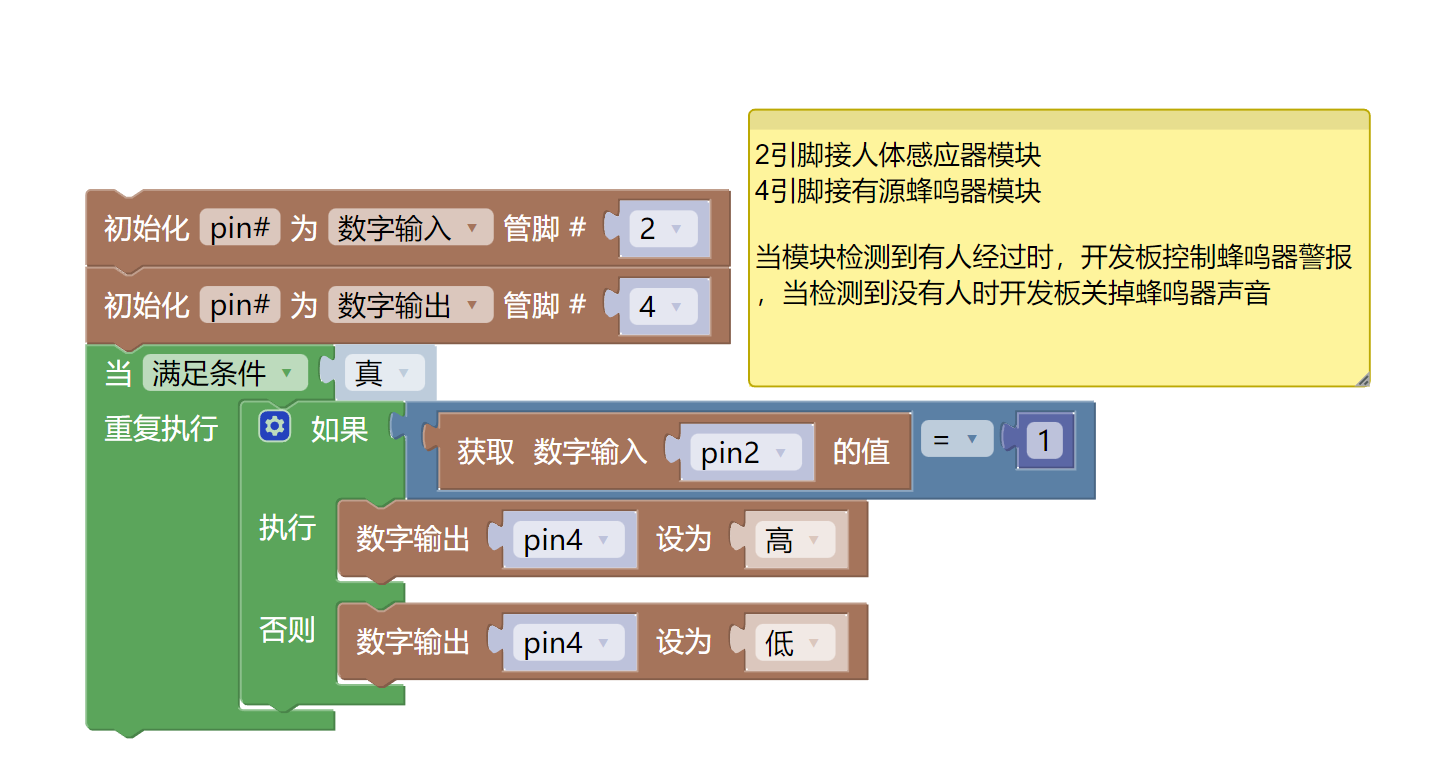
import machine
pin2 = machine.Pin(2, machine.Pin.IN)
pin4 = machine.Pin(4, machine.Pin.OUT)
while True:
if pin2.value() == 1:
pin4.value(1)
else:
pin4.value(0)
6, Miciqi Mixly Example Program (Graphical Language)
Arduino UNO Graphical Example Program:Click to download
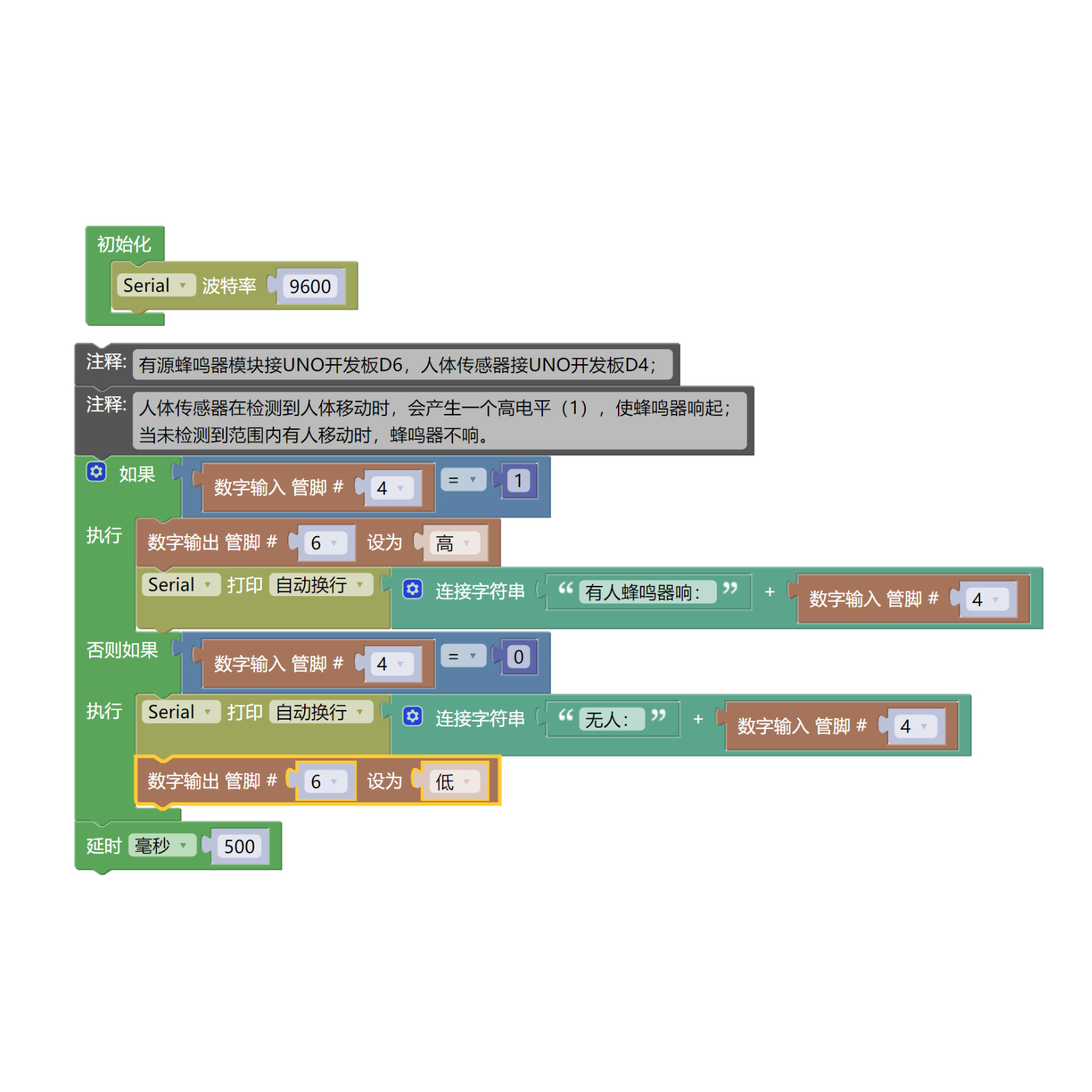
ESP32 Python Graphical Example Program:Click to download
7, Test Environment Setup
Arduino UNO Test Environment Setup
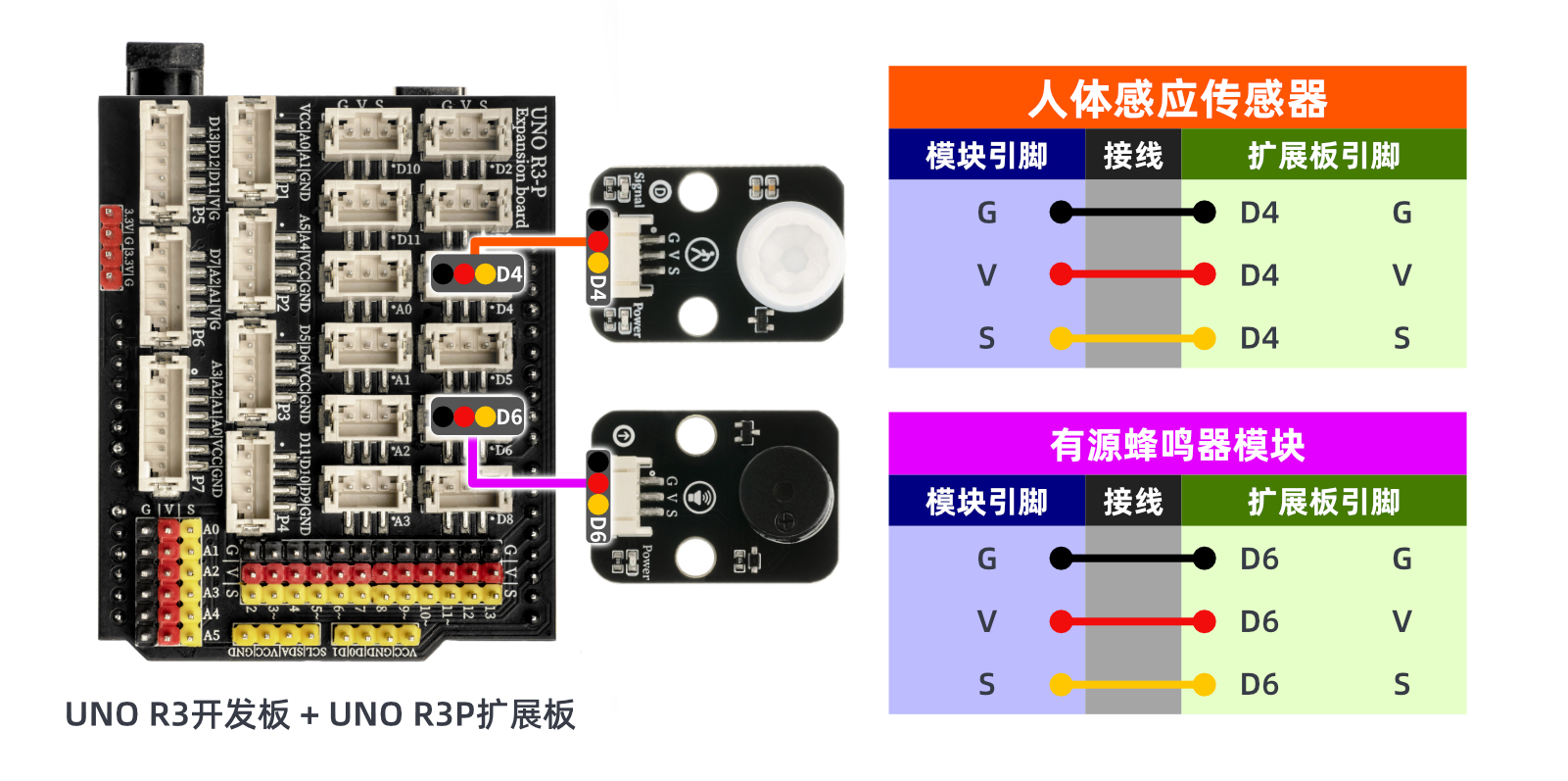
Prepare Components:
HELLO STEM UNO R3 DEVELOPMENT BOARD *1
HELLO STEM UNO R3 P EXPANSION BOARD *1
USB TYPE-C DATA CABLE *1
Active Buzzer Module (HS-F07L) *1
Infrared Sensor Module (HS-S38L Infrared Sensor) *1
PH2.0 3P dual-head terminal line *2
Circuit wiring diagram:
ESP32 Python test environment setup
8. Video tutorial
Arduino UNO video tutorial: Click to view
ESP32 Python Video Tutorial:
9. Test conclusion
Arduino UNO Test Conclusion:The human body sensor generates a high level (1) when it detects human movement, causing the buzzer to sound; when no movement is detected within the range, the buzzer does not sound.
ESP32 Python test conclusion:The human body sensor generates a high level (1) when it detects human movement, causing the buzzer to sound; when no movement is detected within the range, the buzzer does not sound.