1. Introduction
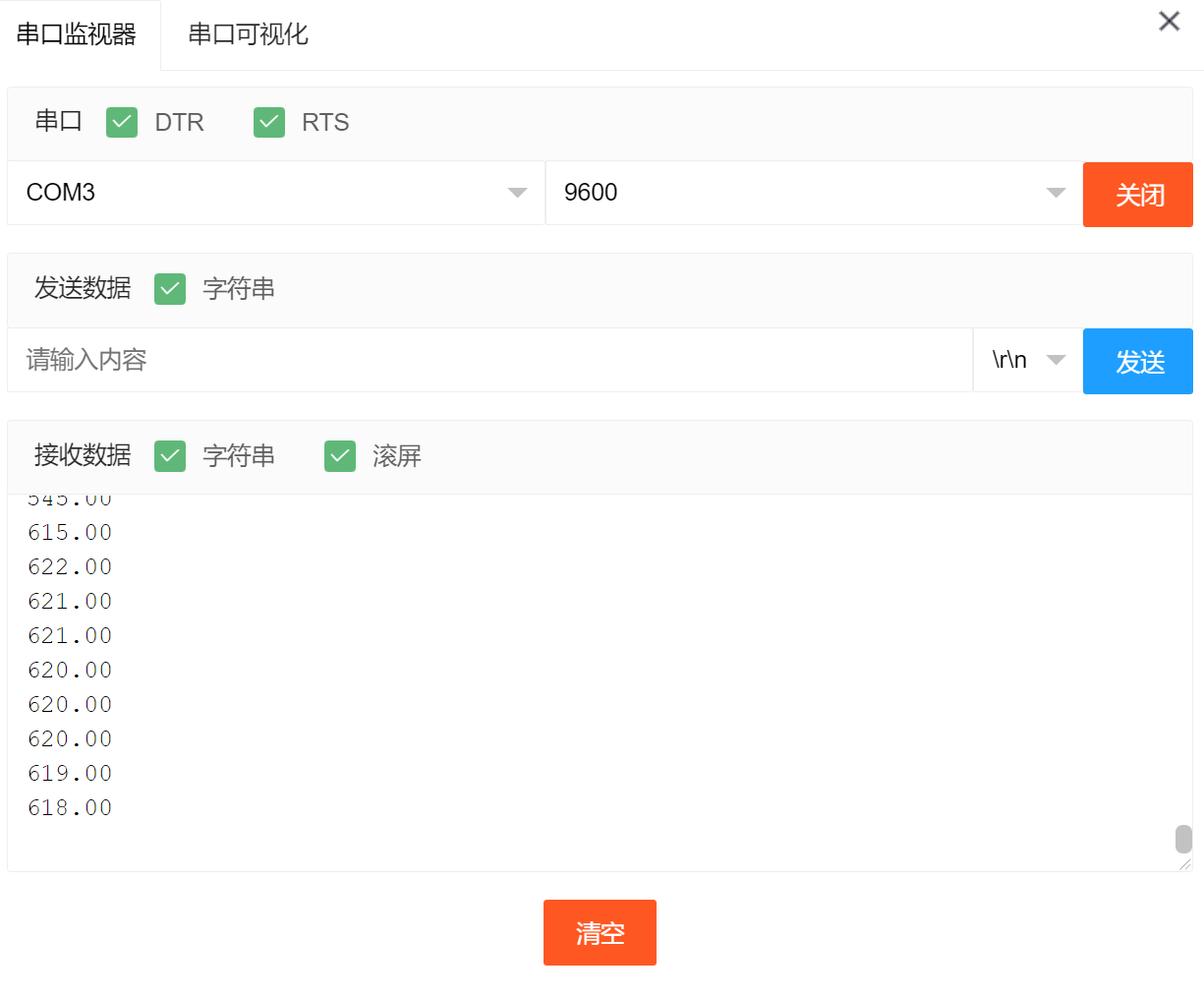
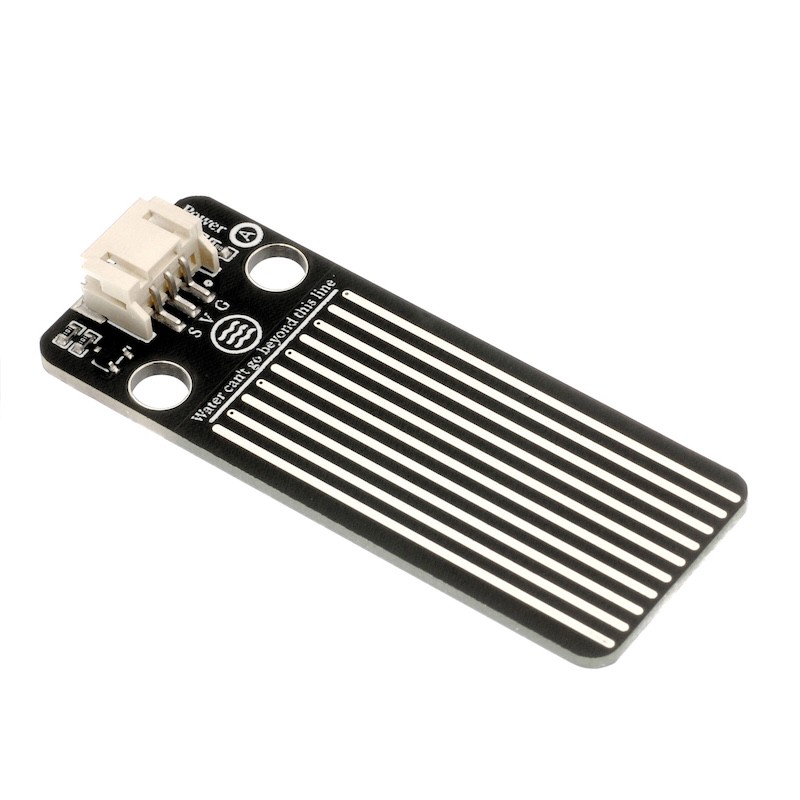
Water level sensor is specifically designed for depth detection, and can be widely used for detecting rainfall, water level, and even liquid leakage.When the water level sensor is placed in water, the higher the water level above the copper wire, the larger the simulated value.Read the analog value of the water depth sensor module and print it to the serial port.To know the water depth, we directly place a little bit of the sensor in front of the detection part into the water, so we can know the simulated value when it is just put into the water. Knowing this value, we can derive a formula: the current simulated value is CA, and the simulated value when put underwater is DA.Water depth = (CA-DA)/100.
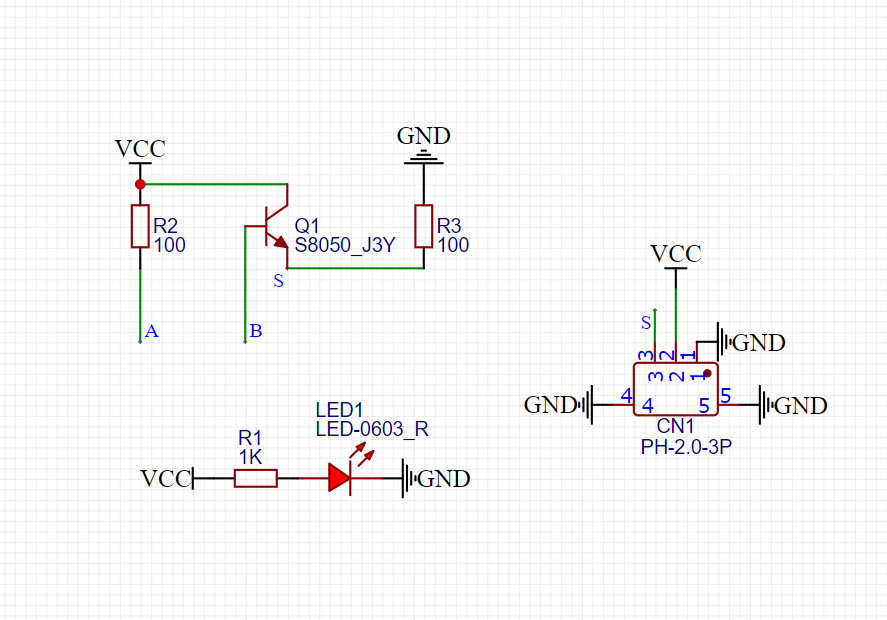
2. Schematic
Module Parameters
Pin Name | description |
|---|---|
G | GND (Negative Power Input) |
V | VCC (Positive Power Input) |
S | Analog Signal Pin |
Power Supply Voltage: 3.3V / 5V
Connection method: PH2.0 socket
Installation method: Screw fixed / Lego construction
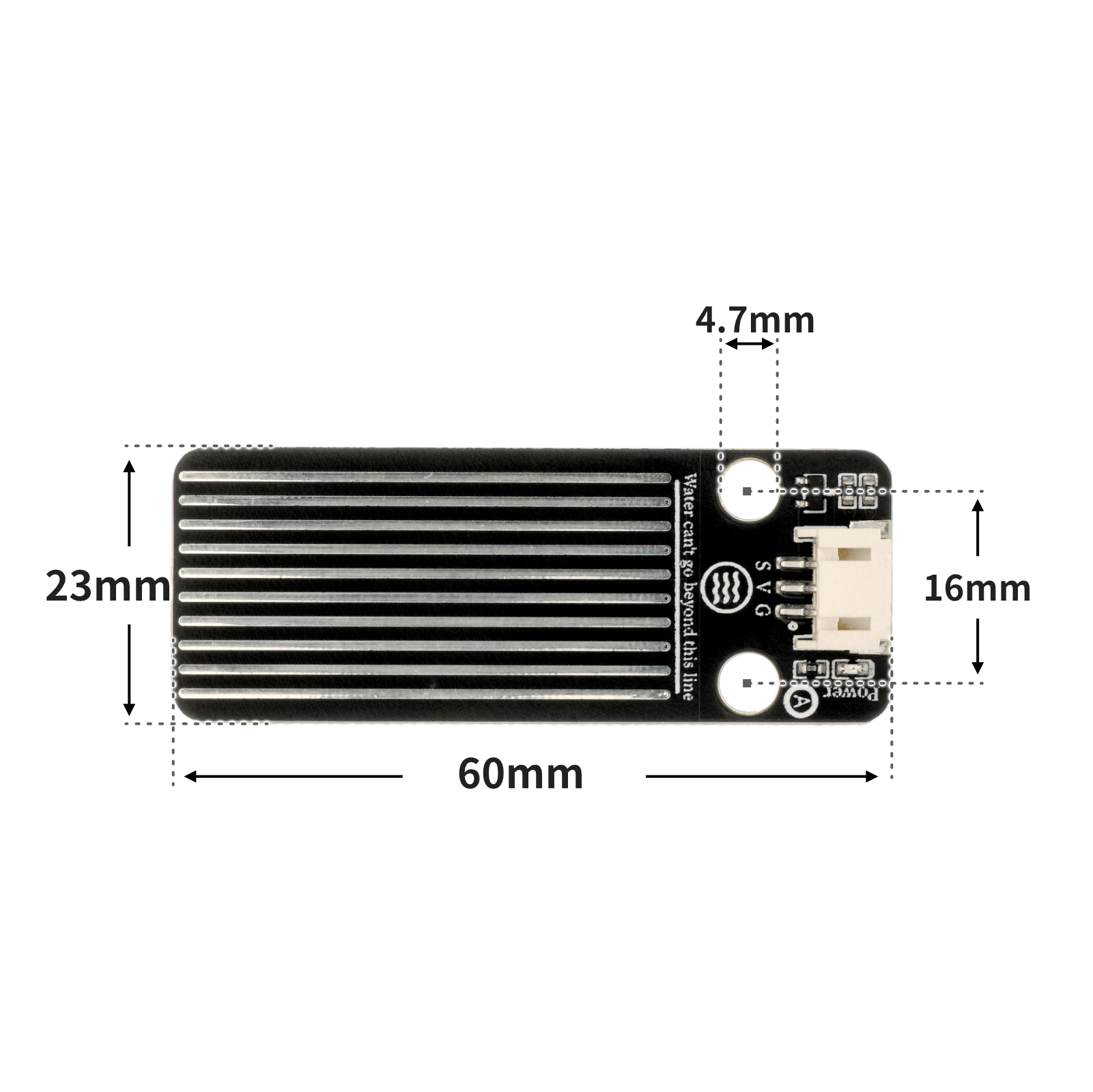
4, Circuit Board Size
5 of Arduino IDE example program
Example Program (UNO Development Board):
volatile float num;
volatile int Buzzer;
void setup(){
 num = 0.0;
 Buzzer = 6;
 Serial.begin(9600);
 pinMode(A2, INPUT);
}
void loop(){
 //水深传感器接A2.,蜂鸣器接uno开发板D6
 //检测水越深,水深传感器模拟值越大;反之,水深传感器模拟值越小
 num = long(analogRead(A2));
 Serial.println(num);
 delay(500);
 if (num > 670) {
 //大概大于3cm
 pinMode(Buzzer, OUTPUT);
 digitalWrite(Buzzer,HIGH);
 } else {
 pinMode(Buzzer, OUTPUT);
 digitalWrite(Buzzer,LOW);
 }
}
Example Program (ESP32 Development Board — Based on Python language, cannot be uploaded using Arduino IDE):
import machine


pin2 = machine.Pin(2, machine.Pin.OUT)
adc32 = machine.ADC(machine.Pin(32))
i = 0
while True:
    i = adc32.read_u16()
    print(i)
    if i >= 50000:
        pin2.value(1)
    else:
        pin2.value(0)
6, Miciqi Mixly Example Program (Graphical Language)
Example Program (UNO Development Board):Click to download
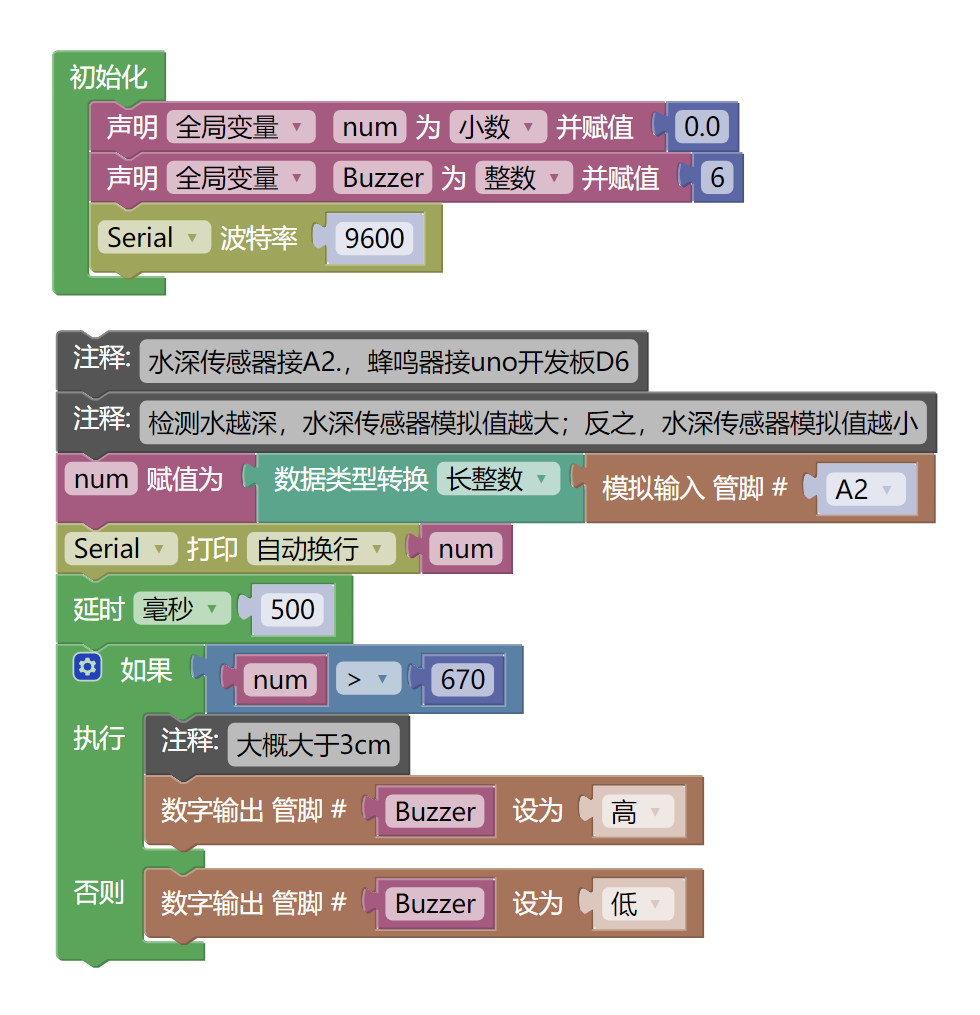
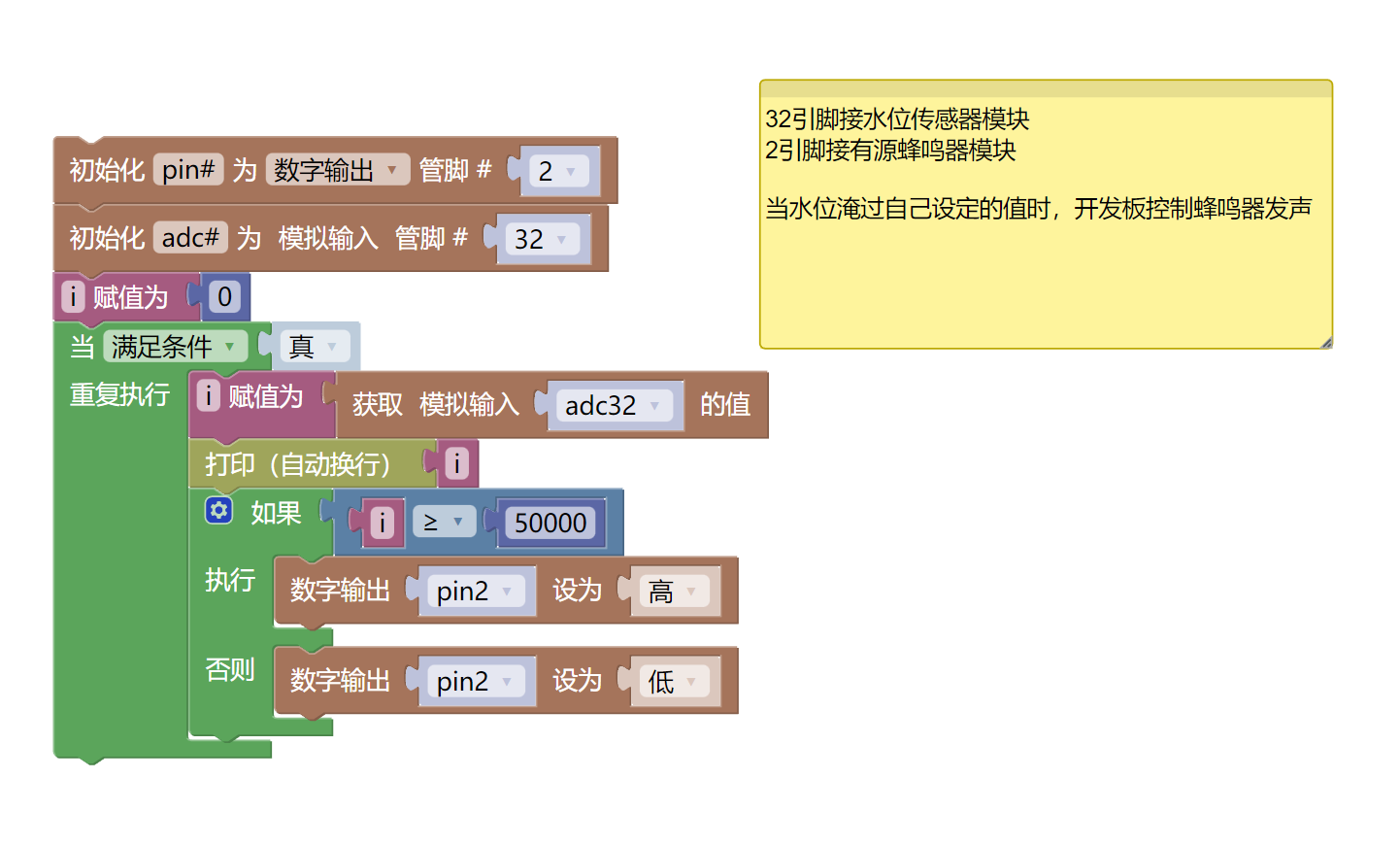
Example Program (ESP32 Development Board):Click to download
7, Test Environment Setup
Arduino UNO Test Environment Setup
Prepare Components:
HELLO STEM UNO R3 DEVELOPMENT BOARD *1
HELLO STEM UNO R3 P EXPANSION BOARD *1
USB TYPE-C DATA CABLE *1
Water Level Sensor Module (HS-S37L) *1
Active Buzzer Module (HS-F07L) *1
PH2.0 3P dual-head terminal line *2
Circuit wiring diagram:
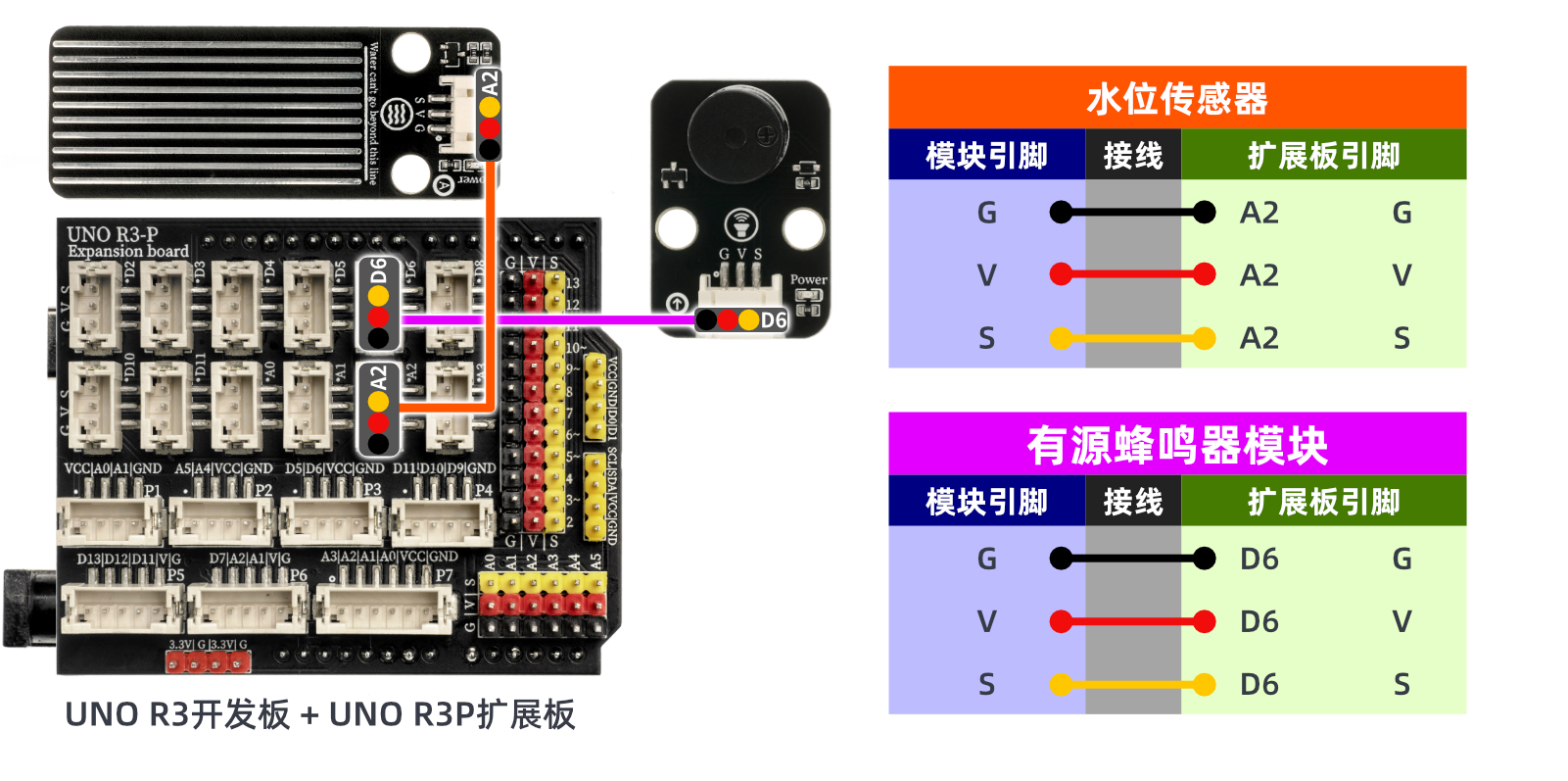
ESP32 Python test environment setup
Prepare Components:
Circuit wiring diagram:
8. Video tutorial
Video Tutorial:Click to view
9. Test conclusion
After the device is connected to the wire, upload the above program to the Arduino UNO development board, open the Mxily serial port monitor, slowly place the water level sensor module into the water, and the serial port outputs the analog value of the water depth sensor greater than 670 (equivalent to greater than 3cm), and the buzzer sounds.