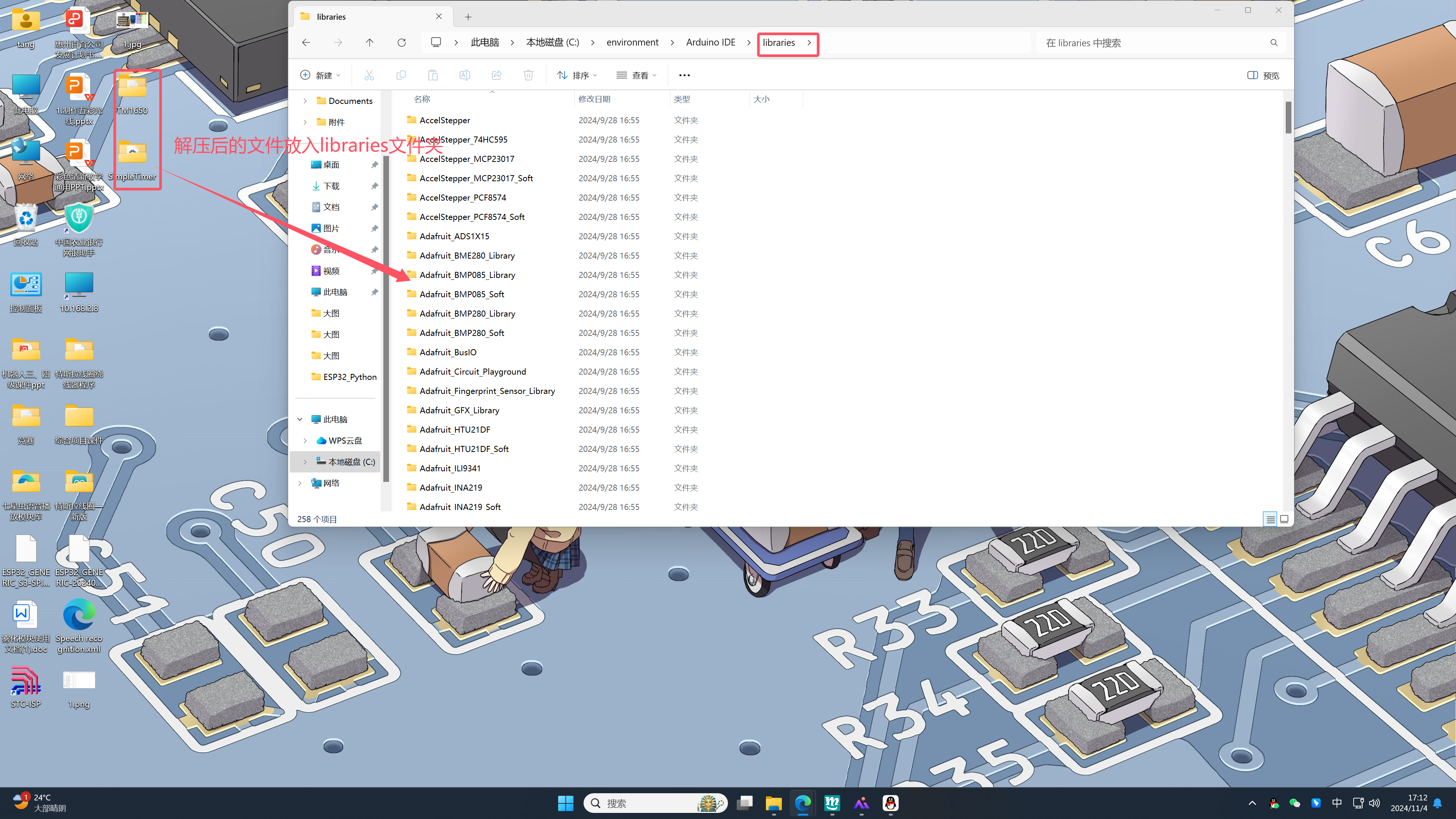
Here is an example of the library file for the HS-F14A four-digit LED display.
First, download the required library file. The website provides ready-made library files, just click to download.
Library file:Click to download
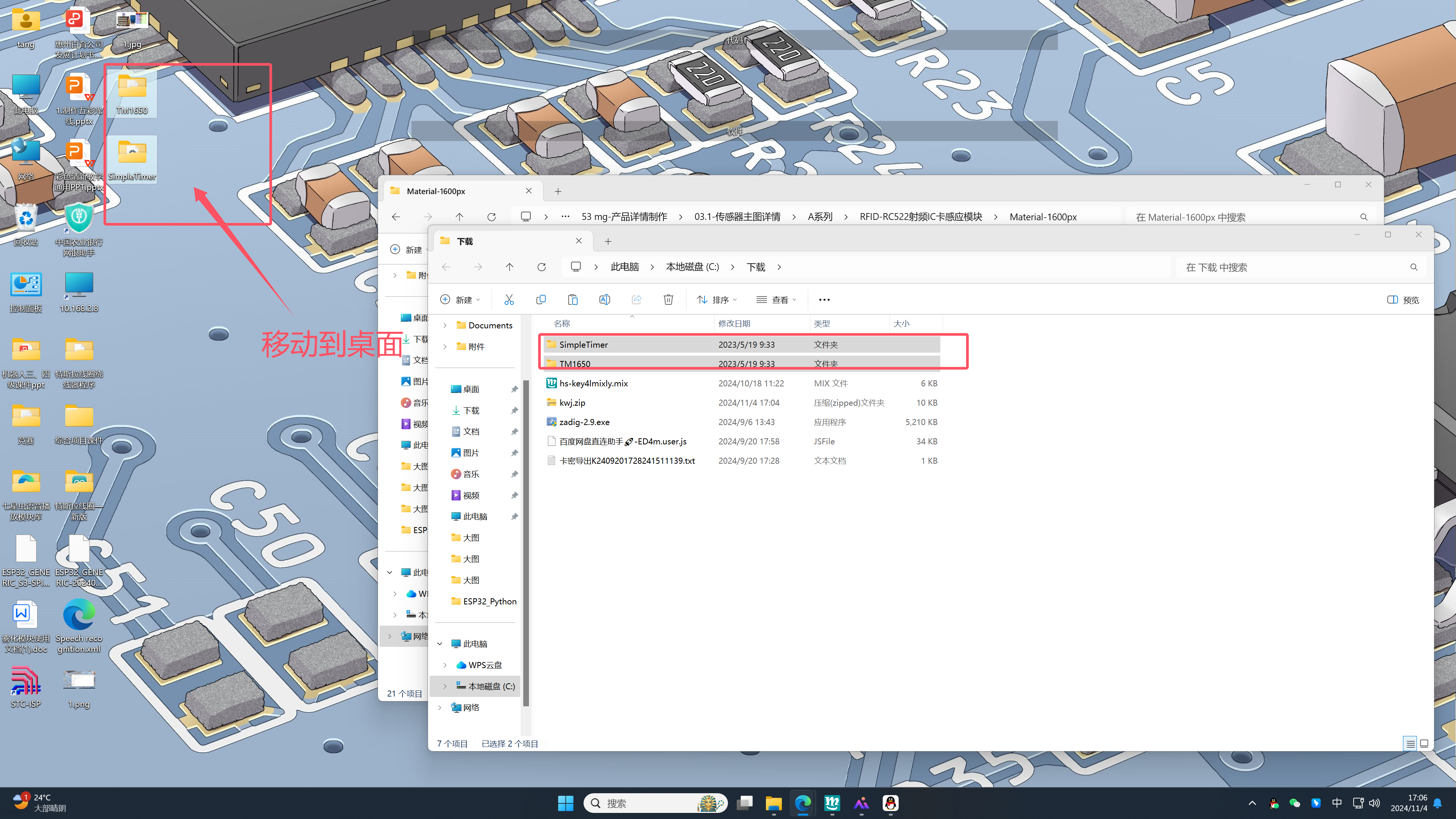
2. After downloading the library file, unzip it and move it to the desktop. As shown. Drag the folders as many as there are after unzipping.
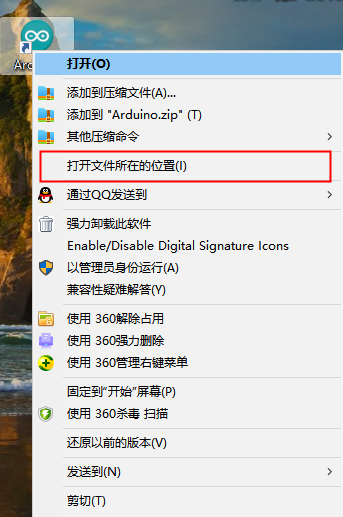
3. Find the folder where the library files need to be stored, the operation steps are shown in the figure.
1. First find the Arduino shortcut.
2. Find the one calledlibraries.
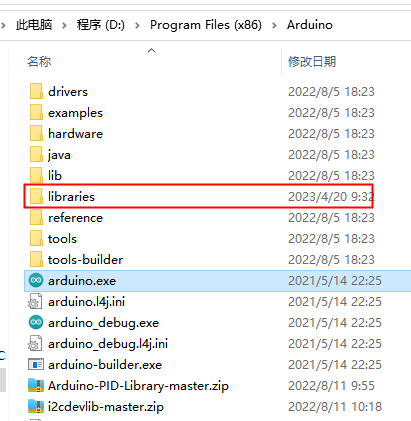
3. Click again to open
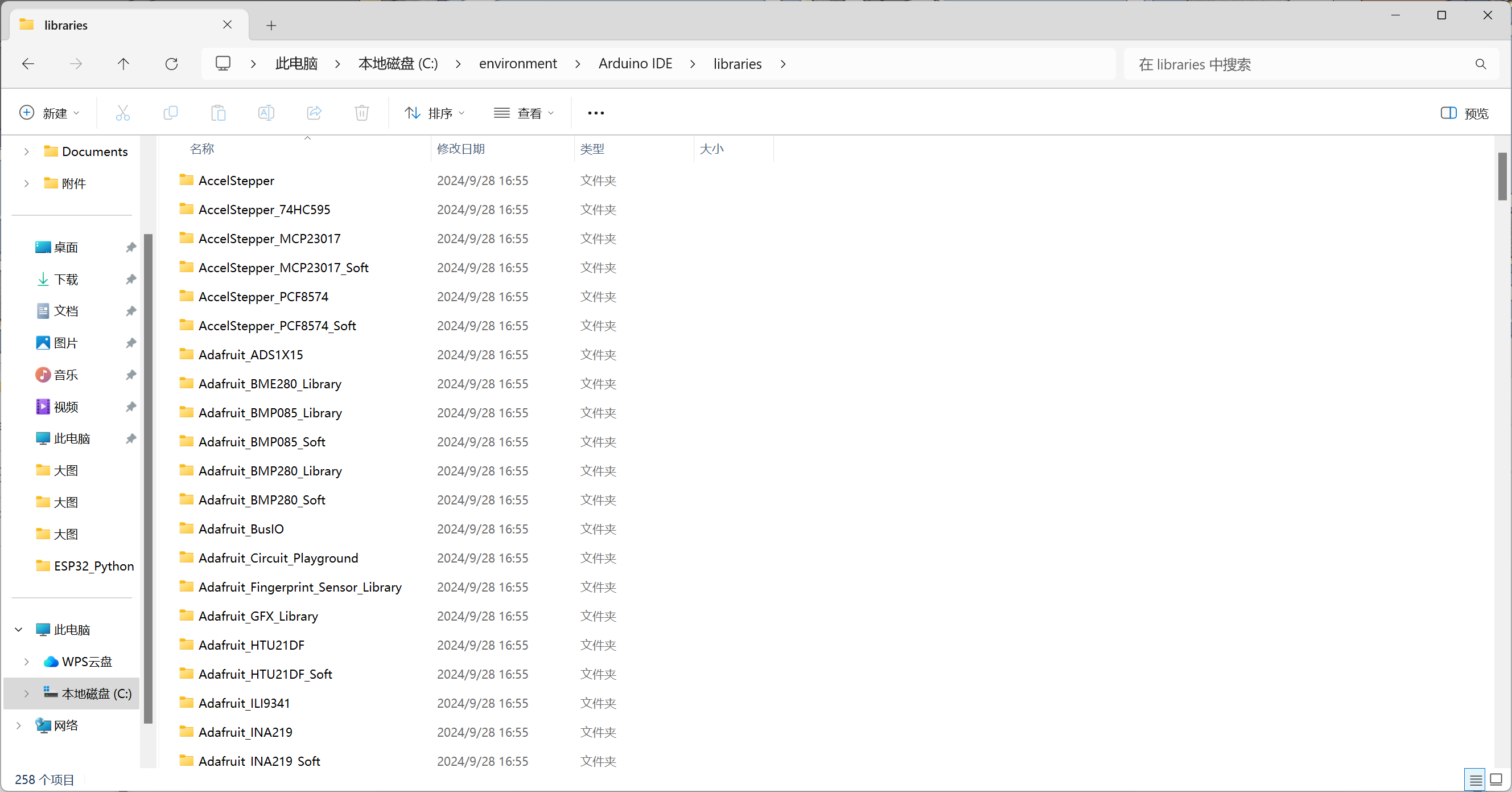
4. The final step, move all the files after unzipping to the folder on the desktoplibrariesIn the folder, you can normally download the code to the development board.