
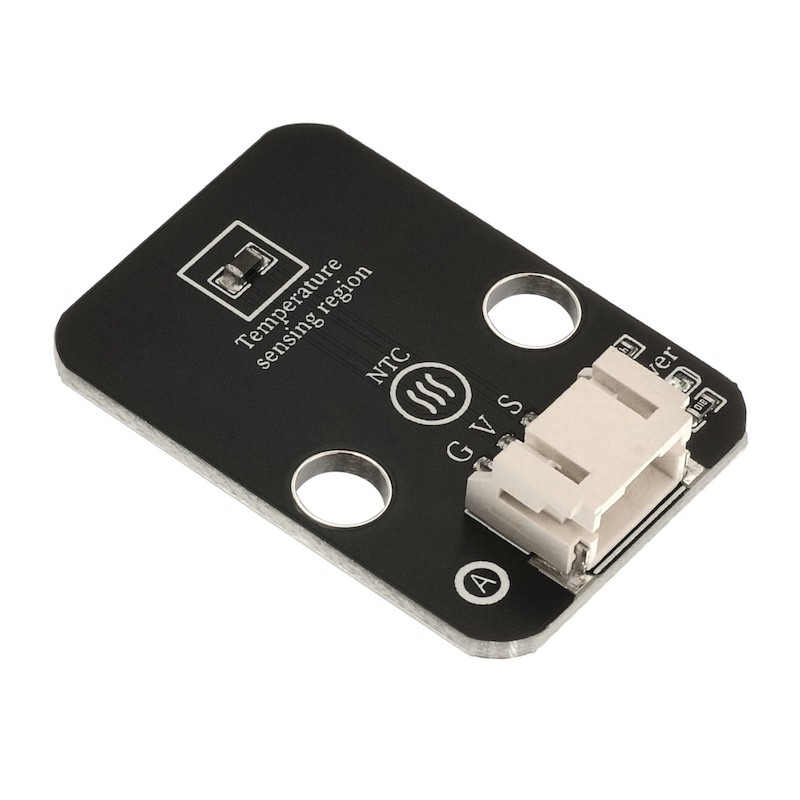
1. Introduction
Thermistor is a type of sensitive component, which is divided into positive temperature coefficient thermistor (PTC) and negative temperature coefficient thermistor (NTC) according to the temperature coefficient.The typical characteristic of a thermistor is its sensitivity to temperature, showing different resistance values at different temperatures.Positive temperature coefficient thermistor (PTC) has a higher resistance value as the temperature increases, while negative temperature coefficient thermistor (NTC) has a lower resistance value as the temperature increases. They both belong to semiconductor devices.
2. SchematicClick here to return to the directory
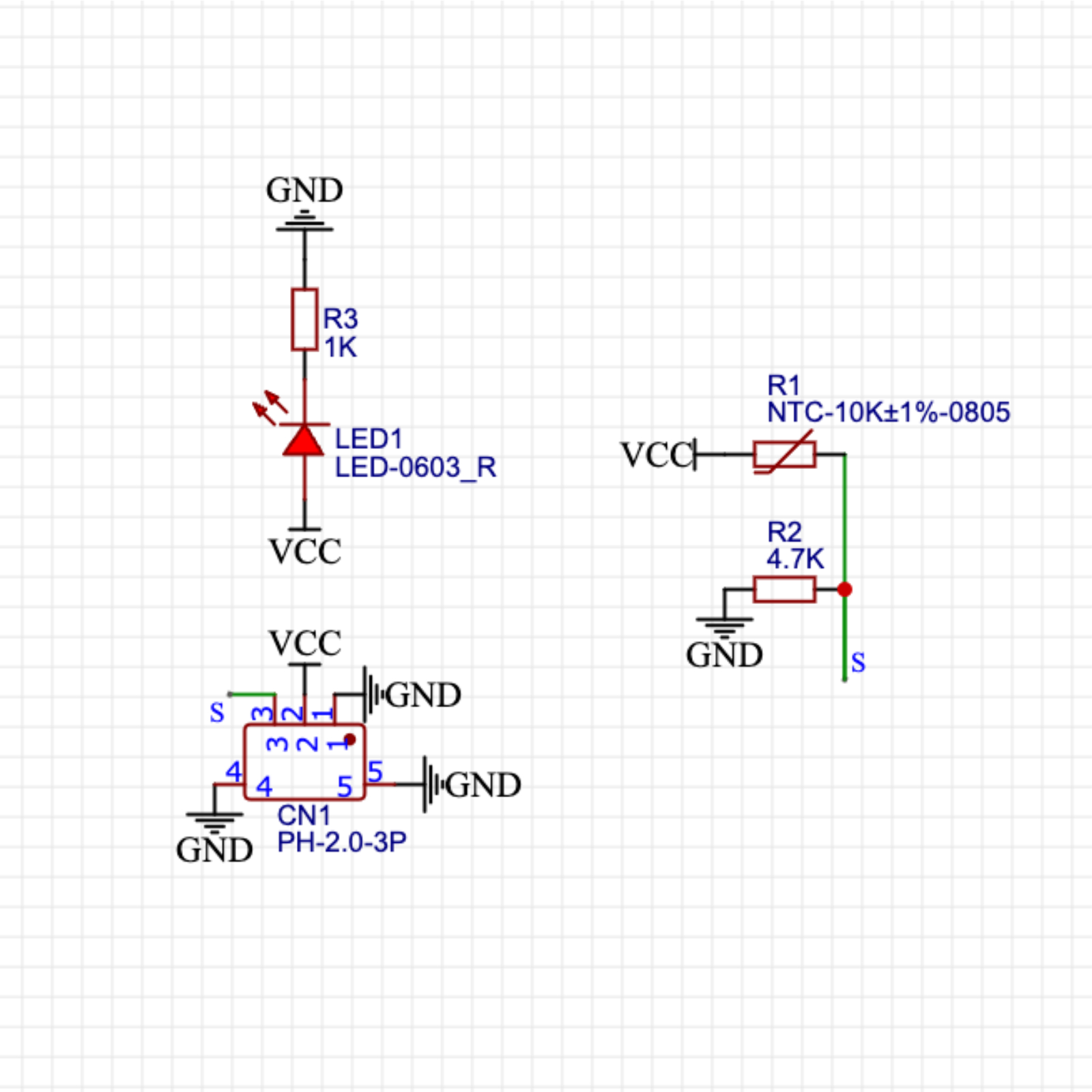
Module Parameters
Pin Name | description |
|---|---|
G | GND (Negative Power Input) |
V | VCC (Positive Power Input) |
S | Analog Signal Pin |
Power Supply Voltage: 3.3V / 5V
Connection Method: PH2.0 Terminal Wire
Installation Method: Double Screw Fixed
4, Circuit Board Size
5 of Arduino IDE example program
Arduino UNO Graphical Example Program:
volatile int value;//定义热敏传感器模拟值变量

void setup(){
  value = 0;
  Serial.begin(9600);//设置波特率
  pinMode(A0, INPUT);//定义A0为输入引脚
  pinMode(6, OUTPUT);//定义6为输出引脚
}

void loop(){
  value = analogRead(A0);//获取热敏电压模拟值
  Serial.print("Thermal Data:");
  Serial.println(value);//打印热敏电压模拟值
  if (analogRead(A0) > 380) {//判断热敏值是否大于380
    tone(6,196);//6号蜂鸣器响起

  }
  delay(200);
  noTone(6);//6号蜂鸣器不响

}
ESP32 Python Example (for Mixly IDE / Micskit)
(Choose the Python ESP32 [ESP32 Generic(4MB)] to switch to code mode upload):
import machine
import music
adc32 = machine.ADC(machine.Pin(32))
midi = music.MIDI(4)
while True:
print(adc32.read_u16())
if adc32.read_u16() > 40000:
midi.pitch_time(440, 2000)
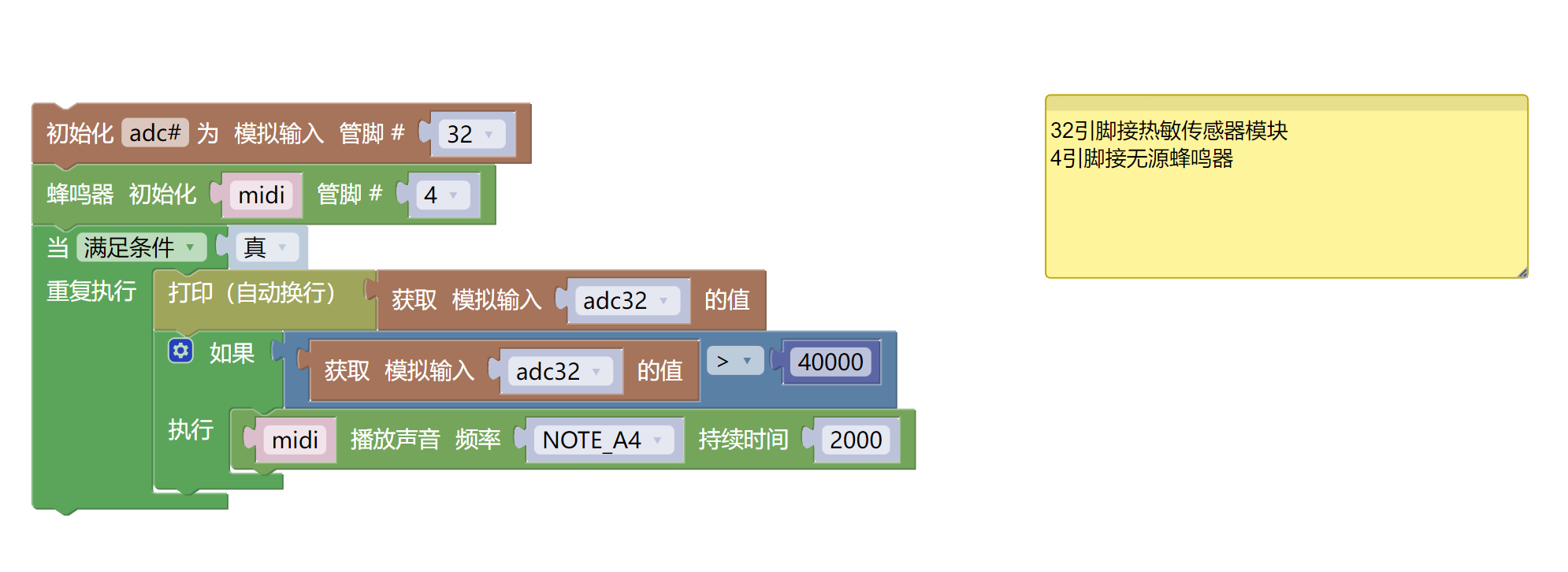
6, Miciqi Mixly Example Program (Graphical Language)
Arduino UNO Graphical Example Program:Click to download
ESP32 Python Graphical Example Program:Click to download
7, Test Environment Setup
Arduino UNO Test Environment Setup
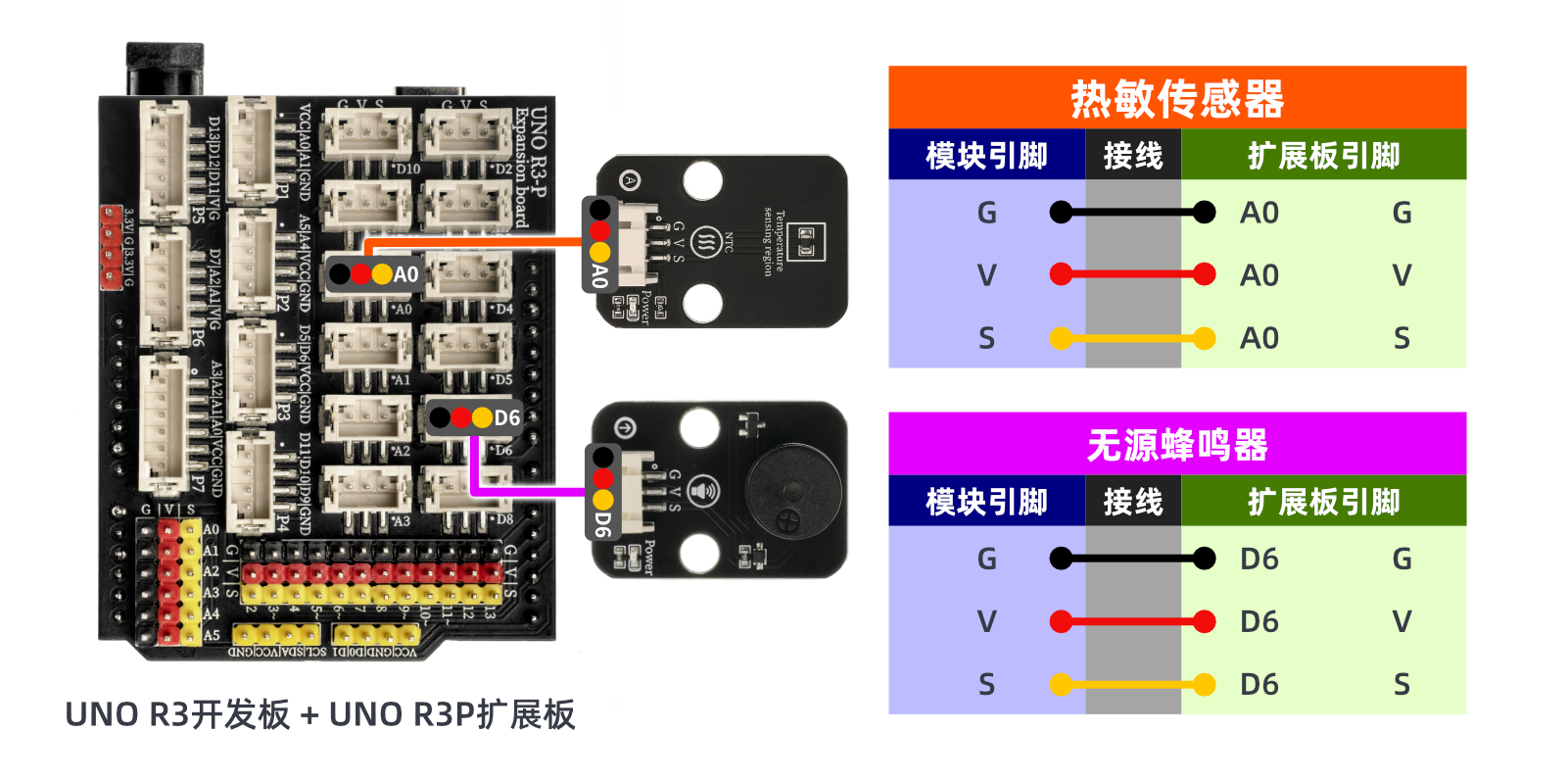
Prepare Components:
HELLO STEM UNO R3 DEVELOPMENT BOARD *1
HELLO STEM UNO R3 P EXPANSION BOARD *1
USB TYPE-C DATA CABLE *1
Thermosensitive Sensor (HS-S35L) *1
Passive buzzer (HS-F02L) *1
PH2.0 3P dual-head terminal line *2
Circuit wiring diagram:
ESP32 Python test environment setup
8. Video tutorial
Arduino UNO video tutorial:Click to view
ESP32 Python Video Tutorial:
9. Test conclusion
Arduino UNO Test Conclusion:
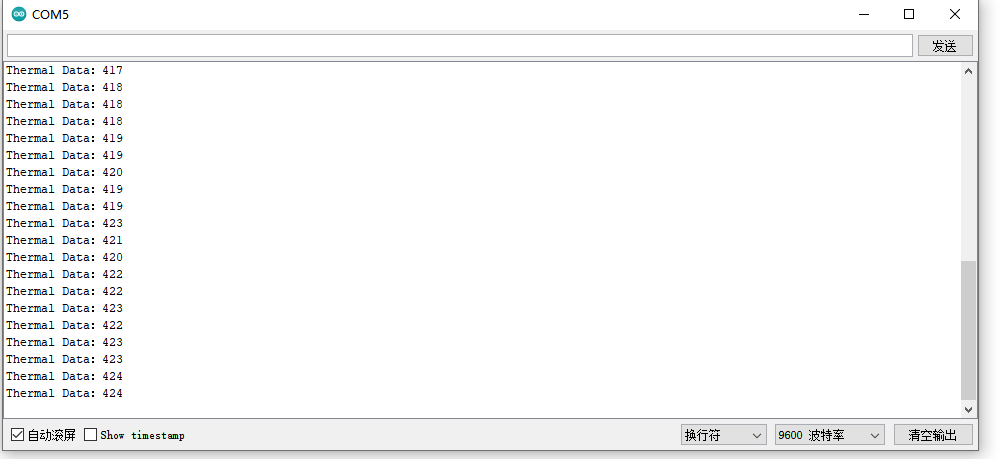
After the device is connected to the line, burn the above program to the Arduino UNO development board, open the serial monitor, set the baud rate to 9600, when the surrounding temperature rises to a certain level, the passive buzzer will sound an alarm. At this time, you can check the value printed in the serial monitor. You will find that the simulated value is smaller when the surrounding temperature is low than when it is high.
ESP32 Python test conclusion:After the device is connected to the wire, after burning the above program into the ESP32 development board, open the serial monitor, set the baud rate to 9600, when the surrounding temperature rises to a certain level, the passive buzzer will alarm. At this time, you can look at the value printed in the serial monitor, and you will find that the simulated value is smaller when the surrounding temperature is low than when it is high.