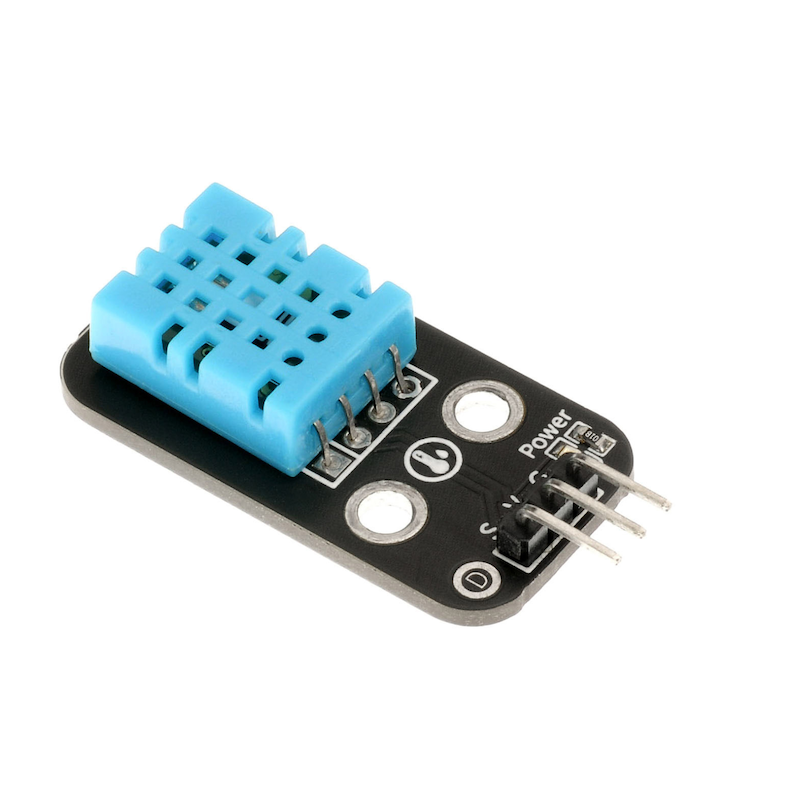
1. Introduction
Data format: 8-bit humidity integer data + 8-bit humidity decimal data + 8-bit temperature integer data + 8-bit temperature decimal data + 8-bit parity bit.
The data transmission process: the master sends a start signal - > DHT responds with a signal - > DHT notifies the master that it is ready to receive the signal - > DHT sends the ready data - > DHT ends the signal - > DHT internally retests the environmental temperature and humidity, records the next data, and the master starts sending the signal.
Obtained through this process, the controller of the data collected each time is always the last DHT data.If we want to get real-time data, the master can collect two consecutive data, but officially, it is not recommended to read DHT continuously multiple times.If the interval time between each read exceeds 5 seconds, it is sufficient to obtain accurate data.The DHT needs 1 second to stabilize when powered on.
2. Schematic
Temperature and humidity sensor-HS-S26A schematicClick to view
Module Parameters
Pin Name | description |
|---|---|
G | GND (Negative Power Input) |
V | VCC (Positive Power Input) |
S | Digital Signal Pin |
Power Supply Voltage: 3.3V / 5V
Connection Type: 2.54mm Header
Installation Method: Double Screw Fixed
4, Circuit Board Size
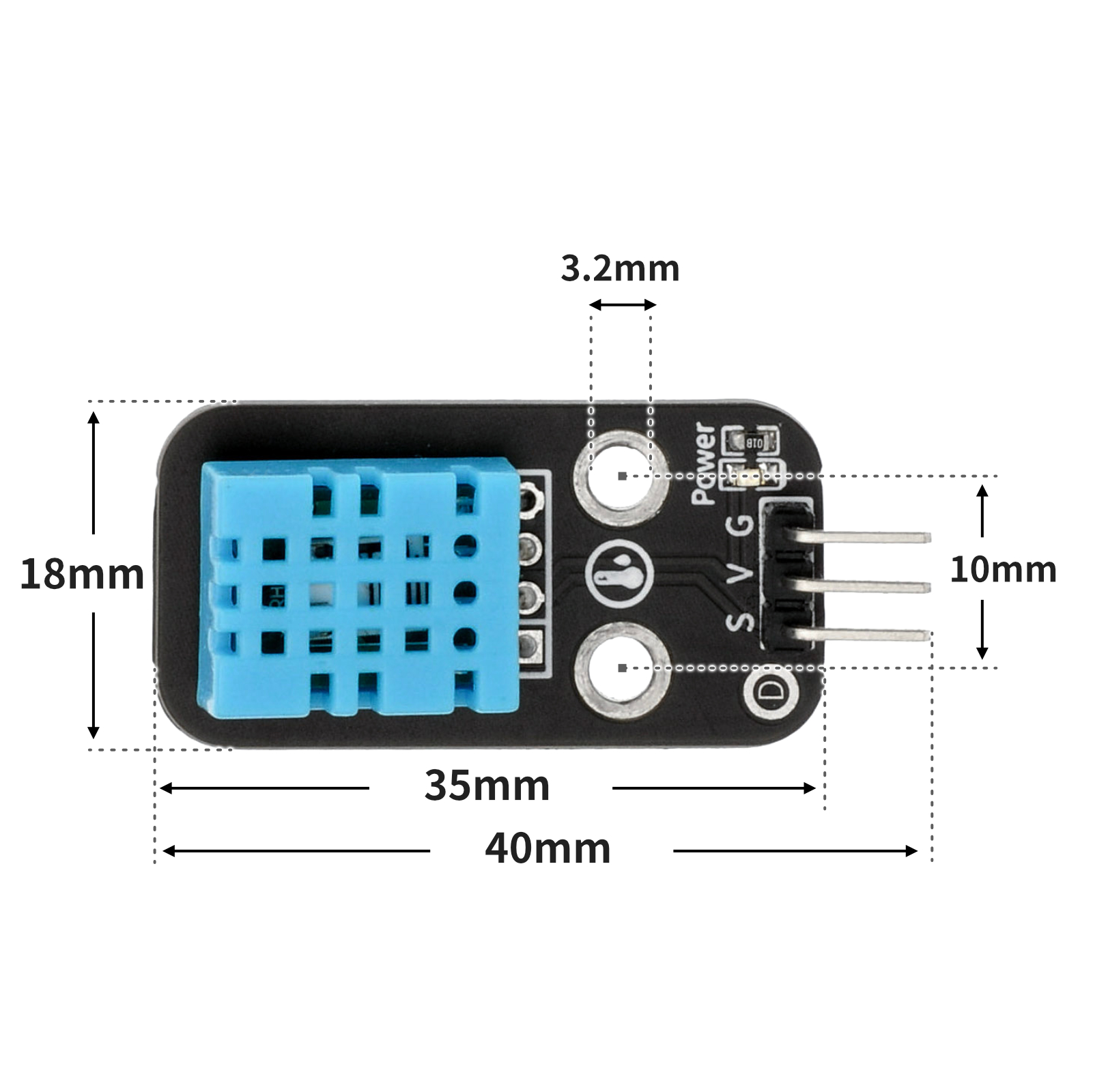
5 of Arduino IDE example program
Attention: If prompted with an error message about the library file during program upload, please import the library file first!
Arduino IDE Library Download and Import Tutorial:Click to view
Example program (UNO development board):
#include <DHT.h>

volatile float wendu_;
volatile float shidu;
DHT dht9(9, 11);

void setup(){
  Serial.begin(9600);
  wendu_ = 0;
  shidu = 0;
   dht9.begin();
}

void loop(){
  //dht11温湿度传感器接D9

  delay(2000);
  shidu = dht9.readHumidity();
  wendu_ = dht9.readTemperature();
  Serial.print(wendu_);
  Serial.print("℃");
  Serial.print("                         ");
  Serial.print(shidu);
  Serial.println("%");

}
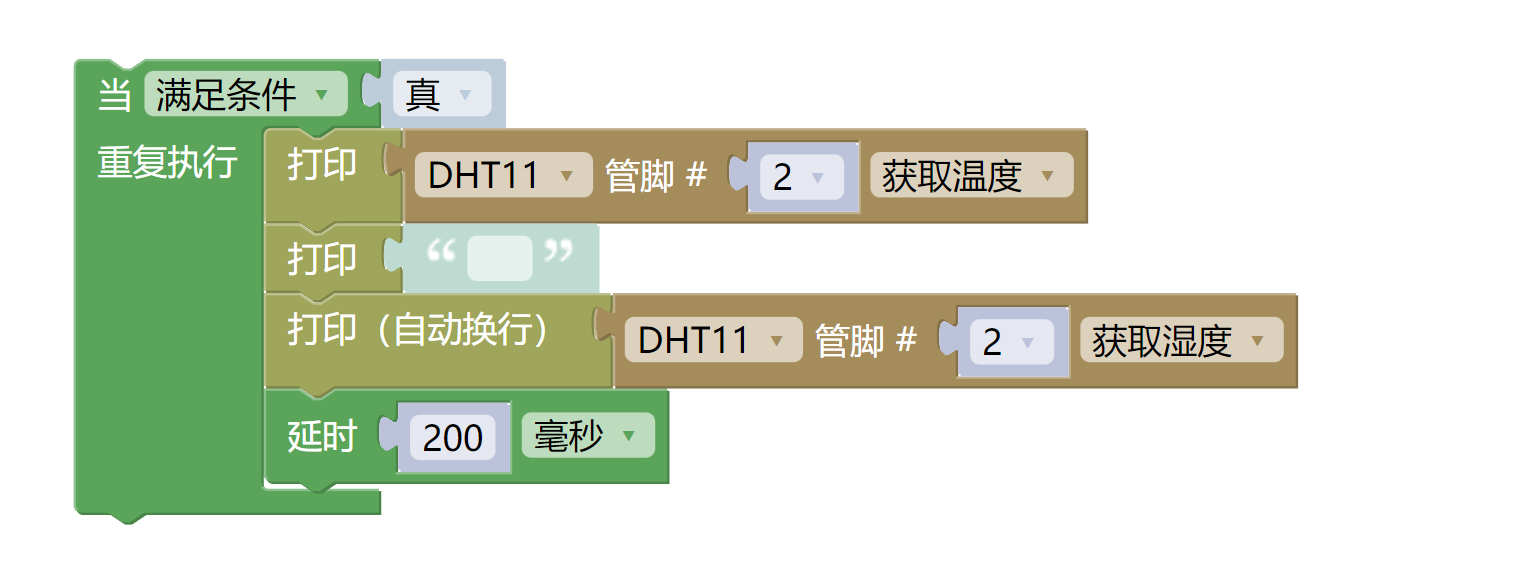
6, ESP32 Python Example (for Mixly IDE/Misashi)
Choose the development board Python ESP32 [ESP32 Generic(4MB)] and upload in code mode
Attention: If prompted with an error message about the library file during program upload, please import the library file first!
Download and import tutorial for Mixly IDE ESP32 library:Click to view
Example program (ESP32-Python):
import machine
import dhtx
import time


while True:
    print(dhtx.DHT11(2).temperature(),end ="")
    print('    ',end ="")
    print(dhtx.DHT11(2).humidity())
    time.sleep_ms(200)
7, Mixly example program (graphical language)
Example program (UNO development board):Click to download
Attention: If prompted with an error message about the library file during program upload, please import the library file first!
Download and import tutorial of Mixly IDE Arduino library:Click to view
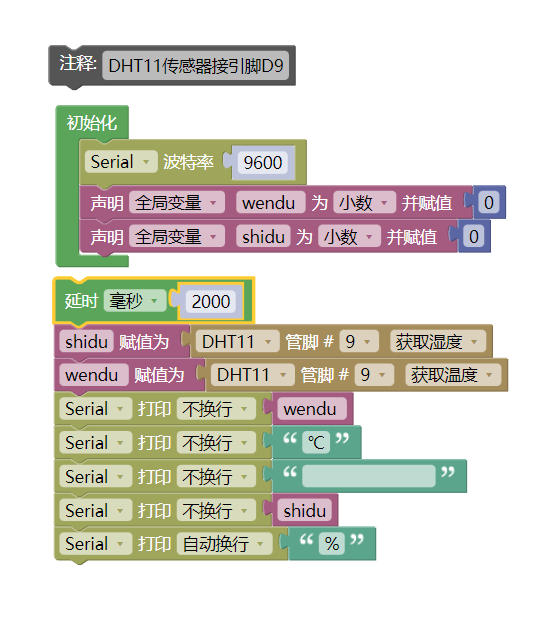
Example Program (ESP32 Development Board):Click to download
Attention: If prompted with an error message about the library file during program upload, please import the library file first!
Download and import tutorial for Mixly IDE ESP32 library:Click to view
8. Setting up the Test Environment
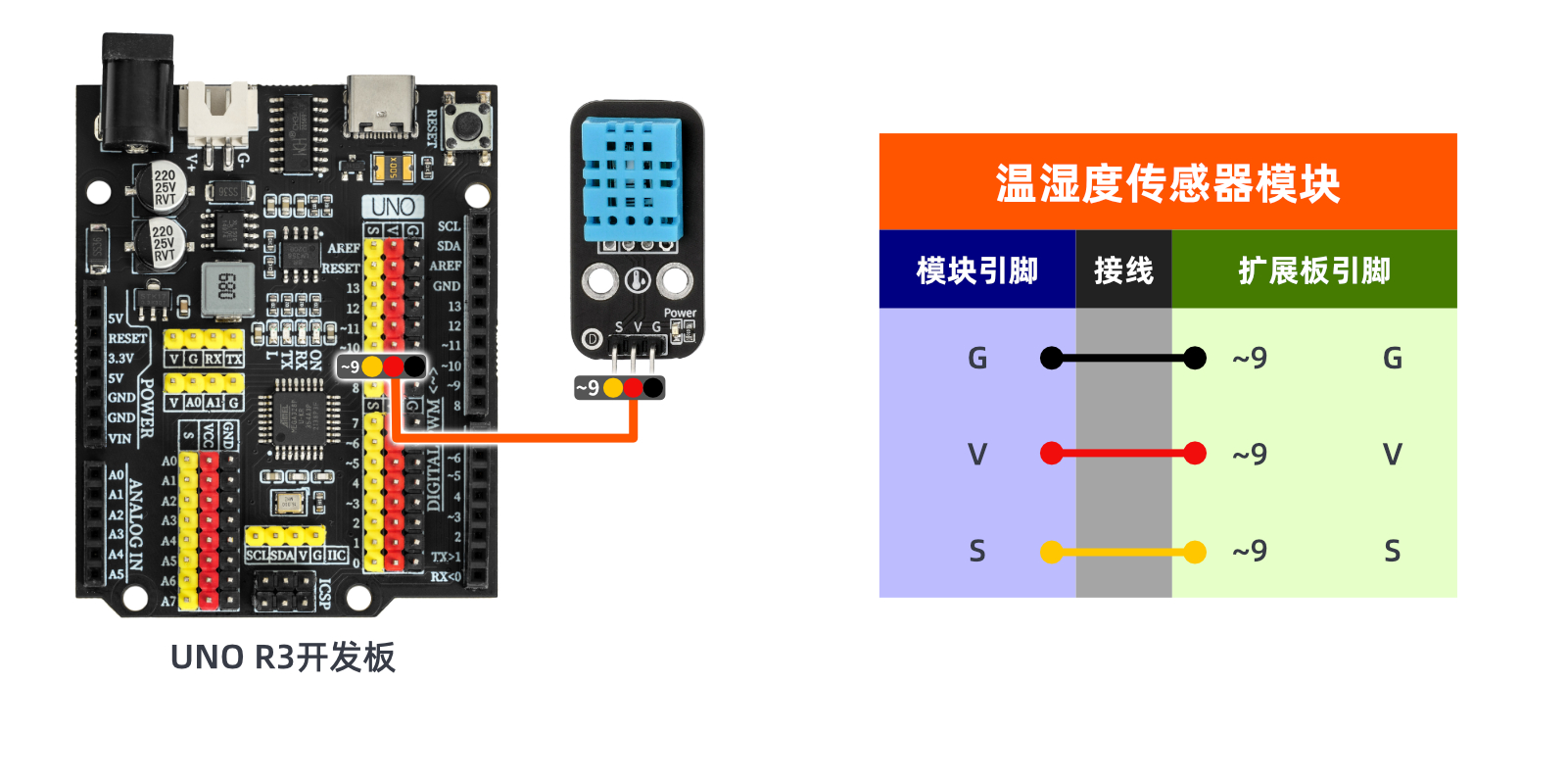
Arduino UNO Test Environment Setup
Prepare Components:
HELLO STEM UNO R3 PRO DEVELOPMENT BOARD *1
USB TYPE-C DATA CABLE *1
Temperature and Humidity Sensor (HS-S26A) *1
1P female to female DuPont wire *3 pieces or 3P female to female DuPont wire *1 piece
Circuit wiring diagram:
ESP32 Test Environment Setup
Prepare Components:Pending update...
Circuit wiring diagram:Pending update...
9, Video tutorial
Video tutorial:Click to view
10, Test results
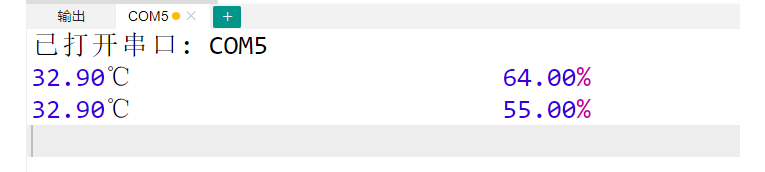
Arduino UNO test results: