
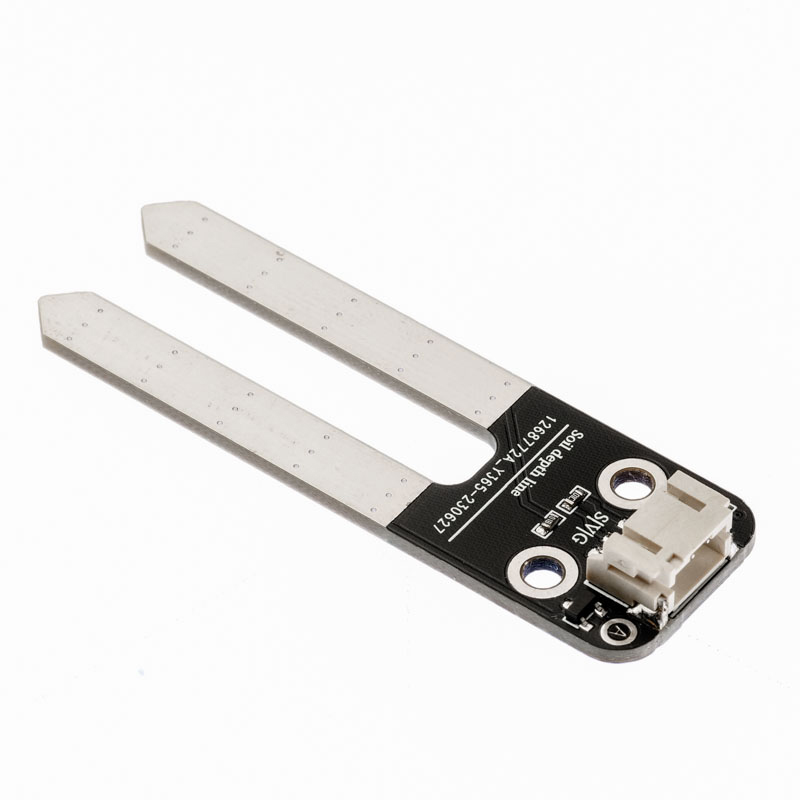
1. Introduction
The soil humidity sensor module has two copper strips that are the sensor probes.When they are inserted into the soil, they can detect the moisture in the soil.The soil is moist, the better the conductivity, the lower the resistance between them.The soil is dry, so the conductivity is relatively poor, and the resistance between them is higher.It is a simulated sensor, so we obtain voltage values through simulated input.Because soil humidity can be divided into several levels, it will be convenient to use when making an automatic watering system with a soil moisture sensor.
2. Schematic
Soil Moisture Sensor-HS-S33P SchematicClick to view
Module Parameters
Pin Name | description |
|---|---|
G | GND (Negative Power Input) |
V | VCC (Positive Power Input) |
S | Analog Signal Pin |
Power Supply Voltage: 3.3V / 5V
Connection method: PH2.0 terminal wire
Installation Method: Double Screw Fixed
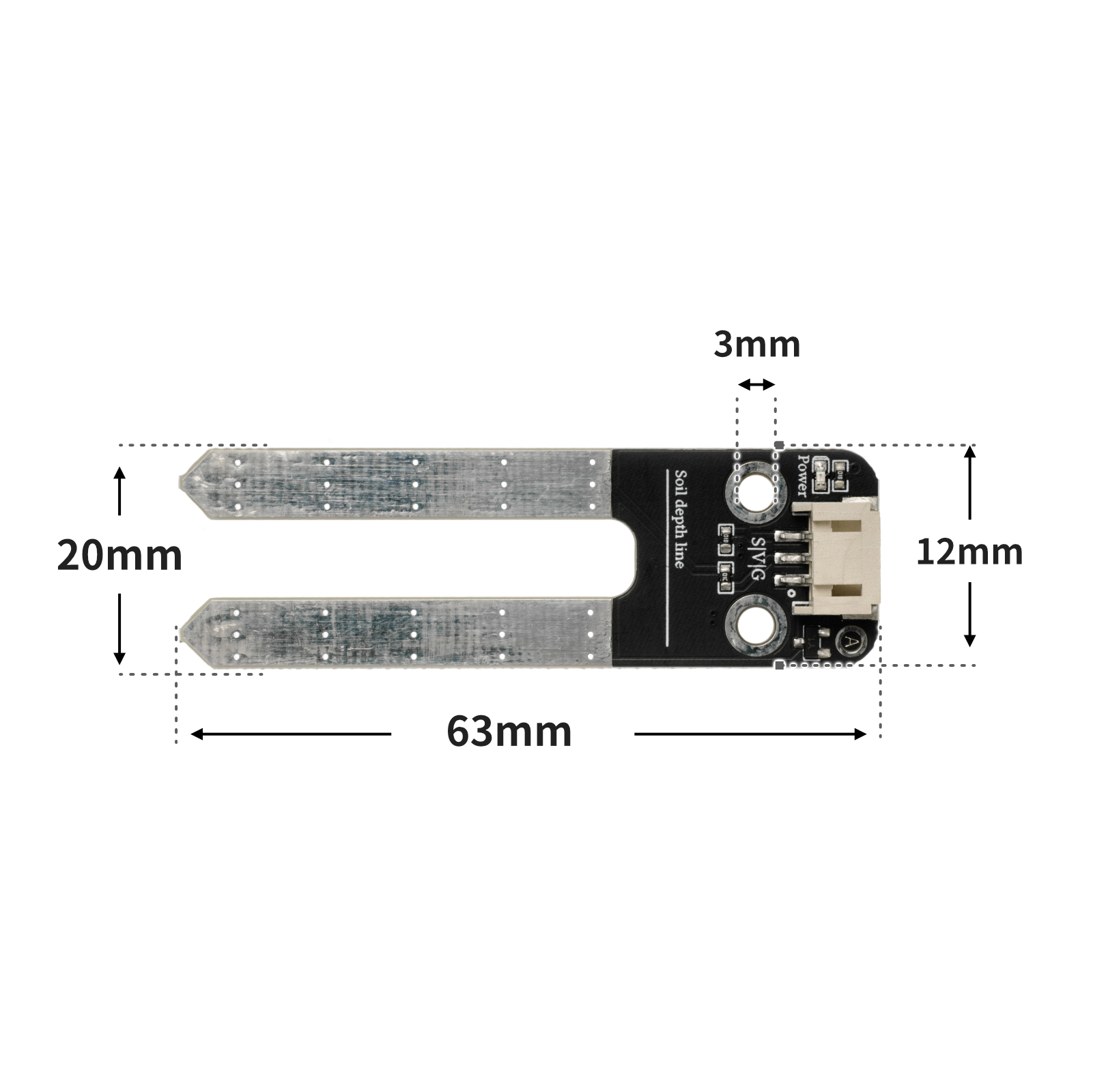
4, Circuit Board Size
5 of Arduino IDE example program
Attention: If prompted with an error message about the library file during program upload, please import the library file first!
Arduino IDE Library Download and Import Tutorial:Click to view
Example program (UNO development board):
void setup(){
  Serial.begin(9600);
  pinMode(A0, INPUT);
}

void loop(){
  delay(1000);
  Serial.println(analogRead(A0));

}
6, ESP32 Python Example (for Mixly IDE/Misashi)
Choose the development board Python ESP32 [ESP32 Generic(4MB)] and upload in code mode
Attention: If prompted with an error message about the library file during program upload, please import the library file first!
Download and import tutorial for Mixly IDE ESP32 library:Click to view
Example program (ESP32-Python):
import machine
import time


adc32 = machine.ADC(machine.Pin(32))
while True:
    print(adc32.read_u16())
    time.sleep_ms(200)
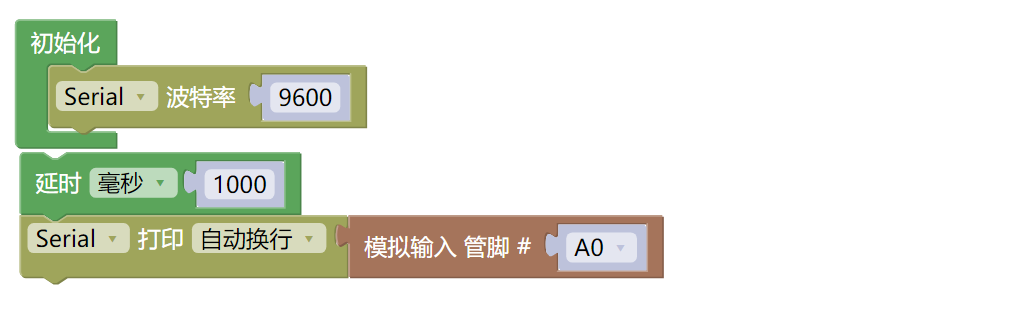
7, Mixly example program (graphical language)
Example program (UNO development board):Click to download
Attention: If prompted with an error message about the library file during program upload, please import the library file first!
Download and import tutorial of Mixly IDE Arduino library:Click to view
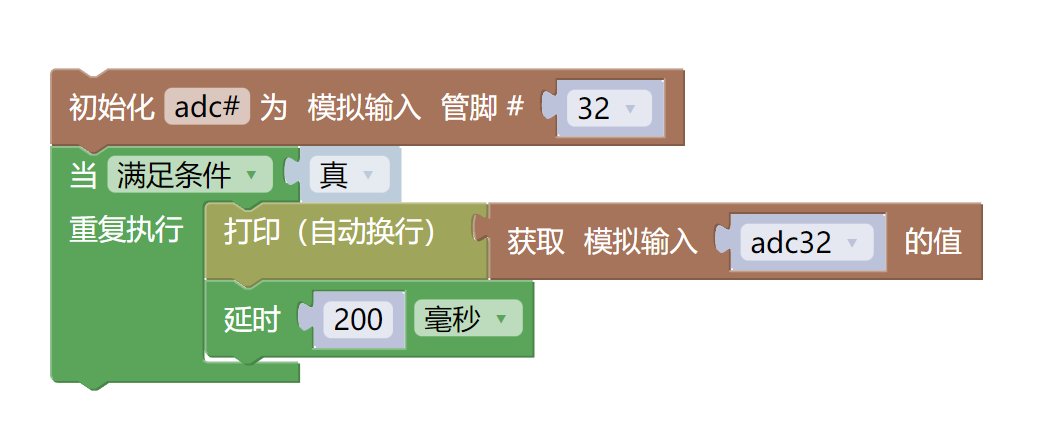
Example Program (ESP32 Development Board):Click to download
Attention: If prompted with an error message about the library file during program upload, please import the library file first!
Download and import tutorial for Mixly IDE ESP32 library:Click to view
8. Setting up the Test Environment
Arduino UNO Test Environment Setup
Prepare Components:
UNO-R3 Development Board *1
UNO-R3 P Expansion Board *1
USB TYPE-C DATA CABLE *1
Soil humidity sensor module (HS-S33P) *1
PH2.0 3P Connector to DuPont Wire *1 or PH2.0 3P Dual Head Connector Wire *1
Circuit wiring diagram:
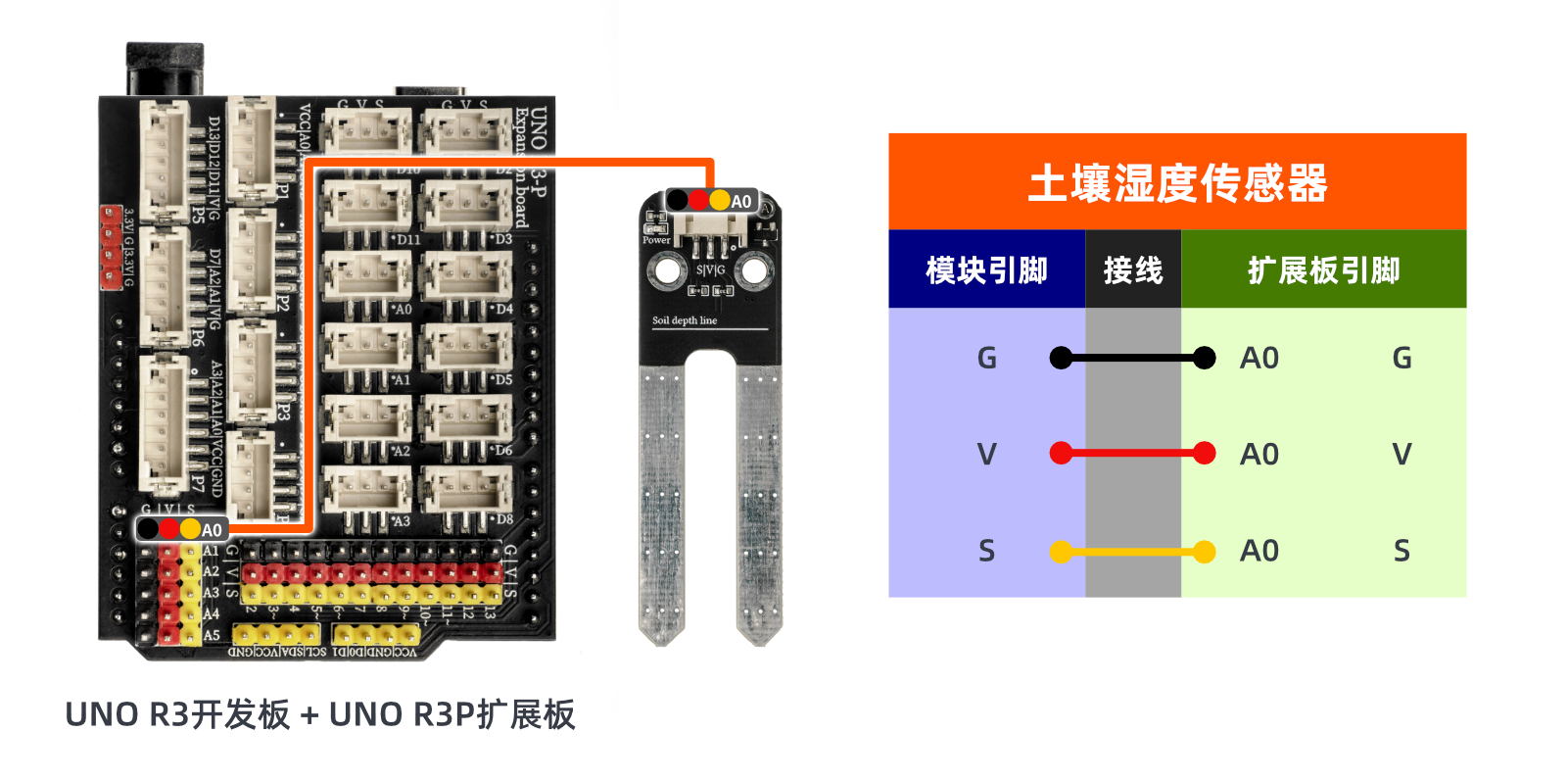
ESP32 Test Environment Setup
Prepare Components:Pending update...
Circuit wiring diagram:Pending update...
9, Video tutorial
Video tutorial:Click to view
10, Test results
Arduino UNO test results:
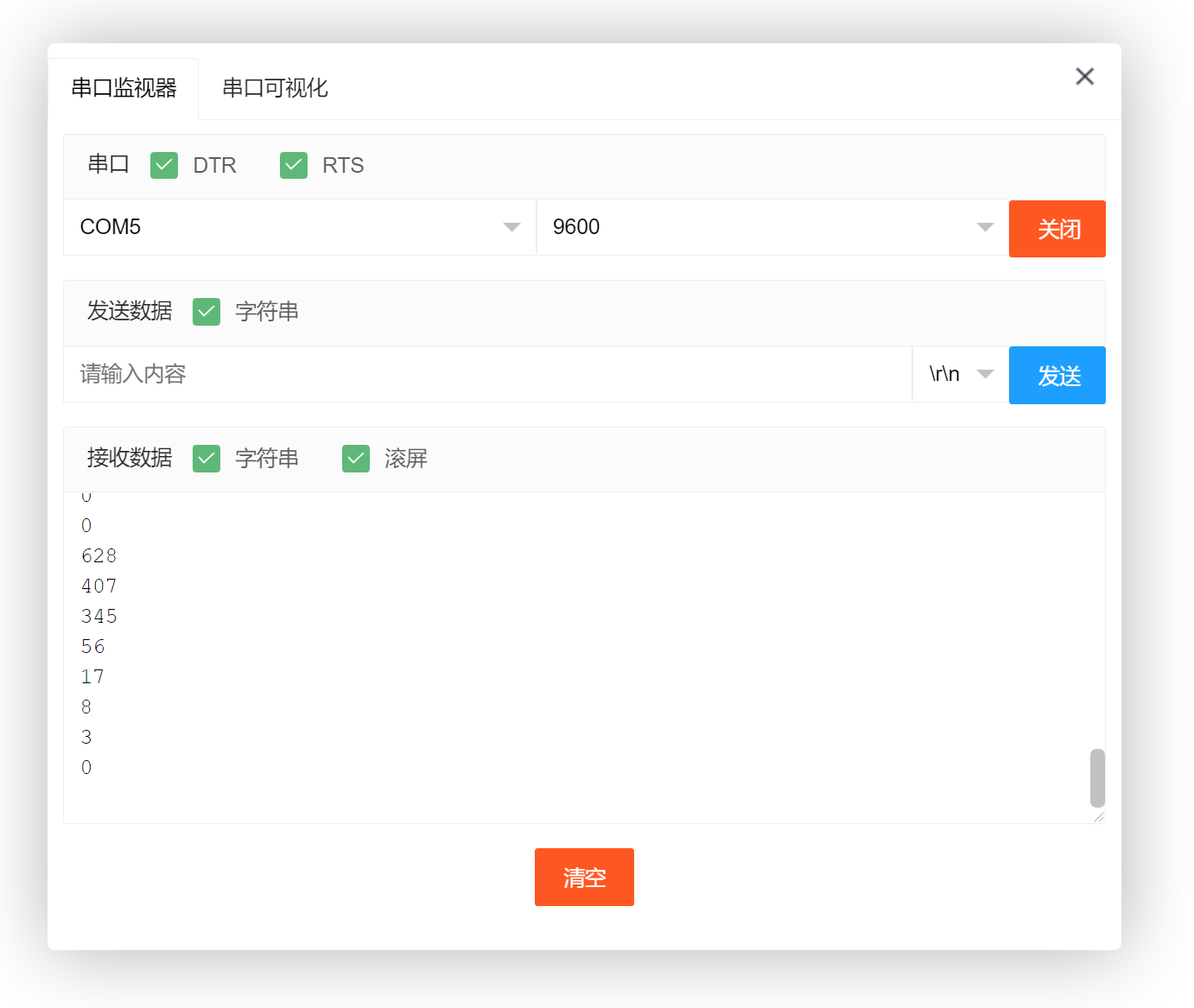
After the device is connected to the wire, upload the above program to the Arduino UNO development board, open the Mxily serial port monitor, insert the two copper strips of the soil humidity sensor module into the soil or water, and the serial port outputs the soil humidity value.
ESP32 Test Results:
Pending update...