
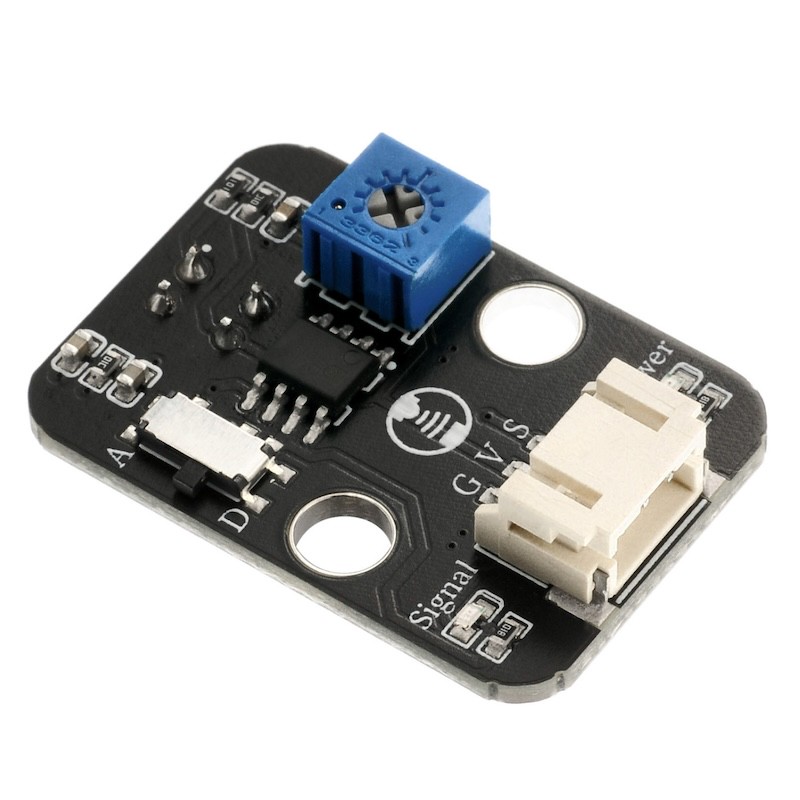
1. Introduction
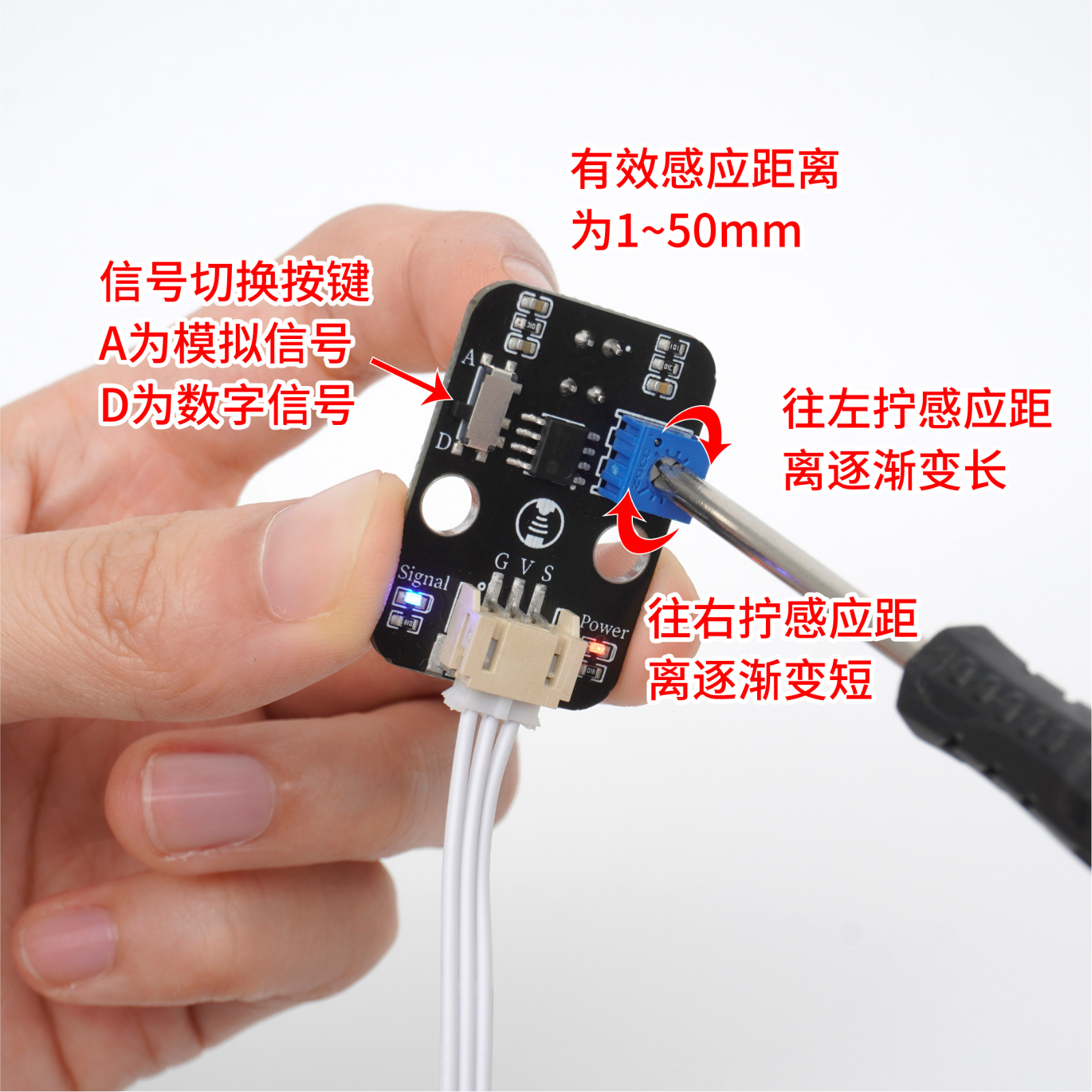
The infrared emission and reception head of the infrared detection (tracking) module is greatly interfered by environmental light, generally speaking, the closer to the reflective surface, the better the effect.The infrared detection (tracking) module has a potentiometer on the back. By adjusting the potentiometer, the threshold of the module can be adjusted to output the corresponding digital signal.Adjusting the voltage of the potentiometer can adjust the detection distance of the infrared sensor.When the LED blue light just extinguishes, the detection distance is the farthest.If the LED blue light is always on or not lighting up, you can adjust the potentiometer.Turn the LED blue light to just off.Operating voltage: 3.3~5V.Check the reaction distance: 1-50mm.
2. Schematic
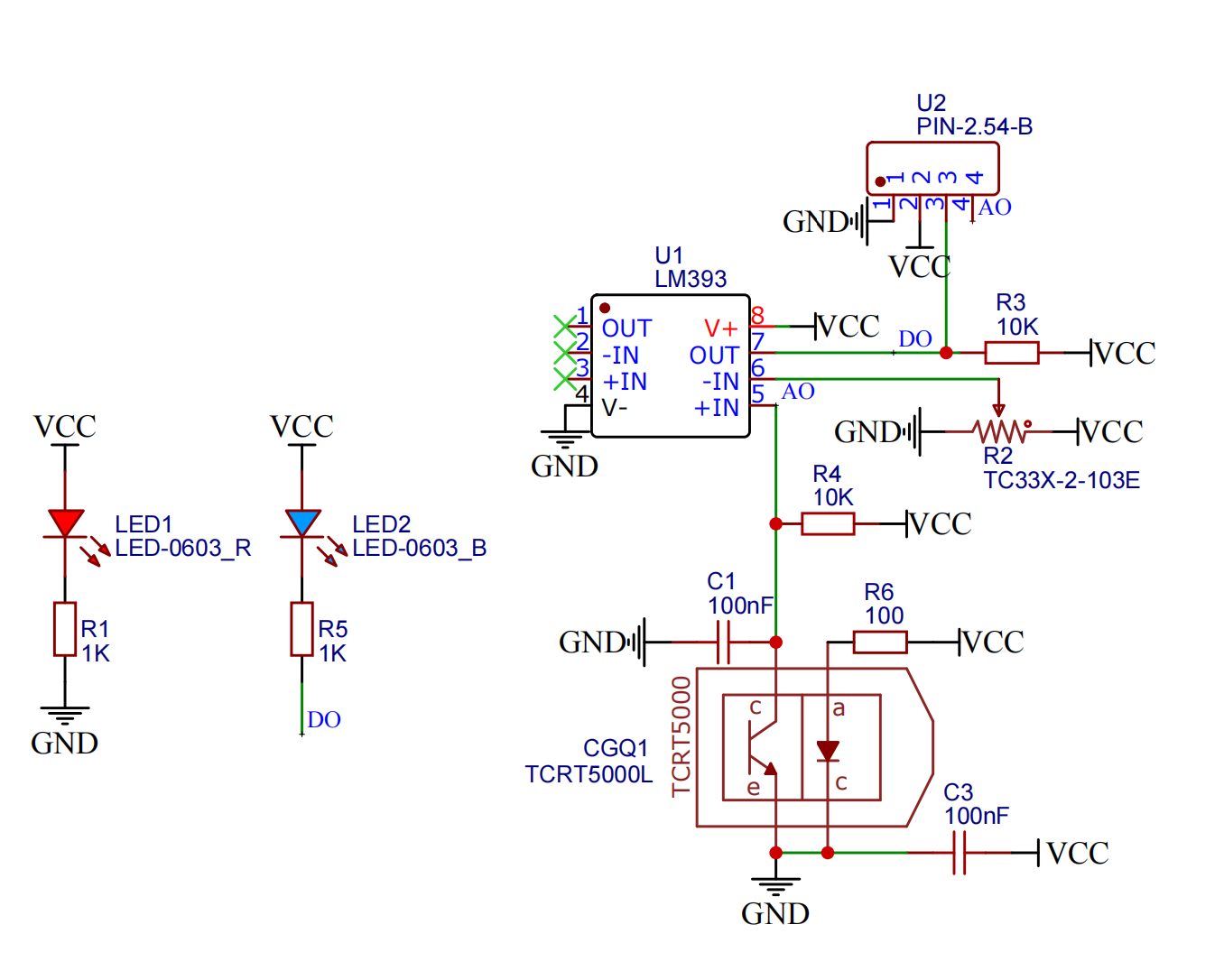
Module Parameters
Pin Name | description |
|---|---|
G | GND (Negative Power Input) |
V | VCC (Positive Power Input) |
S | Signal Pin |
D | Digital Signal Pin |
A | Analog Signal Pin |
Power Supply Voltage: 3.3V / 5V
Connection method: PH2.0 3P terminal
Installation Method: Double Screw Fixed
4, Circuit Board Size
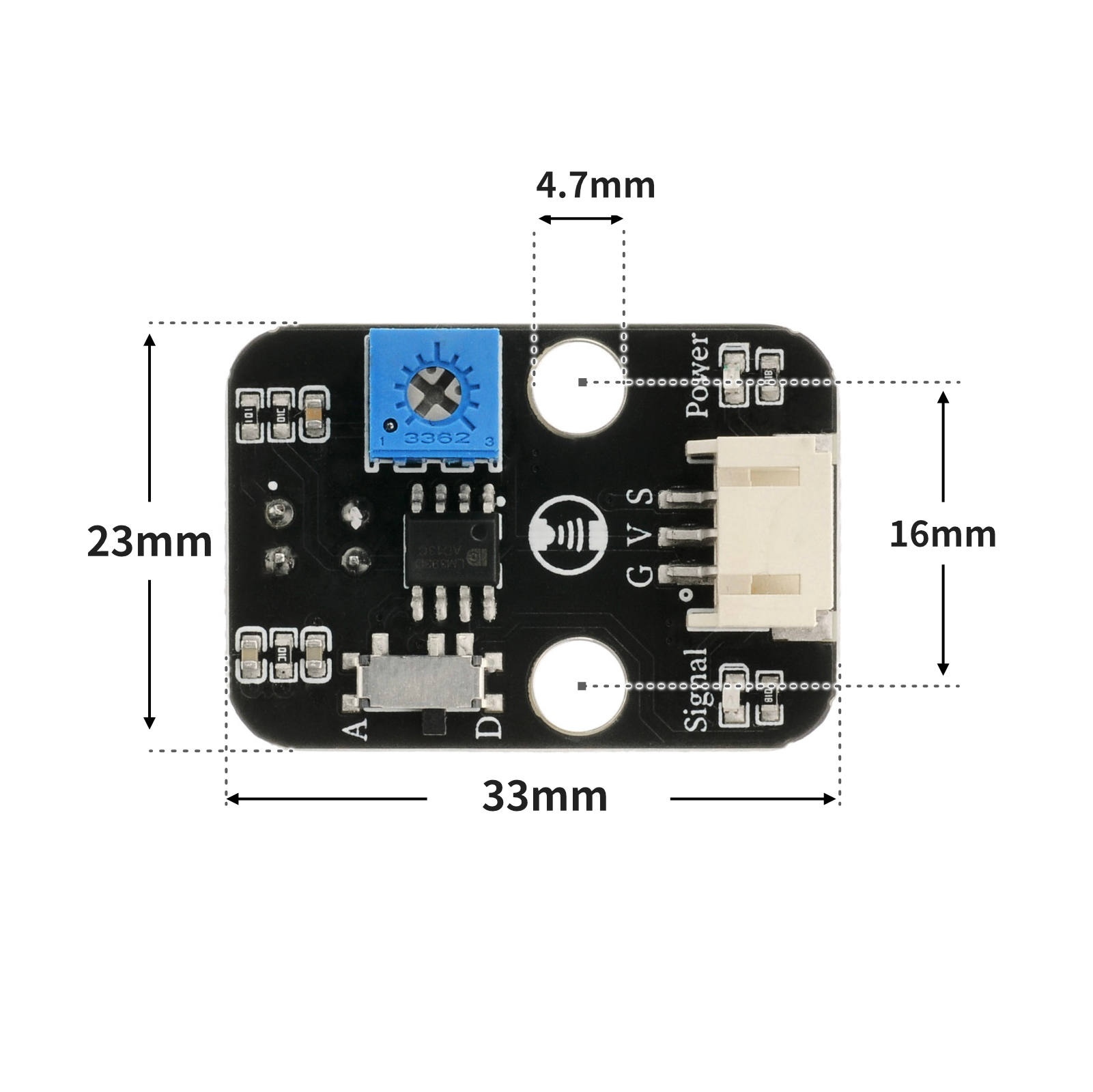
5 of Arduino IDE example program
Arduino UNO Example (for Mixly IDE, Arduino IDE):
void setup(){
  Serial.begin(9600);
  pinMode(3, INPUT);
}

void loop(){
  delay(500);
  if (digitalRead(3) == 1) {
    Serial.println("未检测物体");

  } else if (digitalRead(3) == 0) {
    Serial.println("检测到物体");
  }

}
ESP32 Python Example (for Mixly IDE / Micskit)
(Choose the Python ESP32 [ESP32 Generic(4MB)] to switch to code mode upload):
import machine
pin2 = machine.Pin(2, machine.Pin.IN)
while True:
if pin2.value() == 0:
print('检测到物体')
else:
print('未检测到物体')
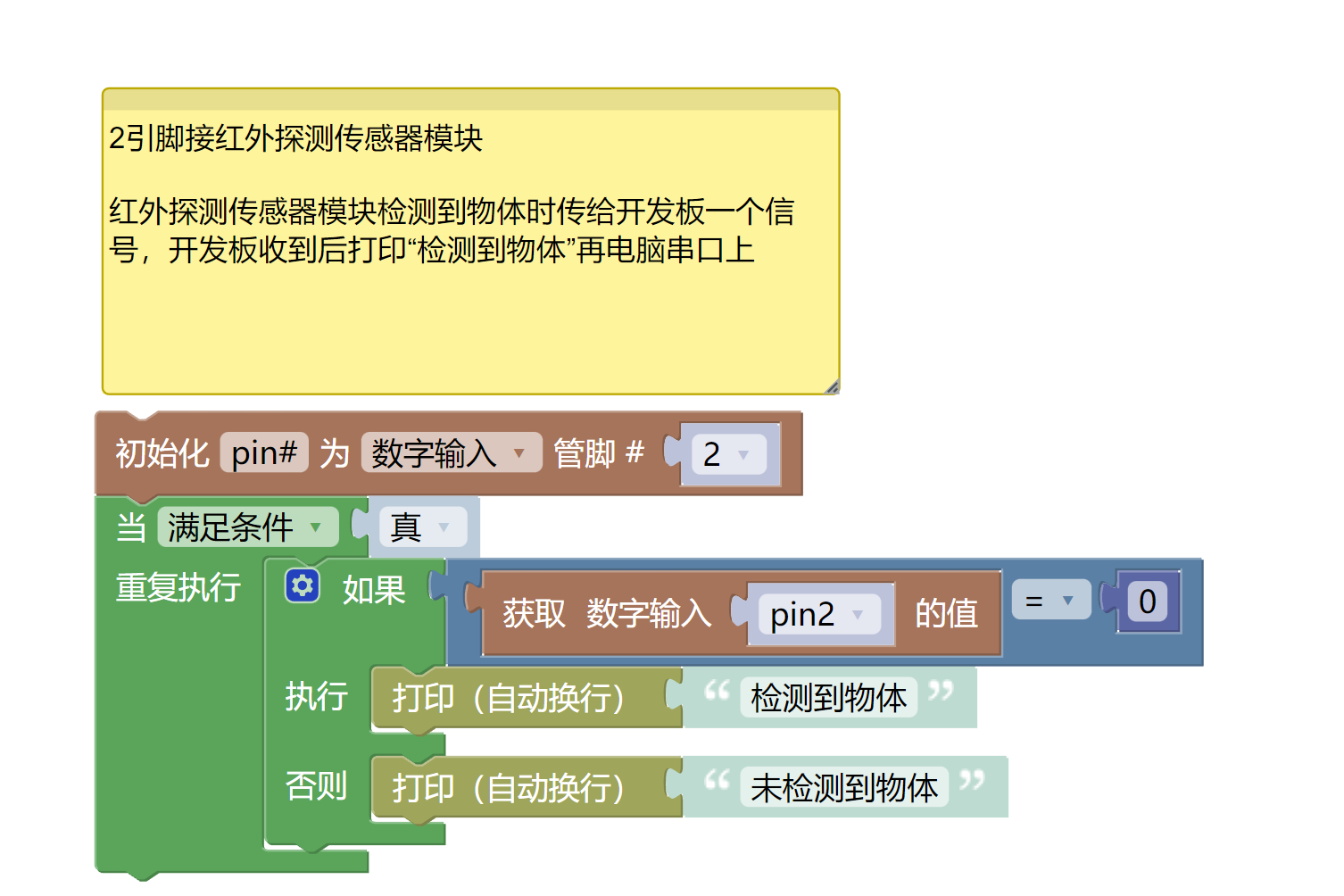
6, Miciqi Mixly Example Program (Graphical Language)
Arduino UNO Graphical Example Program:Click to download
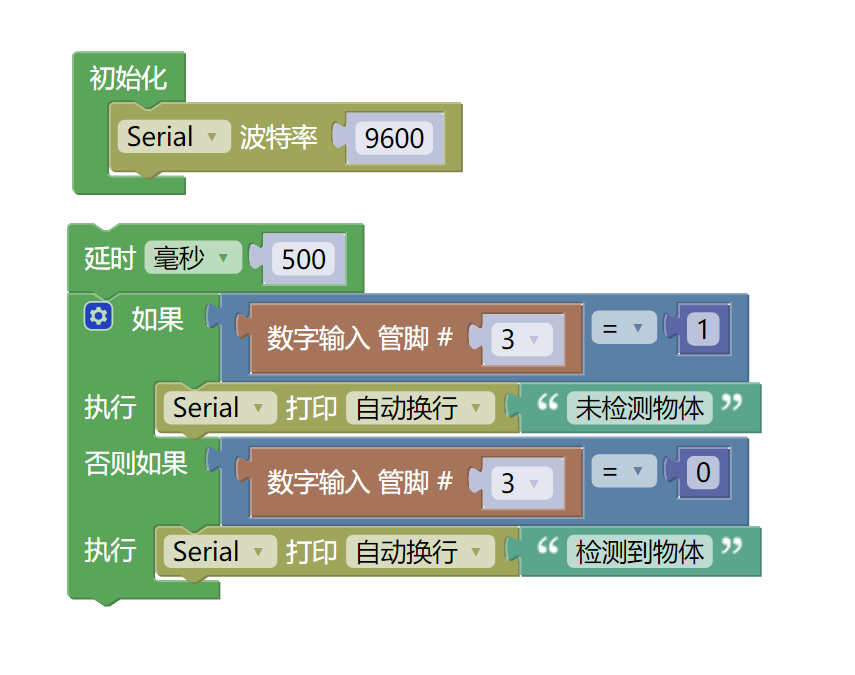
ESP32 Python Graphical Example Program:Click to download
7, Test Environment Setup
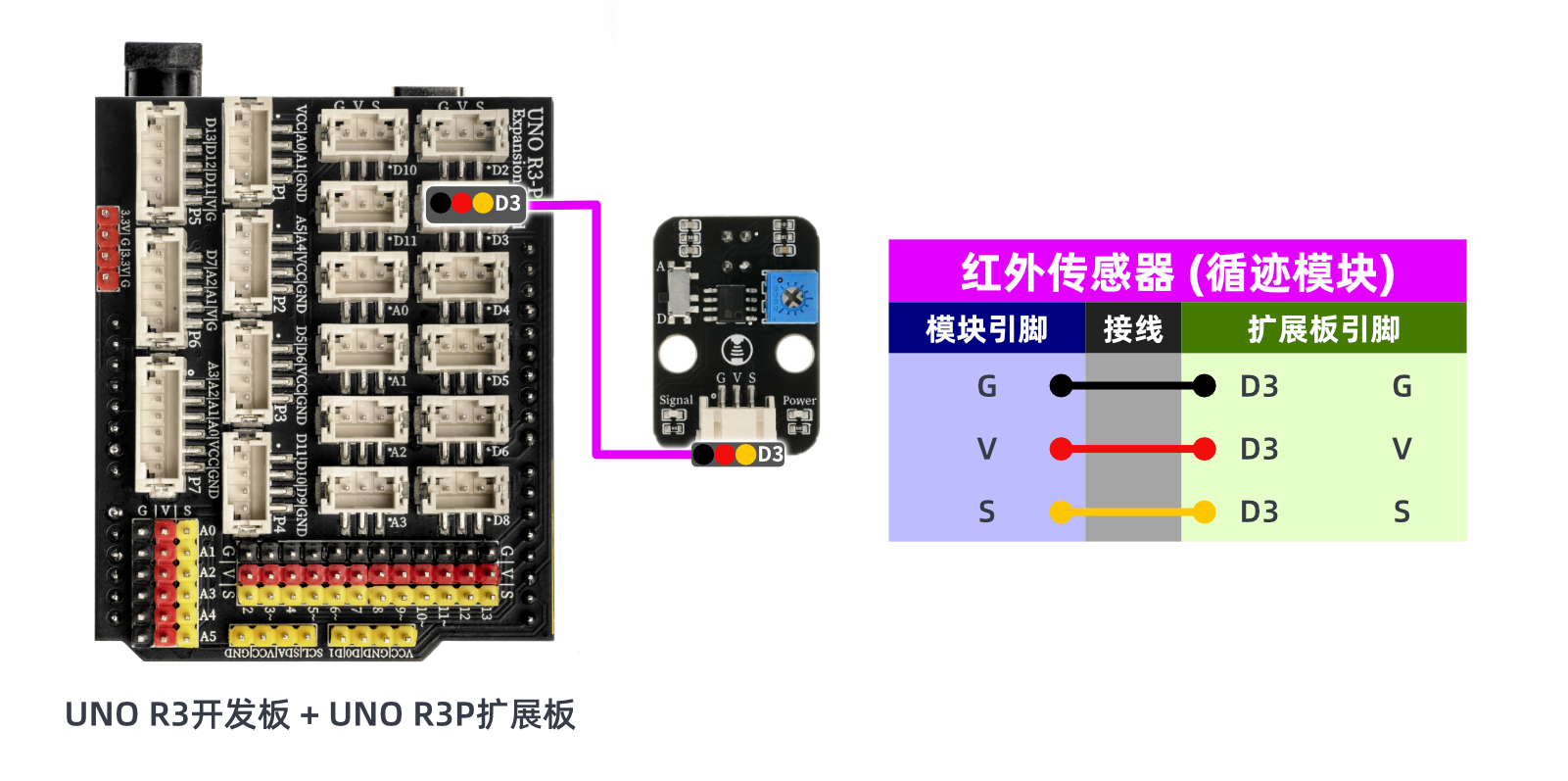
Arduino UNO Test Environment Setup
Prepare Components:
HELLO STEM UNO R3 DEVELOPMENT BOARD *1
HELLO STEM UNO R3 P EXPANSION BOARD *1
USB TYPE-C DATA CABLE *1
Infrared Detection Sensor Module (HS-S01L) *1
PH2.0 3P dual headed terminal line *1
Circuit wiring diagram:
ESP32 Python test environment setup
8. Video tutorial
Arduino UNO video tutorial:Click to view
ESP32 Python Video Tutorial:
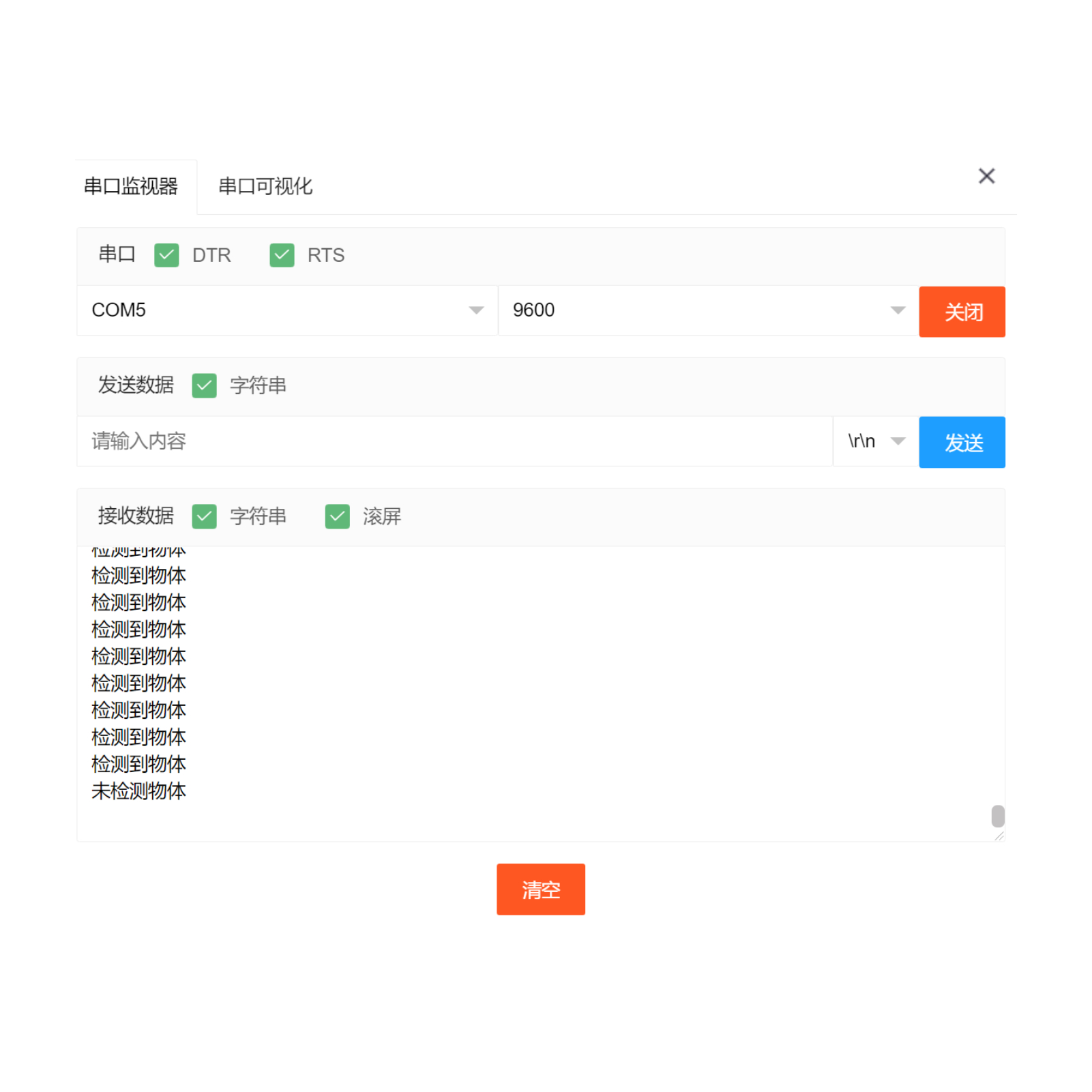
9. Test conclusion
Arduino UNO Test Conclusion:
ESP32 Python test conclusion: