
1. Introduction
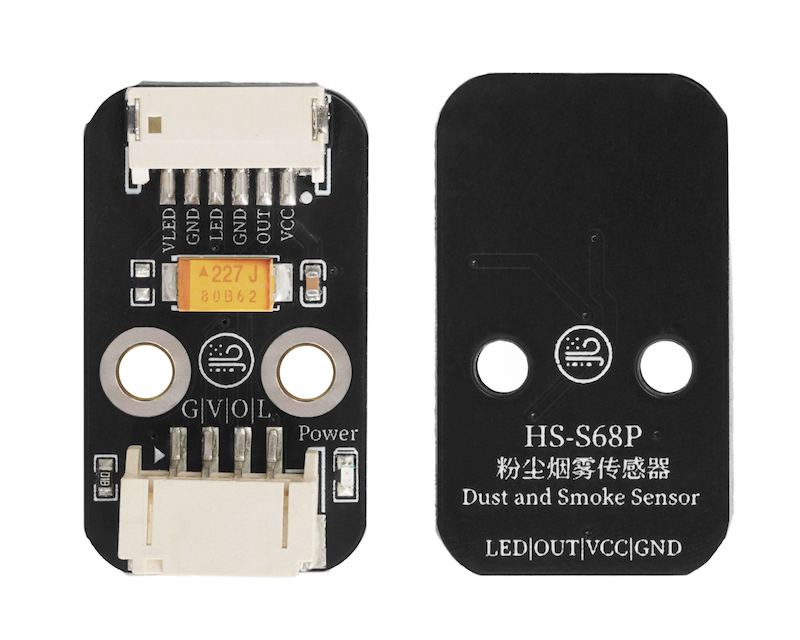
Dust and smoke sensor, usually used to detect the concentration of dust, smoke and other particulate matter in the environment. When dust and smoke particles pass through the detection area in the air, the light will change due to scattering and blocking by the particles, and the sensor will convert the light signal into an electrical signal to reflect the concentration of particles.
2. Schematic
PM2.5 Air Quality Sensor-HS-S68P SchematicClick to view
Module Parameters
Pin Name | description |
|---|---|
G | GND (Negative Power Input) |
V | VCC (Positive Power Input) |
O | Analog Signal Pin |
L | Signal Pin |
Supply voltage: 3.3V-5V
Connection method: PH2.0 4P terminal wire
Installation method: Screw fixed
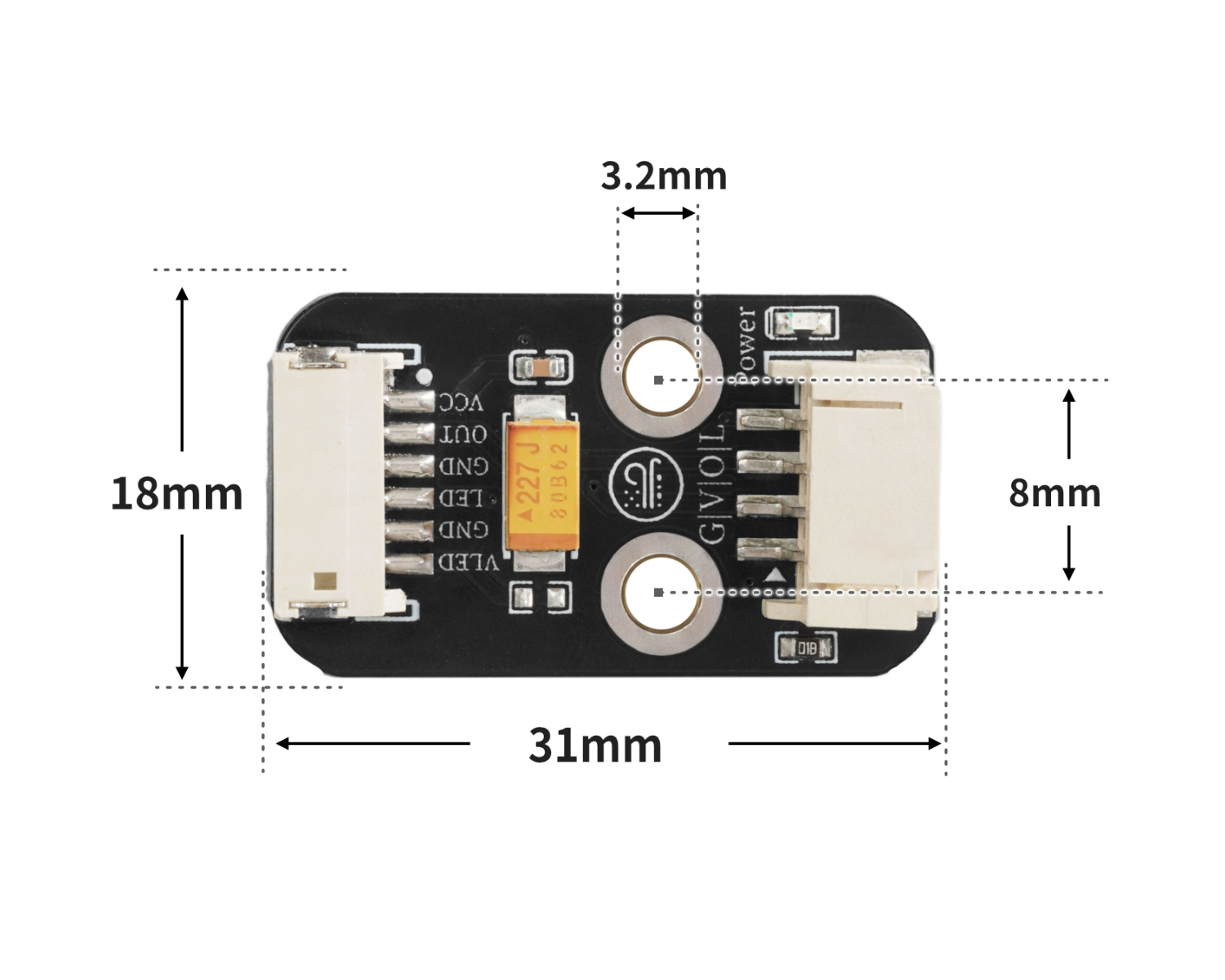
4, Circuit Board Size
5 of Arduino IDE example program
Attention: If prompted with an error message about the library file during program upload, please import the library file first!
Arduino IDE Library Download and Import Tutorial:Click to view
Example program (UNO development board):
#include "GP2Y1010AU0F.h"

GP2Y1010AU0F GP2Y(A5, A4);

void setup(){
  Serial.begin(9600);
}

void loop(){
  double outputV = GP2Y.getOutputV();
  double ugm3 = GP2Y.getDustDensity(outputV);
  double aqi = GP2Y.getAQI(ugm3);
  int gradeInfo = GP2Y.getGradeInfo(aqi);
  Serial.println(String("输出电压:") + String(outputV) + String('V'));
  Serial.println(String("灰尘浓度:") + String(ugm3) + String("ug/m\xB3"));
  Serial.println(String("AQI:") + String(aqi));
  Serial.print("空气质量级别:");
  switch (gradeInfo) {
   case 0:
    Serial.println("优");
    break;
   case 1:
    Serial.println("良");
    break;
   case 2:
    Serial.println("轻度污染");
    break;
   case 3:
    Serial.println("中度污染");
    break;
   case 4:
    Serial.println("重度污染");
    break;
   case 5:
    Serial.println("严重污染");
    break;
   default:
    Serial.println("严重污染");
    break;
  }
  Serial.println("");
  delay(1000);

}
6, ESP32 Python Example (for Mixly IDE/Misashi)
Choose the development board Python ESP32 [ESP32 Generic(4MB)] and upload in code mode
Attention: If prompted with an error message about the library file during program upload, please import the library file first!
Download and import tutorial for Mixly IDE ESP32 library:Click to view
Example program (ESP32-Python):
待更新...7, Mixly example program (graphical language)
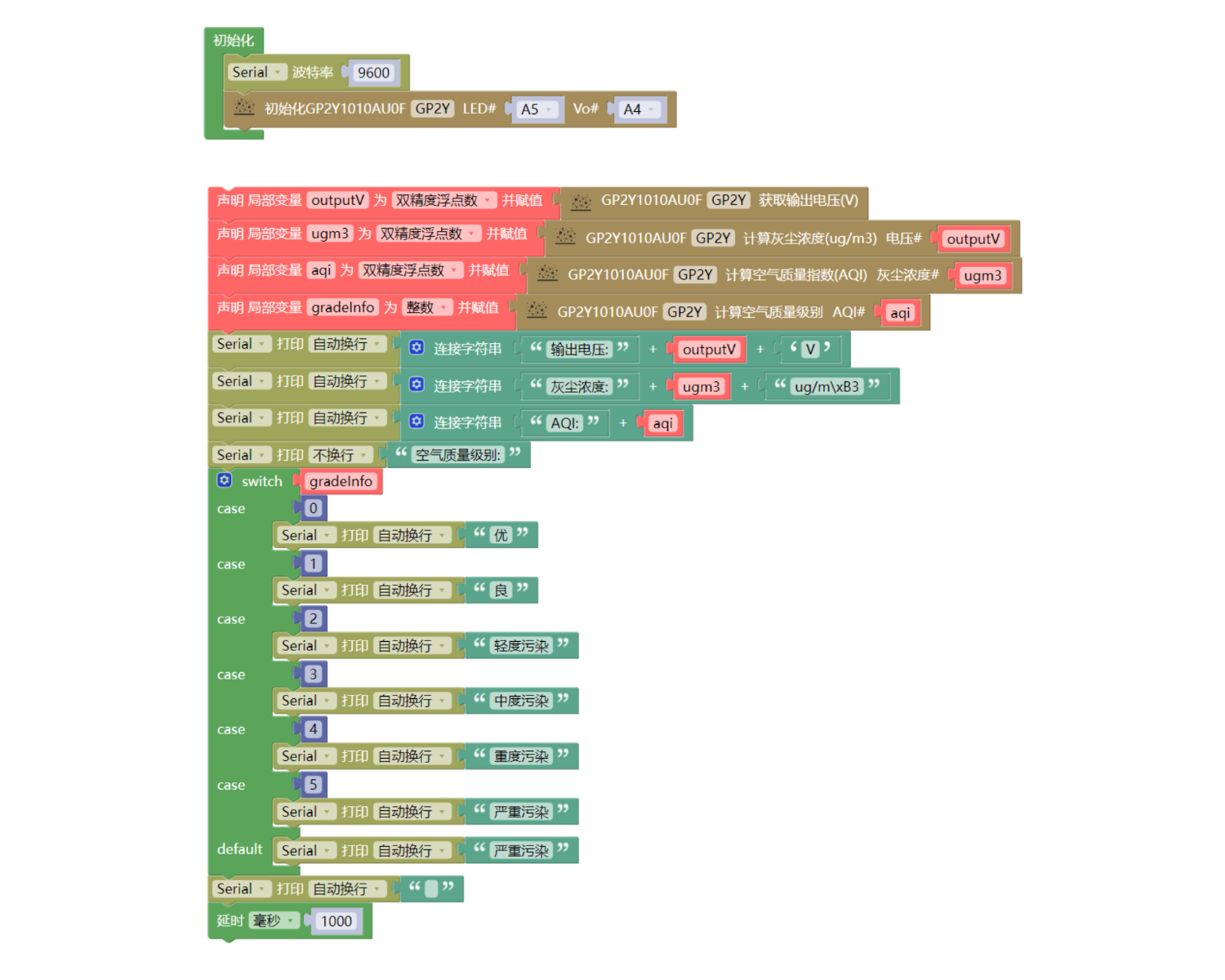
Example program (UNO development board):Click to download
Attention: If prompted with an error message about the library file during program upload, please import the library file first!
Download and import tutorial of Mixly IDE Arduino library:Click to view
Example Program (ESP32 Development Board):Click to download
Attention: If prompted with an error message about the library file during program upload, please import the library file first!
Download and import tutorial for Mixly IDE ESP32 library:Click to view
Image pending update...
8. Setting up the Test Environment
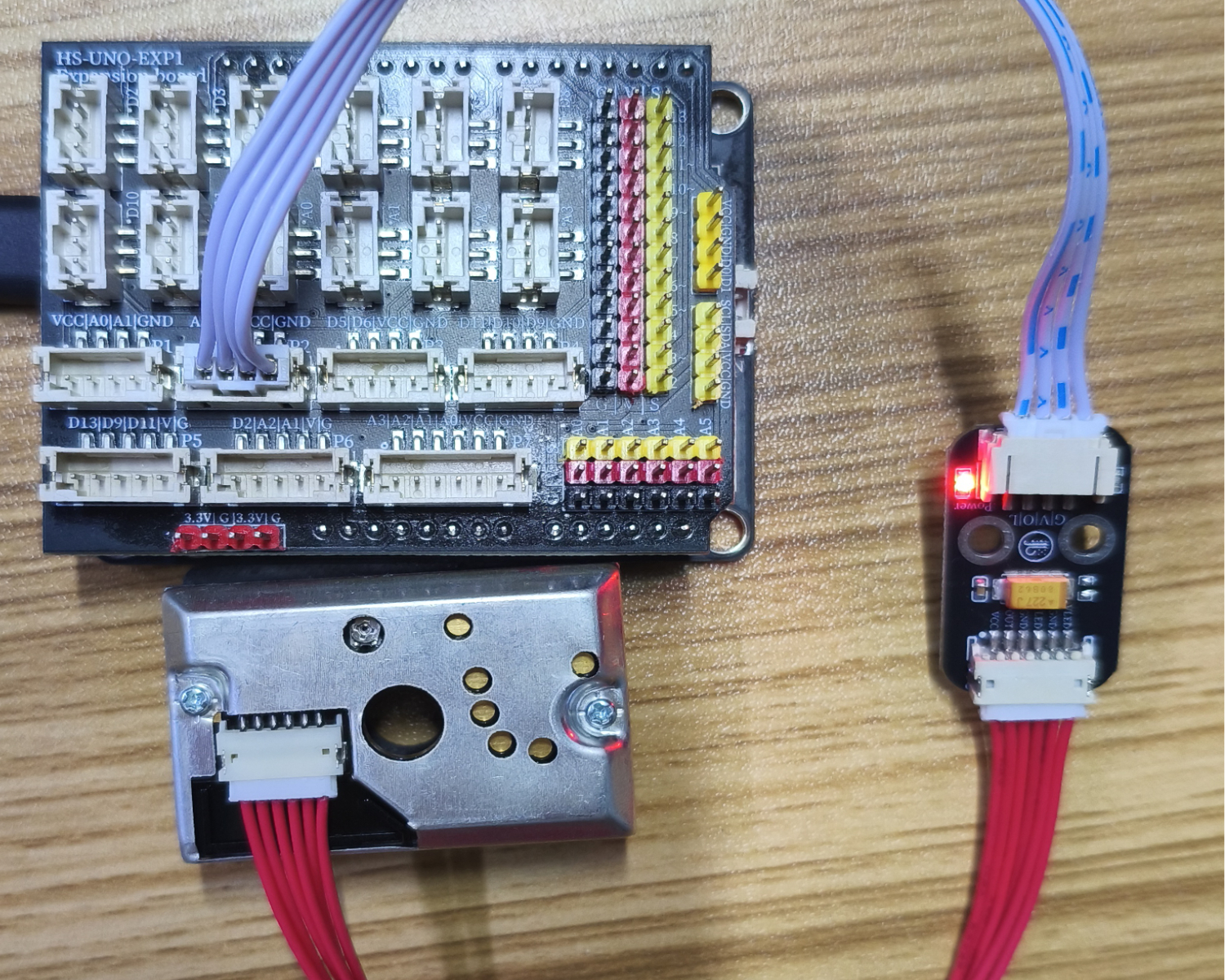
Arduino UNO Test Environment Setup
Prepare Components:
UNO-R3 Development Board *1
UNO-R3 Expansion Board *1
USB TYPE-C DATA CABLE *1
HS-S68P Dust Smoke Sensor*1
PH2.0 4P Double Head Terminal Line *1
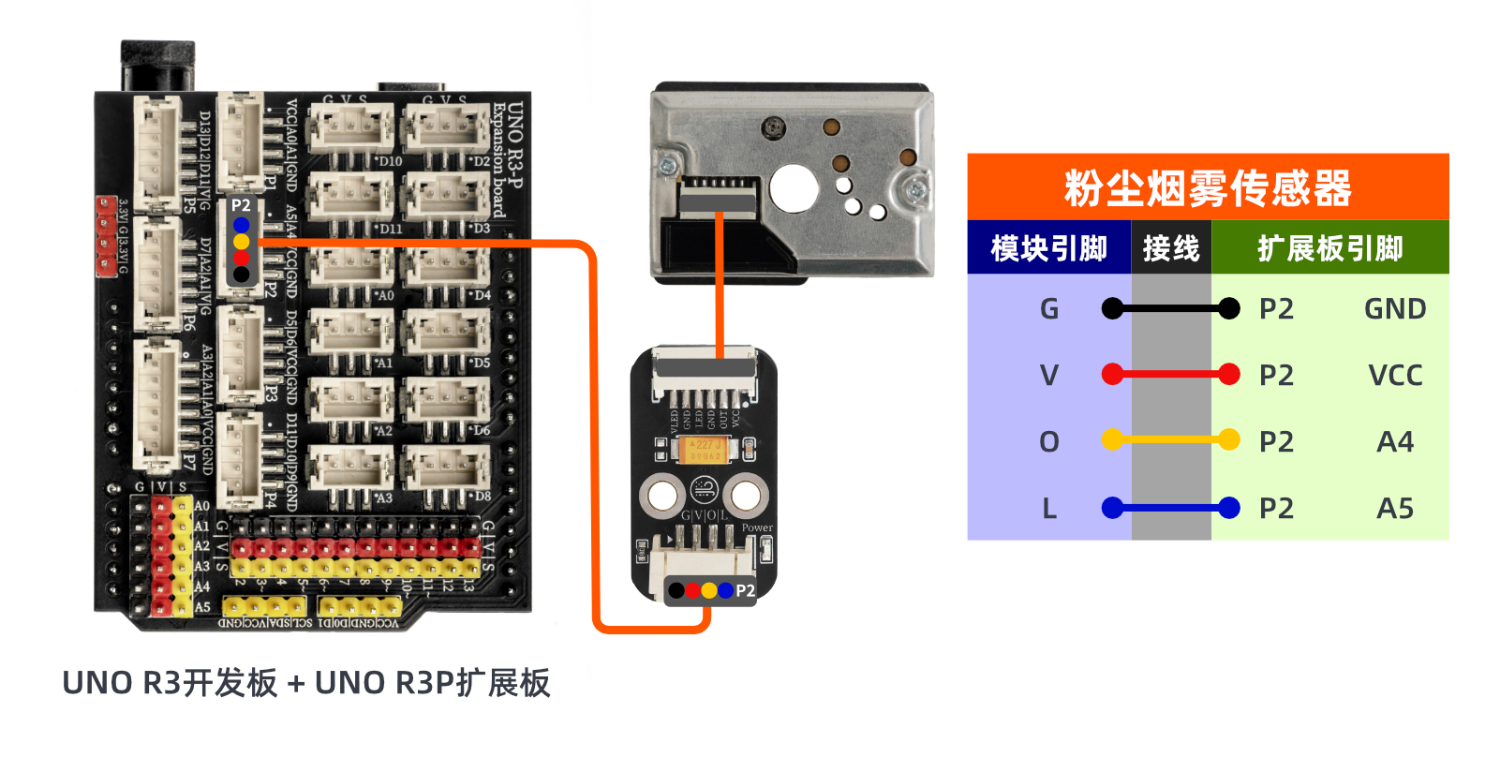
Circuit wiring diagram:
ESP32 Test Environment Setup
Prepare Components:Pending update...
Circuit wiring diagram:Pending update...
9, Video tutorial
Arduino UNO video tutorial:Click to view
ESP32 Python Video Tutorial:Click to view
10, Test results
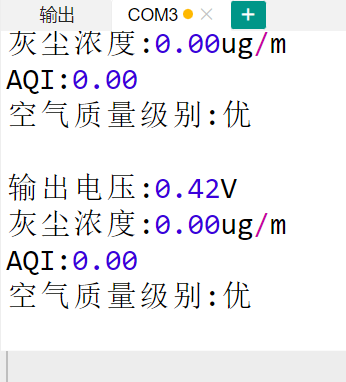
Arduino UNO Test Conclusion:
Enter the code, and then the computer serial port displays the required information, such as dust concentration, air quality, etc.
ESP32 Test Results:
Pending update...