
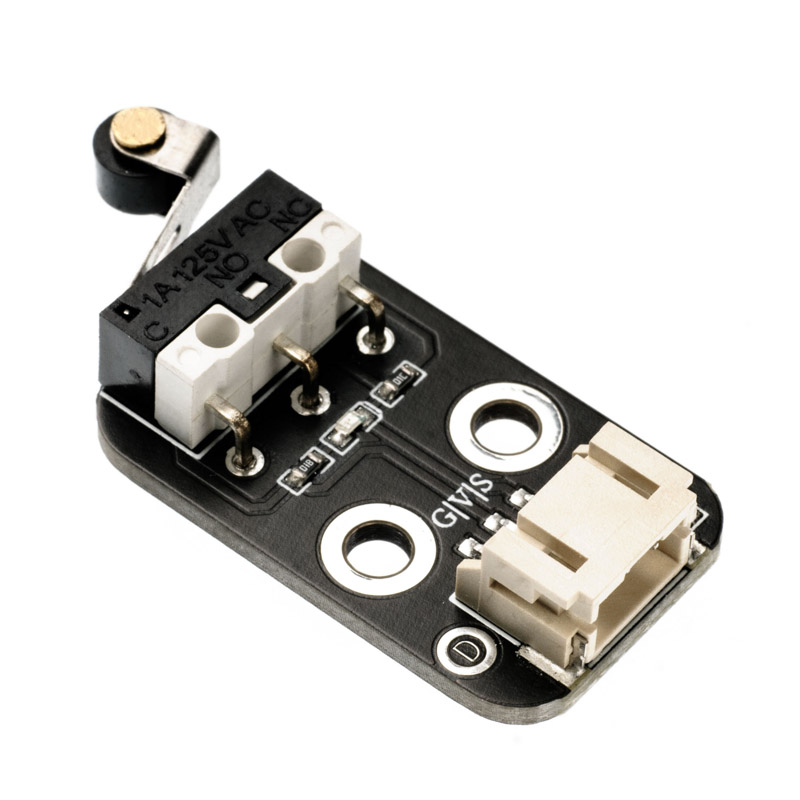
1. Introduction
2. Schematic
Collision sensor - HS-S31P schematicClick to view
Module Parameters
Pin Name | description |
|---|---|
G | GND (Negative Power Input) |
V | VCC (Positive Power Input) |
S | Digital Signal Pin |
Power Supply Voltage: 3.3V / 5V
Connection method: PH2.0 terminal wire
Installation Method: Double Screw Fixed
4, Circuit Board Size
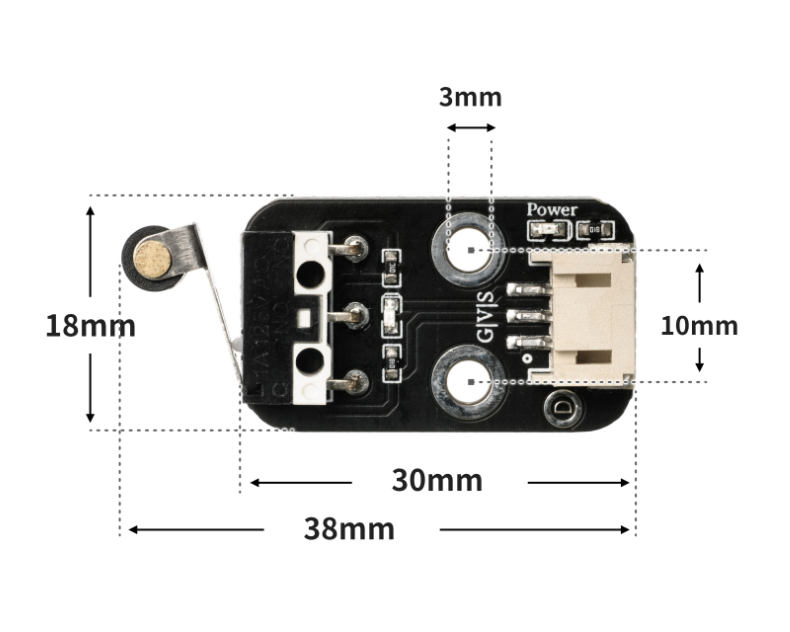
5 of Arduino IDE example program
Attention: If prompted with an error message about the library file during program upload, please import the library file first!
Arduino IDE Library Download and Import Tutorial:Click to view
Example program (UNO development board):
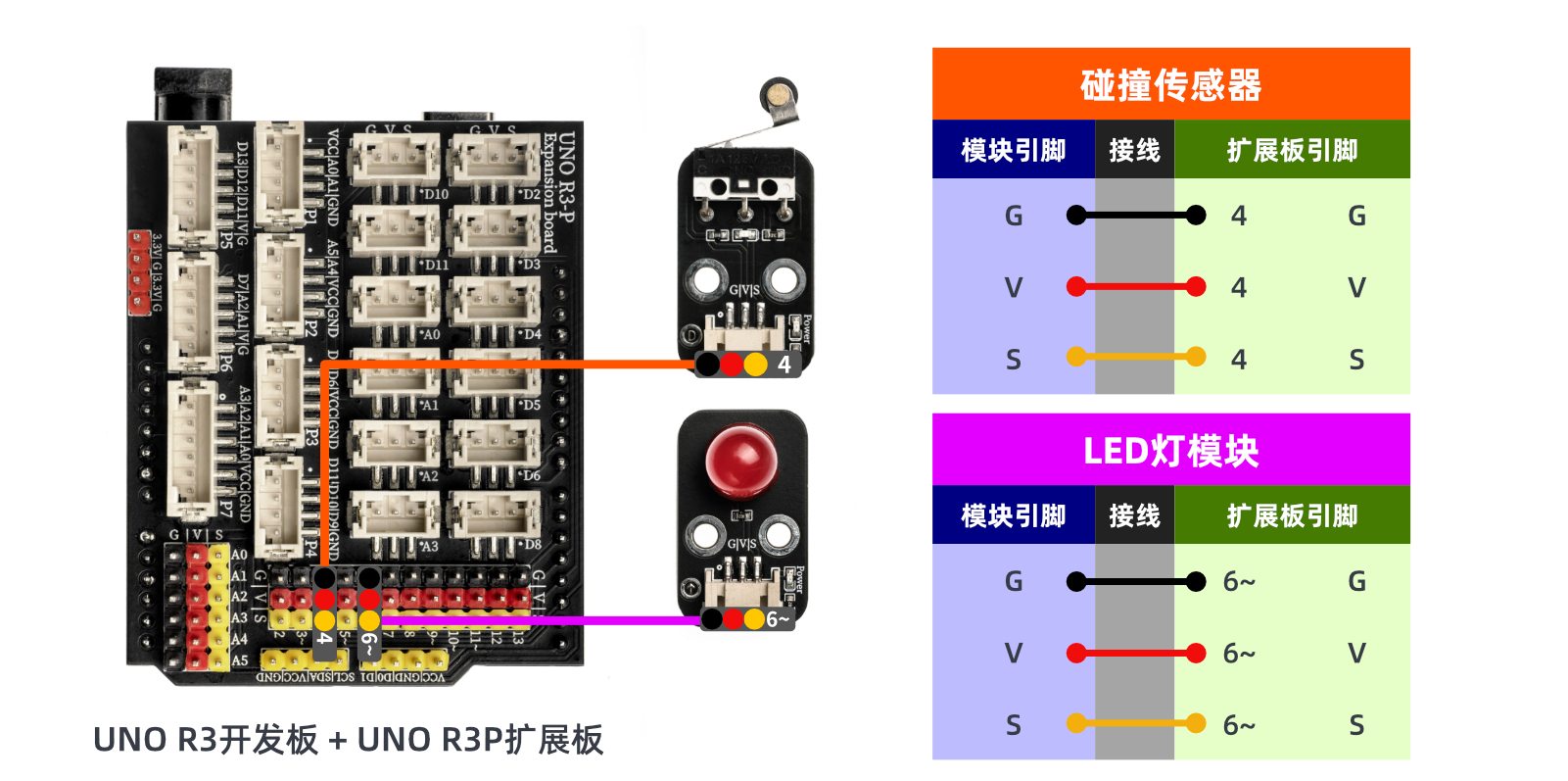
int limitswitchPin = 4;//设置碰撞开关接D4引脚
int led = 6;//设置led灯接D6引脚
void setup() {

  Serial.begin(9600);//设置串口波特率
  pinMode(limitswitchPin, INPUT);//设置碰撞开关为输入模式
  pinMode(led, OUTPUT);//设置led为输出模式
}

void loop() {
  //碰撞开关接uno开发板D4引脚;LED灯模块接D6引脚

  if (digitalRead(limitswitchPin) == LOW) {//按下碰撞开关
    Serial.println("触发开关,点亮led1秒");
    digitalWrite(led, HIGH);//点亮led
    delay(1000);//延时1S

  } else {
    Serial.println("没有触发开关,熄灭led");
   digitalWrite(led, LOW);//熄灭led

  }
  delay(500);

}
6, ESP32 Python Example (for Mixly IDE/Misashi)
Choose the development board Python ESP32 [ESP32 Generic(4MB)] and upload in code mode
Attention: If prompted with an error message about the library file during program upload, please import the library file first!
Download and import tutorial for Mixly IDE ESP32 library:Click to view
Example program (ESP32-Python):
import machine
import time


pin2 = machine.Pin(2, machine.Pin.IN)
pin4 = machine.Pin(4, machine.Pin.OUT)
while True:
    if pin2.value() == 0:
        pin4.value(1)
        time.sleep(1)
    else:
        pin4.value(0)
7, Mixly example program (graphical language)
Example program (UNO development board):Click to download
Attention: If prompted with an error message about the library file during program upload, please import the library file first!
Download and import tutorial of Mixly IDE Arduino library:Click to view
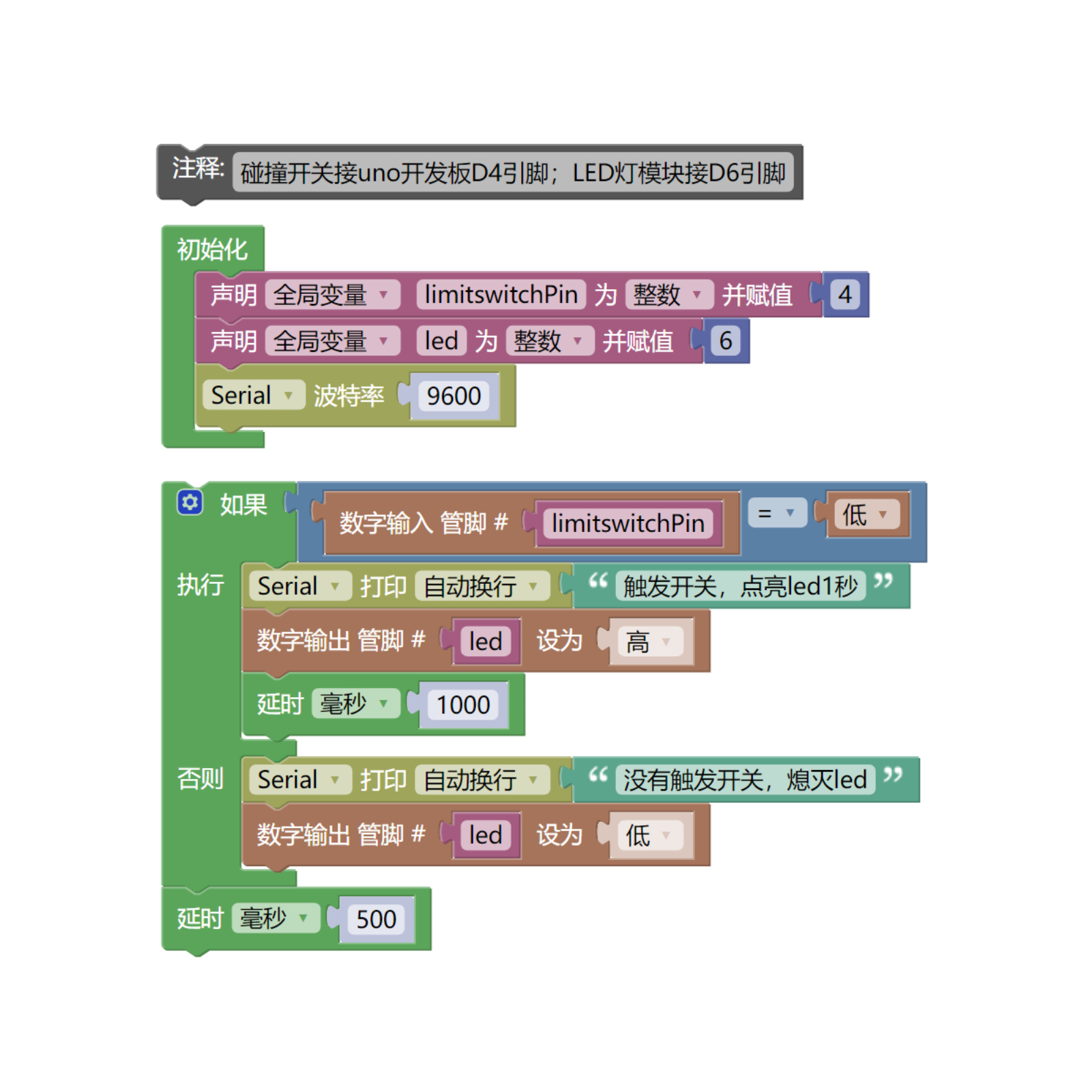
Example Program (ESP32 Development Board):Click to download
Attention: If prompted with an error message about the library file during program upload, please import the library file first!
Download and import tutorial for Mixly IDE ESP32 library:Click to view
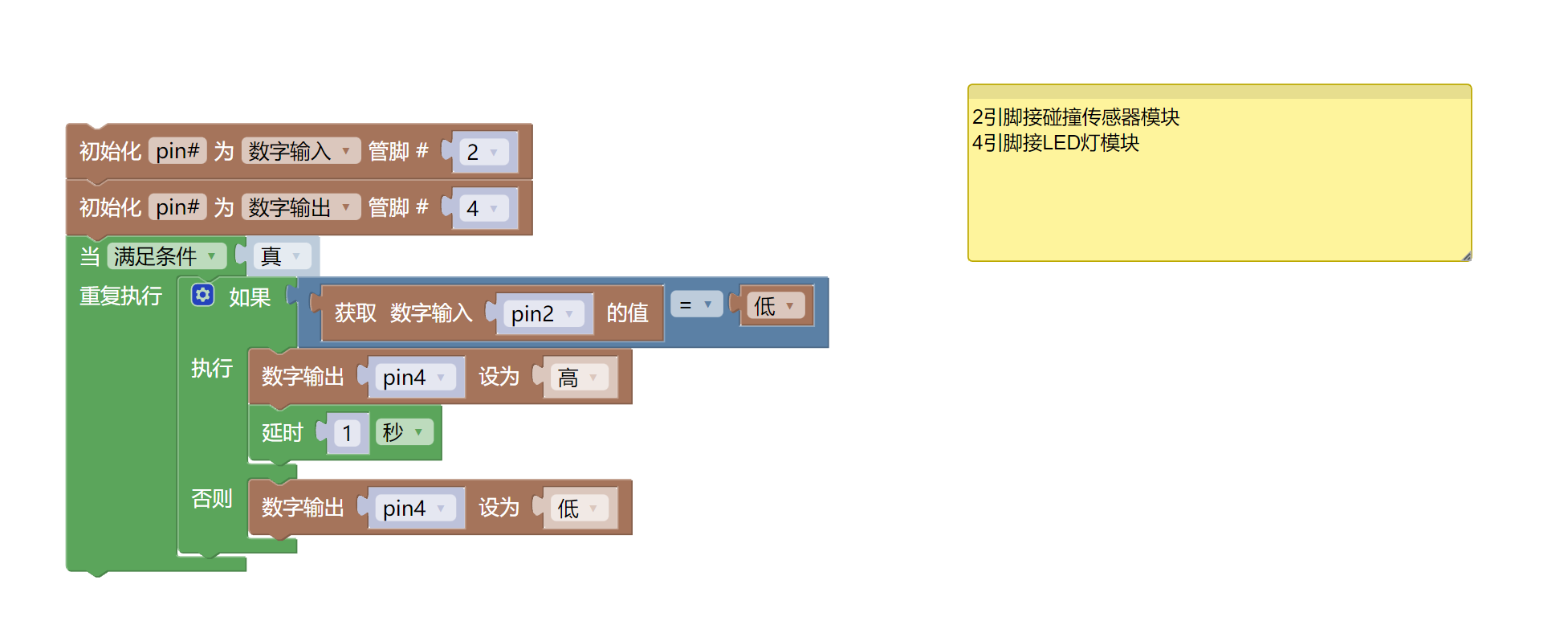
8. Setting up the Test Environment
Arduino UNO Test Environment Setup
Prepare Components:
HELLO STEM UNO R3 DEVELOPMENT BOARD *1
HELLO STEM UNO R3 P EXPANSION BOARD *1
USB TYPE-C DATA CABLE *1
LED module (HS-F08P) *1
Collision sensor module (HS-S31P) *1
PH2.0 3P terminal to DuPont wire *2 or PH2.0 3P dual-head terminal wire *2
Circuit wiring diagram:
ESP32 Test Environment Setup
Prepare Components:
Circuit wiring diagram:
9, Video tutorial
Video tutorial:Click to view
10, Test results
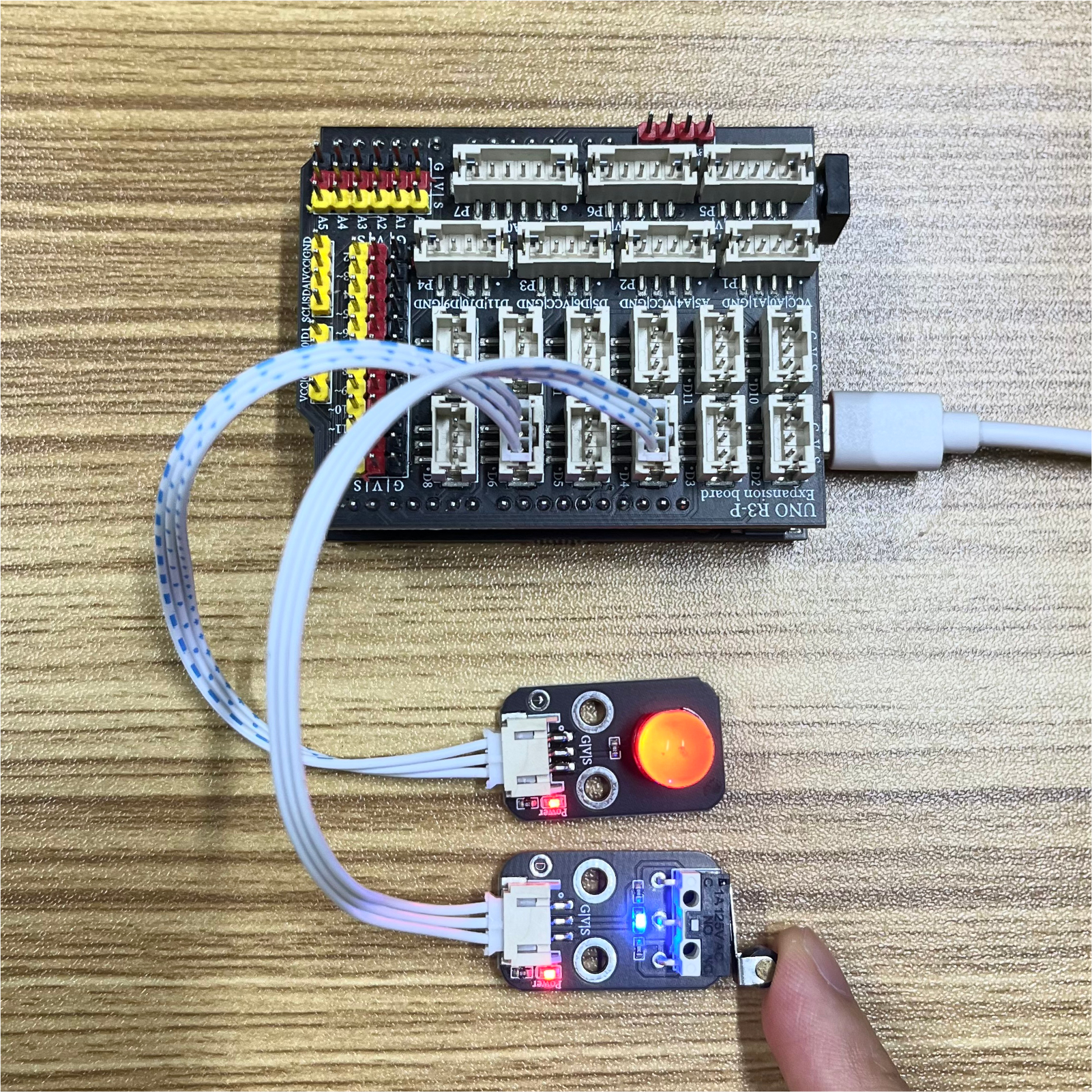
Arduino UNO test results:
ESP32 Test Results:
Pending update...