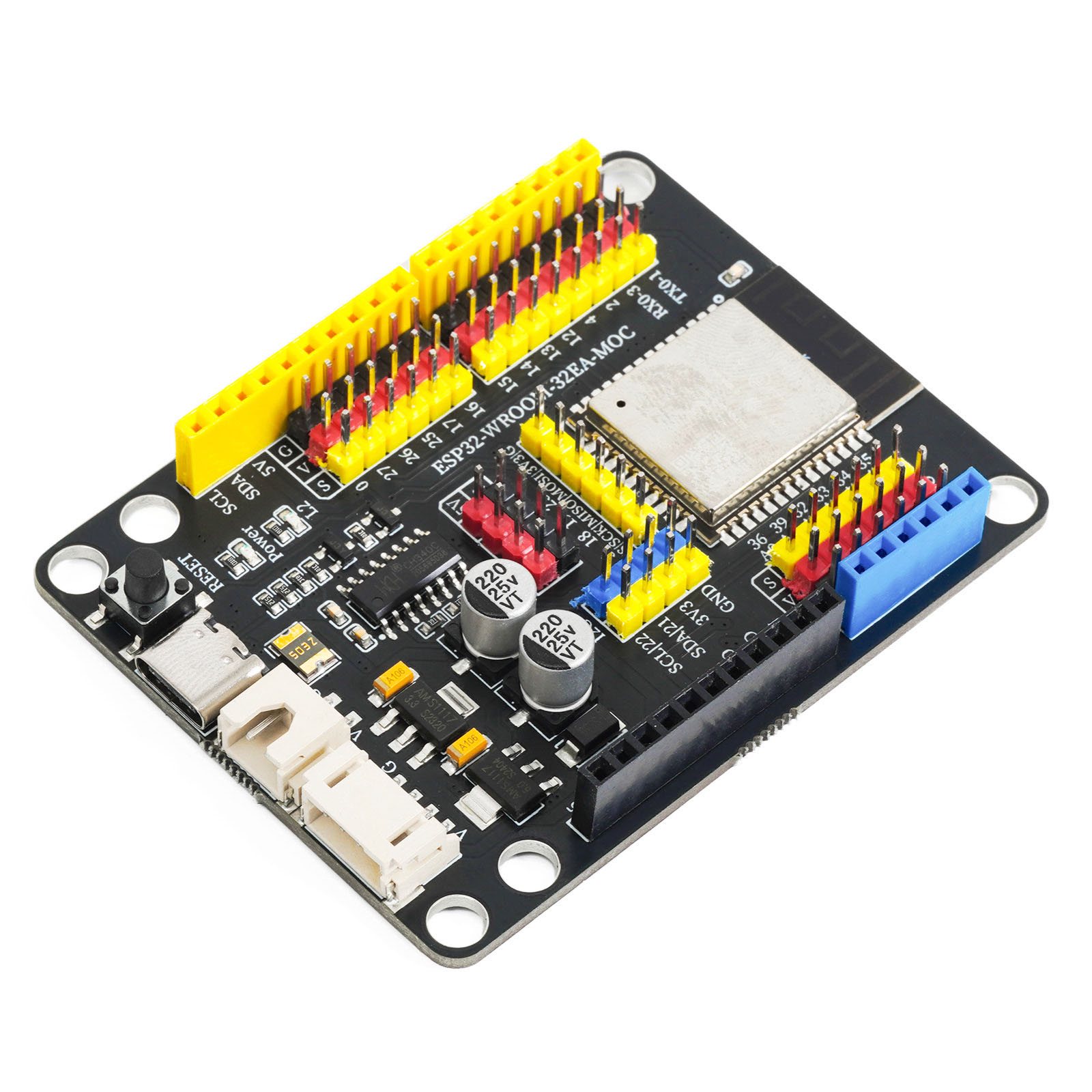
1. Introduction
ESP32-WROOM-32-N4.
LEIXIN official data manual:esp32-wroom-32e_esp32-wroom-32ue_datasheet_cn.pdf
2, Technical Specifications
Microcontroller | ESP32-WROOM-32E |
Operating Voltage | 3.3V |
Input Voltage (Recommended) | 6-9V (DC Direct Current) |
Digital Pin | 20 units |
Analog Input Pin | 6 units (32,33,34,35,36,39) |
Download Interface | USB Type-C |
Wireless Transmission Protocol | WiFi 802.11 b/g/n |
Bluetooth Standard | 4.2BR/EDR/BLE Standard |
Chip Clock Frequency | 240 MHz |
Module External Flash | 4 MB |
SRAM | 520 KB |
RTC SRAM | 16 KB |
Built-in ROM | 448 KB |
3, Features
1. The original brand new ESP32-WROOM-32E module released by Espressif Systems in 2023 is used
2, Enhanced power supply, G|V can provide a maximum output capacity of 3.3V 40mA
3, Onboard circuit protection and power selection circuit
4, Type-C communication interface, no need to distinguish between positive and negative, more convenient
5, Supports Lego battery box input interface, allows 6-12VDC input
6, on-board 2.54mm pitch G|V|S expansion pin interface, without expansion board usage
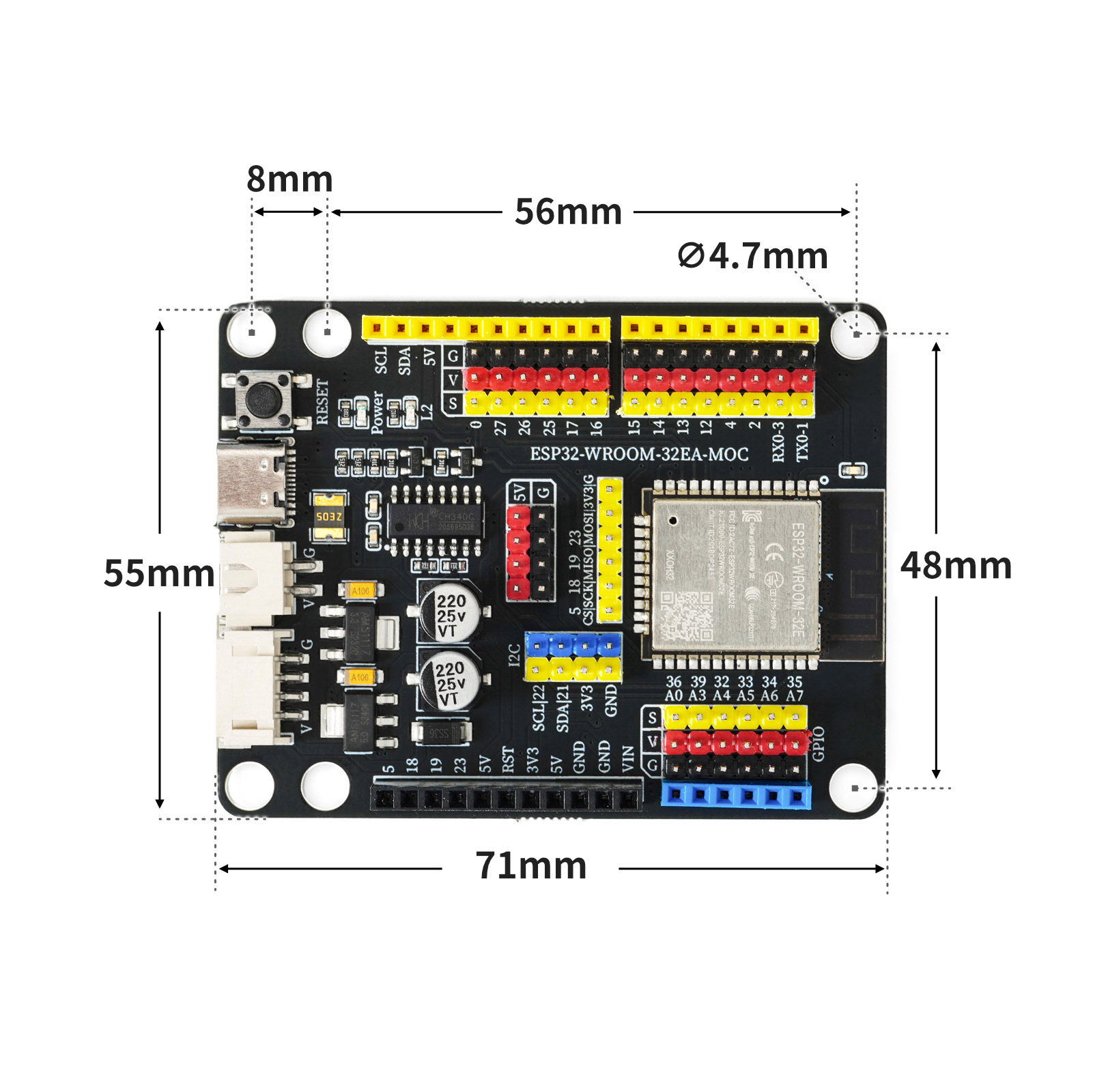
4, Circuit Board Size
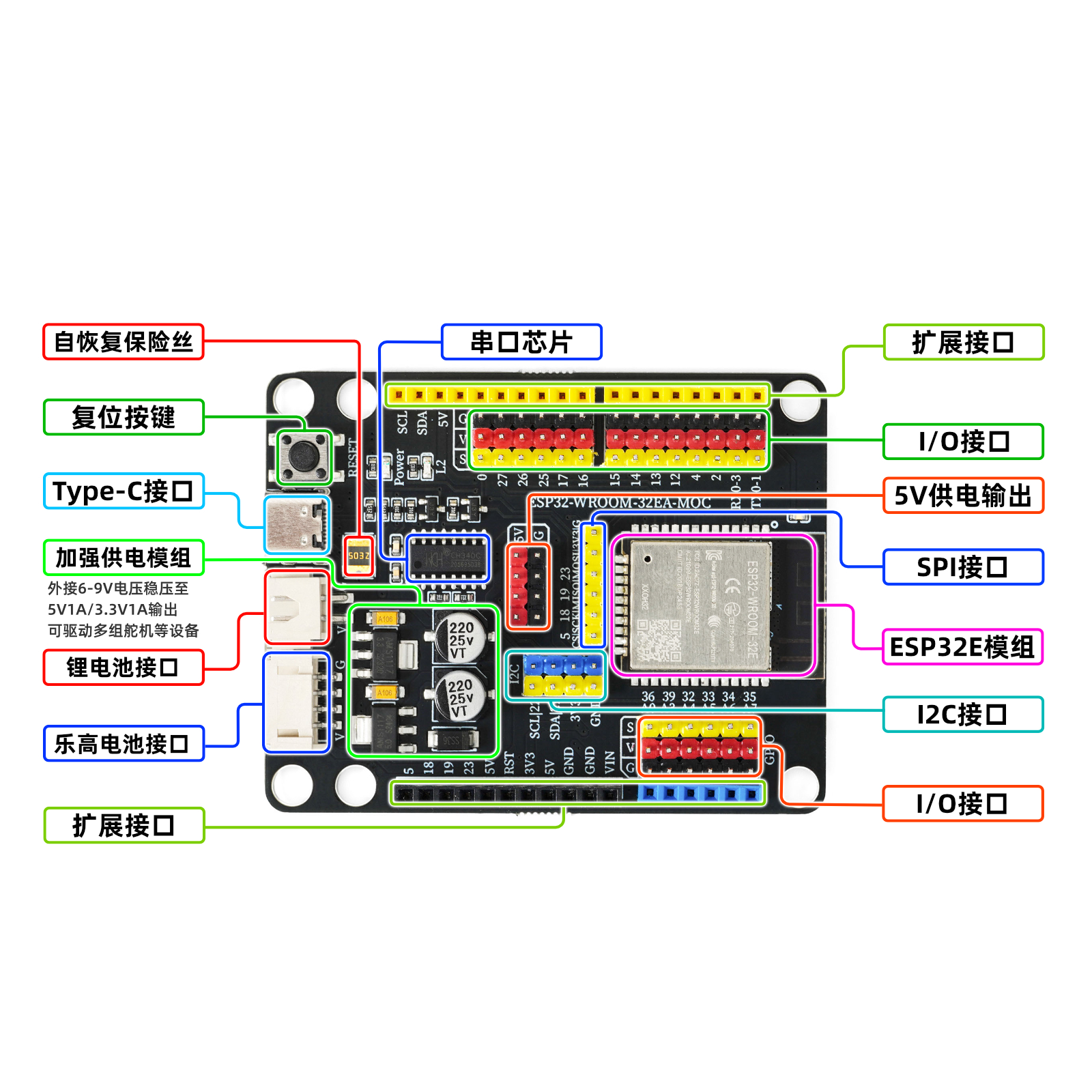
5, Development board decoding
6, Driver download and installation
Download and installation method for USB drivers for Windows 7, 8, 10, 11 systems:Click to view
Download of USB drivers for Mac OS system:Download and install instructions for CH34X USB serial Mac OS driver
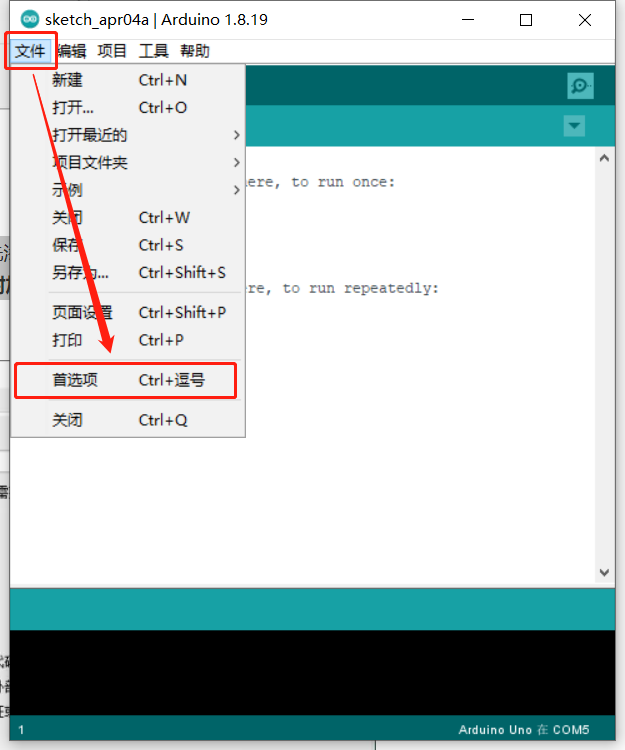
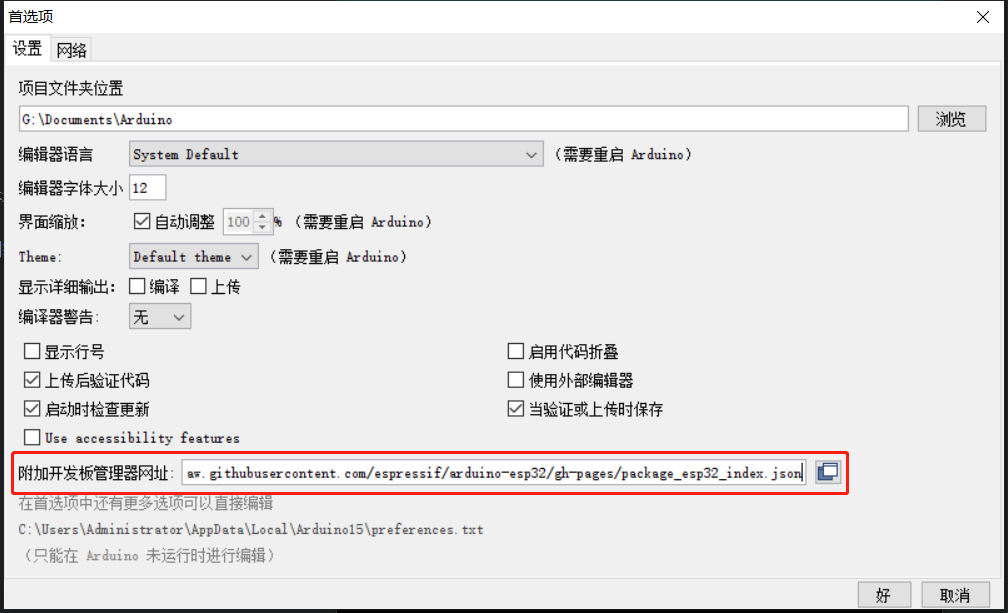
In order to develop ESP32 with Arduino IDE, you need to add an additional source to the Arduino IDE board manager and then install ESP32.We need to add the ESP32 development board additional URL first.Open the Preferences under the File menu.
Copy and paste the following link into the Additional Development Board Management website:
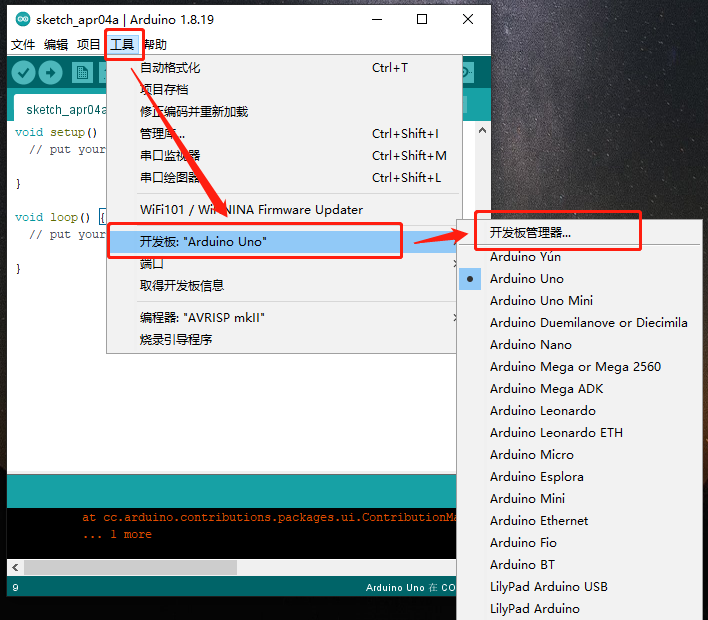
Install the ESP32 development board, select the Tools menu -> Board Manager...
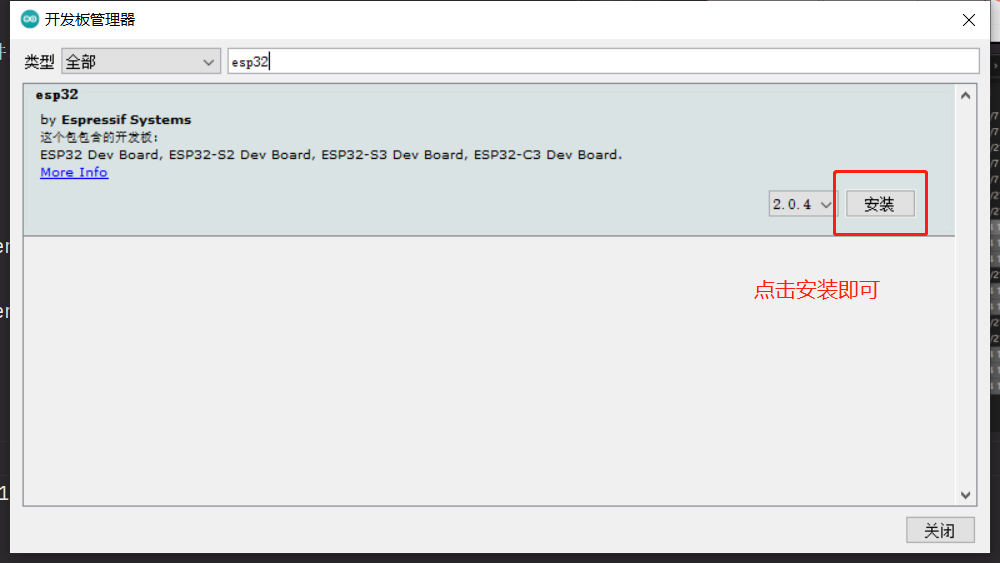
Search for esp32 in the search bar, you can see the esp32 library, select version 2.0.4, click install, and wait for the installation to complete.
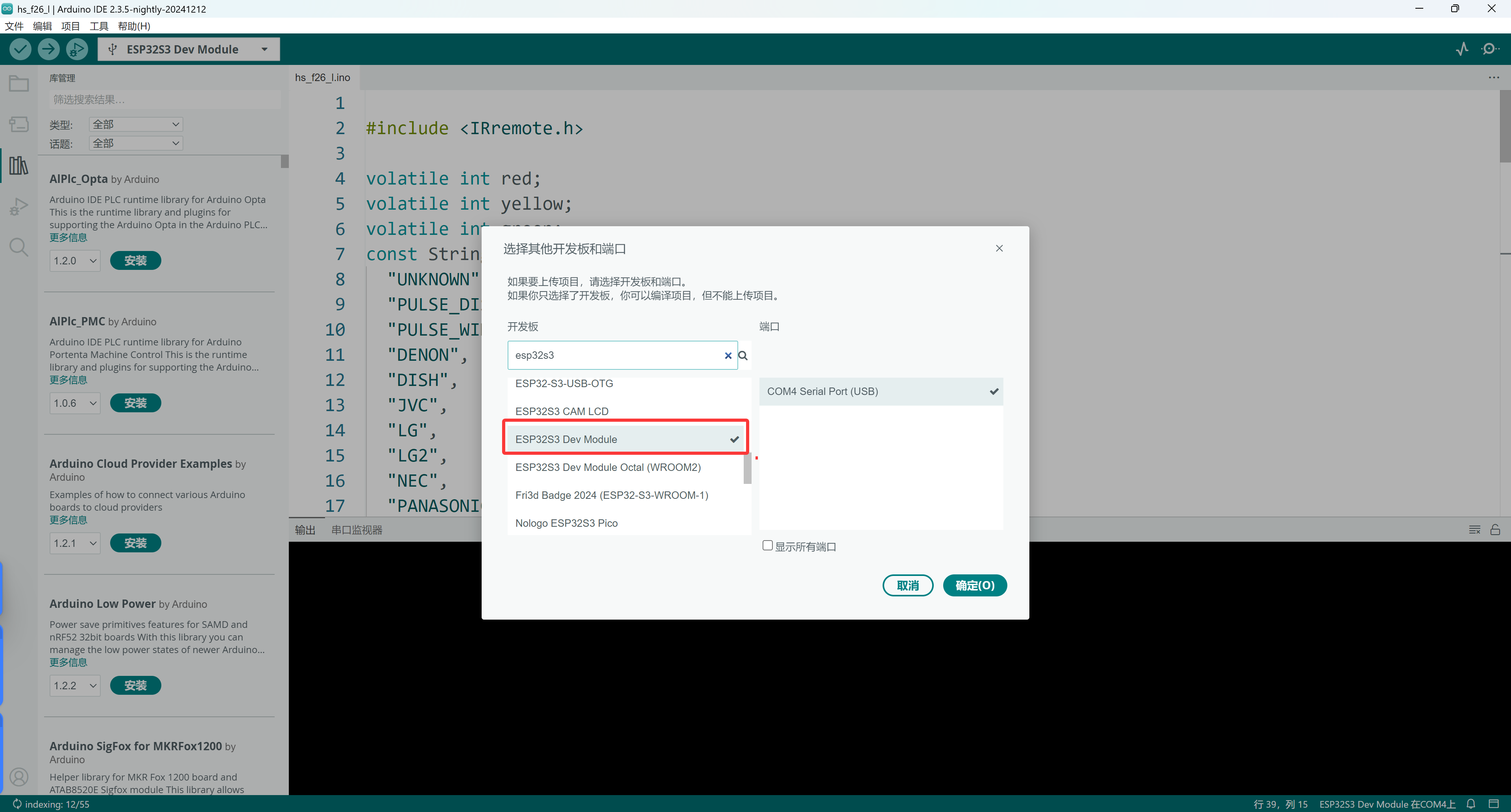
Select the corresponding development board ESP32 Dev Module and the corresponding port
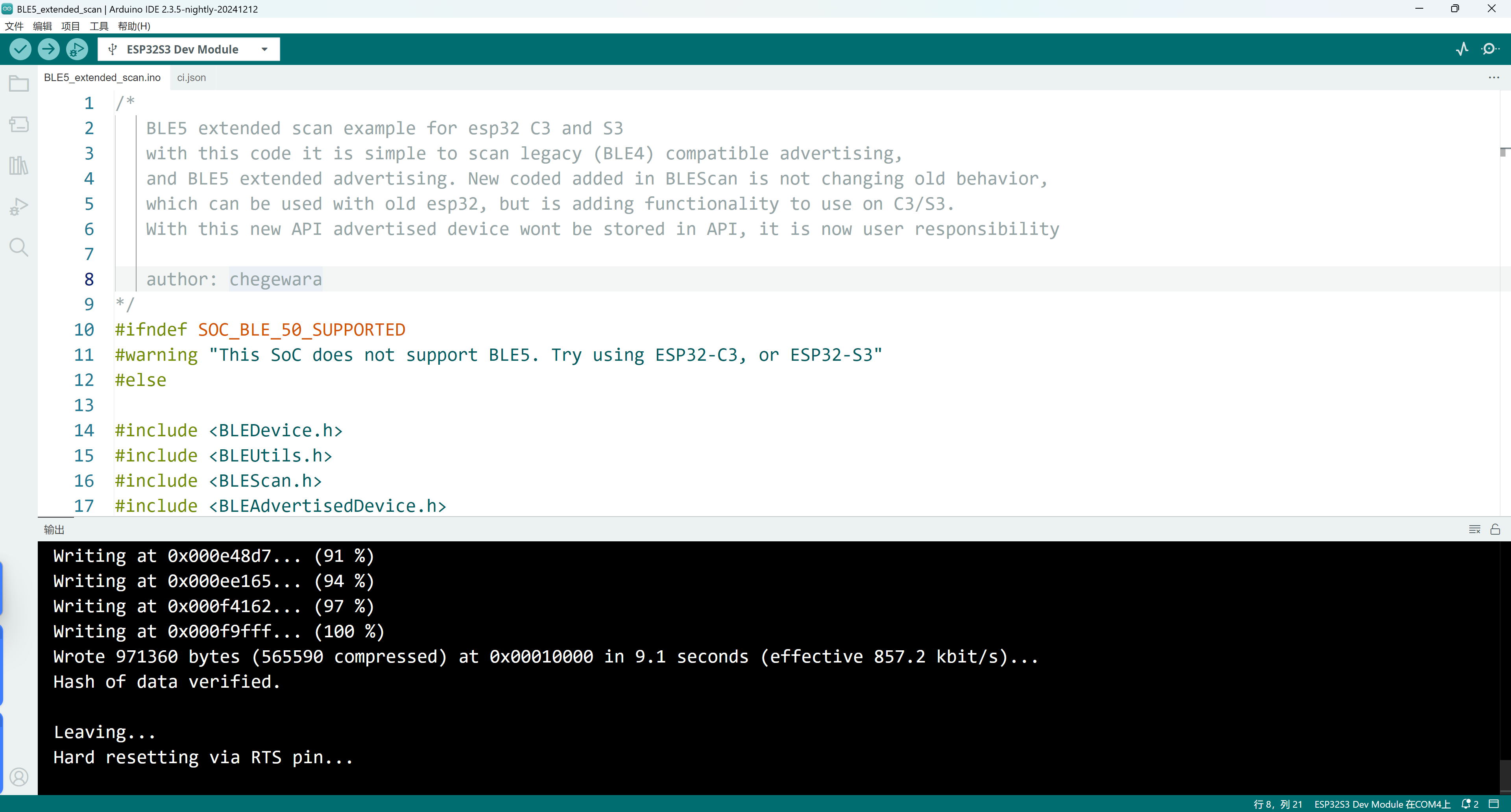
Finally, first find the official example code.
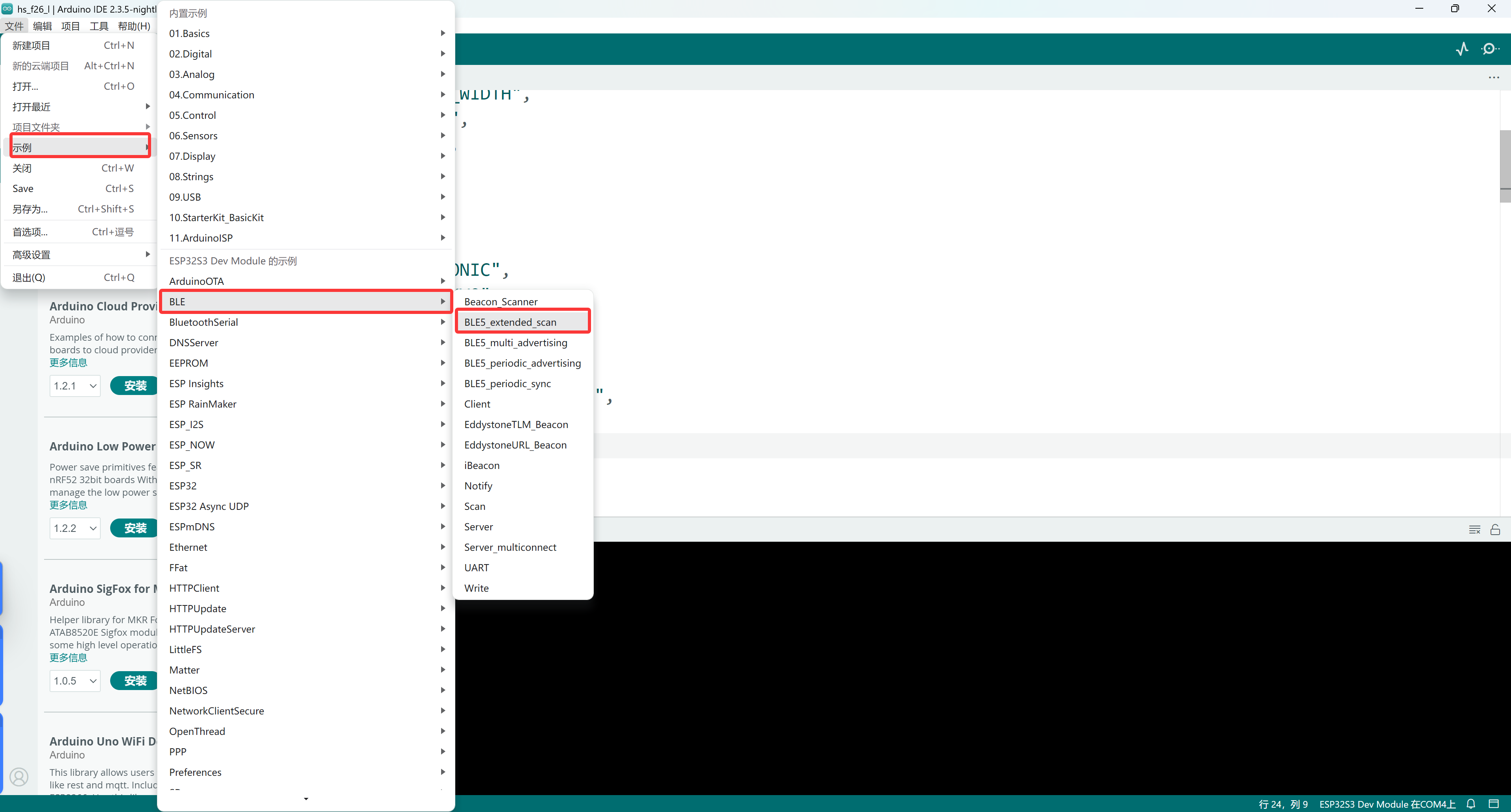
Open the program after it starts, wait patiently and it will upload successfully.