
1. Introduction
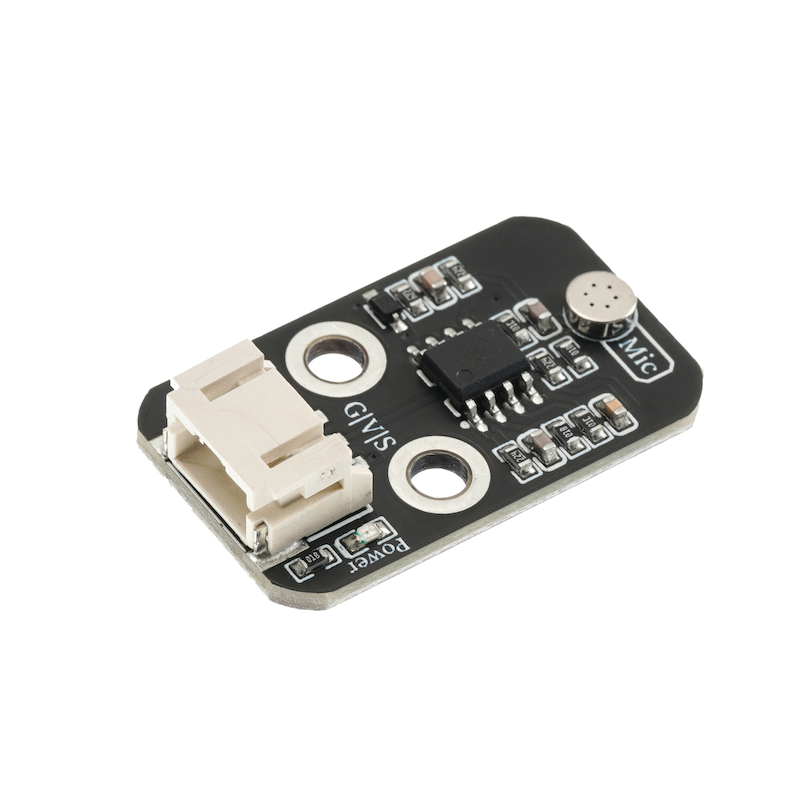
The function of the sound sensor module is equivalent to a microphone (microphone).It is used to receive sound waves, display the vibration image of sound, but cannot measure the intensity of noise.The sensor is built-in with a sound-sensitive capacitive condenser microphone.Sound waves cause the piezoelectric film inside the microphone to vibrate, resulting in a change in capacitance, and thus producing a corresponding small voltage change.This voltage is then converted into a 0-5V voltage, which is accepted by the data acquisition device after A/D conversion and sent to the main control chip.
2. Schematic
HS-S53P Sound Sensor DiagramClick to view
Module Parameters
Pin Name | description |
|---|---|
G | GND (Negative Power Input) |
V | VCC (Positive Power Input) |
S | Analog Signal Pin |
Power Supply Voltage: 3.3V / 5V
Connection method: PH2.0 3P terminal
Installation Method: Double Screw Fixed
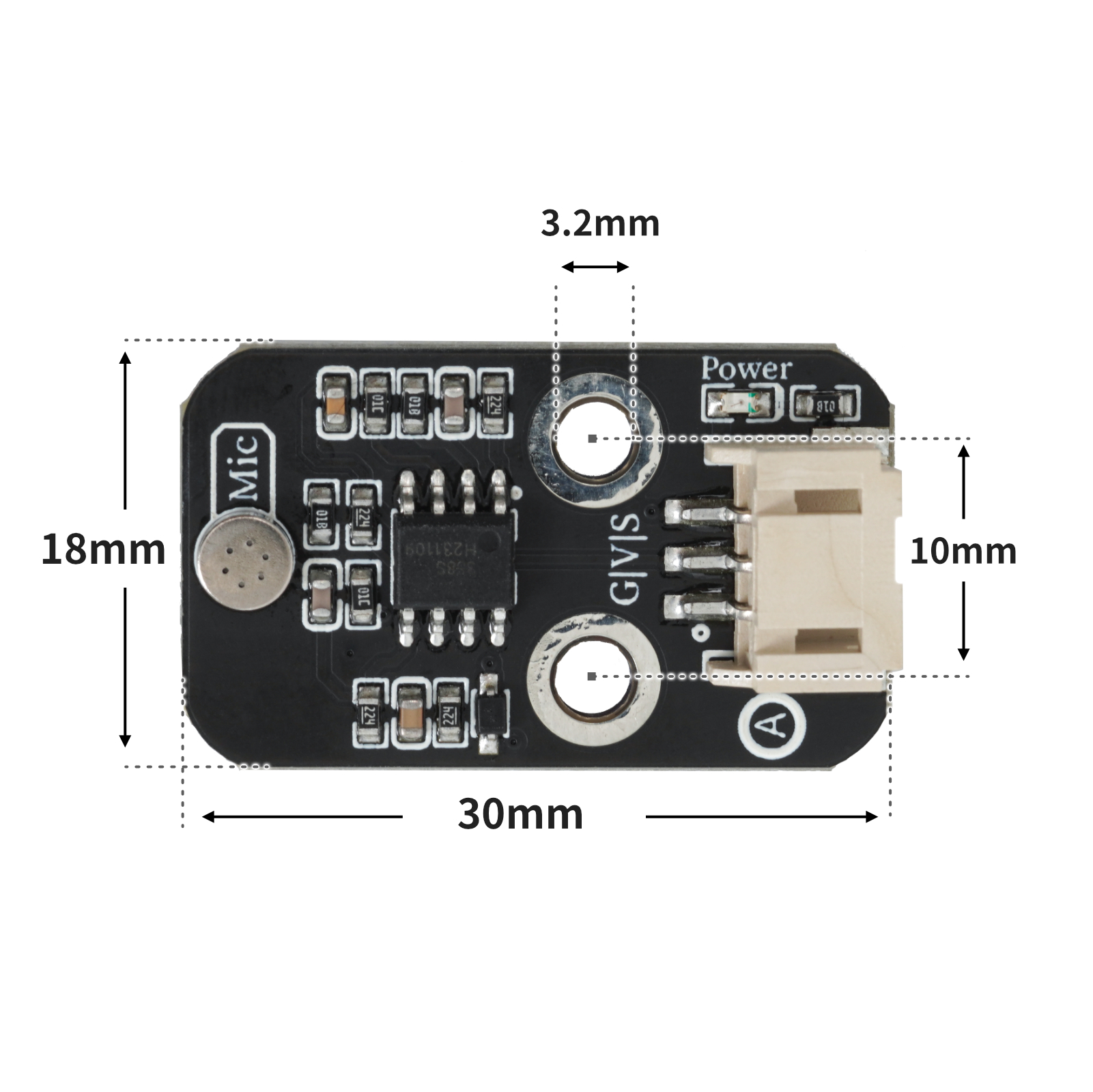
4, Circuit Board Size
5 of Arduino IDE example program
Attention: If prompted with an error message about the library file during program upload, please import the library file first!
Arduino IDE Library Download and Import Tutorial:Click to view
Example program (UNO development board):
void setup(){
  Serial.begin(9600);
  pinMode(A0, INPUT);
  pinMode(6, OUTPUT);
}

void loop(){
  //高灵敏度声音传感器接A0;led灯接D6
  if (analogRead(A0) > 500) {
    Serial.println(String("检测到声音:") + String(analogRead(A0)));
    digitalWrite(6,HIGH);
    delay(2000);

  } else {
    digitalWrite(6,LOW);
    Serial.println(String("未检测到声音 ") + String(analogRead(A0)));

  }

}
6, ESP32 Python Example (for Mixly IDE/Misashi)
Choose the development board Python ESP32 [ESP32 Generic(4MB)] and upload in code mode
Attention: If prompted with an error message about the library file during program upload, please import the library file first!
Download and import tutorial for Mixly IDE ESP32 library:Click to view
Example program (ESP32-Python):
import machine
import time


adc32.atten(machine.ADC.ATTN_11DB)
pin4 = machine.Pin(4, machine.Pin.OUT)
while True:
    if adc32.read_u16() >= 40000:
        pin4.value(1)
        time.sleep_ms(500)
    else:
        pin4.value(0)
7, Mixly example program (graphical language)
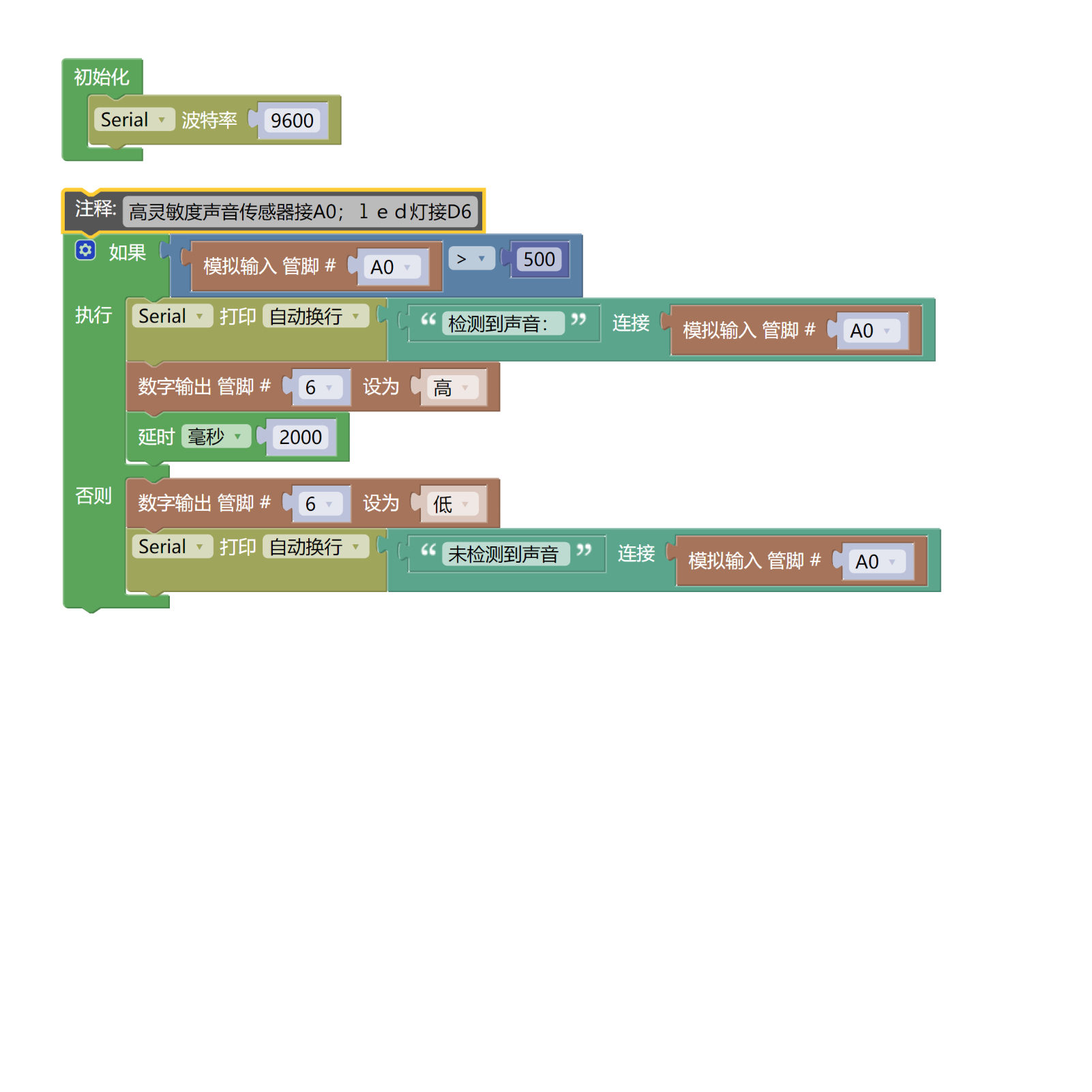
Example Program (UNO Development Board):Click to download
Attention: If prompted with an error message about the library file during program upload, please import the library file first!
Download and import tutorial of Mixly IDE Arduino library:Click to view
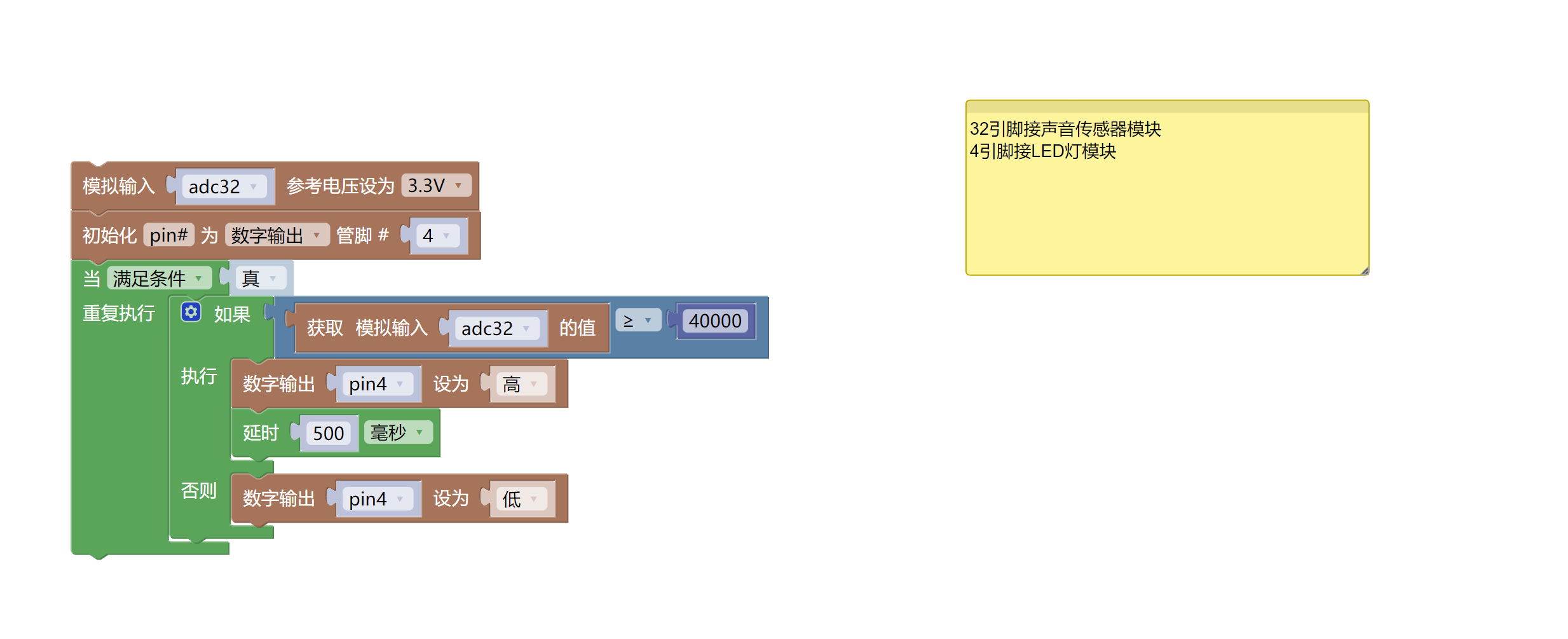
Example Program (ESP32 Development Board):Click to download
Attention: If prompted with an error message about the library file during program upload, please import the library file first!
Download and import tutorial for Mixly IDE ESP32 library:Click to view
8. Setting up the Test Environment
Arduino UNO Test Environment Setup
Prepare Components:
HELLO STEM UNO R3 DEVELOPMENT BOARD *1
HELLO STEM UNO R3 P EXPANSION BOARD *1
USB TYPE-C DATA CABLE *1
LED module (HS-F08P) *1
Sound Sensor Module (HS-S05P) *1
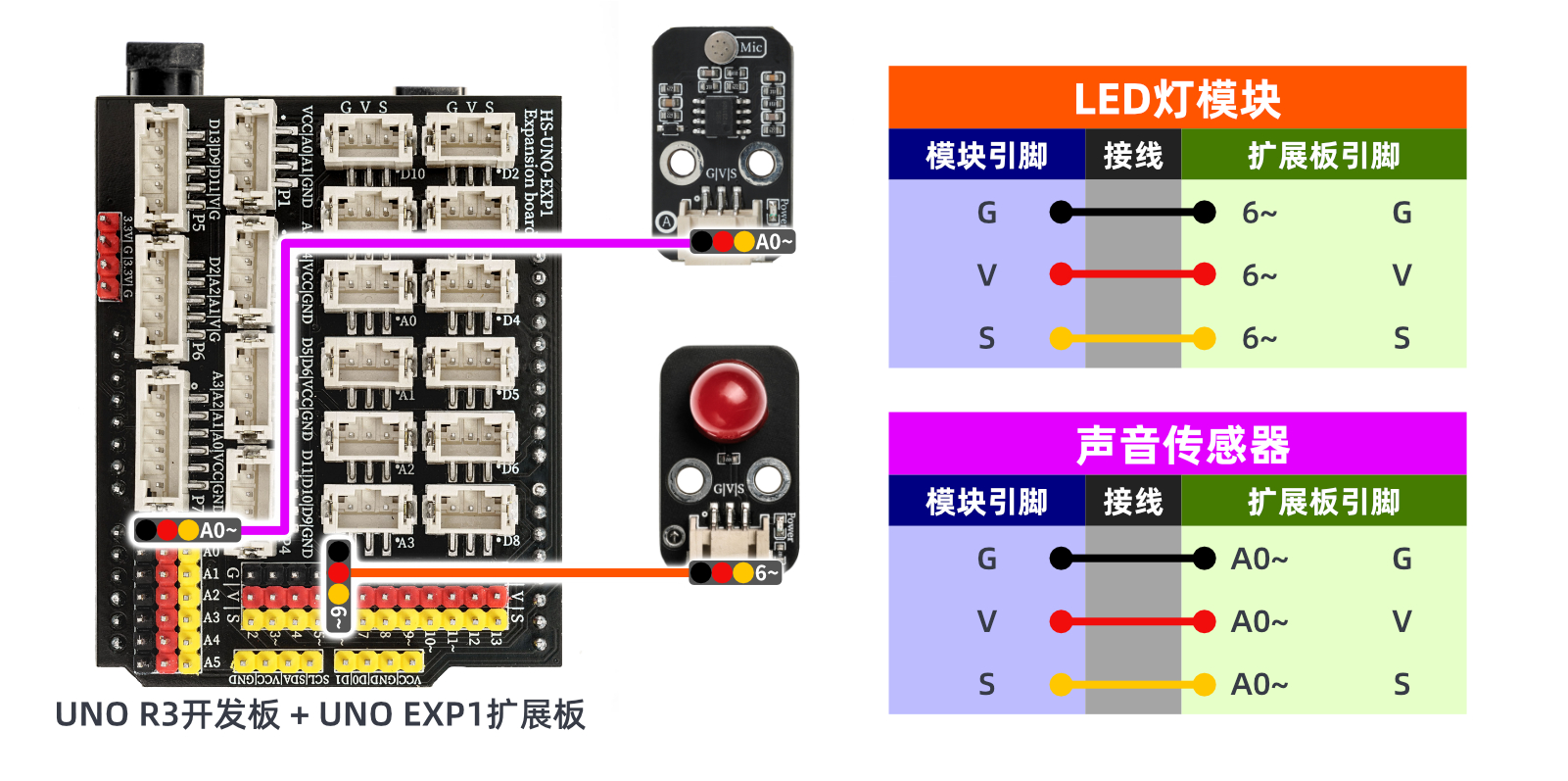
PH2.0 Terminal to Dupont Wire *2 pieces
PH2.0 Two-Head Terminal Wire *2 pieces
Circuit wiring diagram:
ESP32 Test Environment Setup
Prepare Components:Pending update...
Circuit wiring diagram:Pending update...
9, Video tutorial
Video tutorial:Click to view
10, Test results
Arduino UNO test results:
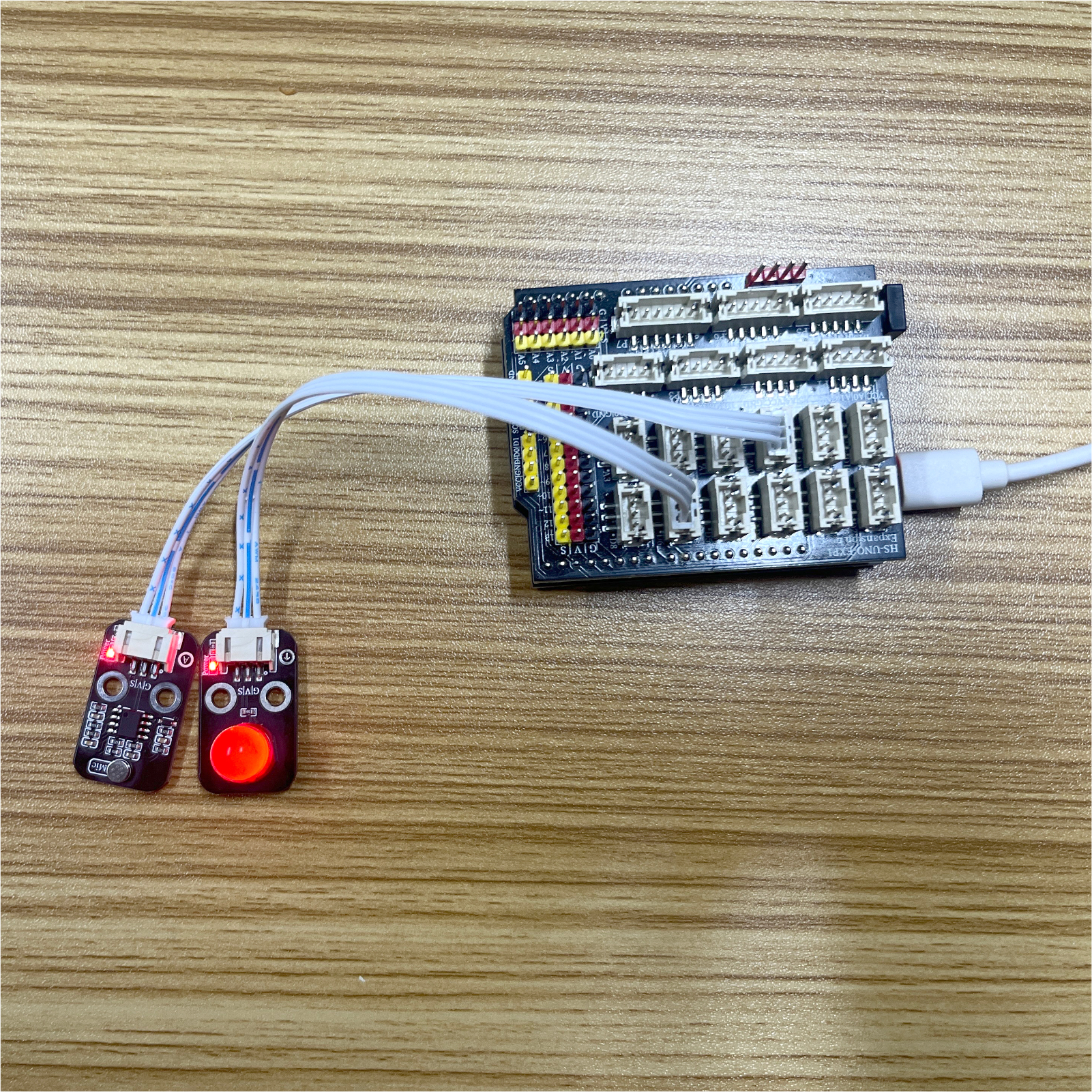
After the device is connected to the line, upload the above program to the Arduino uno development board, open the serial monitor, and if the analog value of the sound sensor is greater than the set threshold (detecting sound), the LED light will be on for 2 seconds, otherwise, the LED light will be off.
ESP32 Test Results:
Pending update...