
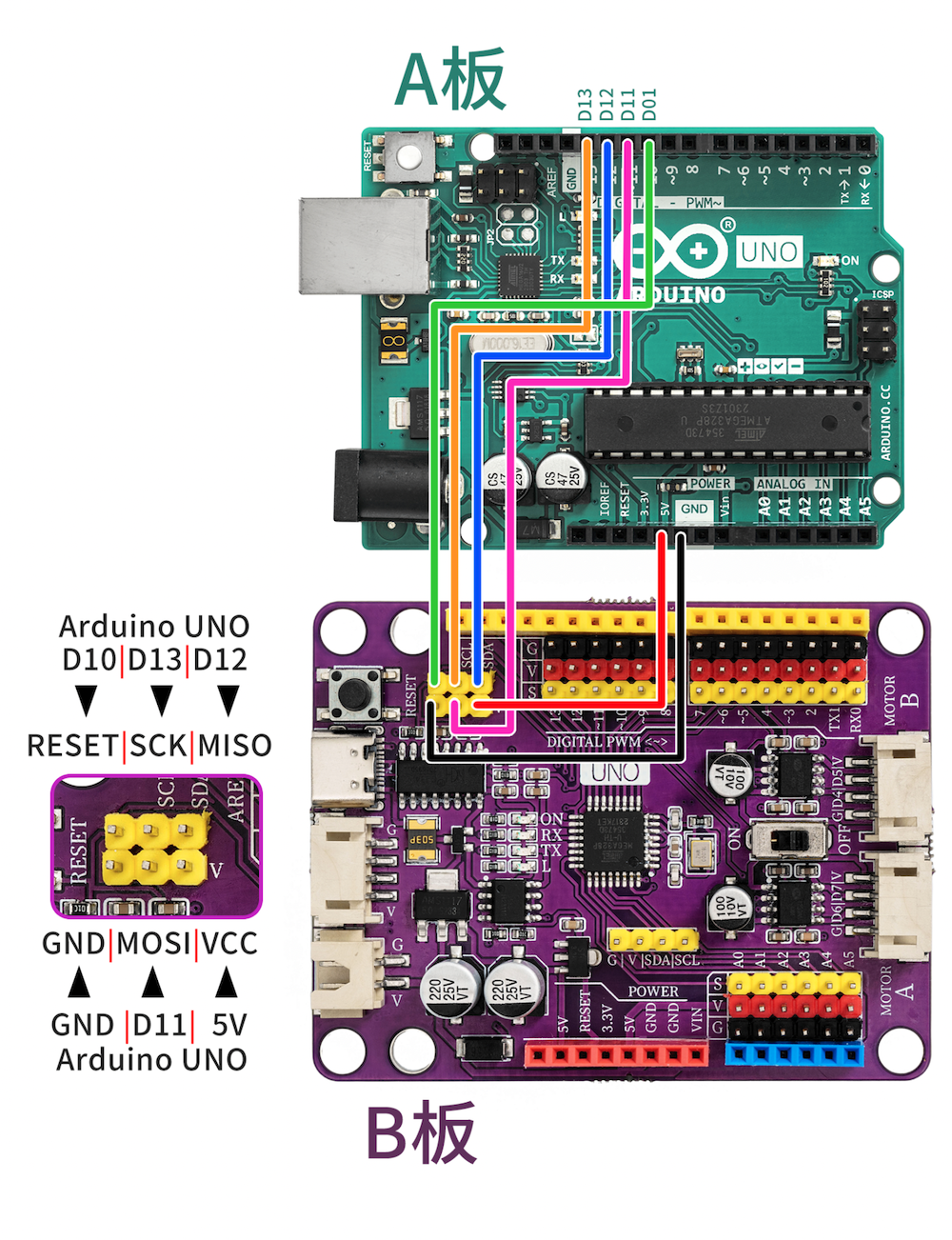
1. First, prepare a normal Arduino UNO development board. The development board used normally as an ISP programmer is abbreviated as Board A, and the board to be programmed is abbreviated as Board B. Connect the two development boards according to the wire connection method below.
The first wiring method:
The second wiring method:
Board A D11-u003eBoard B D11
Board A D12-u003eBoard B D12
Board A D13-u003eBoard B D13
Board A D10-u003eBoard B RESET
5V Board A-u003e5V Board B
GND Board A-u003eGND Board B
2, Open Arduino IDE 2.32 (other versions are similar as well)
Find in the menu bar File -> Example -> 11.ArduinoISP -> ArduinoISP and open
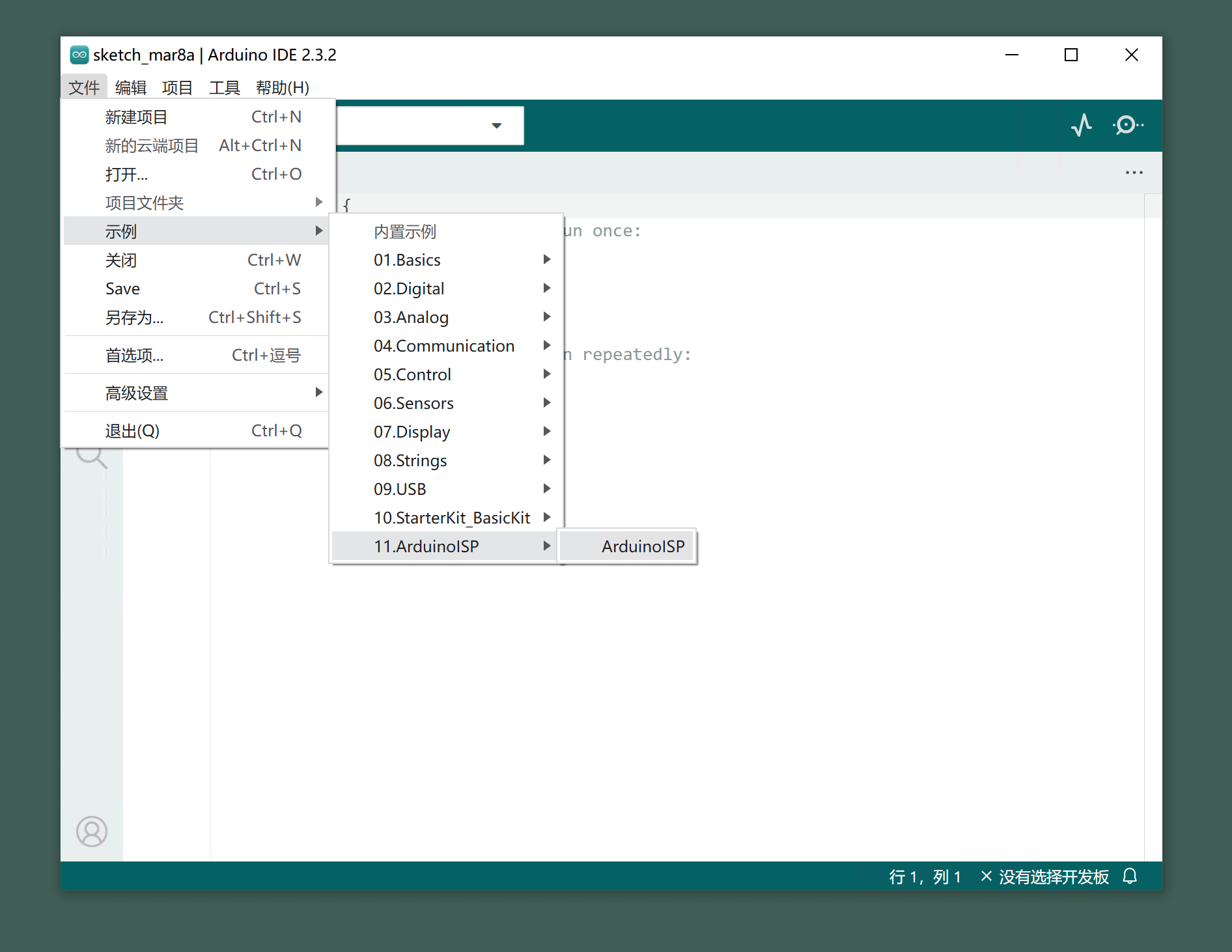
3, choose the development board and port, and upload the ArduinoISP program to board A
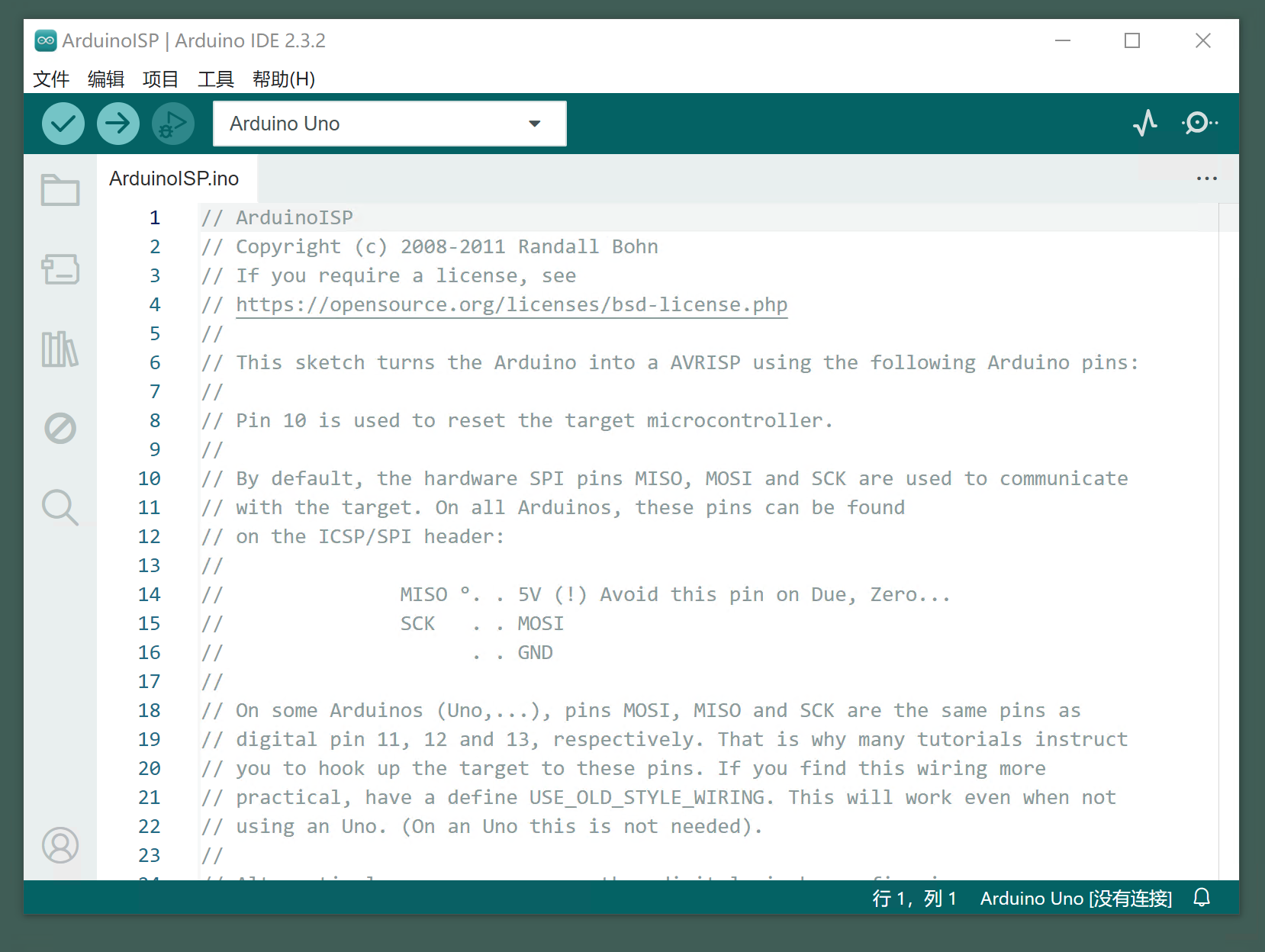
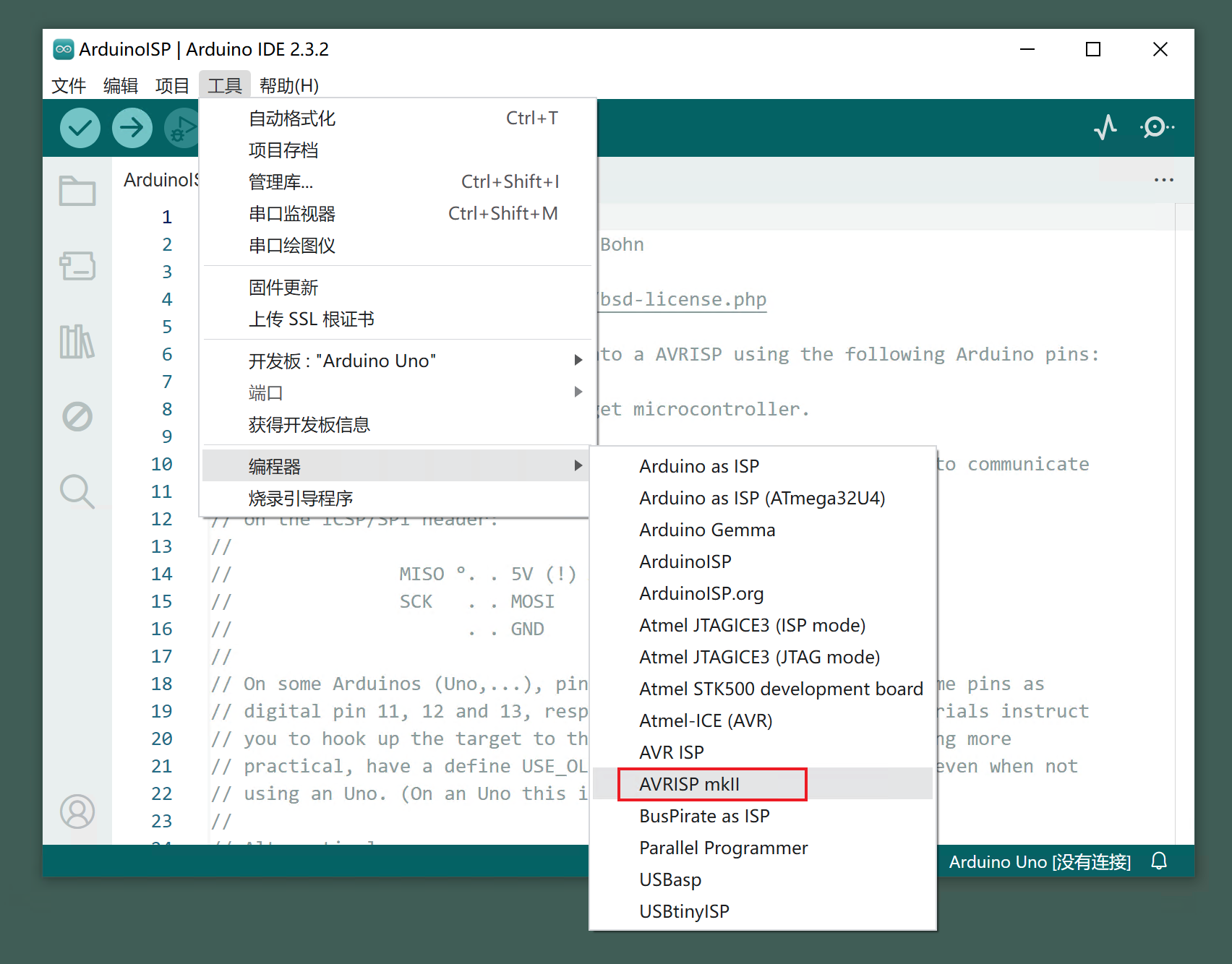
4, go to the toolbar to find Tools -> Compiler -> Select Arduino as ISP
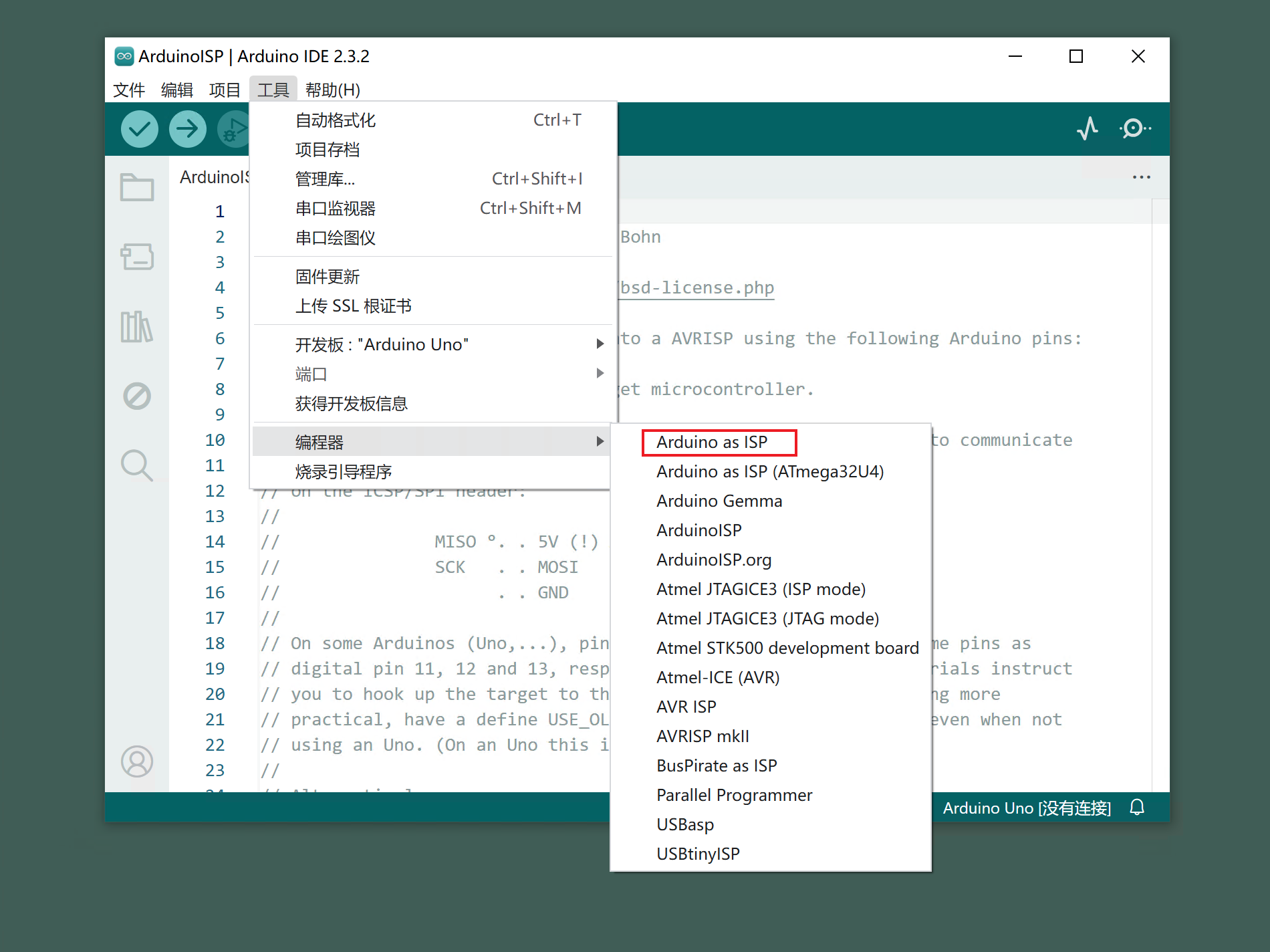
5, go back to the tool, click 'Flash Bootloader Program', after flashing successfully, it will display 'Flashing successful', and after flashing is completed, the B board can be used normally.
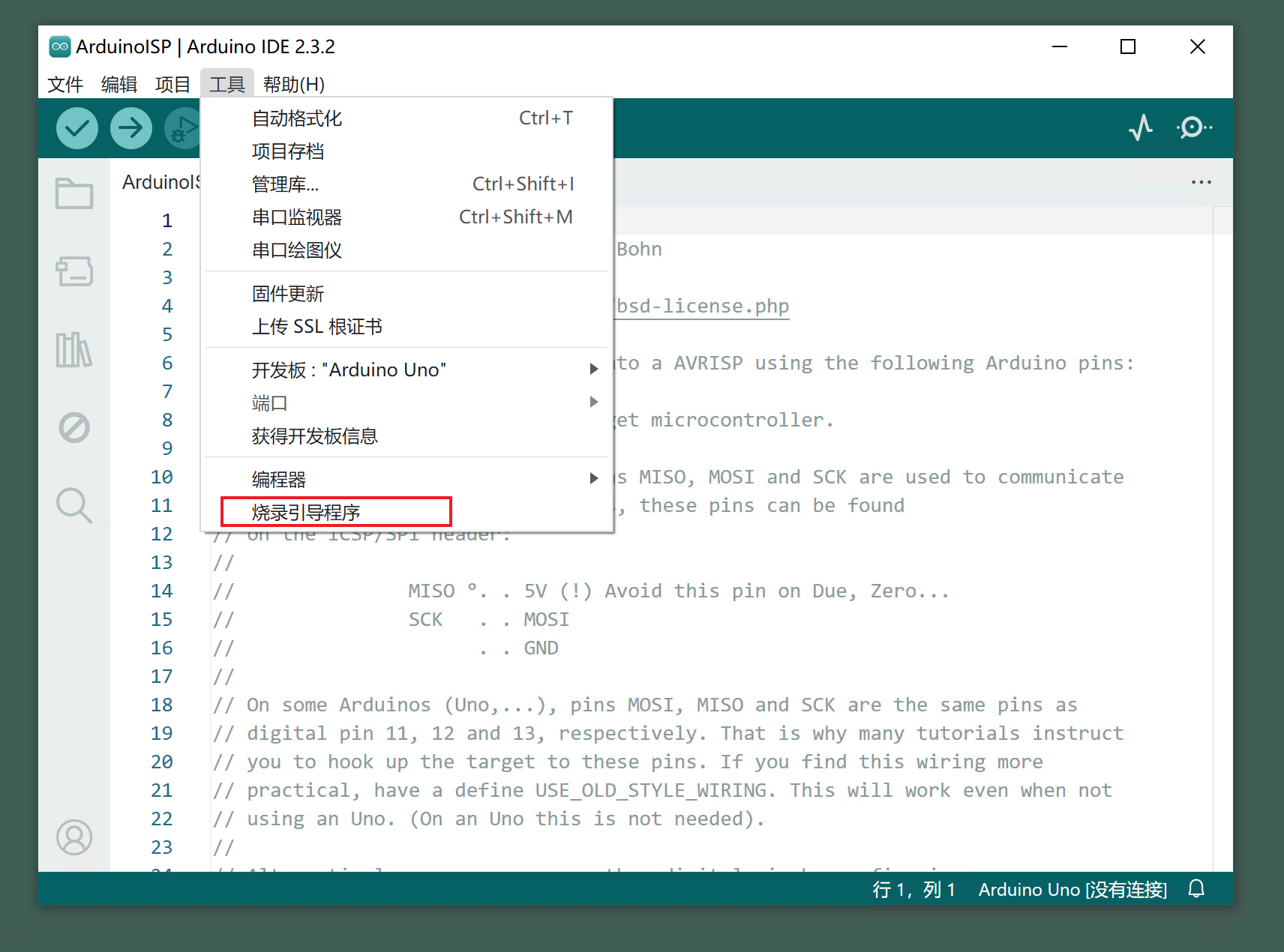
6, After burning the bootloader (boot program), then change the compiler settings of the Arduino IDE to "AVRISP mkll", the Arduino IDE can compile and upload normally.
--------- END --------