1. Introduction
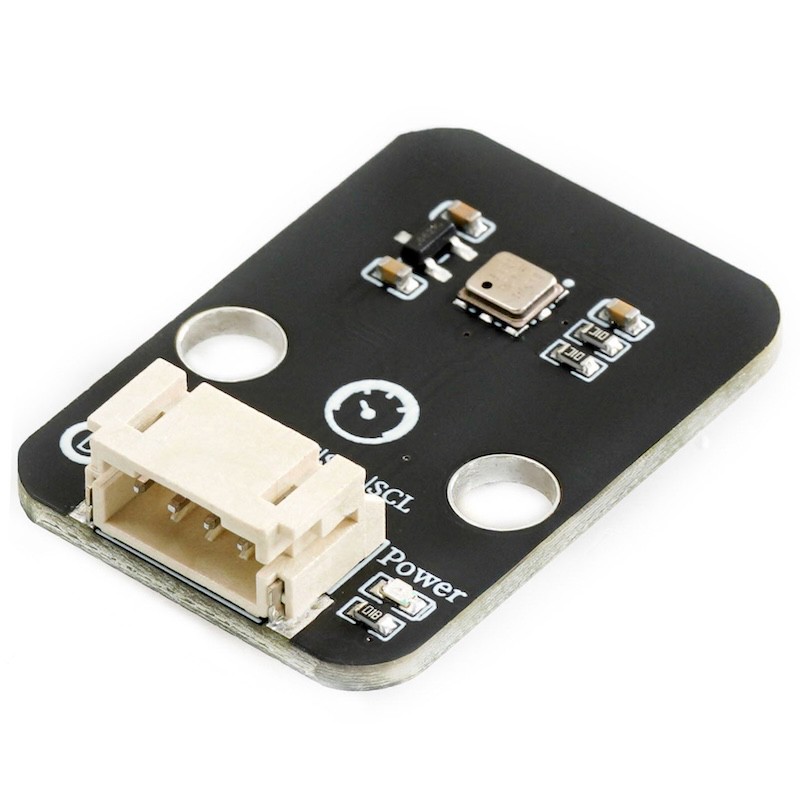
The BMP180 barometric pressure sensor is a device or apparatus that can sense gas pressure and convert it into usable output signals according to a certain regularity. Its basic function is to accurately measure the pressure value of the gas and convert the pressure signal into electrical signals and other signal forms that are convenient for processing and transmission, providing a basis for subsequent display, control, and data processing.
2. Schematic
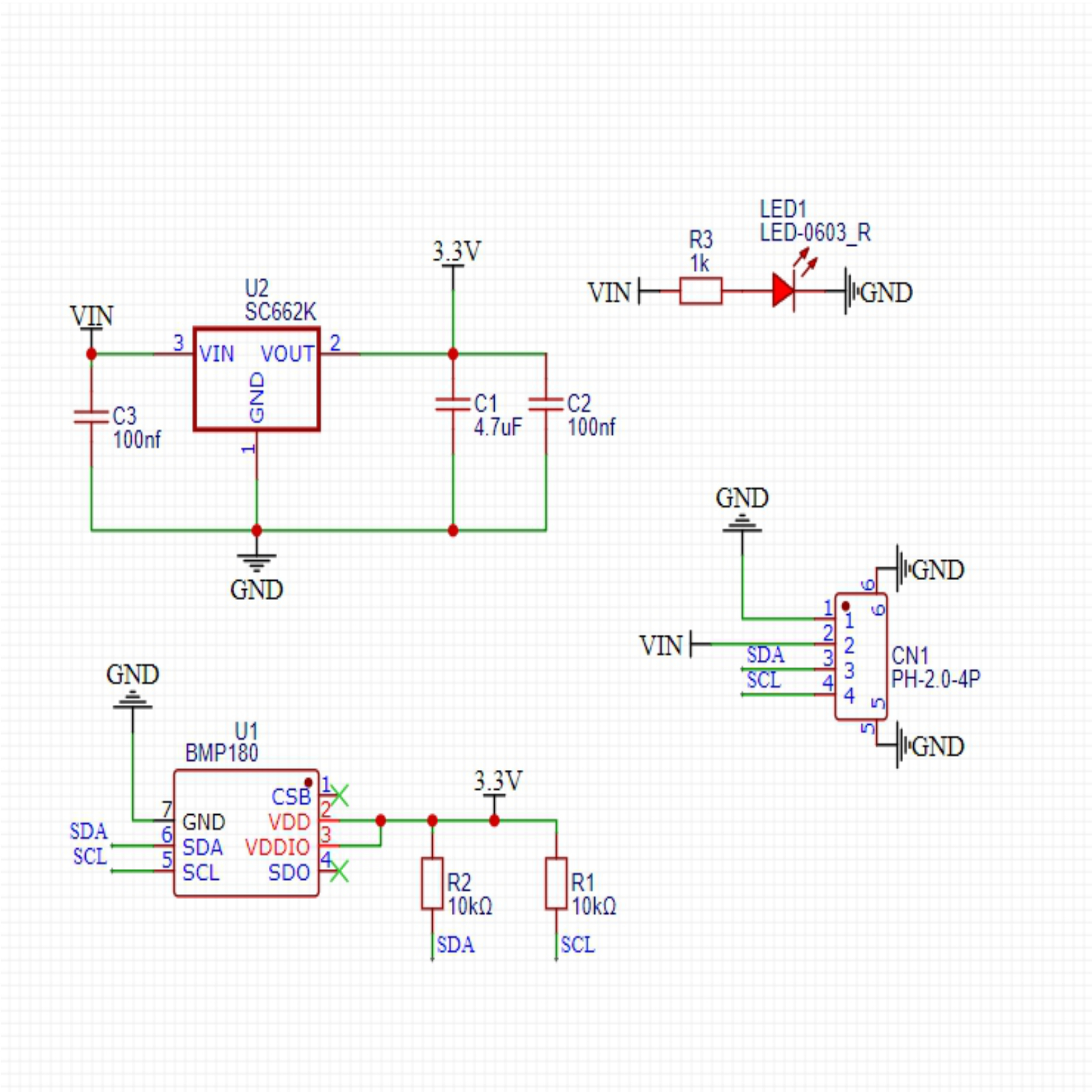
Module Parameters
Pin Name | description |
|---|---|
G | GND (Negative Power Input) |
V | VCC (Positive Power Input) |
L | Clock Signal Communication Pin |
A | Bidirectional Data Communication Pin |
Supply voltage: 3.3V-5V
Connection method: PH2.0 4P terminal wire
Installation method: Lego assembly
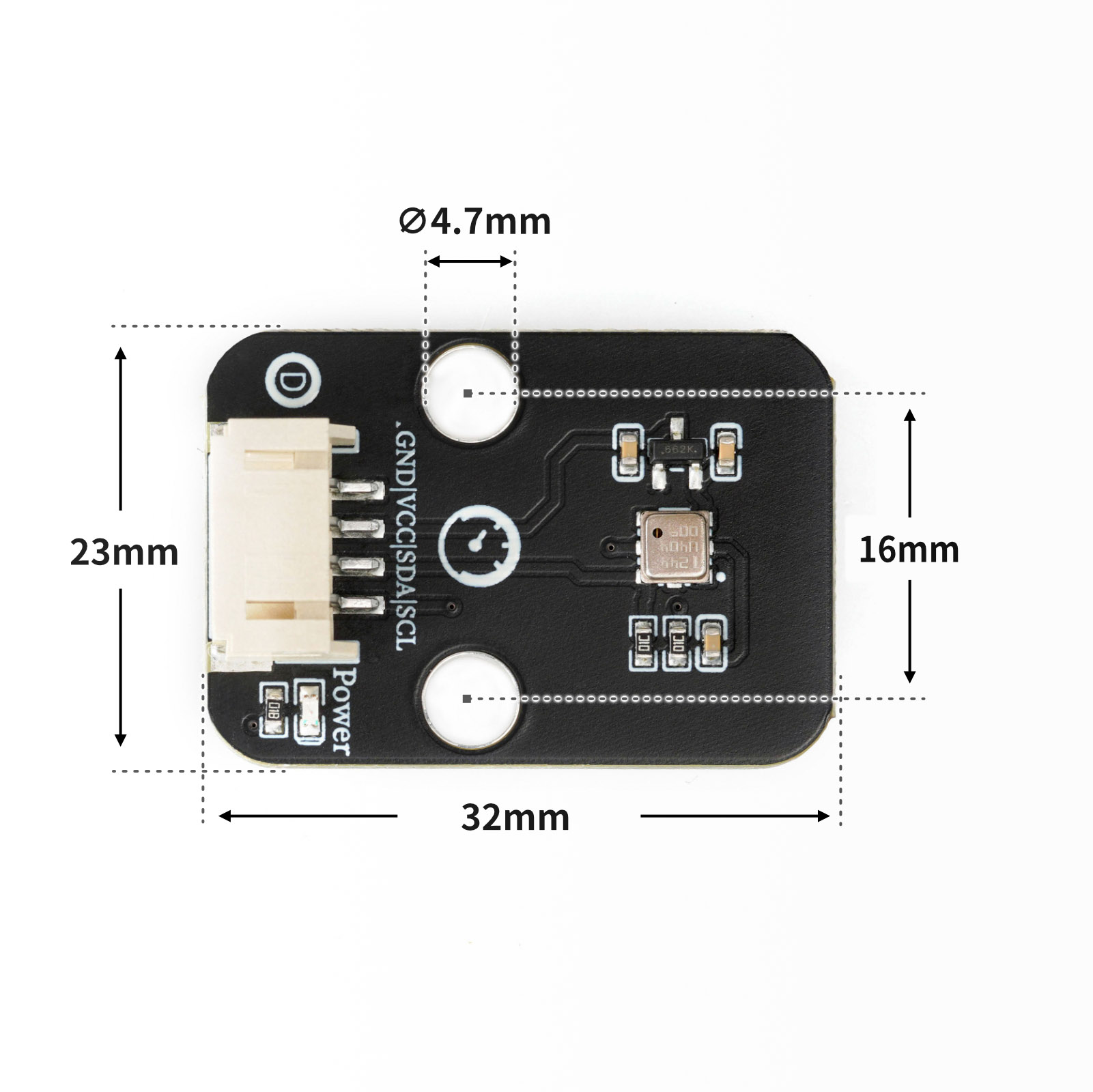
4, Circuit Board Size
Add Arduino Library File
Arduino library file installation steps:Reference link
Arduino library file: Click to download
Installation steps for the MiQi UNO development board library (download and install the MiQi library before using the code):Reference link
6, Add MicroPython environment library file
MiXin ESP32 development board library download and installation steps (download and install the MiXin library before using the code):Reference link
7. Arduino IDE example program
Example Program (UNO Development Board): Click to Download
#include <Wire.h>
#include <Adafruit_BMP085.h>

Adafruit_BMP085 BMP;

void setup(){
  Serial.begin(9600);
  if (!BMP.begin()) {
    Serial.println("Could not find a valid BMP085/BMP180 sensor, check wiring!");
    while (true) {
    }

  }
}

void loop(){
  Serial.print("Temperature = ");
  Serial.print(BMP.readTemperature());
  Serial.println(" ℃");
  Serial.print("Pressure = ");
  Serial.print(BMP.readPressure());
  Serial.println(" Pa");
  Serial.print("Approx altitude = ");
  Serial.print(BMP.readAltitude(101325));
  Serial.println(" m");
  Serial.println("");
  delay(1000);

}
Example Program (ESP32 Development Board - MicroPython Language):
8, Mixly Example Program (Graphic Language)
Example Program (UNO Development Board):Click to download
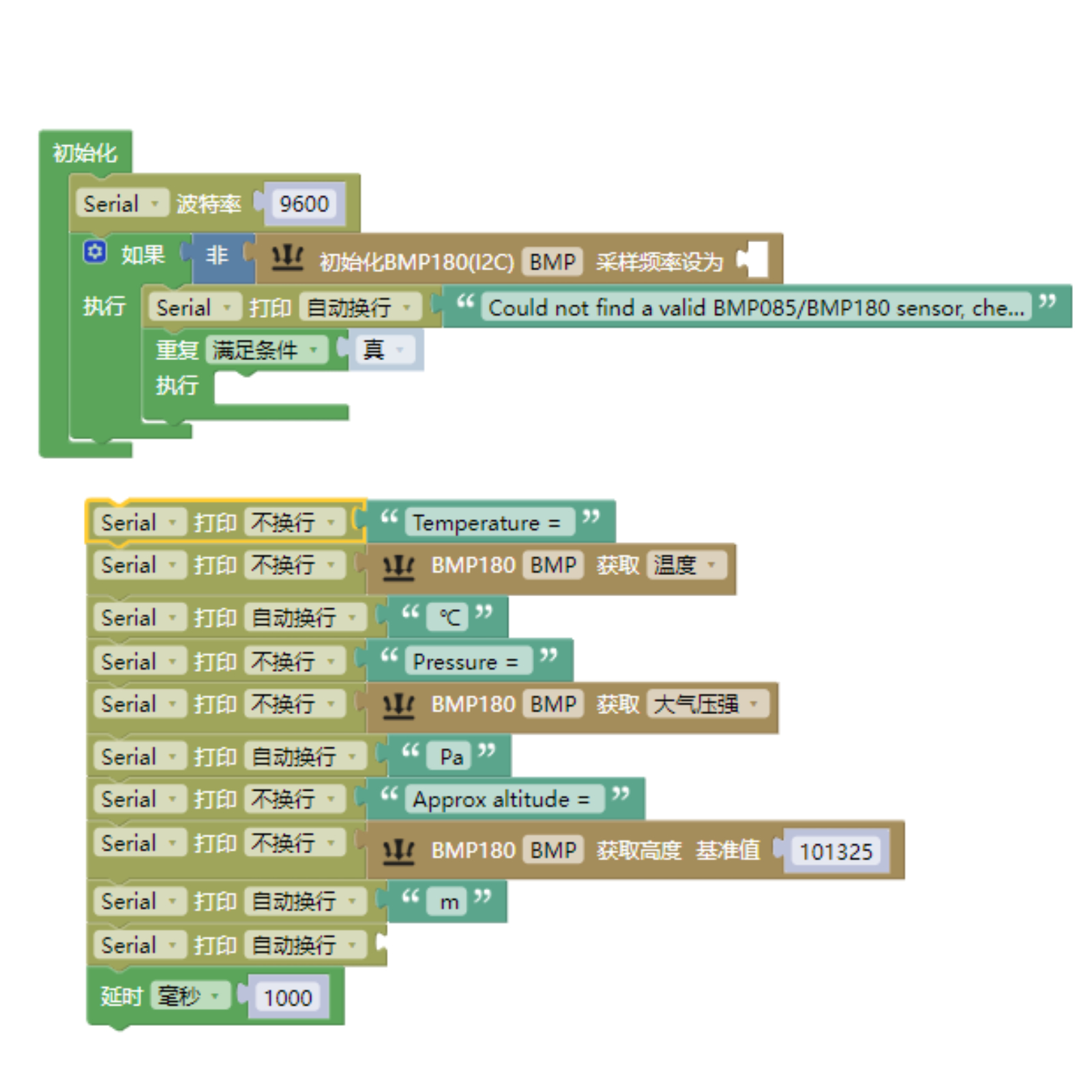
Example Program (ESP32 Development Board): Click to download
9. Setting up the Test Environment
Arduino UNO Test Environment Setup
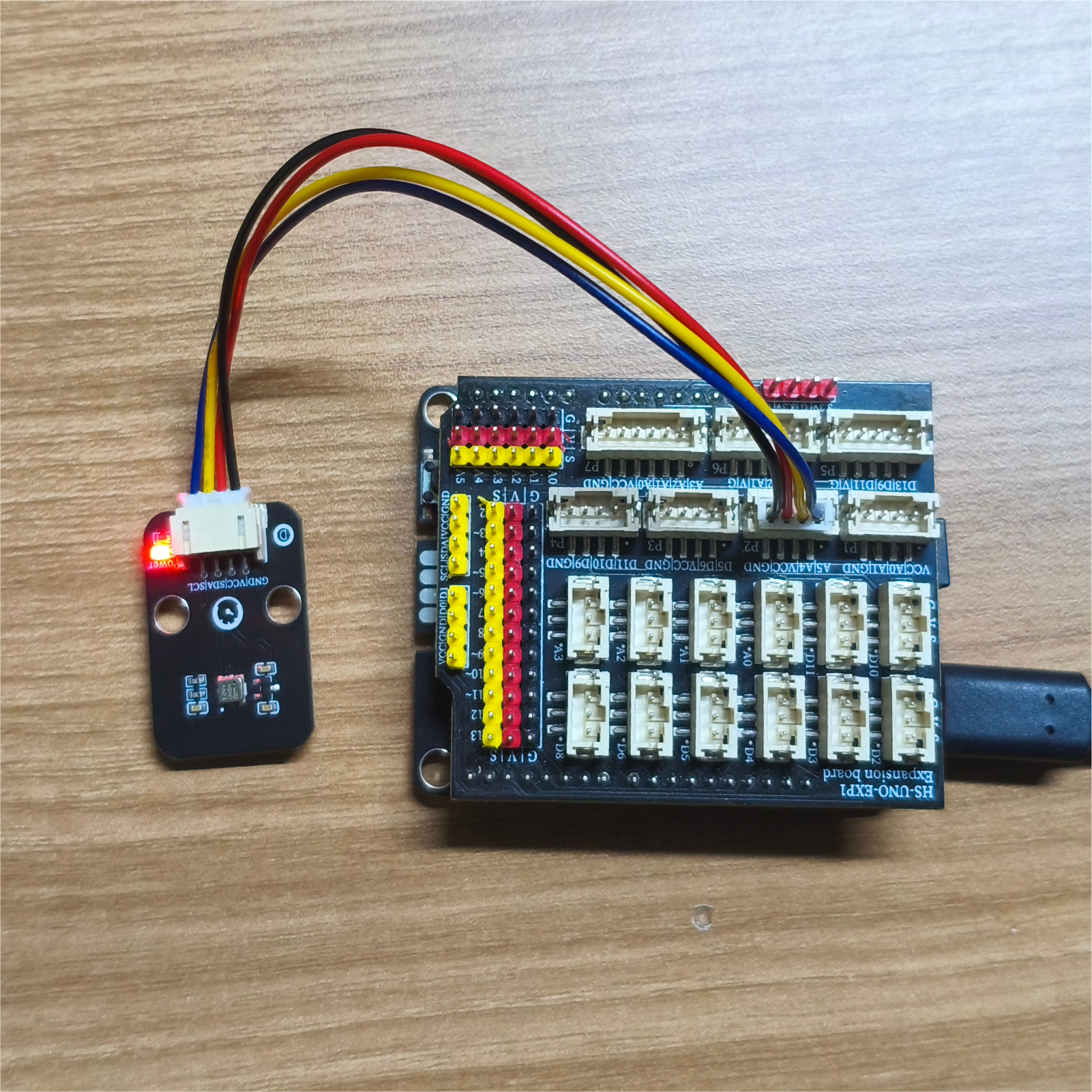
Prepare Components:
UNO-R3 Development Board *1
UNO-R3 Expansion Board *1
USB TYPE-C DATA CABLE *1
HS-S45L Barometric Sensor*1
PH2.0 4P Double Head Terminal Line *1
Circuit wiring diagram:
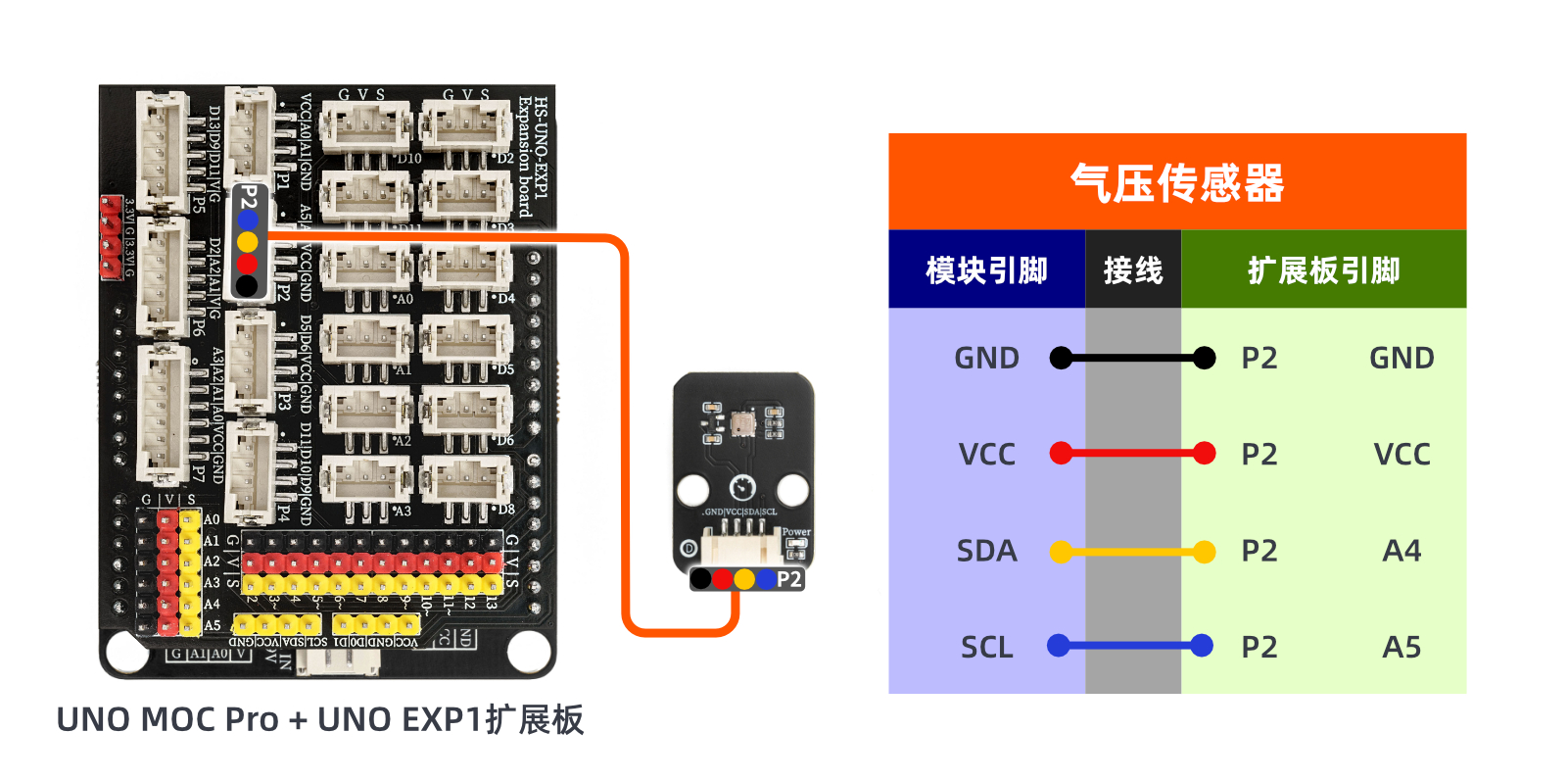
ESP32 Python test environment setup
10, video tutorial
Arduino UNO video tutorial: Click to view
ESP32 Python Video Tutorial:
11. Test Conclusion
Arduino UNO Test Conclusion:
Enter the code, and then the computer serial port displays temperature and atmospheric pressure.