1. Introduction
2. Schematic
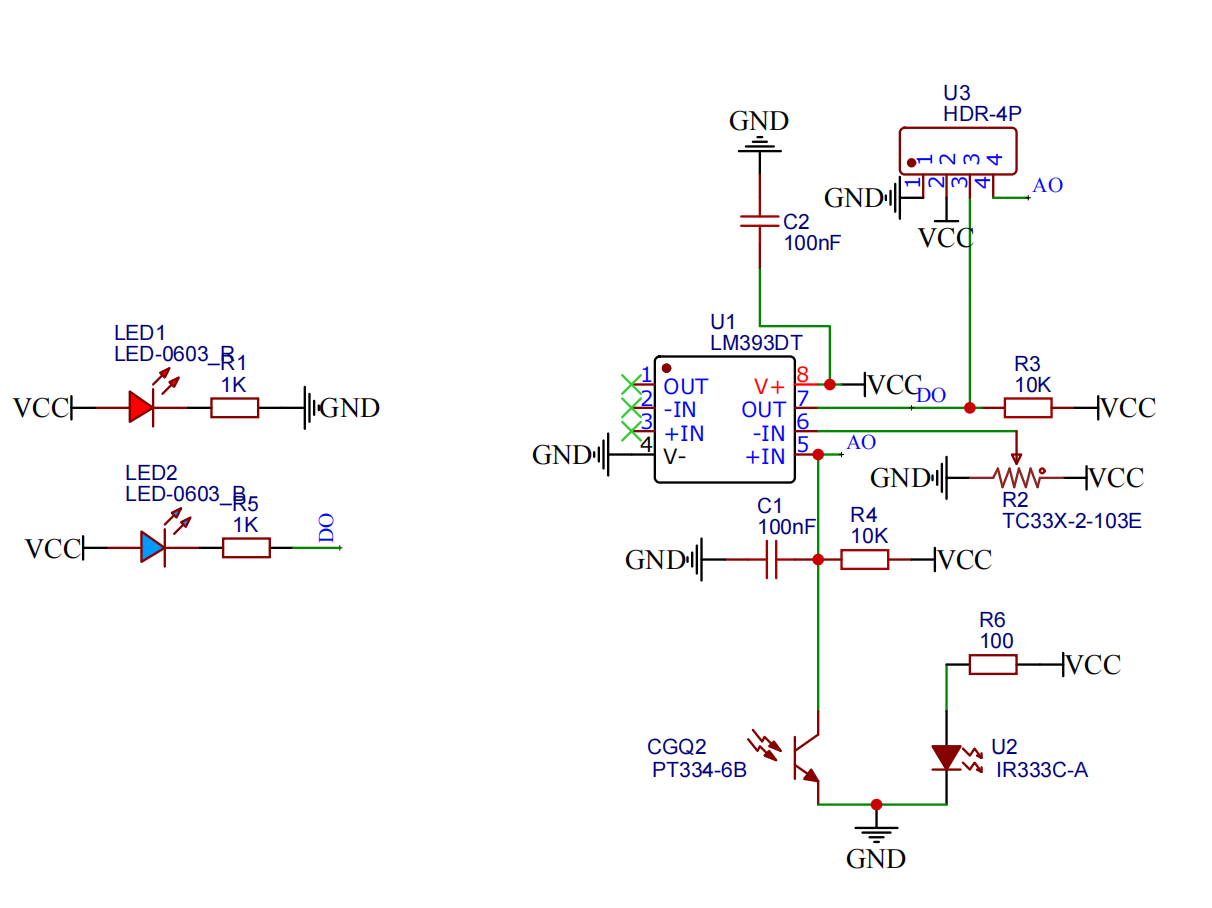
Infrared Obstacle Avoidance Module-HS-S02A SchematicClick to view
Module Parameters
Pin Name | description |
|---|---|
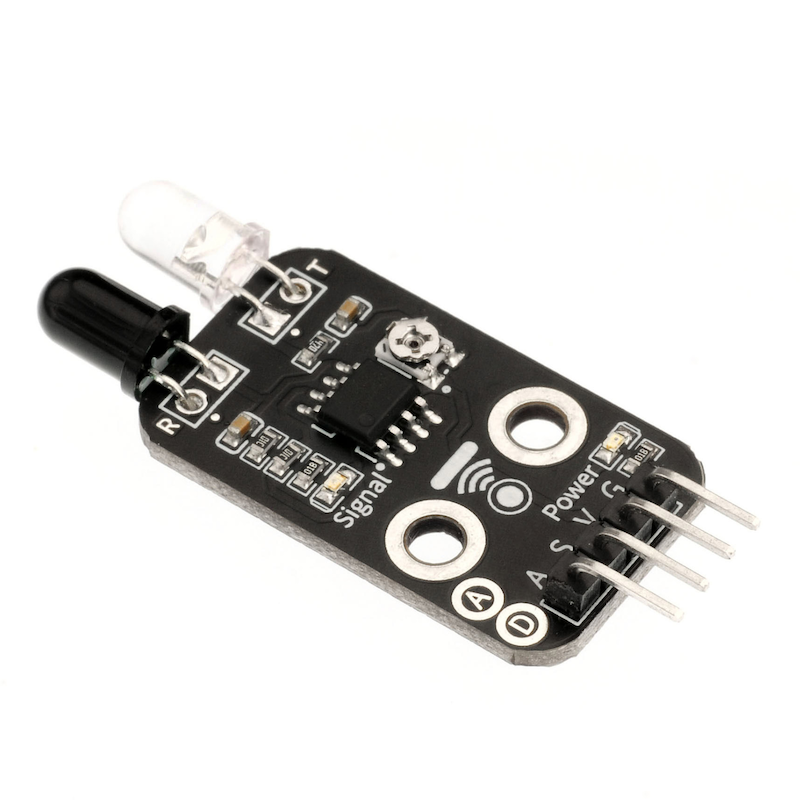
G | GND (Negative Power Input) |
V | VCC (Positive Power Input) |
S | Digital Signal Pin |
A | Analog Signal Pin |
Power Supply Voltage: 3.3V / 5V
Connection Type: 2.54mm Header
Installation Method: Double Screw Fixed
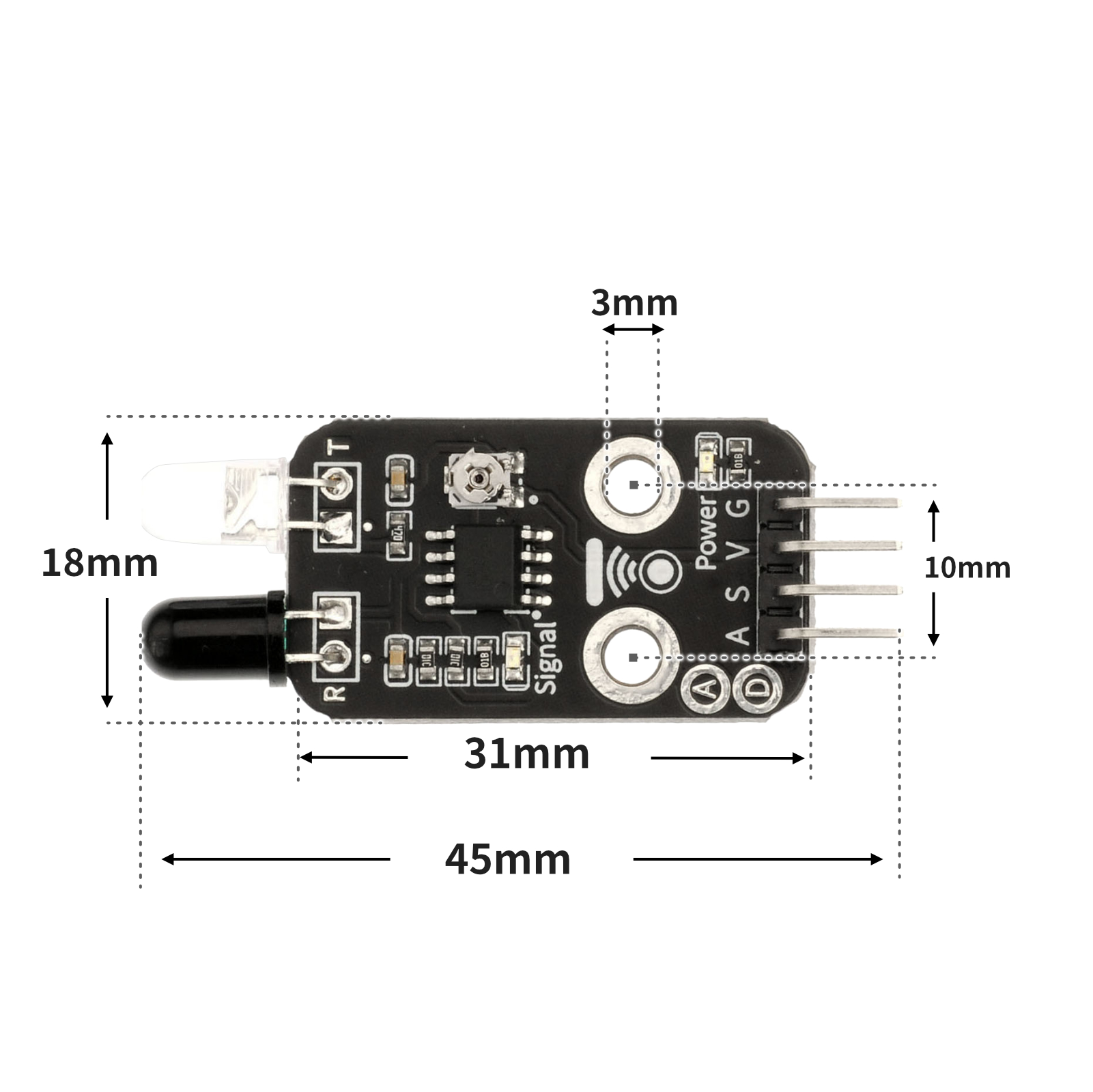
4, Circuit Board Size
5 of Arduino IDE example program
Attention: If prompted with an error message about the library file during program upload, please import the library file first!
Arduino IDE Library Download and Import Tutorial:Click to view
Example program (UNO development board):Click to download
void setup(){
  pinMode(4, INPUT);
  pinMode(9, OUTPUT);
}

void loop(){
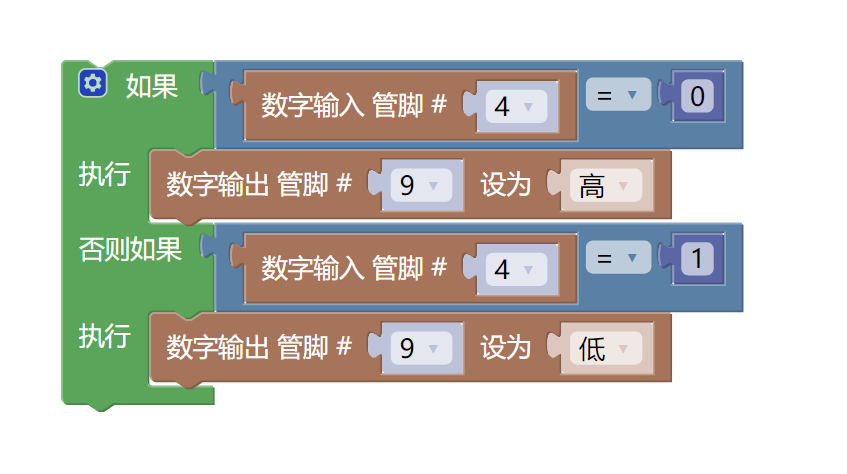
  if (digitalRead(4) == 0) {
    digitalWrite(9,HIGH);

  } else if (digitalRead(4) == 1) {
    digitalWrite(9,LOW);
  }

}
6, ESP32 Python Example (for Mixly IDE/Misashi)
Choose the development board Python ESP32 [ESP32 Generic(4MB)] and upload in code mode
Attention: If prompted with an error message about the library file during program upload, please import the library file first!
Download and import tutorial for Mixly IDE ESP32 library:Click to view
Example program (ESP32-Python):
import machine
import time


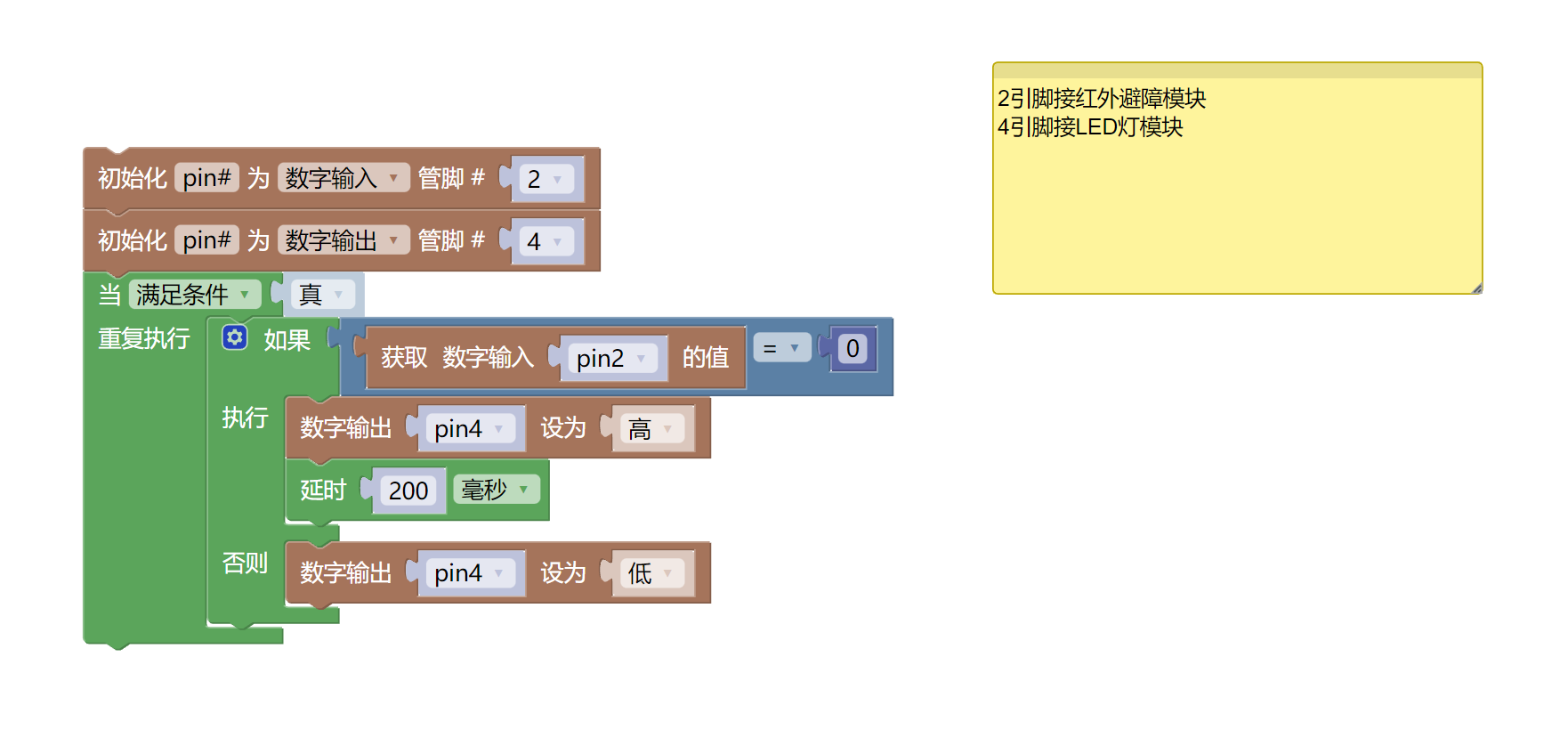
pin2 = machine.Pin(2, machine.Pin.IN)
pin4 = machine.Pin(4, machine.Pin.OUT)
while True:
    if pin2.value() == 0:
        pin4.value(1)
        time.sleep_ms(200)
    else:
        pin4.value(0)
7, Mixly example program (graphical language)
Example program (UNO development board):Click to download
Attention: If prompted with an error message about the library file during program upload, please import the library file first!
Download and import tutorial of Mixly IDE Arduino library:Click to view
Example Program (ESP32 Development Board):Click to download
Attention: If prompted with an error message about the library file during program upload, please import the library file first!
Download and import tutorial for Mixly IDE ESP32 library:Click to view
8. Setting up the Test Environment
Prepare Components:
HELLO STEM UNO R3 PRO DEVELOPMENT BOARD *1
USB TYPE-C DATA CABLE *1
LED light module (HS-F08A) *1
Infrared Obstacle Avoidance Module (HS-S02A) *1
1P female to female Dupont wire *6 pieces or 3P female to female Dupont wire *2 pieces
Circuit wiring diagram:
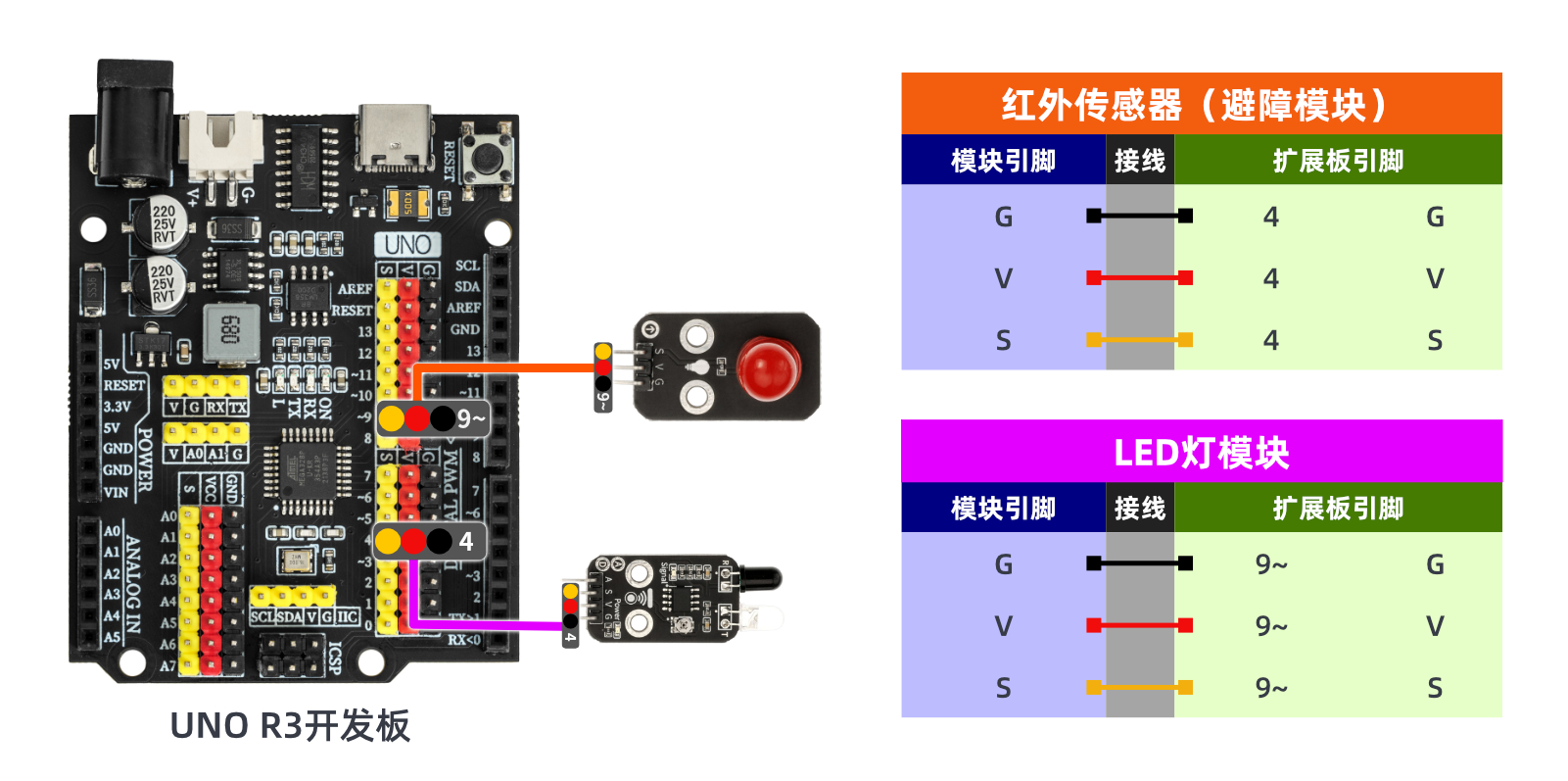
ESP32 Test Environment Setup
Prepare Components:Pending update...
Circuit wiring diagram:Pending update...
9, Video tutorial
Video tutorial:Click to view
10, Test conclusion
Arduino UNO test results:
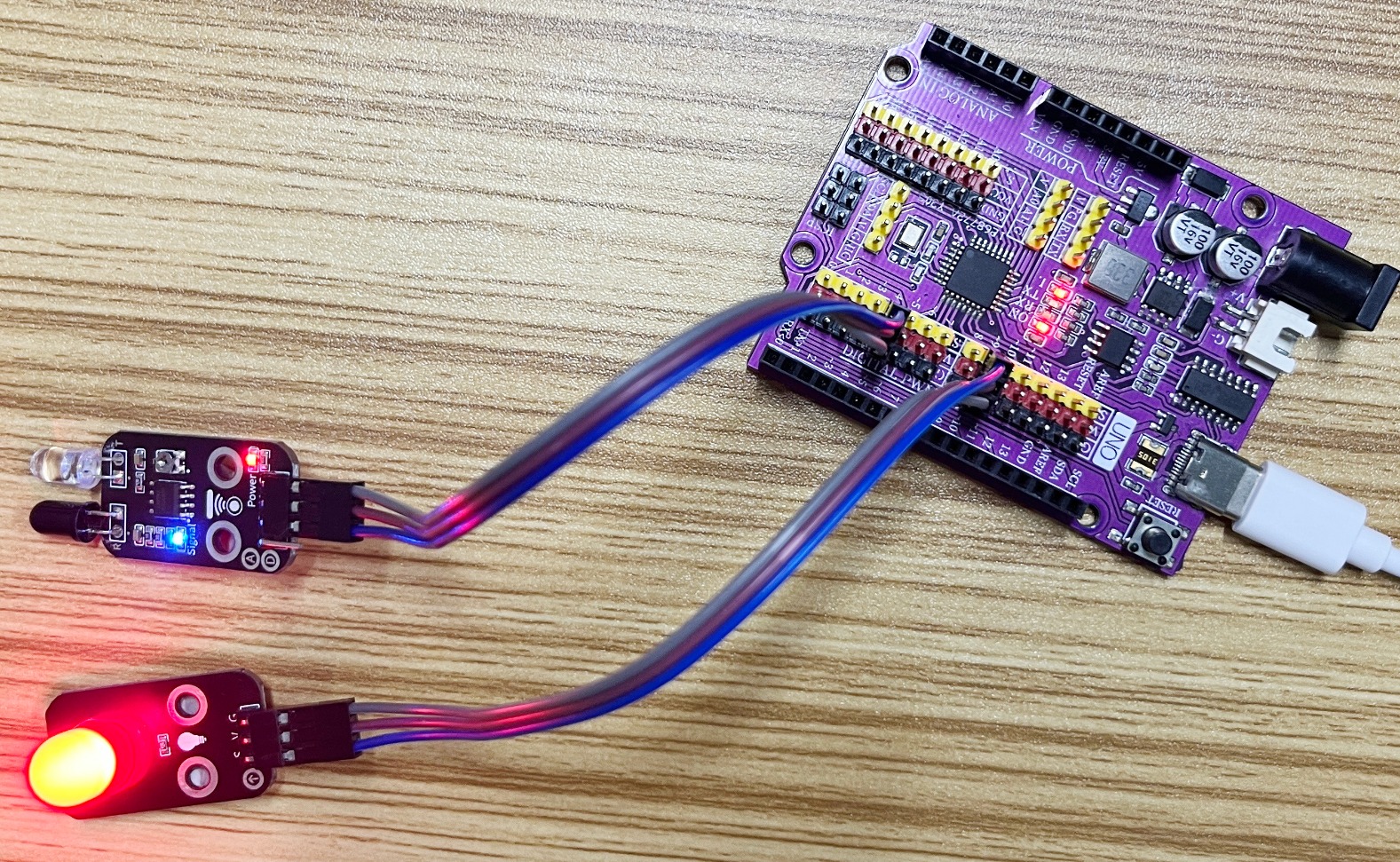
Under the condition that the infrared obstacle avoidance module is powered on, adjust the potentiometer of the infrared obstacle avoidance module with a small screwdriver, so that the finger is about 20mm away from the infrared obstacle avoidance probe, the sensor signal indicates the blue light is on, and the infrared obstacle avoidance module signal indicates the blue light is off when the finger is about 20mm away from the probe.Note: The infrared emitting and receiving probes of the infrared obstacle avoidance module are greatly interfered by the ambient light, please do not debug in a strong sun environment.
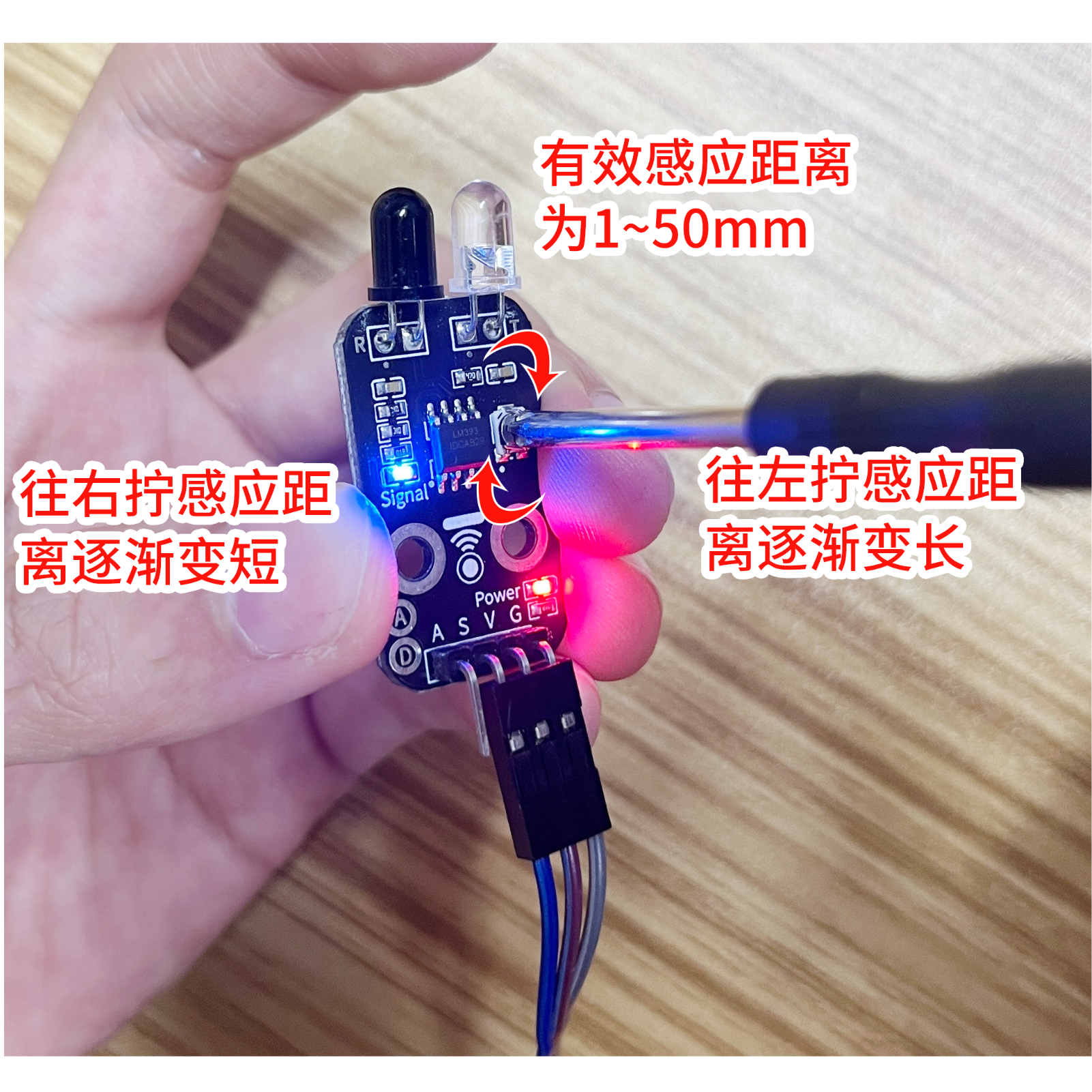
The infrared obstacle avoidance module utilizes the working characteristics of infrared. When the infrared obstacle avoidance module sensor detects an obstacle, it outputs a low level (0); the LED light is turned on. When the infrared obstacle avoidance module sensor does not detect any obstacle ahead, it outputs a high level (1), and the LED light is off.