
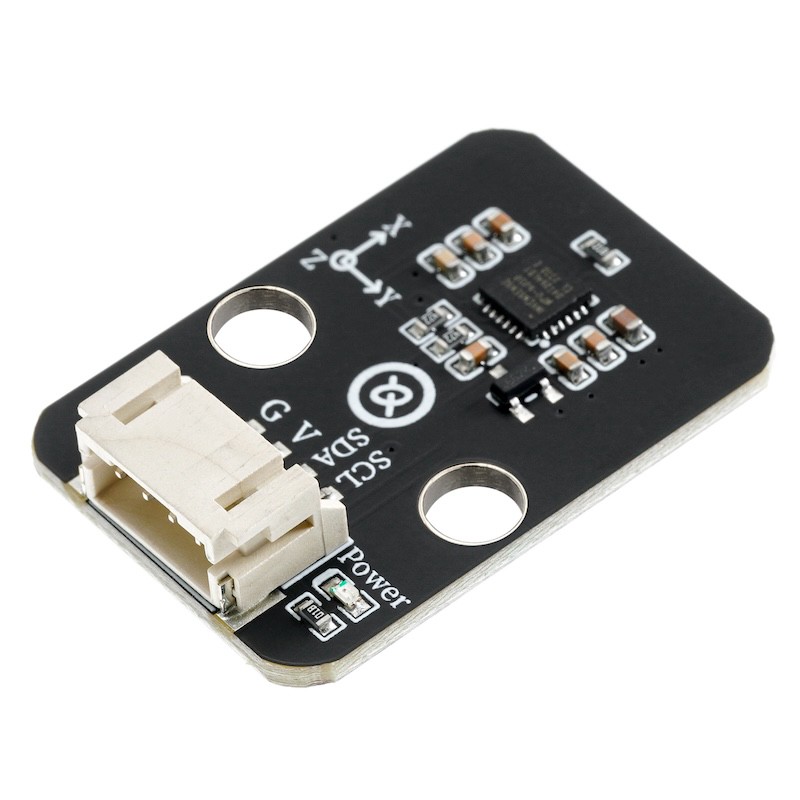
1. Introduction
2. Schematic
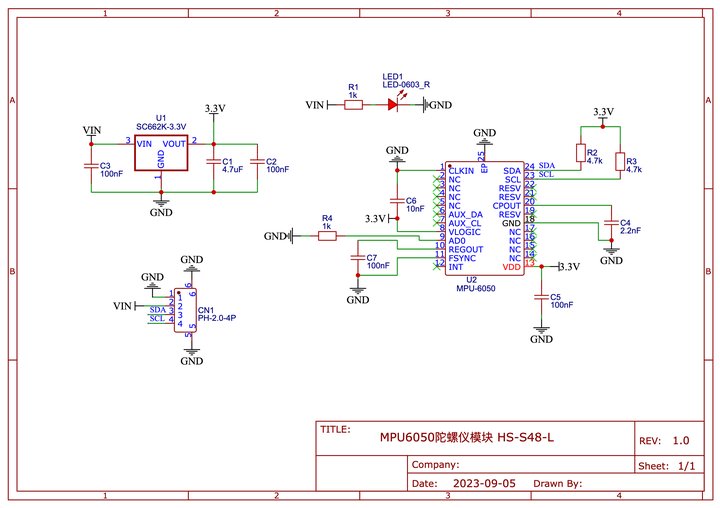
Module Parameters
Pin Name | description |
|---|---|
GND | GND (Negative Power Input) |
VCC | VCC (Positive Power Input) |
SDA | Data Transmission Pin |
SCL | Communication Clock Pin |
Power Supply Voltage: 3.3V / 5V
Connection method: PH2.0 4P terminal wire
Installation method: Lego assembly
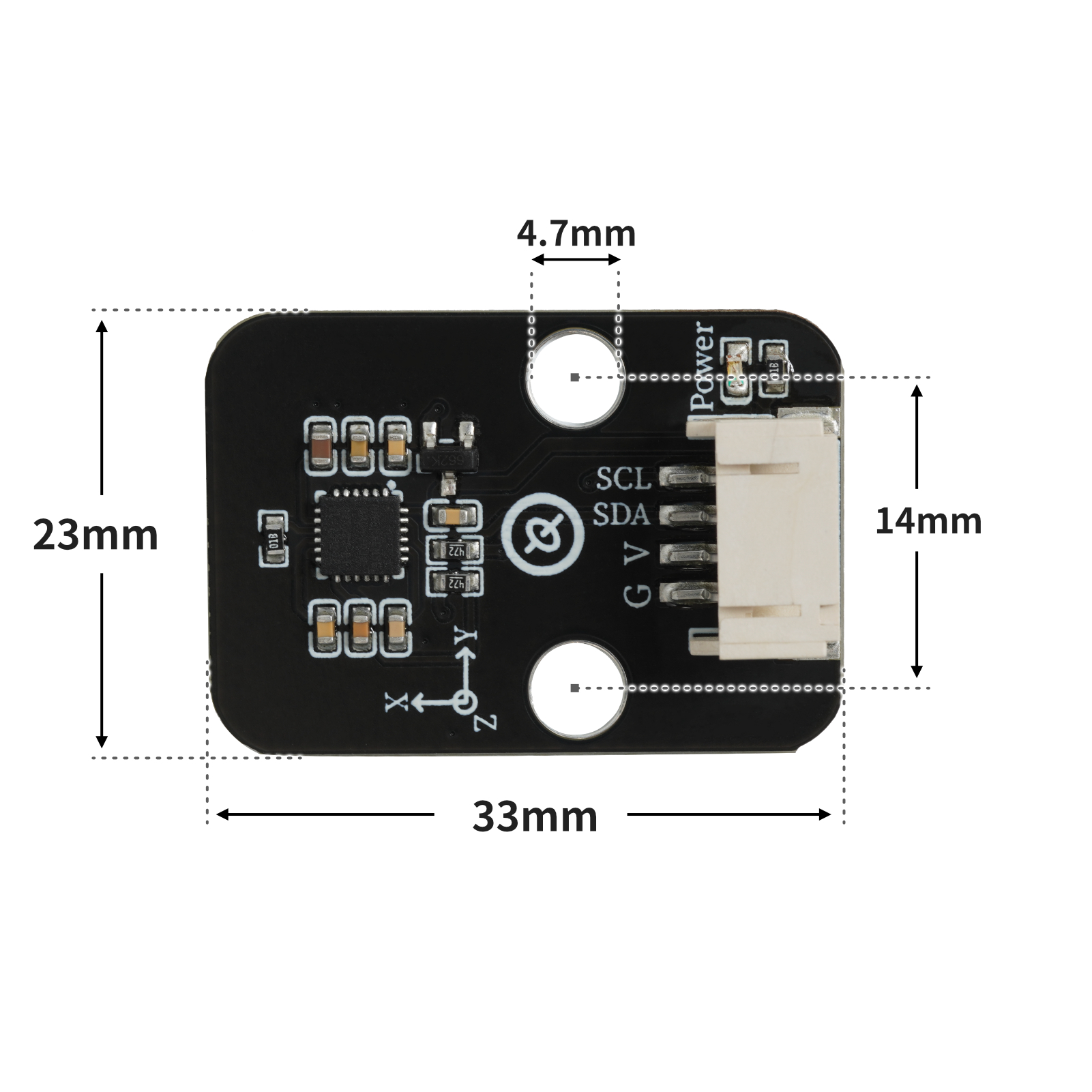
4, Circuit Board Size
5 of Arduino IDE example program
Example program (UNO development board):Click to download
#include <MPU6050_tockn.h>
#include <Wire.h>

MPU6050 mpu6050(Wire);

void setup(){
  Serial.begin(9600);
  Wire.begin();
  mpu6050.begin();
  mpu6050.calcGyroOffsets(true);
}

void loop(){
  //读取MPU6050数据\n连接方式:MPU6050连接主控板的IIC接口
  mpu6050.update();
  Serial.print("\nX轴加速度:");
  Serial.print(mpu6050.getAccX());
  Serial.print("\tY轴加速度:");
  Serial.print(mpu6050.getAccY());
  Serial.print("\tZ轴加速度:");
  Serial.println(mpu6050.getAccZ());
  Serial.print("X轴角度:");
  Serial.print(mpu6050.getAngleX());
  Serial.print("\tY轴角度:");
  Serial.print(mpu6050.getAngleY());
  Serial.print("\tZ轴角度:");
  Serial.println(mpu6050.getAngleZ());
  Serial.print("温度:");
  Serial.println(mpu6050.getTemp());
  Serial.print("###############################################");
  delay(1000);

}
Example Program (ESP32 Development Board — Based on Python language, cannot be uploaded using Arduino IDE):
import mpu6050
import machine
import time


# 请勿修改变量
i2c_extend = machine.SoftI2C(scl = machine.Pin(22), sda = machine.Pin(21), freq = 100000)
# 请勿修改变量
# 初始化语句请勿修改里面的变量
accel = mpu6050.accel(i2c_extend)
while True:
    # 获传感器数据语句,请勿修改里面的变量。获取的值为字典类型
    print(accel.get_values())
    time.sleep_ms(300)
6, Miciqi Mixly Example Program (Graphical Language)
Example program (UNO development board):Click to download
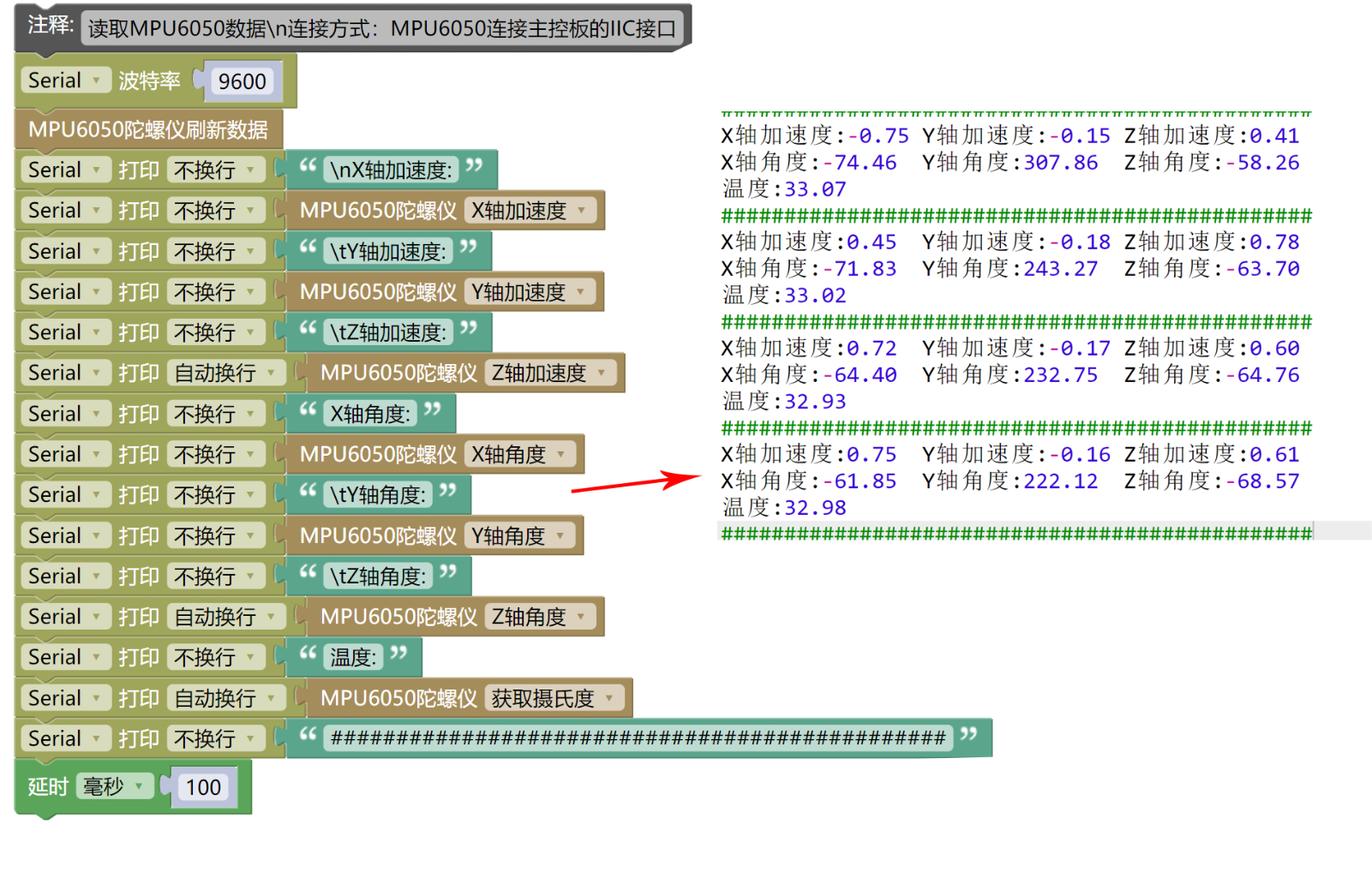
Example Program (ESP32 Development Board):Click to download
7, Test Environment Setup
Setting up the Arduino Environment
Prepare Components:
HELLO STEM UNO R3 DEVELOPMENT BOARD *1
HELLO STEM UNO EXP1 Expansion Board *1
USB TYPE-C DATA CABLE *1
MPU6050 Gyroscope Module*1
PH2.0 4P terminal line *1
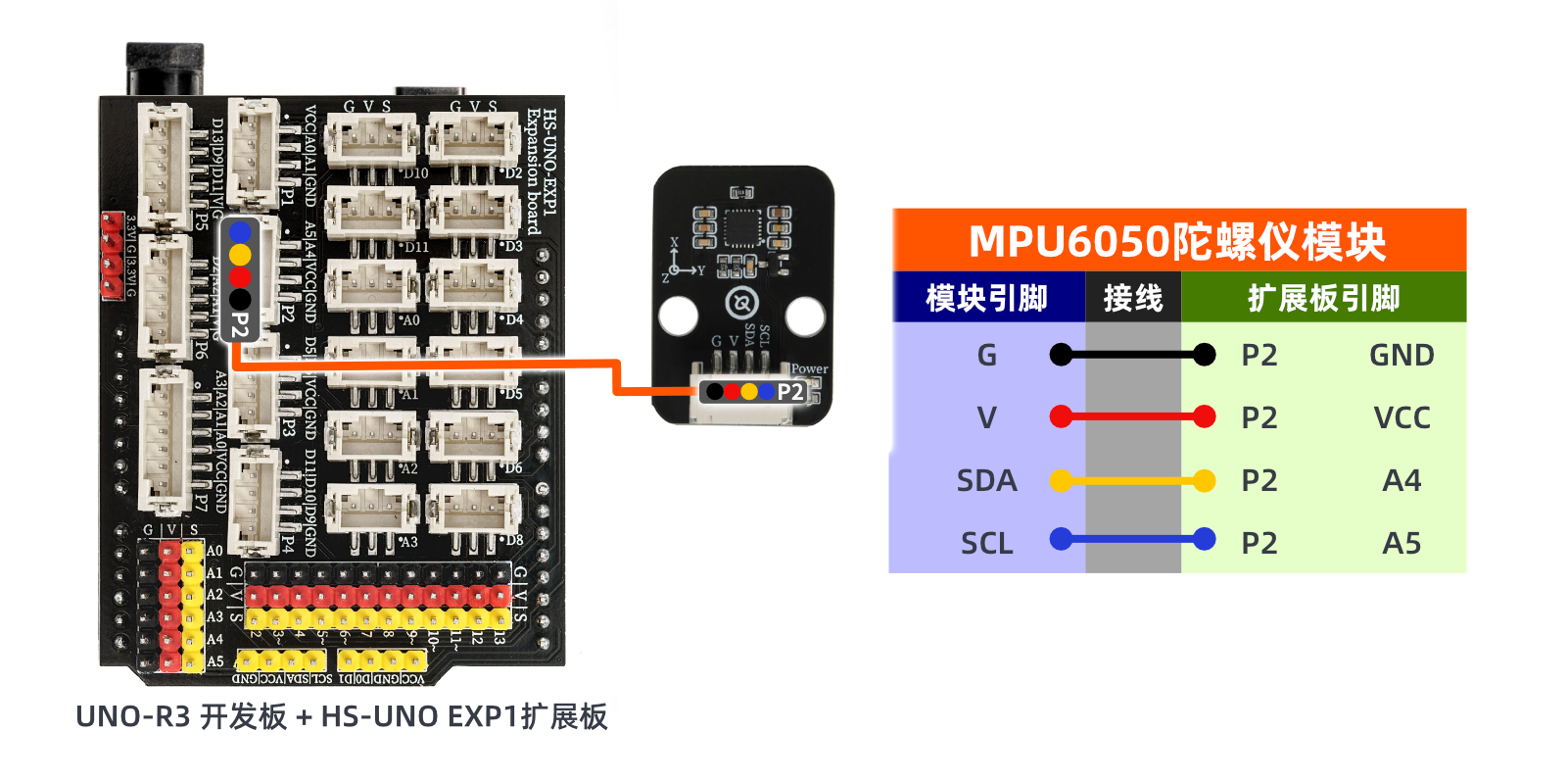
Circuit wiring diagram:
Set up Micropython environment
Prepare Components:
ESP32EA MOC development board *1
ESP32-EXP1 Expansion Board *1
USB TYPE-C DATA CABLE *1
MPU6050 Gyroscope Module*1
PH2.0 4P terminal line *1
Circuit wiring diagram:

8, Add Arduino library and MicroPython environment library
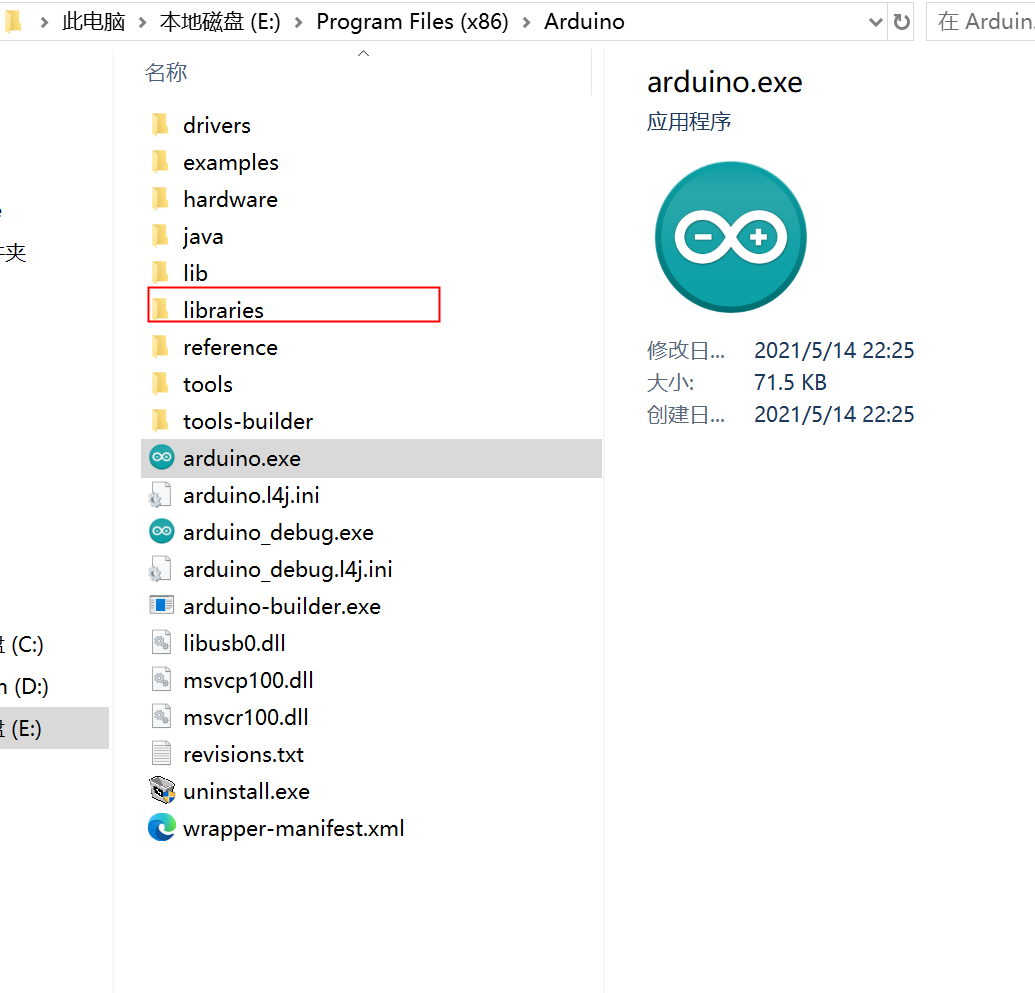
First find the Arduino library folder:
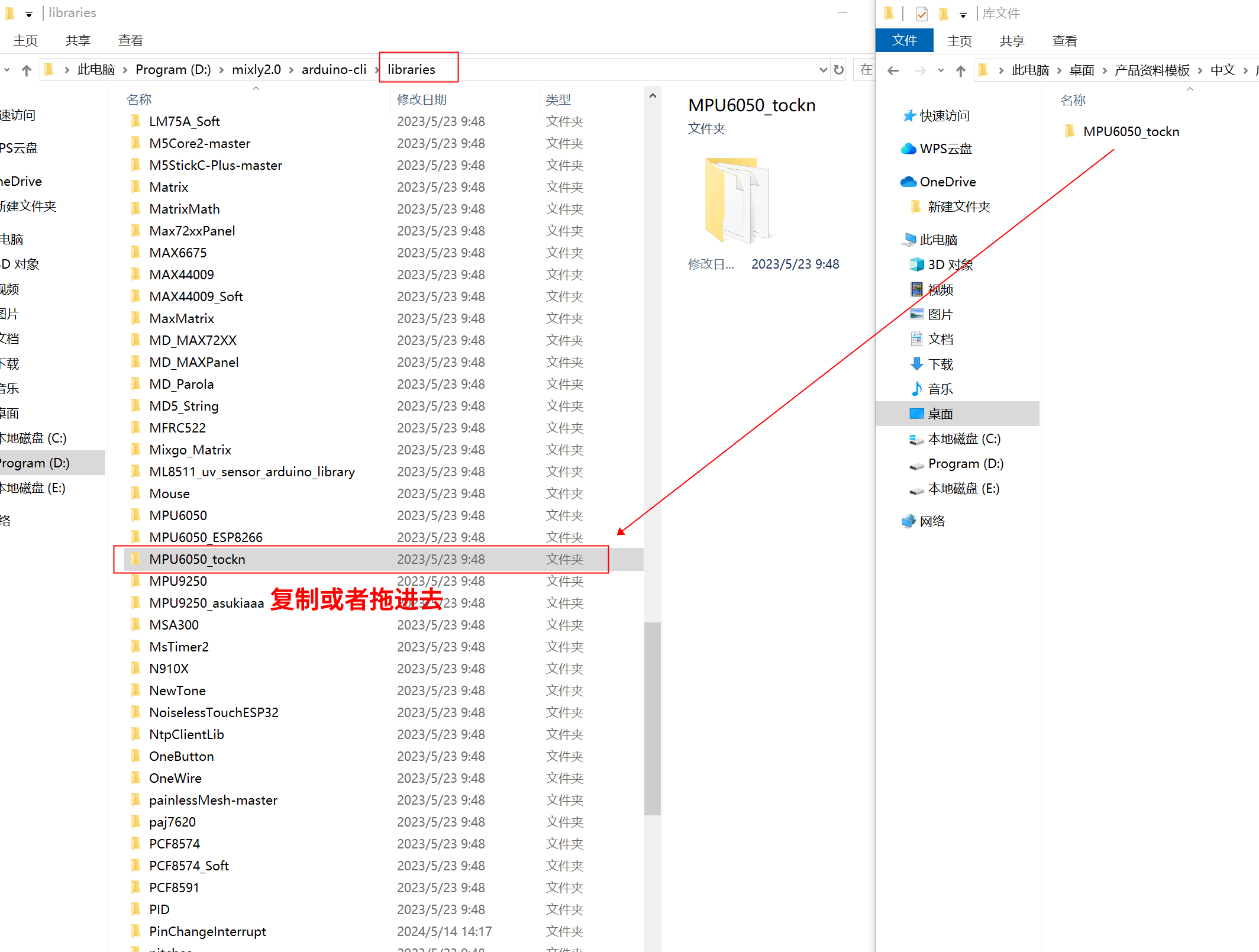
Copy the library file to the libraries folder in the Arduino IDE software directory and it's done:
Library file:Click to download
9, Add MicroPython environment library
Click here to install the library file:Reference link
10, video tutorial
Video tutorial: Click to view
11. Test Conclusion
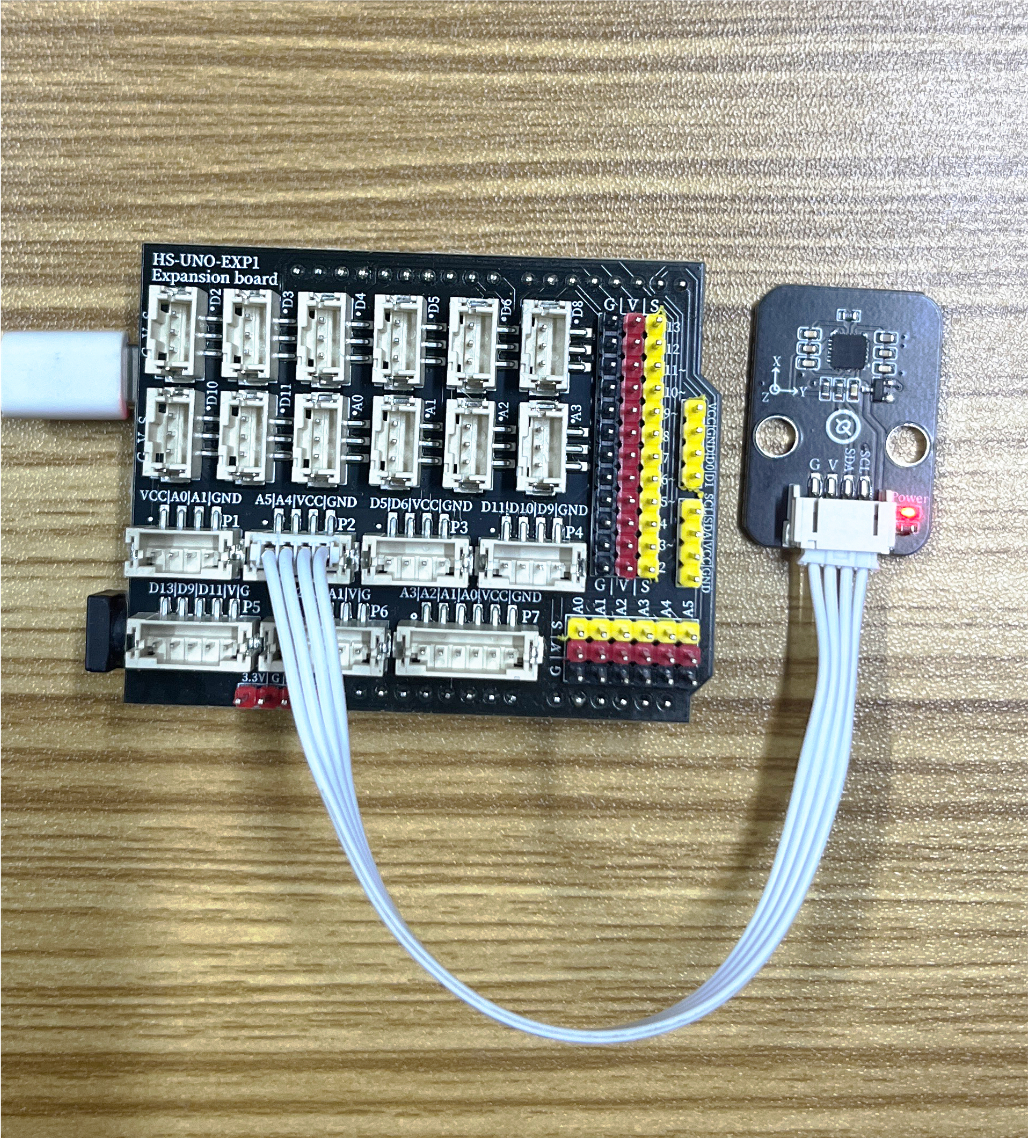
After the device is connected to the wire, upload the above program to the development board, and you can see the MPU6050 gyroscope module data test