
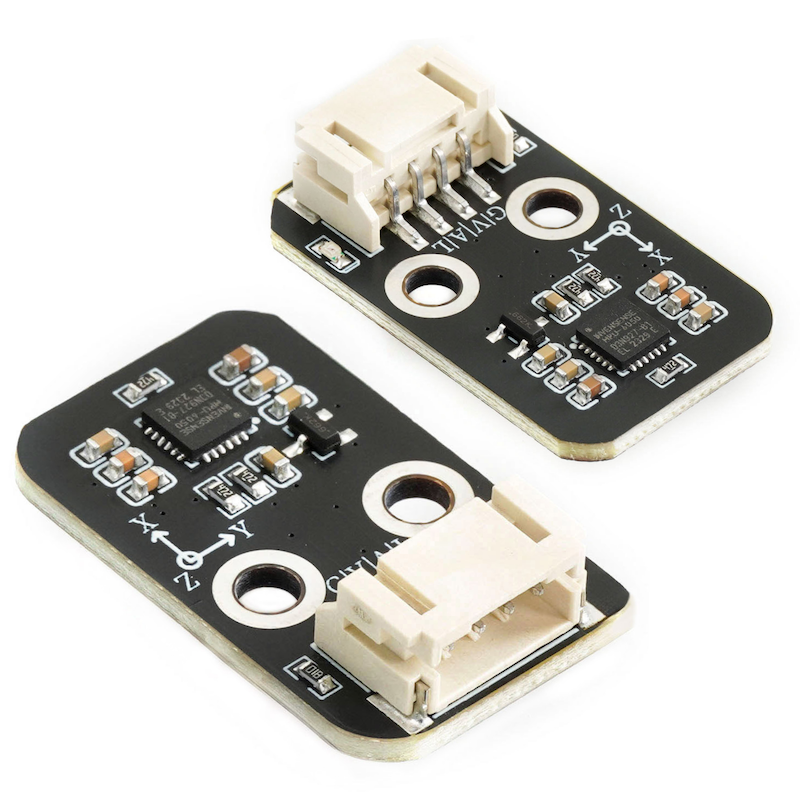
1. Introduction
2. Schematic
MPU6050 Gyroscope Module - HS-S48P SchematicClick to view
Module Parameters
Pin Name | description |
|---|---|
GND | GND (Negative Power Input) |
VCC | VCC (Positive Power Input) |
SDA | Data Transmission Pin |
SCL | Communication Clock Pin |
Power supply voltage: 3.3V - 5V
Connection method: PH2.0 4P terminal wire
Installation method: Screw fixed
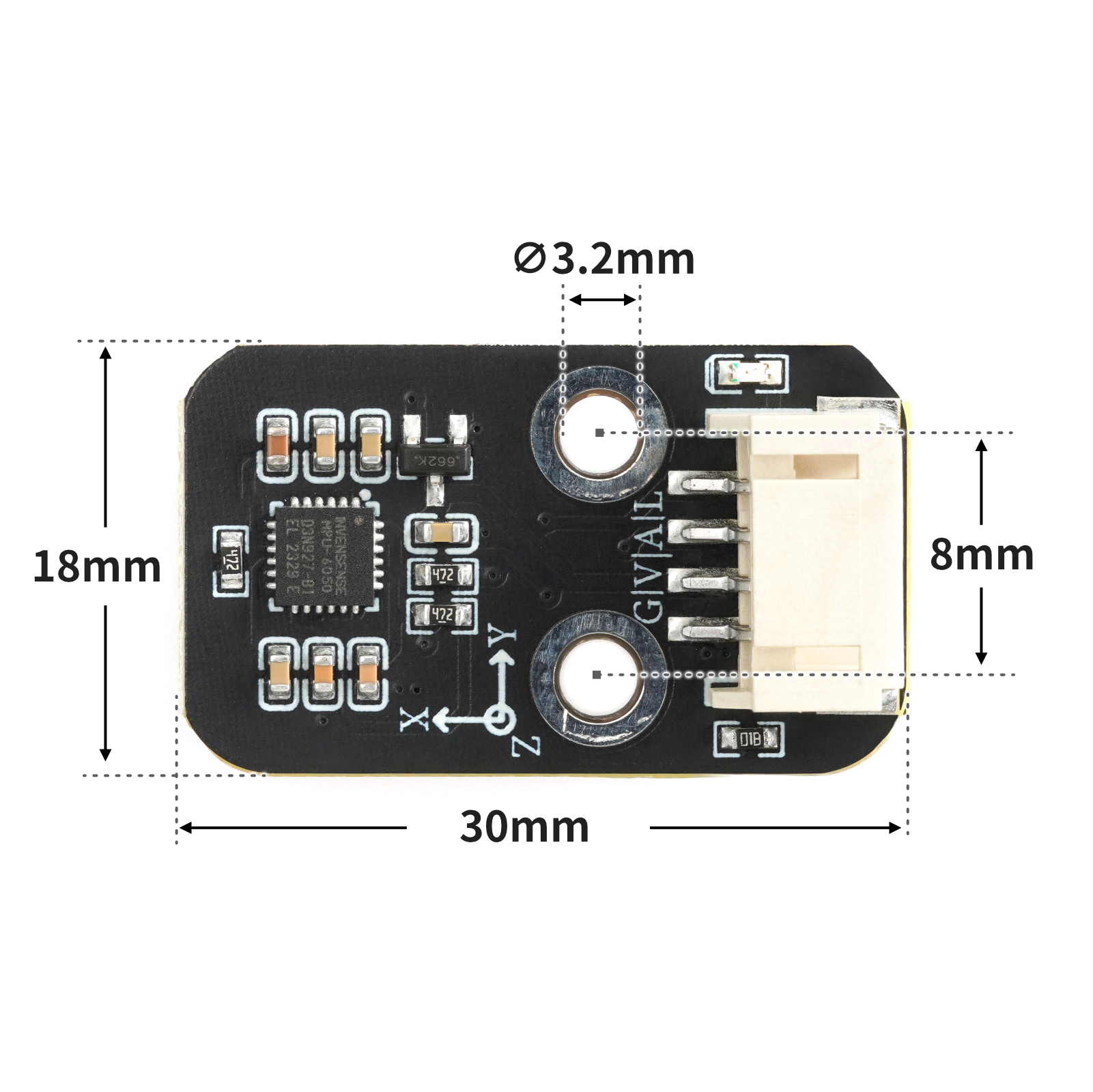
4, Circuit Board Size
5 of Arduino IDE example program
Attention: If prompted with an error message about the library file during program upload, please import the library file first!
Arduino IDE Library Download and Import Tutorial:Click to view
Example program (UNO development board):
#include <MPU6050_tockn.h>
#include <Wire.h>

MPU6050 mpu6050(Wire);

void setup(){
  Serial.begin(9600);
  Wire.begin();
  mpu6050.begin();
  mpu6050.calcGyroOffsets(true);
}

void loop(){
  //读取MPU6050数据\n连接方式:MPU6050连接主控板的IIC接口
  mpu6050.update();
  Serial.print("\nX轴加速度:");
  Serial.print(mpu6050.getAccX());
  Serial.print("\tY轴加速度:");
  Serial.print(mpu6050.getAccY());
  Serial.print("\tZ轴加速度:");
  Serial.println(mpu6050.getAccZ());
  Serial.print("X轴角度:");
  Serial.print(mpu6050.getAngleX());
  Serial.print("\tY轴角度:");
  Serial.print(mpu6050.getAngleY());
  Serial.print("\tZ轴角度:");
  Serial.println(mpu6050.getAngleZ());
  Serial.print("温度:");
  Serial.println(mpu6050.getTemp());
  Serial.print("###############################################");
  delay(1000);

}
6, ESP32 Python Example (for Mixly IDE/Misashi)
Choose the development board Python ESP32 [ESP32 Generic(4MB)] and upload in code mode
Attention: If prompted with an error message about the library file during program upload, please import the library file first!
Download and import tutorial for Mixly IDE ESP32 library:Click to view
Example program (ESP32-Python):
import mpu6050
import machine
import time


# 请勿修改变量
i2c_extend = machine.SoftI2C(scl = machine.Pin(22), sda = machine.Pin(21), freq = 100000)
# 请勿修改变量
# 初始化语句请勿修改里面的变量
accel = mpu6050.accel(i2c_extend)
while True:
    # 获传感器数据语句,请勿修改里面的变量。获取的值为字典类型
    print(accel.get_values())
    time.sleep_ms(300)
7, Mixly example program (graphical language)
Example program (UNO development board):Click to download
Attention: If prompted with an error message about the library file during program upload, please import the library file first!
Download and import tutorial of Mixly IDE Arduino library:Click to view
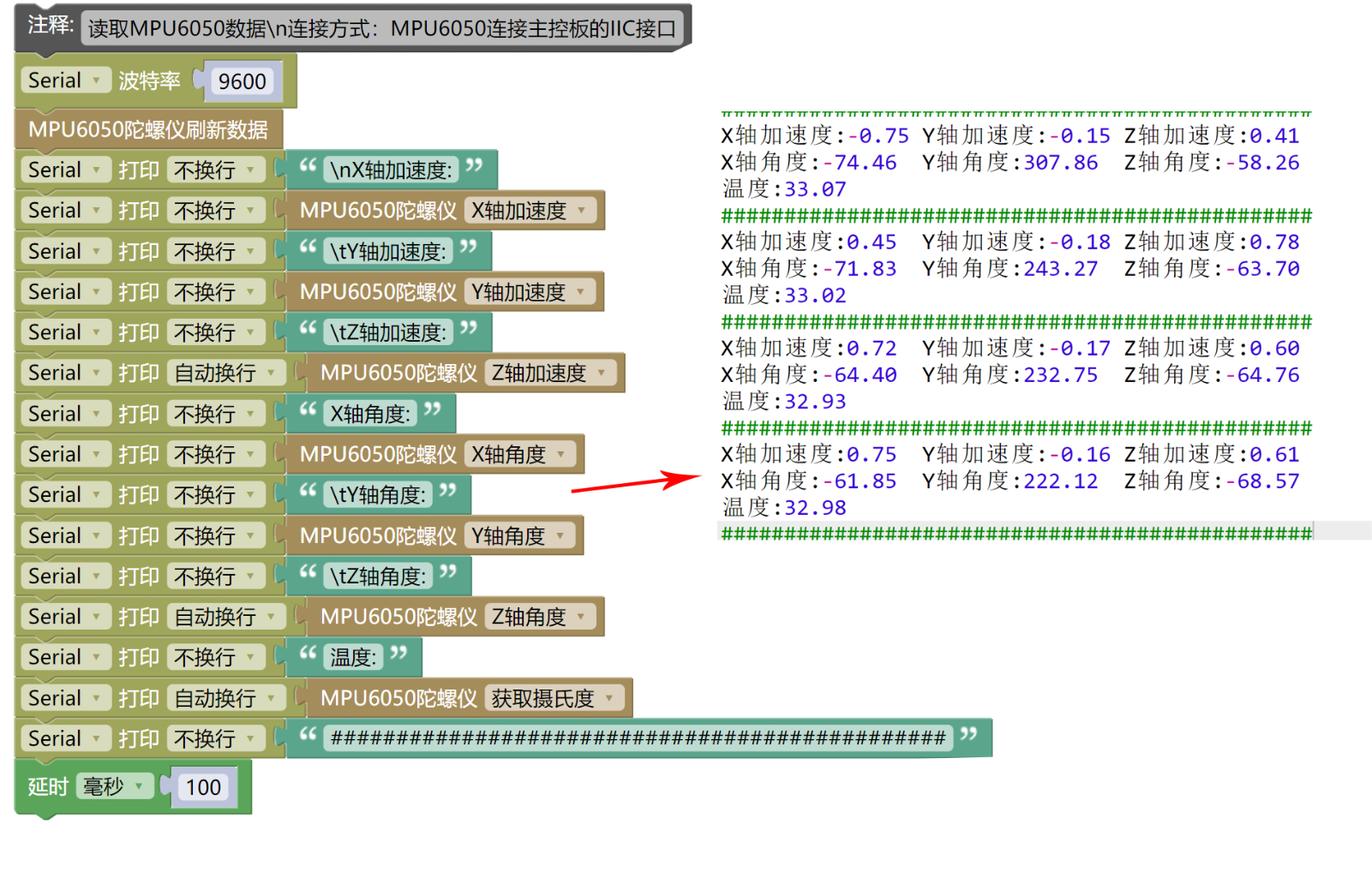
Example Program (ESP32 Development Board):Click to download
Attention: If prompted with an error message about the library file during program upload, please import the library file first!
Download and import tutorial for Mixly IDE ESP32 library:Click to view
8. Setting up the Test Environment
Arduino UNO Test Environment Setup
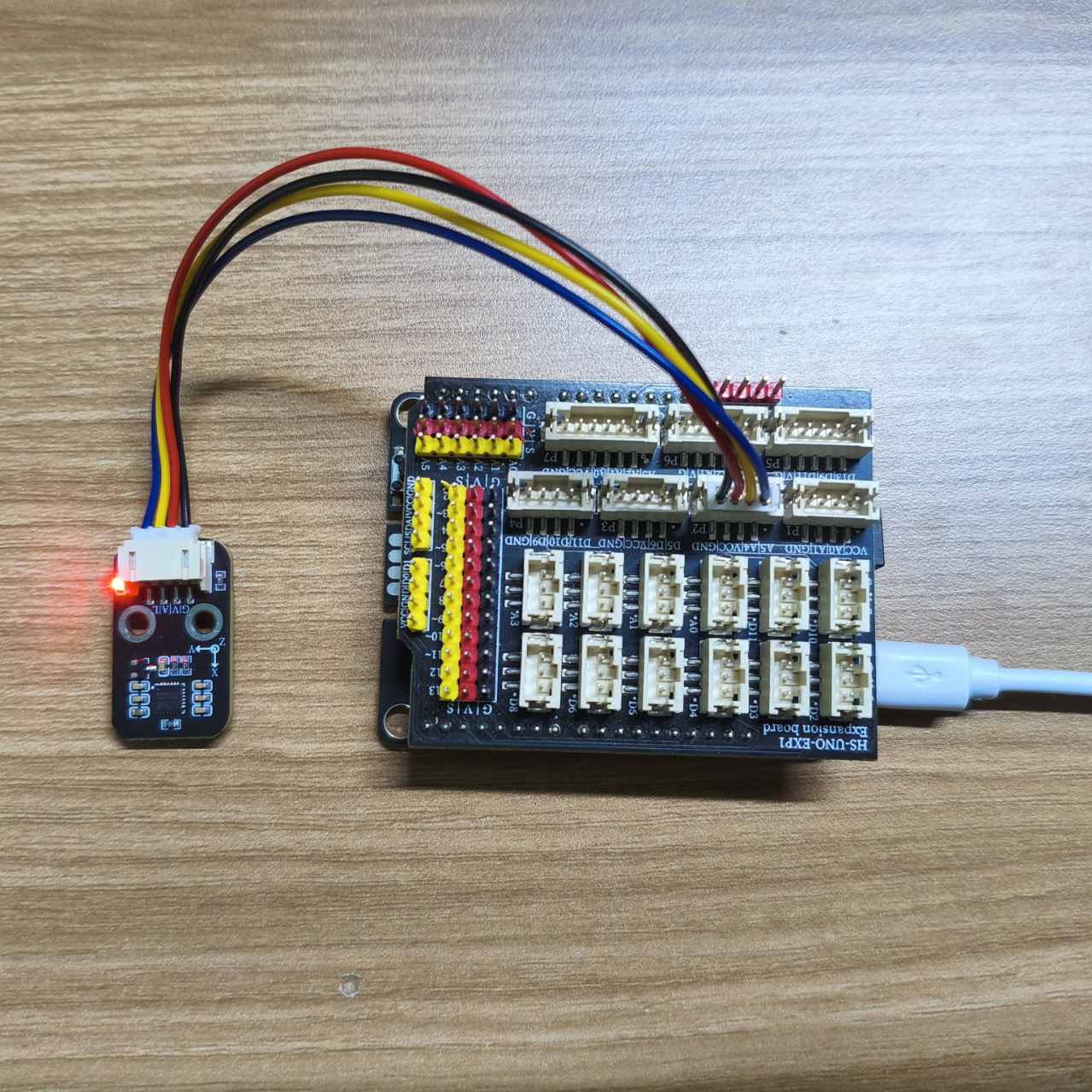
Prepare Components:
HELLO STEM UNO R3 DEVELOPMENT BOARD *1
HELLO STEM UNO EXP1 Expansion Board *1
USB TYPE-C DATA CABLE *1
MPU6050 Gyroscope Module*1
PH2.0 4P terminal line *1
Circuit wiring diagram:
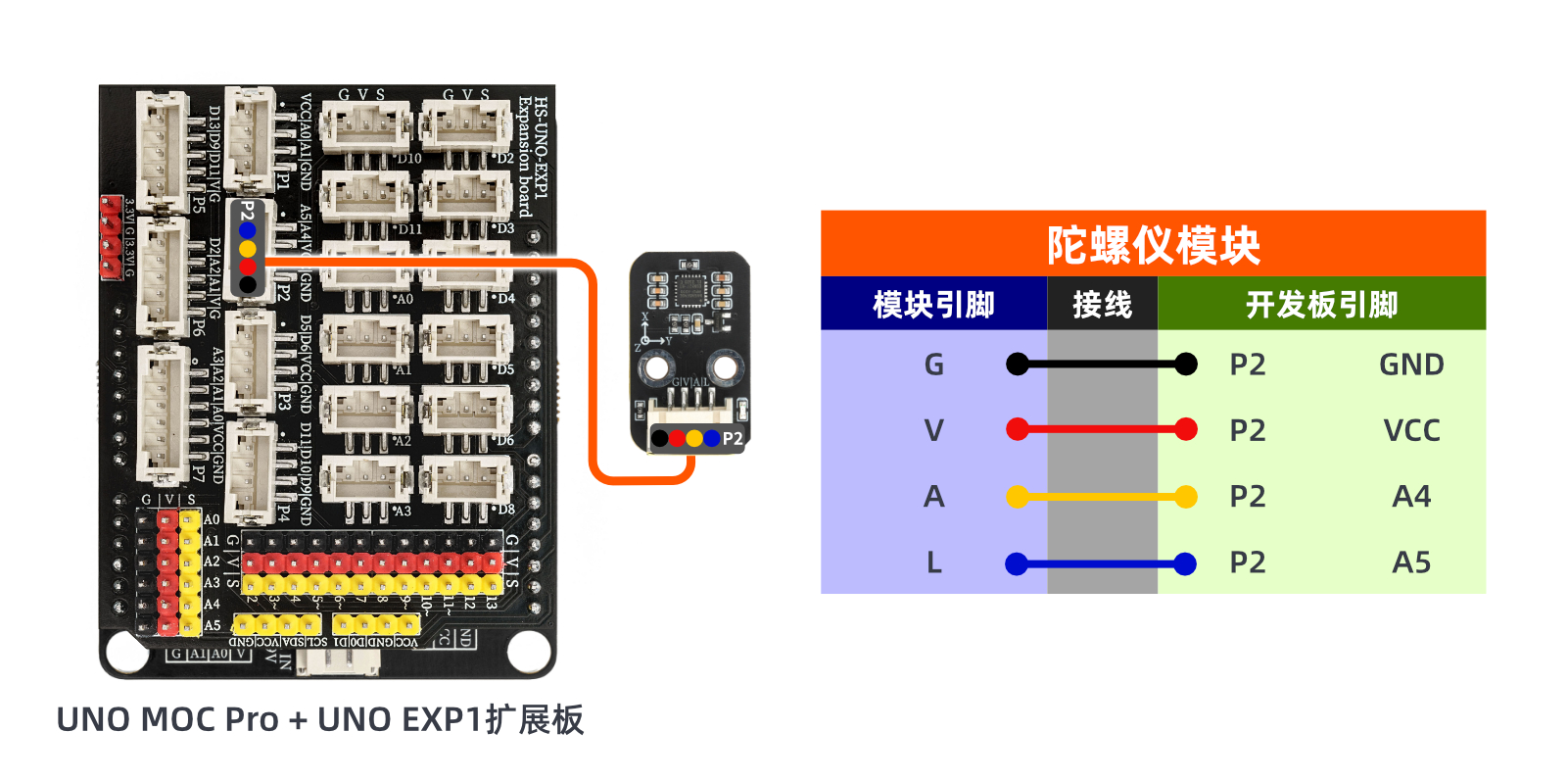
ESP32 Test Environment Setup
Prepare Components:
ESP32EA MOC development board *1
ESP32-EXP1 Expansion Board *1
USB TYPE-C DATA CABLE *1
MPU6050 Gyroscope Module*1
PH2.0 4P terminal line *1
Circuit wiring diagram:Pending update...
9, Video tutorial
Video tutorial:Click to view
10, Test results
Arduino UNO test results:
After the device is connected to the line, upload the above program to the development board, and you can see the MPU6050 gyroscope module data test.
ESP32 Test Results:
Pending update...