
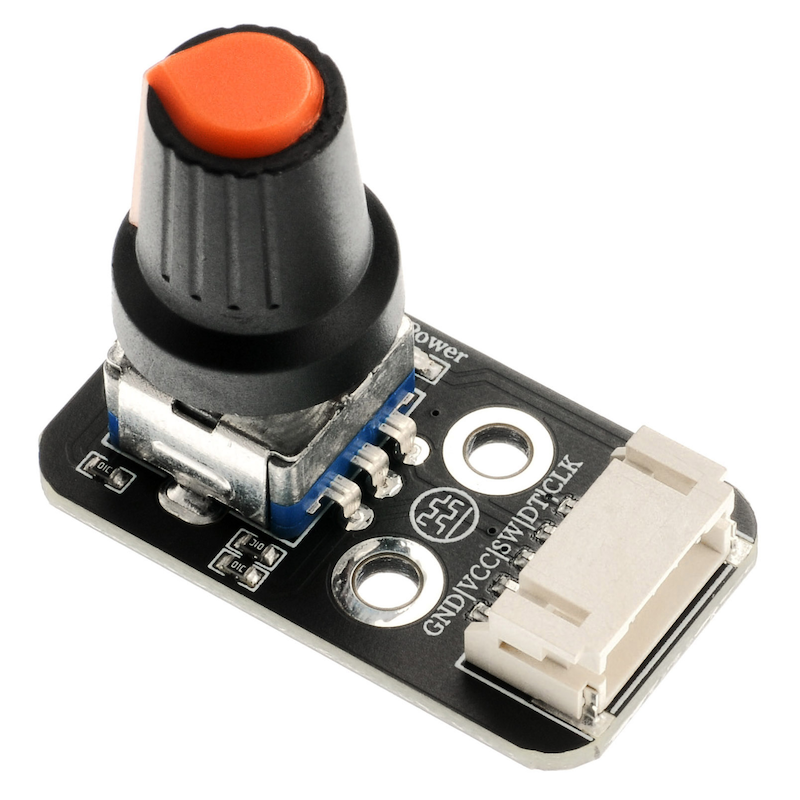
1. Introduction
An encoder is a rotating type of sensor that converts rotational displacement into a series of digital pulse signals. By rotating, it can count the number of pulses output during the rotation process in both the positive and negative directions. The rotation count is unlike potentiometers, as this rotation count is unlimited.Cooperate with the buttons on the rotary encoder to enable certain specific functions.The reading system usually adopts a differential method, that is, two waveforms with the same shape but a phase difference of 180° are compared to improve the quality and stability of the output signal.Encoders are widely used in applications such as car volume and air conditioning adjustment.
2. Schematic
HS-S32P Encoder SchematicClick to view
Module Parameters
Pin Name | description |
|---|---|
G | GND (Negative Power Input) |
V | VCC (Positive Power Input) |
SW | Switch Pin |
DT | Data pin |
CLK | clock pin |
Power Supply Voltage: 3.3V / 5V
Connection method: PH2.0 terminal wire
Installation Method: Double Screw Fixed
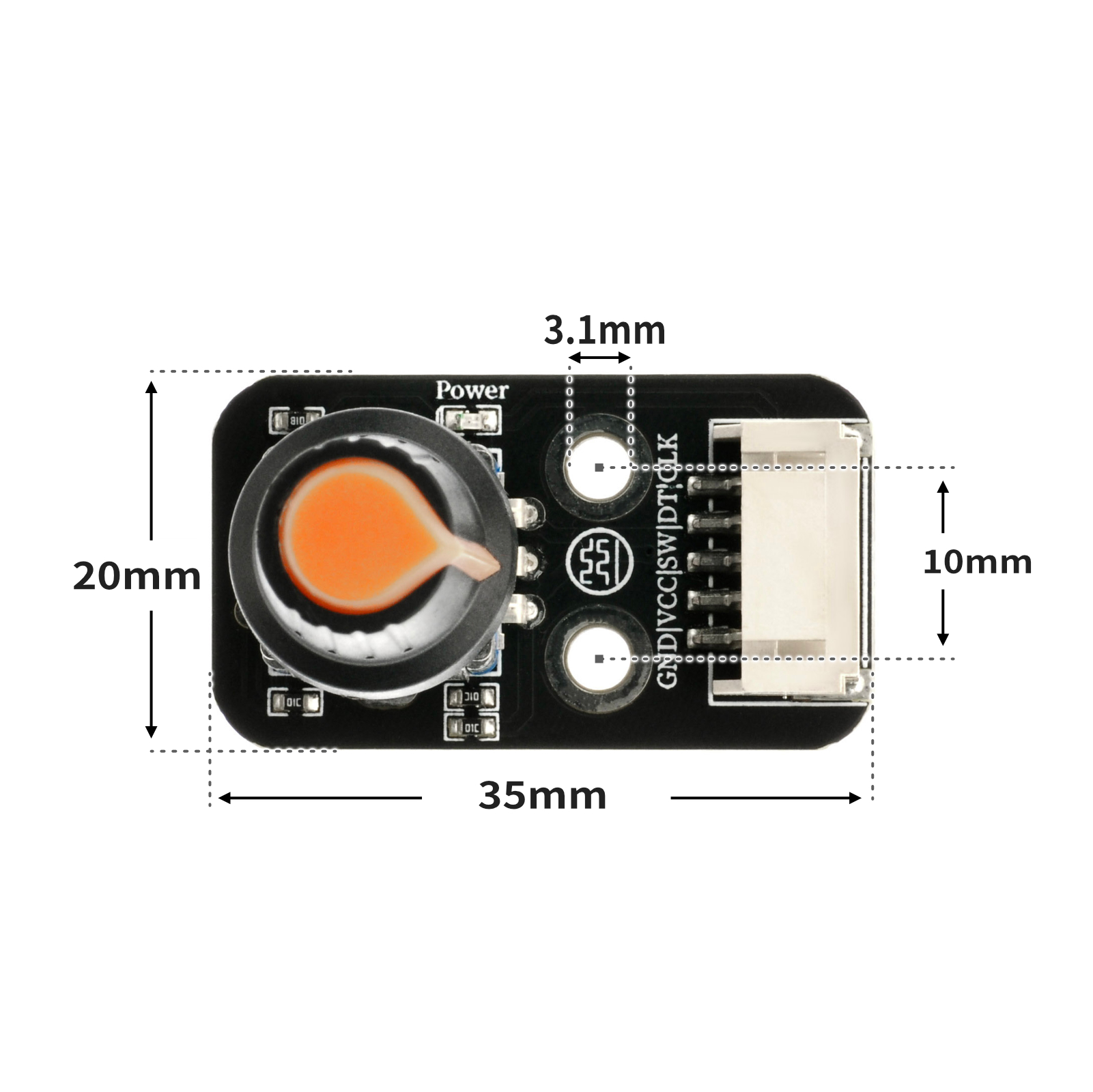
4, Circuit Board Size
5 of Arduino IDE example program
Attention: If prompted with an error message about the library file during program upload, please import the library file first!
Arduino IDE Library Download and Import Tutorial:Click to view
Example program (UNO development board):
volatile int lastCLK;
volatile int count;

void attachInterrupt_fun_RISING_2() {
  procedure();
}

void procedure() {
  int clkstate = digitalRead(2);
  int dtstate = digitalRead(A2);
  if (lastCLK != clkstate) {
    lastCLK = clkstate;

  }
  count = count + ((clkstate != dtstate)?-1:(1));
  Serial.println(count);
}

void setup(){
  lastCLK = 0;
  count = 0;
  Serial.begin(9600);
  pinMode(2, INPUT);
  attachInterrupt(digitalPinToInterrupt(2),attachInterrupt_fun_RISING_2,RISING);
  pinMode(A1, OUTPUT);
  digitalWrite(A1,HIGH);
  pinMode(A2, INPUT);
}

void loop(){
  //编码器CLK接扩展板D2,dt引脚接A2,sw引脚接A1

  if (digitalRead(A1) == 0) {
    count = 0;
    Serial.println(count);

  }

}
6, ESP32 Python Example (for Mixly IDE/Misashi)
Choose the development board Python ESP32 [ESP32 Generic(4MB)] and upload in code mode
Attention: If prompted with an error message about the library file during program upload, please import the library file first!
Download and import tutorial for Mixly IDE ESP32 library:Click to view
Example program (ESP32-Python):
待更新...7, Mixly example program (graphical language)
Example program (UNO development board):Click to download
Attention: If prompted with an error message about the library file during program upload, please import the library file first!
Download and import tutorial of Mixly IDE Arduino library:Click to view
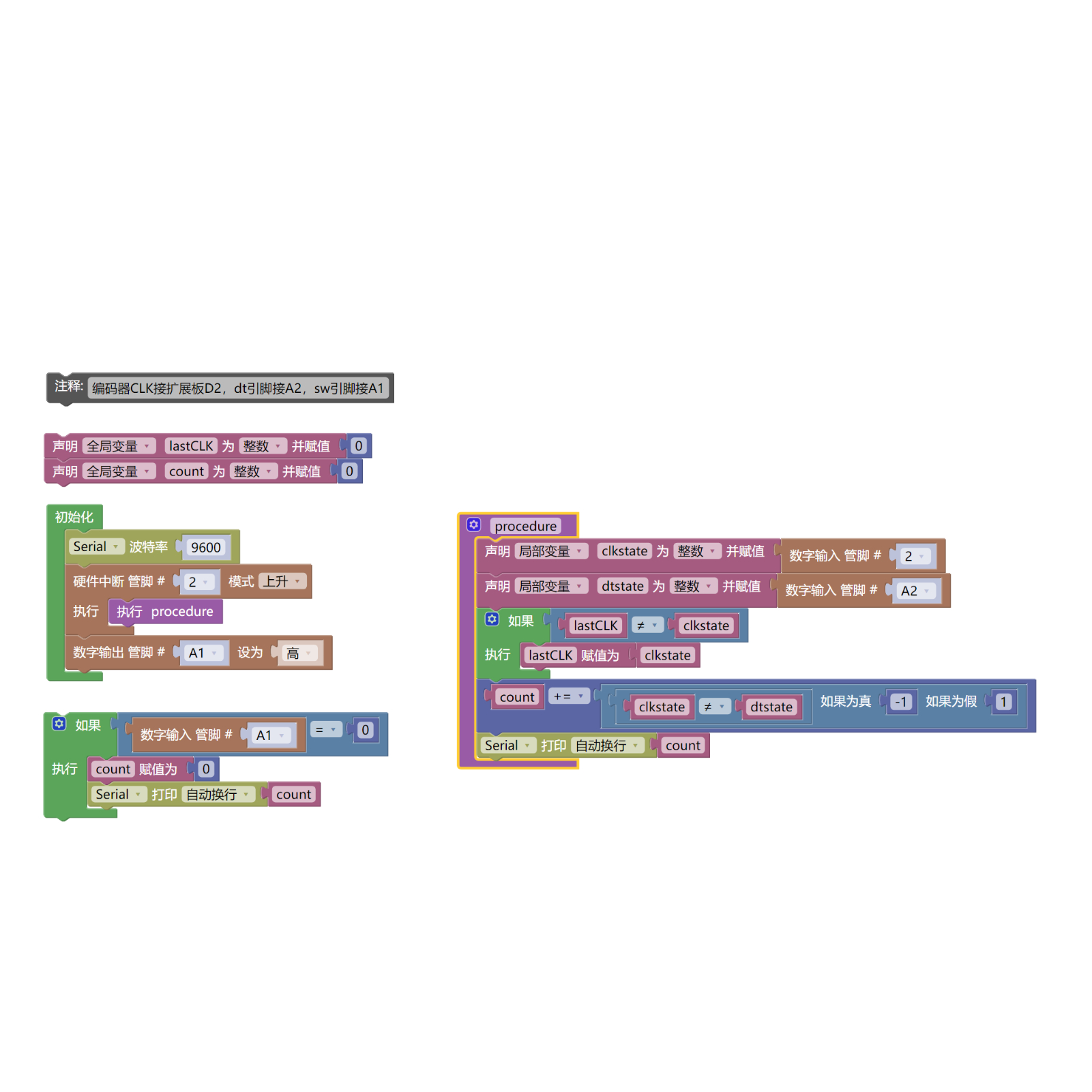
Example Program (ESP32 Development Board):Click to download
Attention: If prompted with an error message about the library file during program upload, please import the library file first!
Download and import tutorial for Mixly IDE ESP32 library:Click to view
Image pending update...
8. Setting up the Test Environment
Arduino UNO Test Environment Setup
Prepare Components:
HELLO STEM UNO R3 DEVELOPMENT BOARD *1
HELLO STEM UNO R3 P EXPANSION BOARD *1
USB TYPE-C DATA CABLE *1
Encoder module (HS-S32P) *1
PH2.0 5P connector to Dupont wire *1 or PH2.0 5P double-ended connector wire *1
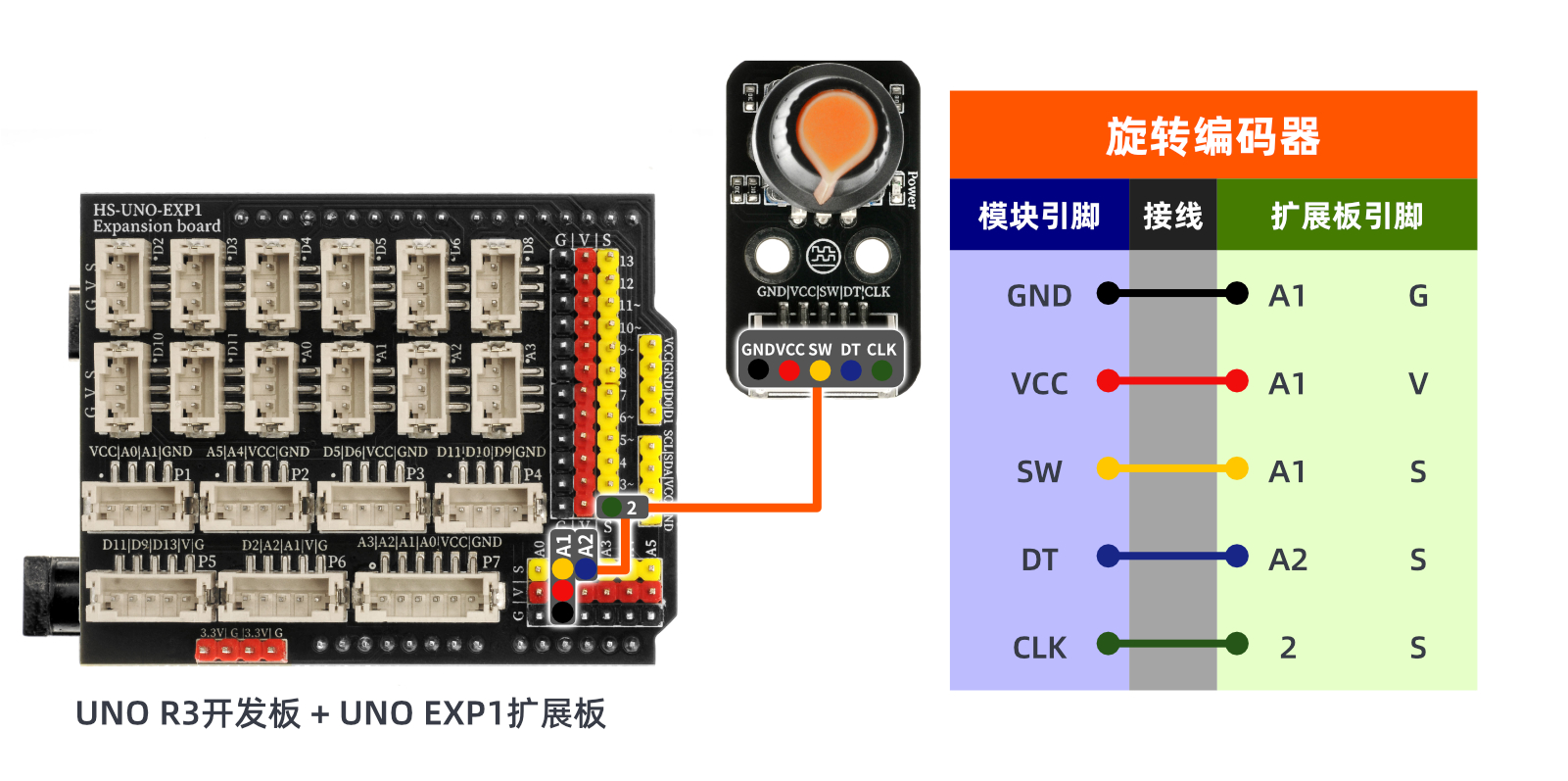
Circuit wiring diagram:
ESP32 Test Environment Setup
Prepare Components:Pending update...
Circuit wiring diagram:Pending update...
9, Video tutorial
Video tutorial:Click to view
10, Test conclusion
Arduino UNO test results:
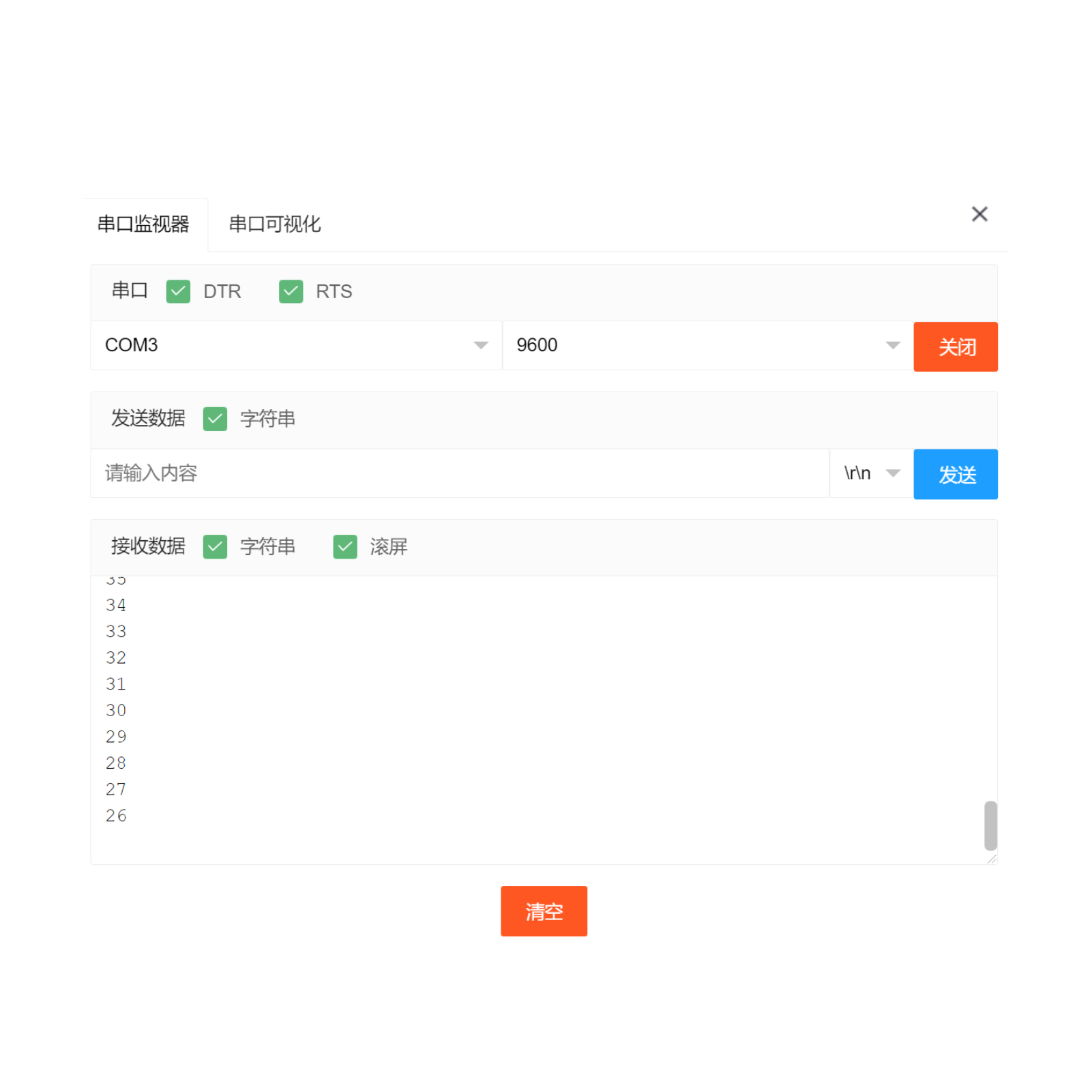
Through experimental analysis, the rotary encoder is a unrestricted rotating device, the count increases with clockwise rotation, the count decreases with counterclockwise rotation, and the count resets to zero when the rotary encoder button is pressed.As shown in the figure: Open the Mxily serial port monitor, turn the rotary encoder knob, and the serial port outputs numbers.
ESP32 Test Results:
Pending update...